Mockitt AI Agent - Streamline Your Entire Product Design Workflow
Feature Introduction
Overview
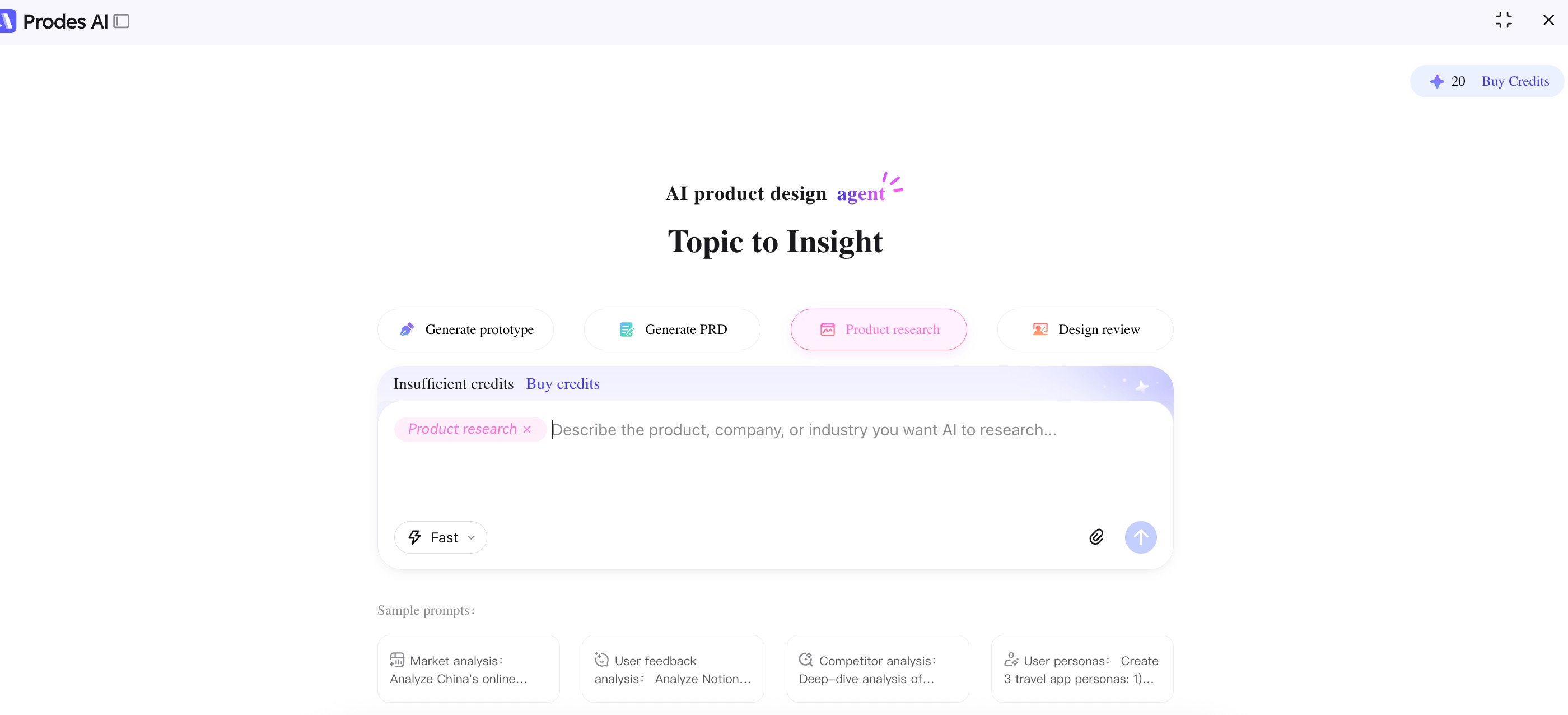
Mockitt Agent is an AI-driven intelligent assistant for product design. It covers four expert modes: Prototyping, PRD Writing, Product Research, and Solution Review. With capabilities like natural language interaction, sketch recognition, and code generation, it provides a one-stop solution for the entire product workflow, making design smarter and more efficient.
It offers one General Mode and four Expert Modes. Within different modes, you can choose between Deep Mode and Fast Mode based on your needs.
General Mode
Engage in direct conversation without selecting a specific scenario. Freely input any product questions or requirements, and the AI will intelligently understand your intent and generate the desired content, flexibly handling various product work scenarios.
Prototyping
Generate high-fidelity prototypes from natural language with one click. Supports sketch recognition, multi-round dialogue optimization, and automatic code output, integrating design and development.
PRD Writing
Intelligently generate structured PRD documents, automatically complete and optimize content, and review logic risks from multiple perspectives to make requirement documents more professional and efficient.
Product Research
Aggregate multi-channel data to intelligently extract key information. Quickly generate competitor analysis and industry insight reports, significantly improving research efficiency.
Solution Review
Automatically extract key points to identify experience issues. Supports multi-version scheme comparison and analysis to help teams make scientific decisions and reduce risks.
User Guide
1. Access Mockitt AI
Go to the official website and log in to your Mockitt account. Find "Mockitt AI" on the left side of the page and click to enter, or visit modao.cc/ai directly to log in and use it.
2. Select Mode
You can freely select one of the four Expert Modes below to complete your task. Click to select an expert mode, or use the General Mode without selecting specific expertise.
3. Select Deep/Fast Mode
After selecting an Expert Mode or General Mode, you need to choose between Fast Mode and Deep Mode.
4. Start Conversation
Enter your request to start the conversation. If you are unsure how to describe your needs for the AI to understand better, you can refer to the prompt cases under each expert mode.
Upload Attachment
You can find a prominent "Upload Attachment" button in the lower right corner of the dialog box. Click to upload files from your device. Once uploaded, the agent can more accurately assist you based on the attachment content. Supported formats include:
- txt
- html
- word, etc.
Modify and Optimize (Prototyping Mode)
In the Prototyping Expert Mode, after generating the initial result, if you are not satisfied, you can choose the Selection Mode on the right page for regional modifications, or make overall modifications in the dialog area.
View Code
If you want to view the code of the generated HTML file, you can select the Code Mode in the right area.
Import to Mockitt
We support one-click import to Mockitt. In preview mode, click "Import to Mockitt" to complete the quick import.
Options:
- Export to selected file
- Export to new file
Download File
Supported download formats:
- Prototyping Mode: Download as HTML.
- PRD Writing, Research, Solution Review: Download as Markdown.
Share
You can share with your friends:
- Click the left share button to share the entire project.
- Click the right share button to share the file.
Featured Cases
There are many featured cases at the bottom of the main page. You can click "View Playback" to watch the process or "Reuse Case" to use it as a template.
View Playback
Click the "View Playback" button. You can watch the task execution process or click "Jump to Result" to see the final output directly.
Reuse Case
Click "Reuse Case" to duplicate the project. If the reused project appears in your history sidebar on the left, the reuse is successful.
Purchase Credits
If you need to purchase credits (points), click "Purchase" in the top right corner to view details and buy.
Difference Between Deep and Fast Mode
| Feature | Fast Mode | Deep Mode |
|---|---|---|
| Applicable Scenario | Simple questions | Complex problems |
| Response Speed | Fast | Slower |
| Tool Usage | Single tool | Multi-tool synergy |
| Result Completeness | Basic answer | Comprehensive and rigorous |
| Core Advantage | Efficiency-focused | Quality-focused |
| Recommended Use | Quick output, simple tasks | Deep analysis, complex decision making |
Credit Deduction Rules
| Agent Name | Fast Mode - Generate | Fast Mode - Edit | Deep Mode - Generate | Deep Mode - Edit |
|---|---|---|---|---|
| Prototyping | 40 | 20 (Select Edit) / 20 (Chat Edit or Regen) | 100 | 20 (Select Edit) / 50 (Chat Edit or Regen) |
| PRD Writing | 400 | 200 | 600 | 300 |
| Solution Review | 400 | 200 | 600 | 300 |
| Product Research | 400 | 200 | 600 | 300 |
| General Mode | 400 | 200 | 600 | 300 |