View, Create, and Delete Teams
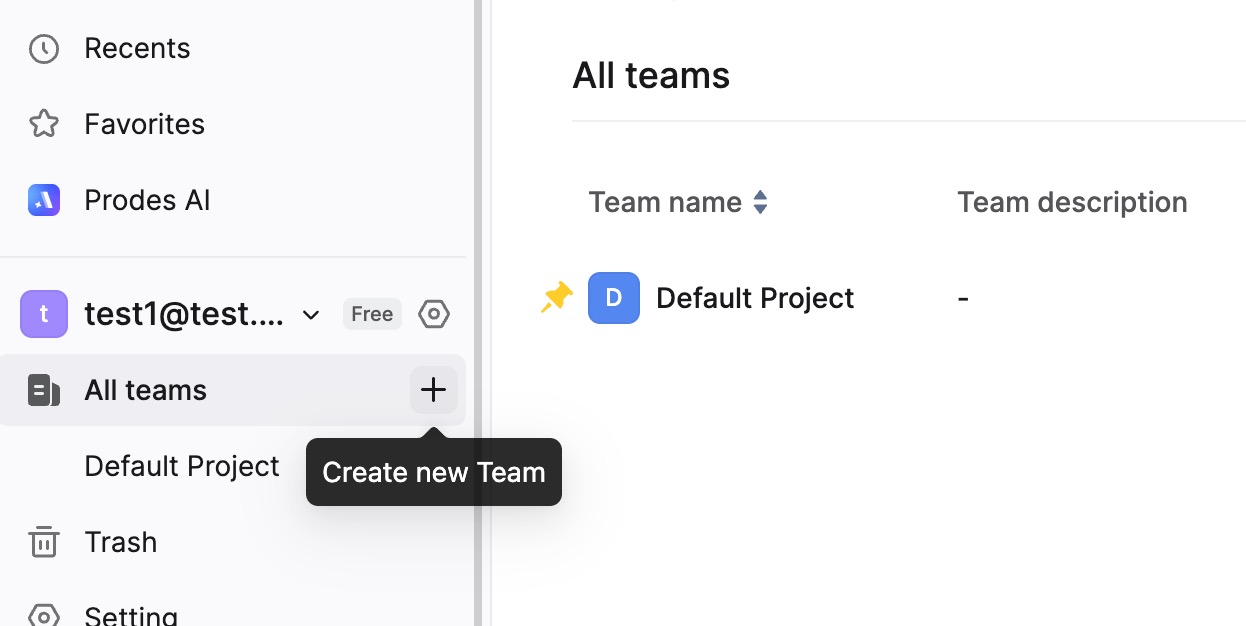
View Teams in Workspace
Enter your Workspace. You will see the Teams you belong to listed in the left sidebar. Click on a Team name to view the files within that Team.
You can also click Team List in the left sidebar to view all Teams you are part of. If you are the Workspace Owner or Super Admin, you can view all Teams within the Workspace.
Create a Team
Each Workspace comes with a default Team configuration. Free and Team Plan Workspaces can create up to 3 Teams, while Enterprise Plan Workspaces have no limit on the number of Teams.
Hover your mouse over the Teams section in the left sidebar, and a "+" icon will appear. Click the "+" icon to create a new Team.
Note: You can adjust the permissions for creating teams in Workspace Settings > Permissions. You can allow Everyone to create teams, or restrict it to Owner + Super Admins + Admins.
Delete a Team
Enter the Workspace and select the Team you want to manage. Click Settings at the top of the page. Scroll to the bottom of the Settings page to find the option to delete the Team.
Note:
- The default Team cannot be dissolved.
- Teams created by Editors can be deleted by the creator (if permissions allow).
- The Workspace Owner has management rights over all Teams within the Enterprise.
FAQ
1. I am the Workspace Owner. Why can't I see teams created by other members?
- If you do not see teams created by other members in the sidebar list, it may be because they are not pinned to your view. You can click Team List to view all teams in the Workspace and use the Pin icon to choose whether to display specific teams in your left sidebar.