My Widgets
You can save frequently used widgets, elements, and images to My Widgets for reuse in different projects.
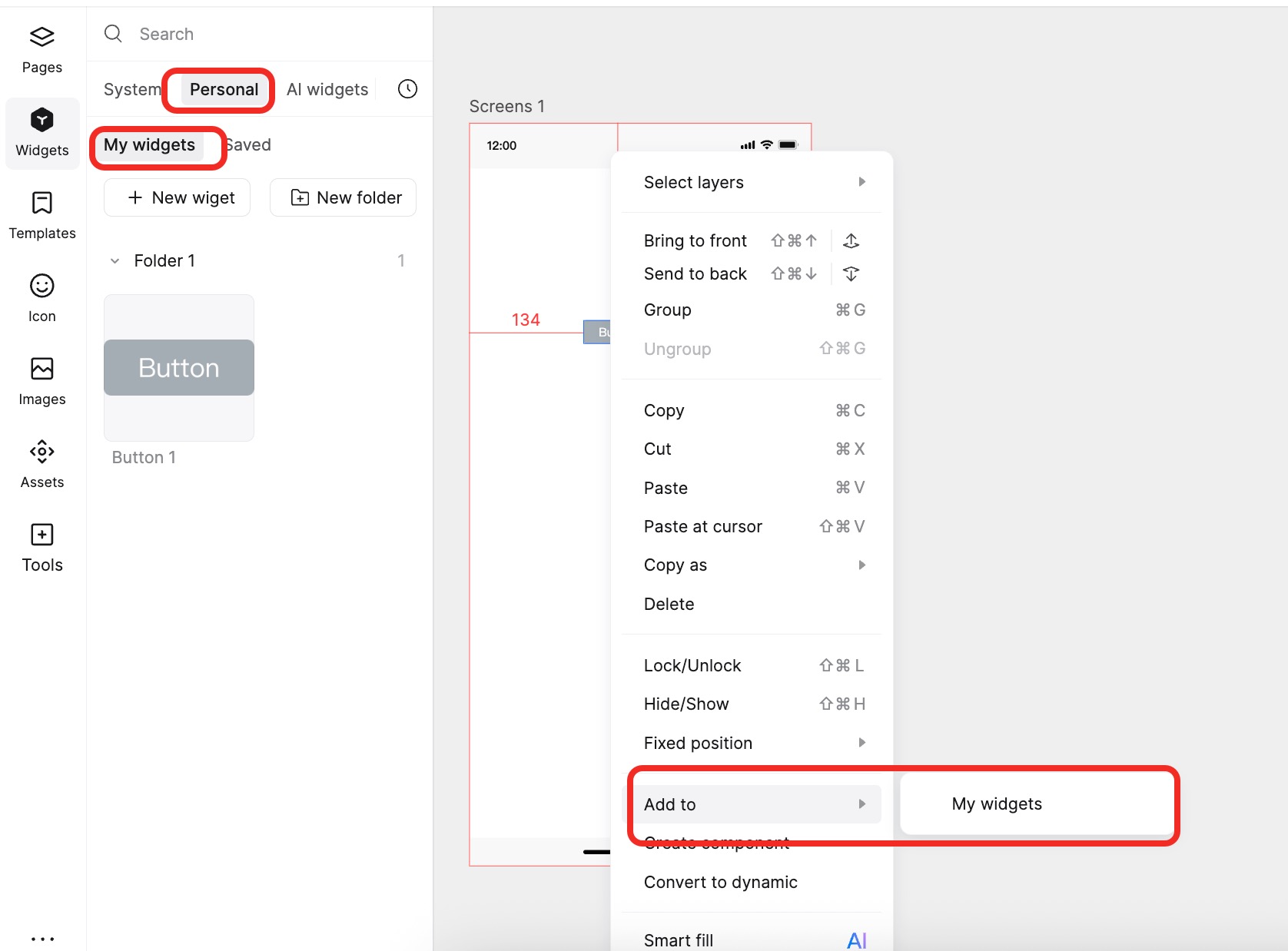
What are "My Widgets"
"My Widgets" is your personal asset library. You can save frequently used widgets, elements, and images to the Widgets panel. This allows quick access to custom assets for reuse across different projects and devices.
- In Mockitt, you can save any widget (or group) as "My Widgets" to the "Widgets - My" section, and then simply drag them from the Widgets Panel to use them.
- You can also save any image as "My Images" in the Images panel for direct use later.
- My Widgets/Images are tied to your account. No matter which computer you use Mockitt on, as long as you log in, you can use your previously saved assets in any file, boosting your design efficiency.
How to Create My Widgets/Images
There are two ways to create "My Widgets":
Right-click Menu: Select one or more widgets, right-click, and choose Add to My Widgets or Add to My Images. This adds the selection to your personal library.
Widgets Panel: Select the widget you want to save. In the "My" section of the Widgets panel, click the "+" button in the top right corner. The widget will be added to your "My Widgets".
After successful creation, you can double-click or drag the widget directly onto the canvas. To manage them easily, use the search function in the Widgets panel to quickly locate what you need.
Manage My Widgets/Images
You can manage saved widgets in the "My" section of the Widgets panel. Here, you can create new folders to organize and categorize your widgets. Additionally, you can delete unwanted widgets to keep the library tidy.
Search Widgets
If you have a large number of custom widgets, use the Search function to improve efficiency.
Add to Team
You can easily add your personal widgets to the Team Library.
Make Widgets Dynamic
Beyond creating and managing widgets, you can add animations to convert them into Dynamic Widgets.
Edit the widget and add widget states in the right property panel, or right-click the widget and select Convert to Dynamic Widget to add dynamic effects.
If you want to revert to a standard widget, simply right-click the Dynamic Widget and select Detach Current State.