Troubleshooting Missing Data or Files
If you encounter missing data or invisible elements while using Mockitt, please refer to the following solutions to resolve the issue.
Missing Pages
If you cannot find a specific page within your project, it may be due to the following reasons:
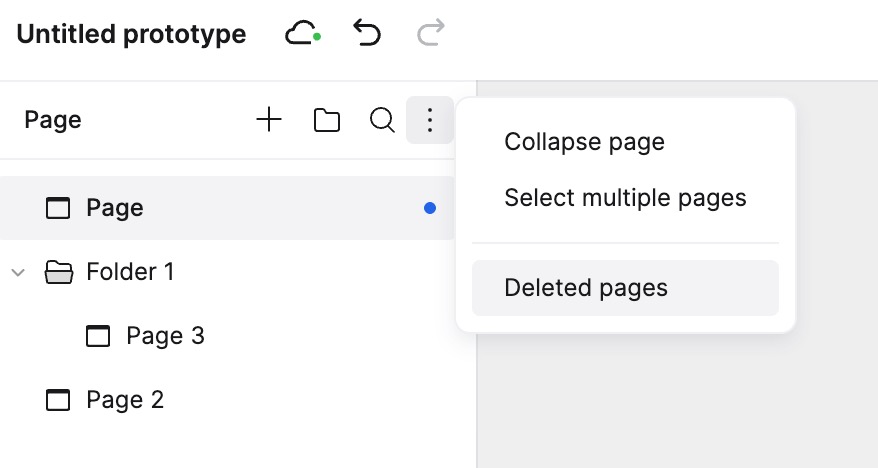
Collapsed or Accidental Deletion: The page might be hidden within a collapsed group or moved to the Recycle Bin. Please try the following:
- Search for the page name using the keyword search at the top of the page list to check if it was collapsed.
- Check the **Deleted Pages **. You can access it via the dropdown menu in the project title bar above the editor. You can also press
Ctrl+R(orCmd+R) to refresh the interface before checking.
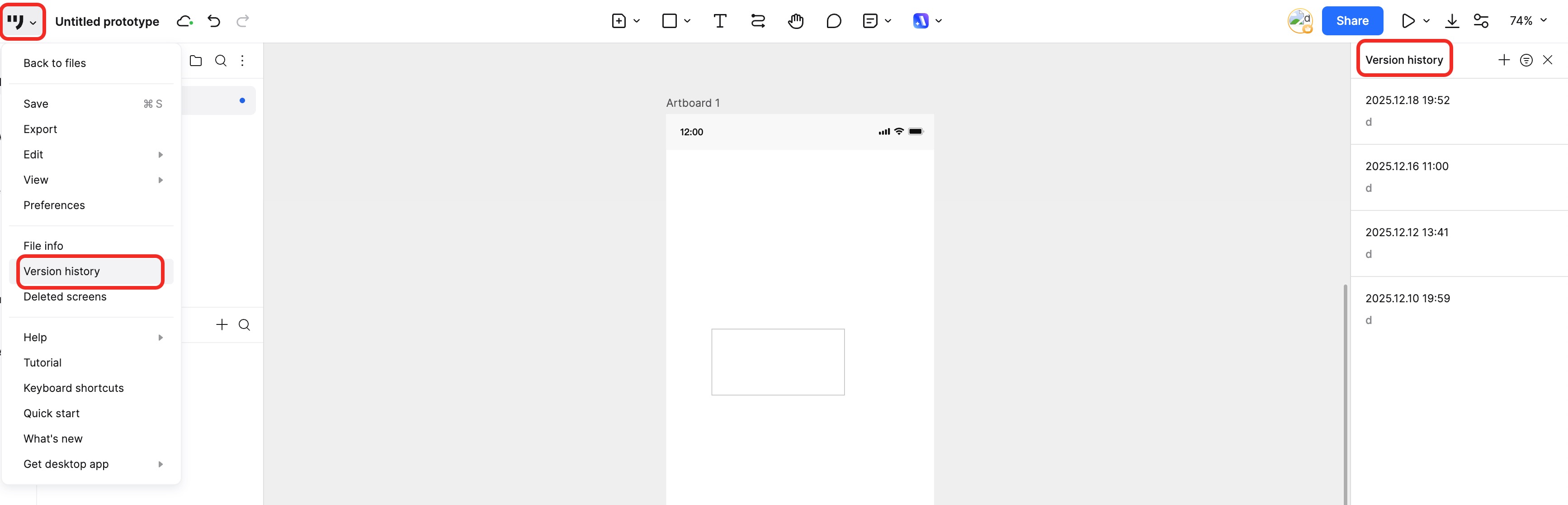
Check Version History: Use the Version History feature to retrieve previous data.
- In the editor, click File in the top-left corner and select View Version History.
- In the right-hand panel, select a timestamp to view and restore a previous version.
If you still cannot locate the page after trying the methods above, please contact our support team via email.
Email: support@mockitt.com
Please include the following details:
- Your Mockitt account email
- The project share link
- The exact name of the missing page
Missing Files
If you cannot find a file in your Workspace, it might be due to one of the following reasons:
- Accidental Deletion: You or a collaborator may have deleted the file. Check the Trash (Recycle Bin) in your Workspace to restore deleted files.
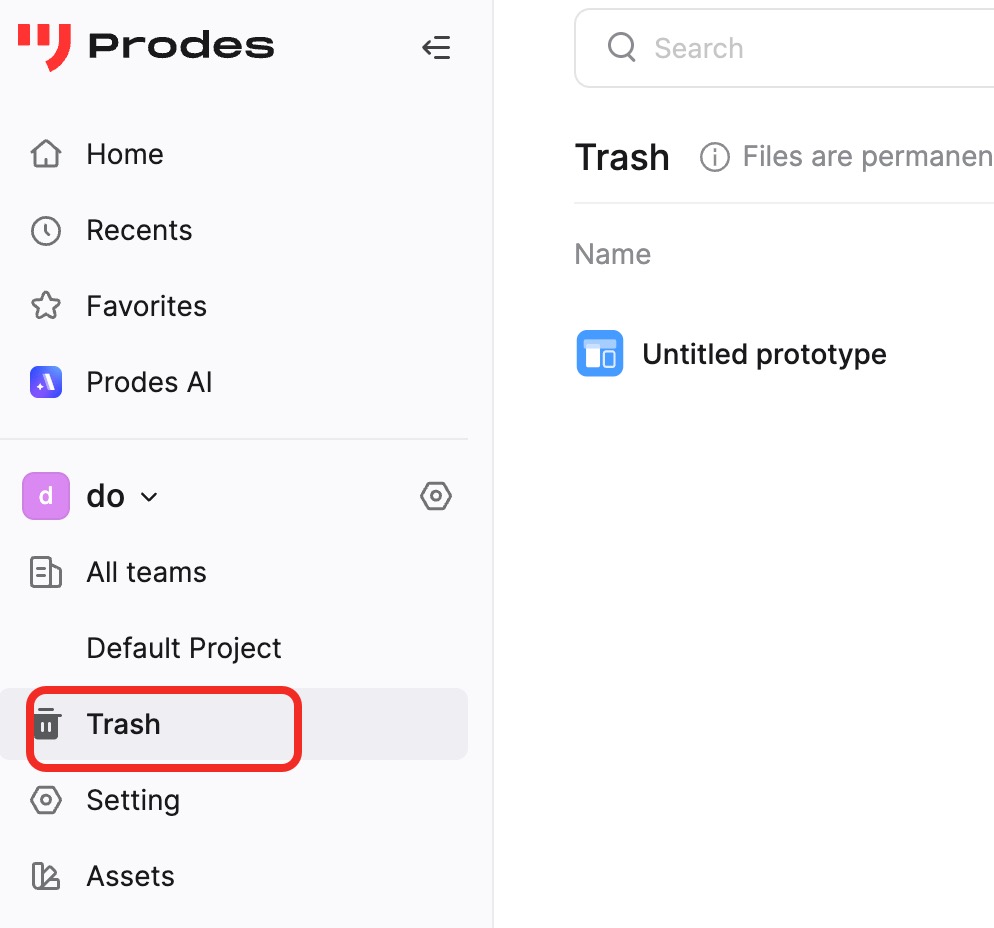
Wrong Workspace or Location: You might be looking in the wrong location. Switch Workspaces in the bottom-left corner, and use the search bar at the top to look for the file by keyword.
Wrong Account: Ensure you are logged into the correct Mockitt account (check your email address).
If the issue persists, please contact our support team.
Email: support@mockitt.com
Please include the following details:
- The Mockitt account email associated with the file
- A previously generated share link for the file (if available)
- The exact name of the missing file
We hope this guide helps you retrieve your missing data.