Presentation FAQs
When presenting with Mockitt, you may encounter some common issues. Here are solutions and precautions.
How to Set Device Frame
- Select Presentation Device:
- Click on a blank area of the canvas. In the Canvas Settings on the right panel, select your desired device model.
- You can also switch between Landscape and Portrait orientation here.
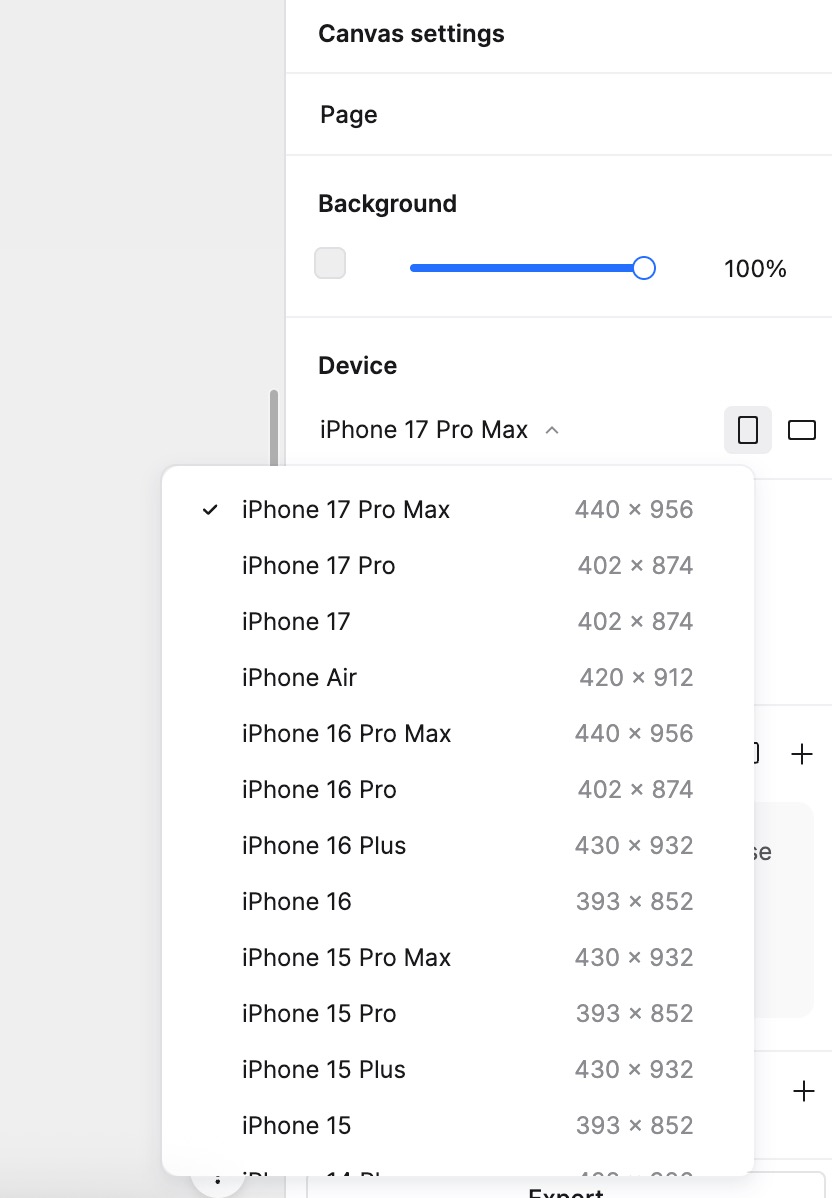
- Select Real Device Mode:
- During the presentation, ensure the view settings are configured to show the device frame.
Content Missing or Outside Page During Presentation
If you find that certain content is not visible or sits outside the page boundaries during presentation, it is usually because the widget is not hierarchically located inside the page within the Layers panel.
- Check Layer Hierarchy:
- Verify if the widget is listed outside the page folder/frame in the Layers list.
- Adjust Position:
- Drag the widget into the specific page within the Layers list to ensure it belongs to that page.
By following these steps, you ensure all content is displayed correctly within the page area during presentation.
Can I set different devices for different canvases?
Yes. The device setting for a single canvas applies only to that canvas and does not affect others.
In Mockitt, each canvas's presentation device is set and displayed independently.
For example, if you have multiple canvases in one file, and Canvas A is set to iPhone 15 while Canvas B is set to Huawei Mate 60, the device frame will automatically switch when you navigate between these canvases during the presentation.