Human–computer interaction (HCI) studies how people use interactive systems and how those systems can be designed and evaluated. It includes ordinary actions such as searching for a room, selecting a ticket or correcting a form. UX research supplies practical ways to understand the people, goals and contexts behind those interactions.
HCI is interdisciplinary. The ACM SIGCHI community brings together fields including computing, cognitive science, design, sociology and anthropology. A useful interface depends on more than screen appearance: the technology, the task and the person's circumstances all affect the interaction.
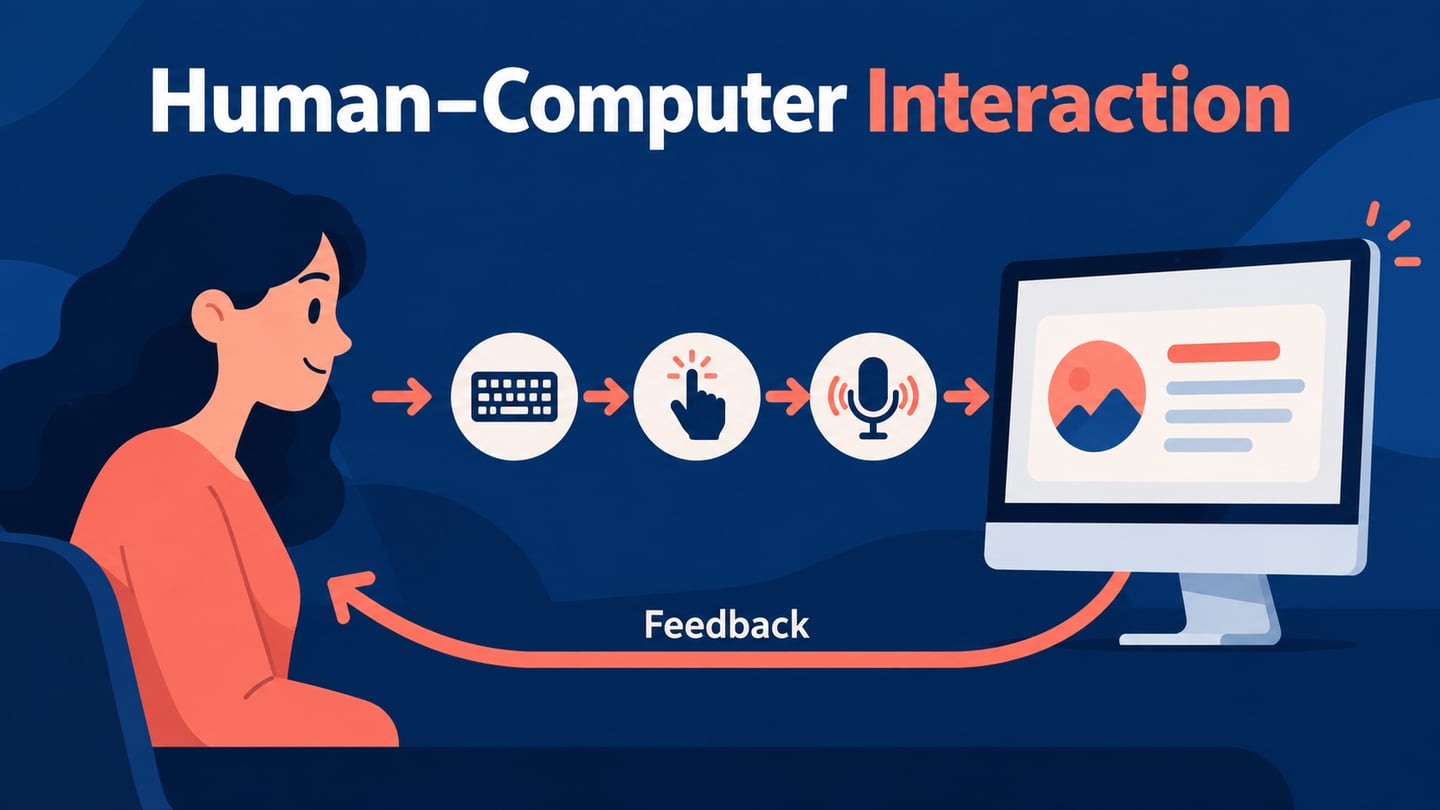
Keyboard and pointer input remain important, alongside touch, voice, gesture and other modalities. The appropriate channel depends on the task and setting. Adding a new input method does not automatically make a system easier to use.
 Original illustration of several interaction modalities. Each needs to be assessed for the task and context.
What is human–computer interaction?
HCI stands for human–computer interaction, not human–computer interface. An interface is one part of that interaction: it presents information and lets a person act. HCI also examines what people are trying to achieve, how they interpret responses and what happens when an action fails.
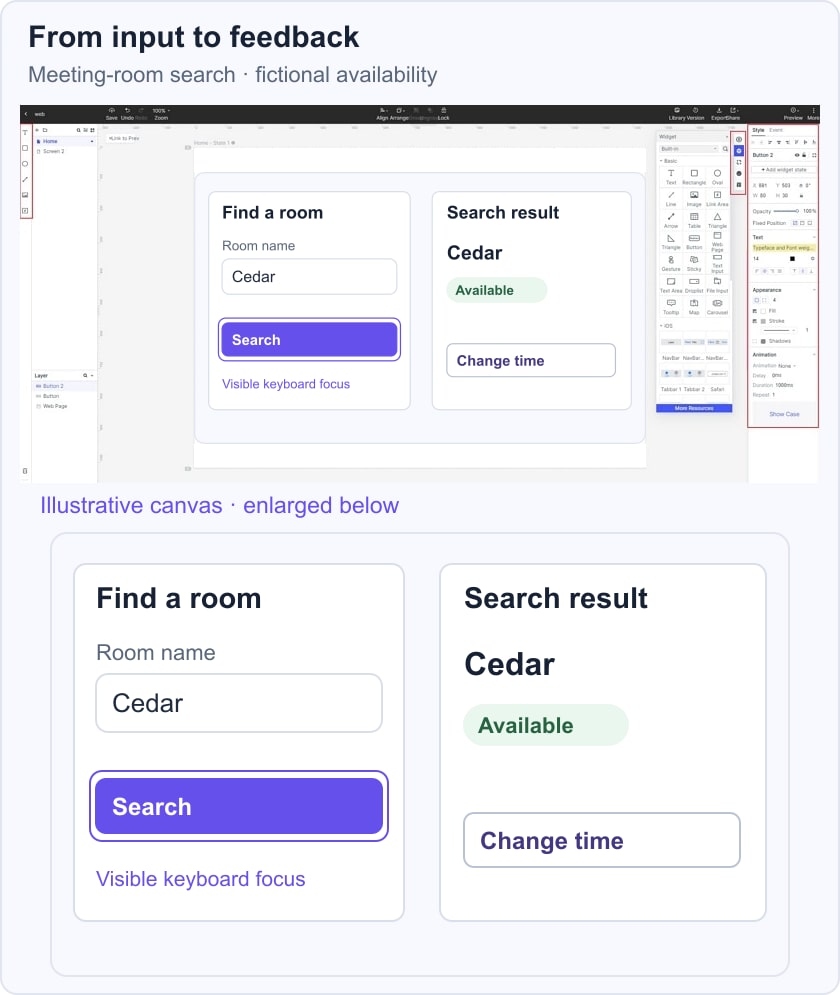
The discipline has developed across research and practice over time. For a practical example, a meeting-room search involves entering a room name, sending the request, interpreting availability and changing the time if necessary. Each step connects a human intention to a system response.
HCI research and design can investigate several kinds of outcomes, depending on the system:
- Enjoyment and engagement appropriate to the task
- Well-being and user control, rather than dependency
- Individual and collaborative task performance
- Clear information flow and communication
- Access to activities, learning and participation
The following six principles offer a starting point for reviewing an interface. Treat them as questions to investigate, not a promise of the best result on the first attempt:
- Make interface elements legible
Text, symbols and controls need to be distinguishable in the intended viewing conditions. Use clear labels, sufficient contrast and meaningful organization. A person should be able to tell what information belongs together and which action advances the task.
- Avoid unnecessary repetition
Repeated content can distract or add effort, but repeating essential context can help. A review screen may need to restate a selected room and time. Remove repetition that adds no meaning while keeping information needed to make or verify a decision.
- Use similarity without creating confusion
Consistent styling can indicate related controls. Different actions still need distinct names and understandable states. For example, Save and Delete should not become indistinguishable because both use the same button shape and placement.
- Use complementary information channels
Text, diagrams, sound and other media can support different aspects of a task. Choose each for a reason. A diagram may clarify a spatial relationship; a text description may provide the equivalent information to someone who cannot see it. More media is not automatically more understandable.
- Make information visible and accessible
Menus, checklists and status messages can reveal available actions and system state. Visual information also needs alternatives where appropriate. W3C keyboard guidance explains why people must be able to operate functions without depending on a pointing device, subject to the criterion's specific exceptions.
- Use familiar behavior before decorative novelty
A distinctive visual identity can coexist with predictable controls. Do not change a familiar interaction only to appear different. If a new behavior is necessary, explain it clearly and evaluate whether people can discover and use it.
A room-search prototype can make these questions concrete. Keep Room name visible beside the input, show Cedar as the query, and return Cedar available with a Change time link. A visible keyboard-focus outline identifies the active control. This is an illustrative input-and-feedback sequence, not a live room-booking result.
Everyday examples of HCI
Everyday systems provide many examples. The goals might include:
- Understanding expectations before selecting an interaction
- Providing tools and techniques appropriate to the task
- Supporting effective, efficient and appropriately safe use
An e-commerce site lets a person search, compare items and act on a choice. An education platform may combine reading, practice and feedback. In either case, the important question is whether the interaction supports the user's goal, including recovery when information is missing or an action is mistaken.
Voice assistants such as Alexa or Siri illustrate another interaction channel. Voice may be useful when hands or eyes are occupied, but noise, privacy and speech recognition can affect suitability. Provide an appropriate way to check and correct what the system understood.
Common contexts and factors in HCI
HCI work considers the following factors together, rather than treating them as isolated features:
- Organizational factors
- Environmental factors
- User
- Task factors
- Productivity factors
- Comfort factors
- Interface factors
- Functionality and constraints
These factors apply from mobile tools to collaborative workspaces. A task may look simple on screen while requiring coordination, specialist knowledge or a particular environment. Identify the users, their goals and the constraints before choosing an interaction pattern.
Evaluation then asks whether the proposed system supports those goals. Record the specific difficulty, the conditions under which it occurred and the effect on the task. A general statement that the interface feels modern does not answer those questions.
Other interaction forms illustrate the breadth of the field:
- Haptic gloves can provide touch-related feedback in virtual environments; their value depends on the application and user needs.
- Touchscreens combine input and display, but need consideration of reach, target size, feedback and alternative access.
- Digital pen and paper systems connect familiar writing actions to computational tools; the interaction still needs clear feedback and error recovery.
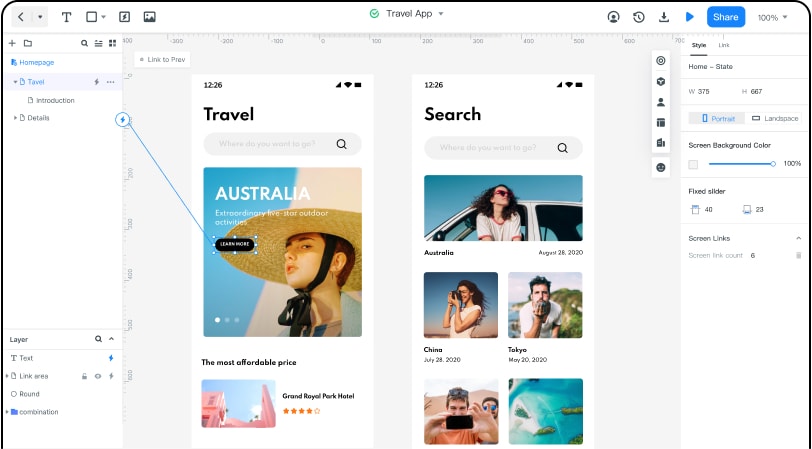 Original legacy Mockitt editor capture, retained as an interaction example; it does not establish the current app version.
Legacy Mockitt editor example: connected travel-app screens illustrate how an interaction can be represented for review.
How HCI relates to UX
HCI and UX overlap, but their terms emphasize different things. HCI concerns the study, design and evaluation of interaction with computing systems. UX considers a person's wider experience, including expectations before use and impressions afterward. Both benefit from understanding real users and contexts.
A Mockitt prototype can help a team represent a proposed task path and discuss its states. That representation is a design artifact; it does not establish the usability or accessibility of a finished application. HCI thinking can support UX work by helping teams:
- Define observable task and performance goals
- Explain how an action produces understandable feedback
- Identify assumptions about users and their environment
- Evaluate recovery, access and control as well as the successful path
- Study communication and collaboration between people using a system
- Consider the consequences of a design beyond immediate engagement
Conclusion
A useful HCI review starts with a person trying to achieve something. Follow the input, system response and feedback, then look at interruptions, mistakes and alternative ways to act. This keeps the discussion connected to a task.
The field overlaps user-centered design, UI design and UX design. Its contribution is the disciplined attention to the relationship between people and interactive technology, including the context that a screen capture cannot show.
New modalities expand what can be explored, but they do not remove the need for evidence. Use a prototype to make an idea discussable, evaluate it with appropriate participants and revise the design when the evidence points elsewhere.