UX research investigates people’s needs, contexts and experiences to inform product decisions. It helps a team replace assumptions with evidence, but it cannot guarantee that a design will satisfy everyone. Start with the decision you need to make, then select a method that can provide relevant evidence.
What is UX Research?
User experience research draws on methods from fields such as social science, human-computer interaction and market research. It can investigate who uses a service, what they are trying to do, the constraints around them and how a proposed experience works for them. A study covers a defined question and audience; it does not automatically represent every possible user.
Research involves gathering evidence, analyzing it and making the findings usable in decisions. Interviews, observation, surveys, usability studies and existing service data answer different questions. A team may combine them when one source cannot resolve the uncertainty. A UX diary study can capture relevant experiences across days when the sequence itself matters.
Introduction of UX Research Methods and Methodologies
Choose a method by what you need to learn, not by how many responses or screens it can produce. The examples below use a fictional parcel-locker pickup service whose team is unsure why people need help finding their pickup code.
Observation
Observe the relevant task and context, with appropriate permission. A person might switch between an email, an app and a locker display. Record what happens and where assistance is needed before interpreting the cause. Do not infer a motive solely from a pause or a facial expression.
Understand Expectations
Explore what people expect the service to do. Someone may think a pickup code appears only after the parcel reaches the locker, while another expects it in the original confirmation. These expectations are research questions, not facts established by the example.
Analysis
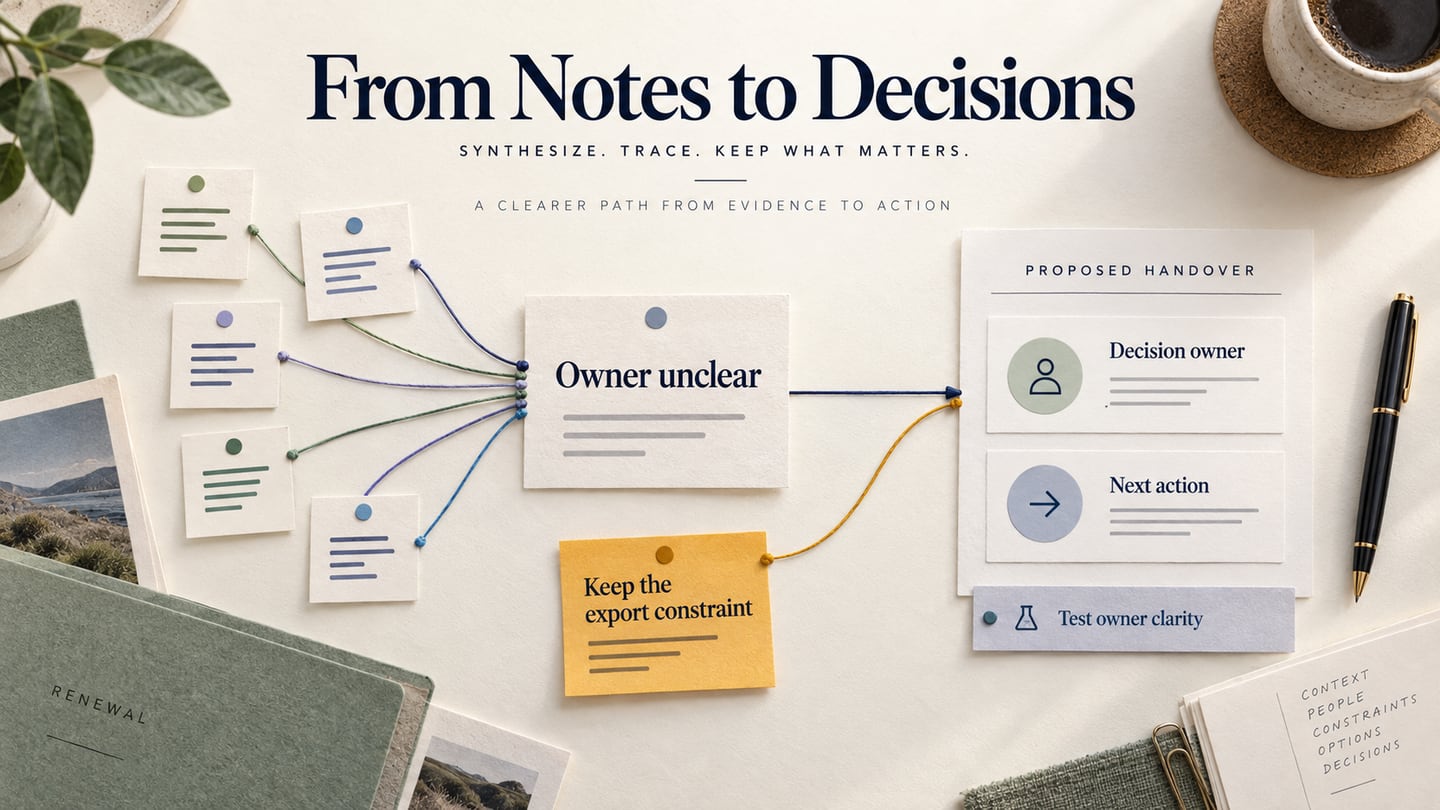
Separate observations, interpretations and recommendations. A participant saying “I expected the code in the email” is evidence about that account; “move every code to email” is a proposed response that needs consideration. Share the relevant evidence and its limits, not only a polished summary.
Interviews
Interviews explore reported experiences, circumstances and reasoning. Ask about a recent pickup and follow the sequence of events. They can be combined with observation, but recalled behavior is not identical to directly observed behavior. Remote and in-person interviews can both be appropriate.
Questionnaires and surveys
Surveys can collect comparable self-reports from a defined audience when the questions and response options are suitable. They do not guarantee quick or representative answers. A survey asking where people remember looking for a code may help estimate a reported pattern; it cannot directly reveal every interaction problem.
Usability tests
Usability studies observe people attempting relevant tasks with a product or prototype. Moderated and unmoderated describe facilitation; informal intercept recruitment describes a different dimension. Choose the method and participants deliberately rather than treating these as three mutually exclusive categories.
How to Start a UX Research Study
Create a plan that connects the question, participants, method, evidence and decision. GOV.UK’s research-planning guidance is a useful reference for making these choices explicit.
Set objectives
For the parcel-locker example, define the decision: should the pickup-status screen make the code and its availability more explicit? The research question is how people currently find the code and what prevents them from proceeding.
State Assumptions as Questions
Write down assumptions, such as “people look in the app before email,” so the study can challenge them. Recording an assumption helps expose it; it does not eliminate bias. Avoid designing every question to confirm the team’s preferred solution.
Choose the right UX research methods
Use interviews to understand recent pickup experiences, and a task-based prototype review to examine the proposed status screen. Use a survey only when a specific self-report question and an appropriate sampling approach justify it. Do not add methods merely to make the plan look comprehensive. A timeline of a customer's tool switch is useful when the research question concerns why a change happened.
Perform the research
Recruit people with relevant pickup experience and include the contexts that could affect the result. Explain the session, how information will be used and any recording choice. Use fictional parcel details in the prototype and avoid collecting personal delivery codes.
Synthesize
Analyze the evidence against the research question. Identify patterns, differences and gaps, including findings that challenge the assumption. The output may be a design change, another research question or a decision that the current evidence is insufficient.
Why You Need to Do UX Research
Here are some of the benefits of performing UX research.
Test your design in real life
Observing a relevant task can reveal a problem that the team did not anticipate. A prototype session remains a research setting, so describe its context rather than calling it a full real-world validation.
Identify What Helps and What Gets in the Way
Record both clear and confusing parts of the task. Positive feedback can be useful, but it should not erase observed difficulty or be generalized to all users.
Investigate Unrecognized Barriers
Research can expose missing information, mismatched expectations and support needs. Check who was included and who was not before making a broad claim about the audience.
Connect Evidence to a Decision
A study is useful when the team can act on its findings or explain why more evidence is needed. Keep the recommendation traceable to the observation and distinguish a design hypothesis from a confirmed result.
Use a Prototype to Explore the Proposed Change
A research tool and a design tool have different roles. Choose recruitment, recording and analysis methods for the study; use a prototype editor to make a proposed experience inspectable.
In Mockitt, prepare Parcel in transit, Ready for pickup and Code unavailable screens. Keep the status and next action explicit. The example is a simulated interface for research preparation, not a real parcel service.
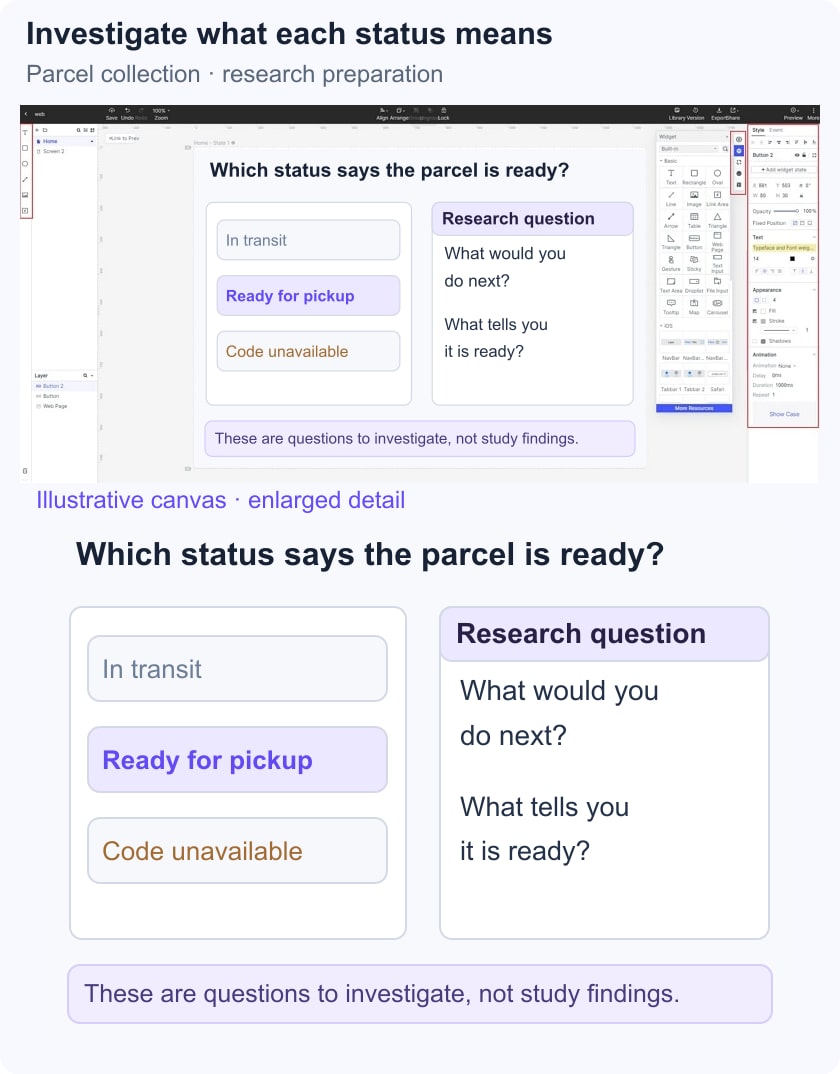
- Prototype: connect the states needed for the pickup task and a route to help. Do not build unrelated account features just to make the demonstration look complete.
- Reusable content: keep parcel labels, pickup location and code treatment consistent across the fictional screens.
- Collaboration: give reviewers the same version and appropriate access, and record which decision each comment concerns.
- Review: ask someone to find the information needed for a pickup, then explain what they would do if the code were unavailable. Capture the observed route and any assistance rather than inventing a success rate.
A Small Research Record
For each session, record the participant context, task, observed behavior, relevant quote and limitation. Then write the decision separately. For example, “the participant opened help after not finding a code” is an observation; “the code label may be unclear” is an interpretation to investigate.
The next step could be a clearer status label, a revised help route or further work with people who use a different pickup channel. Keep the question open when the evidence does not yet support a single explanation.