 Product Manager Productivity Tool
 AI PRD Generator
Create
Product Requirements
 with AI
Describe the product, intended users, and rules you already know. Mockitt AI organizes them into a PRD draft you can edit with your team.

Put scope, behavior, and open questions in one draft
Start with a structured requirements document, then check the assumptions, business rules, and acceptance criteria before development.


Draft a PRD in three steps

1. Describe The Requirements
Describe the user and task. For example: let members reserve equipment, change the pickup time, and cancel an unused booking.

2. AI Generated Structure
Review the proposed scope, feature list, user flows, and rules. Mark missing information as a question for the team.

3. Export and Collaboration
Share the draft for review. Resolve conflicting rules and connect requirements to the screens that demonstrate them.
Start with the decisions your team needs to make
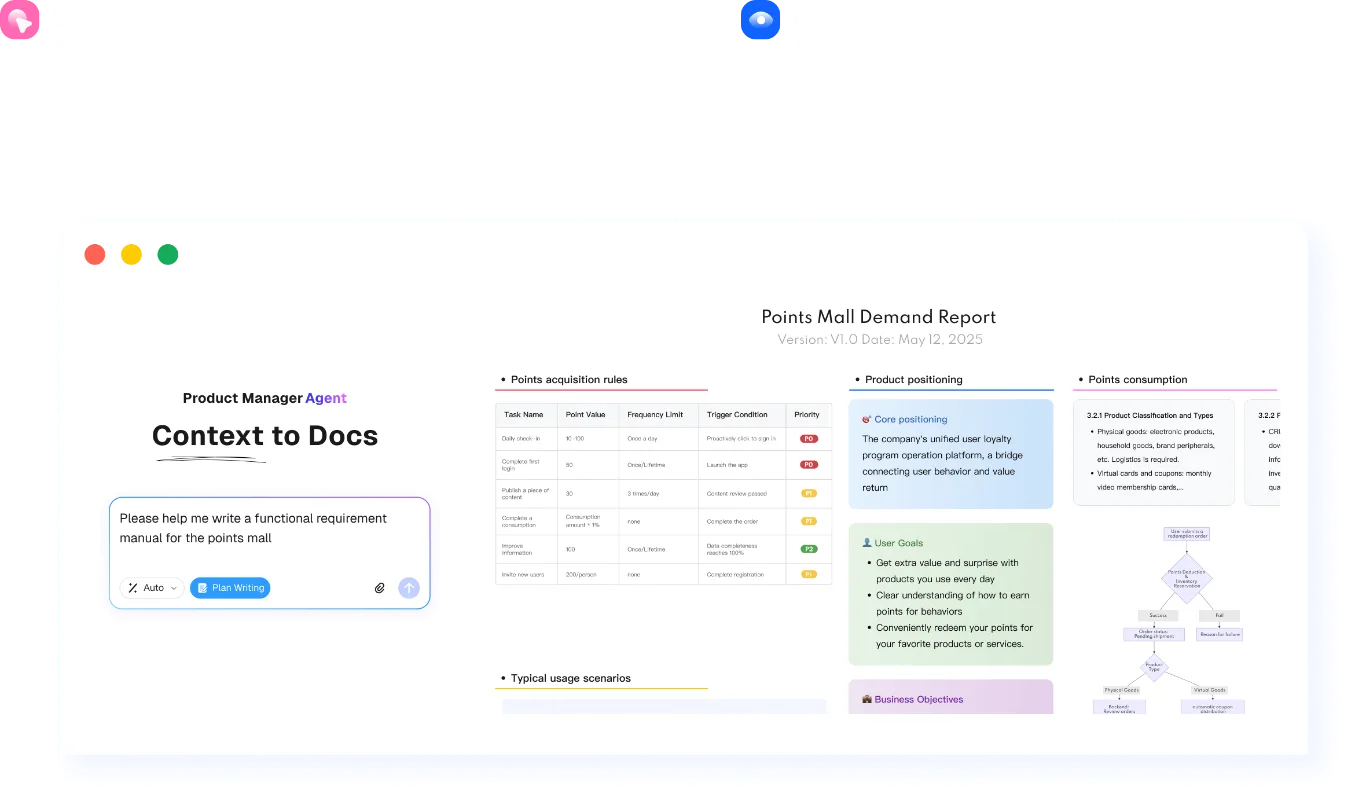
Connect requirements to the rest of the work
Move from a written brief to a prototype, research questions, or test-case draft.

AI PRD Generator
Structure requirements around the user, scope, business rules, and acceptance criteria.

Image to Prototype
Use a sketch or screenshot to create an editable prototype draft.

AI UI Design Generator
Describe a screen and its constraints to explore an editable UI draft.

HTML to Prototype
Import supported HTML to continue working on an editable prototype.

AI Requirements Review
Find ambiguous requirements, missing conditions, and questions to resolve before development.

AI Product Research
Organize competitor notes and research questions into a draft for discussion.

Design to Code
Export a supported code draft for developers to review and adapt.

AI Product Plan Generator
Outline the product goal, assumptions, initial scope, and next decisions.

AI Test Case Generator
Draft test scenarios from requirements, then check the steps and expected results.