A v0 alternative for product design

Mockitt vs v0:
choose your next deliverable

Mockitt combines AI-generated interfaces and code with editable prototypes and team review. v0 centers on generating, editing, and deploying an application. Compare how each workflow helps your team move from an idea to the screens, behavior, and implementation it needs next.

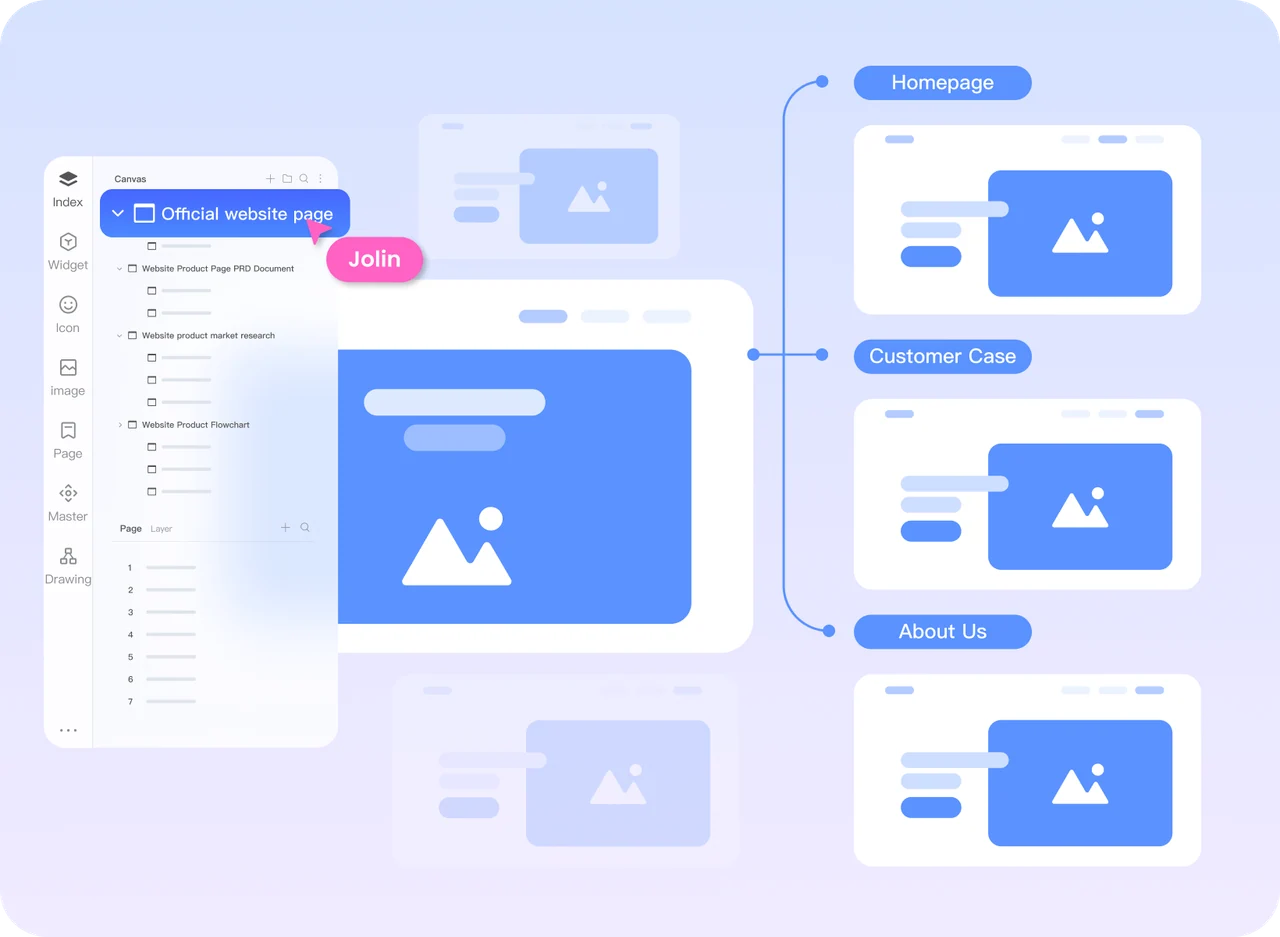
Mockitt canvas connecting a website homepage with customer story and about pages
Use a connected prototype to review the journey before implementation.

Start with the output

Two ways to take a product idea forward

A generated first screen is only the beginning. Decide who will work on it next, what that person needs to receive, and how the team will handle revisions.

Mockitt: design, generate, and review

Keep design and product feedback connected

Build screens, organize reusable interface elements, connect a journey, and collect feedback on the design. The Mockitt prototyping workspace gives product managers, designers, and developers a shared place to examine the intended experience.

Mockitt AI also generates pages and code. Teams can use that output alongside the design workflow to compare onboarding flows, explain a complex approval process, or develop a new feature with both technical and nontechnical reviewers.

v0: generate, develop, and deploy

Work directly with the running application

v0 turns prompts and visual references into an interface backed by code. Its workflow includes a live preview, source editing, visual changes through Design mode, integrations, and deployment.

This fits a team that wants to develop a running app, connect real data, and continue directly in the generated project. The same workflow can support prototypes, design exploration, and stakeholder reviews along the way.

Understanding v0

From a written brief to a working interface

v0 is an AI app-building tool from Vercel. Describe a product page, a dashboard, or a booking flow, then inspect the interface and its code together. The process reduces the amount of initial setup, while leaving the team responsible for the resulting behavior and implementation.

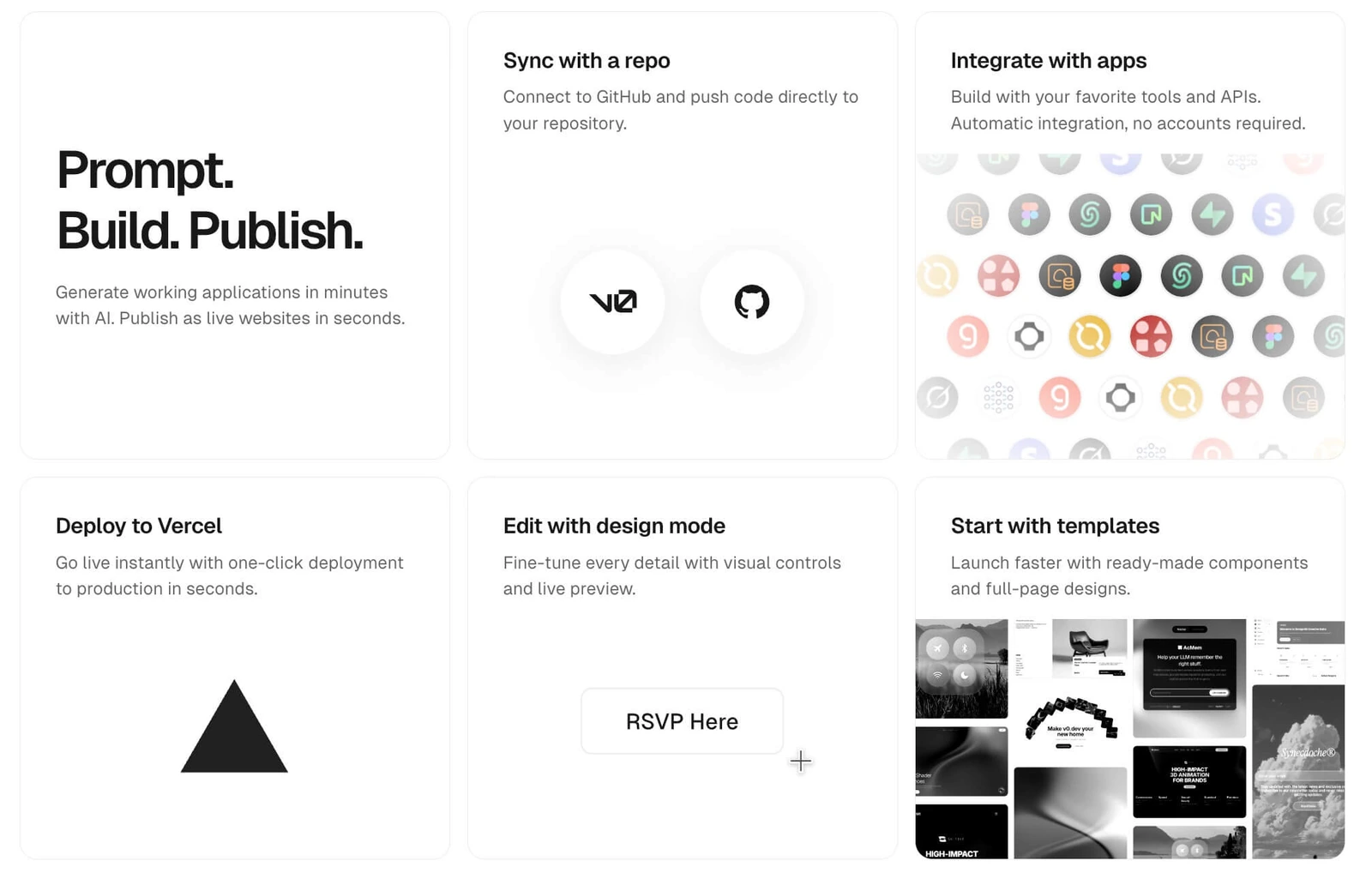
v0 feature overview showing prompting, repository integration, app integrations, deployment, Design mode, and templates
v0 combines generation with editing and development tools.

Generate a first version from a brief

Describe the interface, its users, and the information it must contain. A request such as “a product detail page with images, price, availability, and an add-to-cart action” provides more direction than a visual style alone. v0 can use the description to produce an interface and code you can continue working on.

Review the running preview

Inspect the generated page while reviewing the implementation. Use the preview to check the layout and follow the intended path. A preview helps reveal missing screens or confusing behavior; it does not, by itself, establish that the application is ready to ship.

Keep working in code

v0 provides a code viewer and project files, so developers can examine the structure and continue the implementation. Before taking generated code into an existing product, compare its dependencies, components, styles, and data flow with that project’s conventions.

Refine a specific element

Use a follow-up prompt for structural changes or select an element in Design mode for visual adjustments. v0’s visual controls can change details such as typography, spacing, and color, with edits applied back to the project. After a change, check related states and smaller viewports.

Continue into a full-stack app

v0 can add data persistence, API calls, and backend logic. Its current full-stack workflow defaults to Next.js. Establish the UI first, then add data and behavior in manageable steps so that authentication, permissions, and failure cases remain understandable.

Reuse an existing starting point

Templates and references can help establish the initial direction. Choose one that matches your page structure, then replace the example content and behavior with your own requirements. A familiar-looking screen still needs the right states, navigation, and content for your users.

v0’s current product documentation, Design mode guide, and full-stack guide describe these capabilities.

Mockitt vs v0

Compare the work after the first generation

Both products cover more than the first screen. Compare the editing, review, and development steps your team will use most often.

Product design and app development workflows
TaskMockittv0
Starting pointDesign a screen visually, or use AI to generate interfaces and code that you can refine.Use a prompt, visual reference, or existing project as a starting point for an app.
Main working surfaceA design canvas for screens, interface elements, and prototype interactions.A running app preview with Design mode and access to source code.
Visual iterationAdjust layout, content, and interactions directly in the design workflow.Edit selected elements visually, describe changes, or edit the project code.
Reviewing a journeyConnect screens and states so reviewers can explore the proposed experience.Exercise the behavior implemented in the current application preview.
Data and backend behaviorReview the intended experience in a prototype; for generated code, inspect which services and data behavior are implemented and which still need development.Add backend logic, APIs, and supported data integrations to the application.
Team reviewShare the prototype, collect comments in context, and align on the design before handoff.Share the app or project and collaborate around its generated implementation.
What moves to developmentThe agreed design, interaction rules, specifications, assets, and generated code from the workflow used.The app’s source, dependencies, integrations, and deployment configuration.
What to check before adopting itEditing control, prototype coverage, review access, handoff needs, and current plan limits.Code ownership, integration requirements, security, deployment needs, and current plan limits.

A clickable design is not a production backend. A generated app is not automatically production-ready. Choose the deliverable your next decision actually needs.

A practical generation workflow

Describe, inspect, then change one thing

Enter the requirement, inspect the generated result, and refine it. Running the same three steps in each tool shows how well its workflow fits your team.

01

Describe the full task

Include the user’s goal, the required screens, and the fields or actions that matter. For an admin dashboard, specify the metrics and navigation. For a product list, describe filtering and sorting. Add the constraints that the generator should preserve.

02

Inspect the result

Open the preview and follow a realistic path. Check labels, page structure, and the behavior behind each action. In a code-based workflow, inspect the relevant files as well. Record what is present, what is only represented visually, and what still needs implementation.

03

Make a controlled revision

Ask for one specific change, such as adding a filter or updating a capacity rule. Identify what must stay unchanged. Compare the revised result with the earlier version, including affected screens, error states, and mobile layouts.

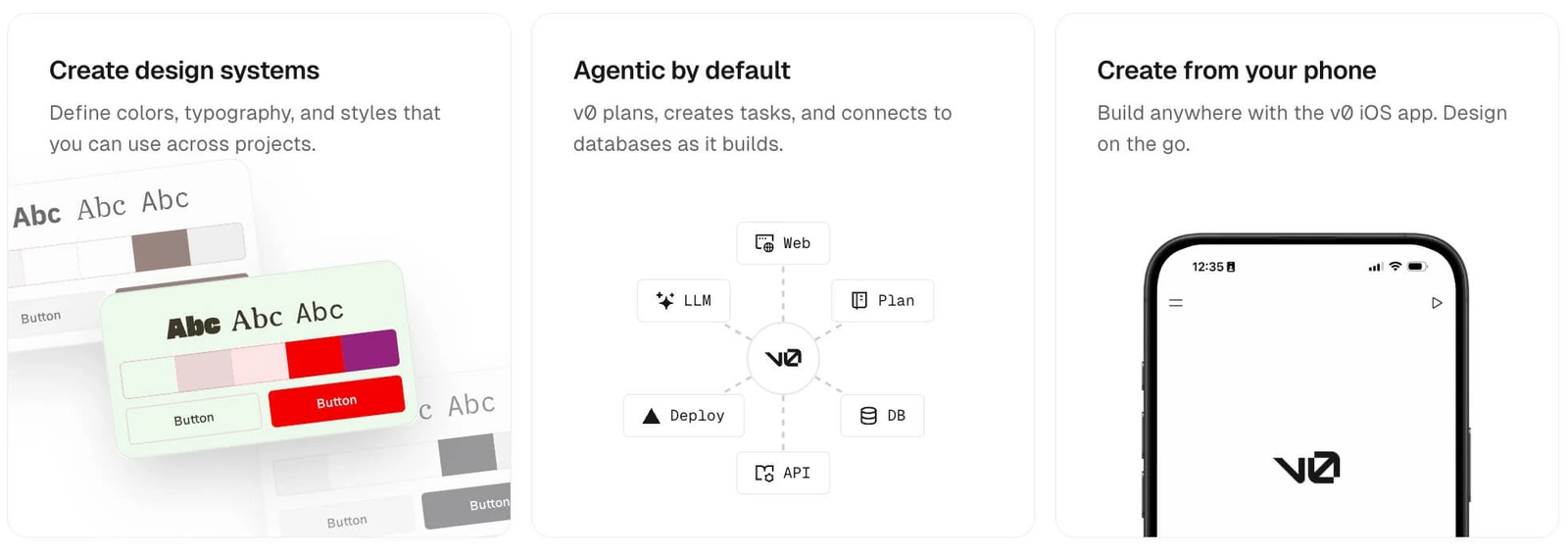
v0 feature cards for design systems, agentic workflows, and creating from a phone
A useful evaluation covers editing and continuation as well as the first generated screen.

Continue the product design in Mockitt

Turn the draft into a design the team can discuss

When the goal is to settle the experience before implementation, Mockitt combines AI starting points with an editable prototyping workflow. The draft gives the team something concrete to work on; the following steps make it useful.

Start from the intended journey

Describe the product idea and the key screens. Use the generated draft to review the information hierarchy, navigation, and relationship between pages, then fill in anything the task requires.

Bring a visual reference

A screenshot or sketch can communicate an existing layout or visual direction. Use the image-to-prototype workflow to explore a starting point, then check text, spacing, editable elements, and behavior against the reference.

Edit the details that matter

Continue adjusting the page after generation. Correct the content, refine interface elements, and add the loading, empty, error, and success states that make the proposed experience clear.

Review with the people building it

Share the prototype so product, design, and engineering can discuss the same screens. Tie feedback to a location and a behavior, then confirm the revised flow before preparing the handoff.

Match the target device

Prototype the App or Web experience your audience will use. Check touch targets, content density, navigation, and responsive behavior for that device rather than treating one screen size as a finished design.

Give development the context

Provide the agreed version, assets, specifications, and interaction rules. Where you use generated code drafts, have a developer review them against the application’s components, accessibility requirements, and engineering standards.

Try the same brief in both tools

Build a meeting-room booking flow

A shared brief makes the difference visible. Use fictional rooms and people. Keep the page count and business rules identical, then assess the deliverable each workflow produces.

First pass: create four screens

Design a mobile meeting-room booking flow for an internal team. Include a room list, room details, booking confirmation, and a result screen. Show room capacity, location, and equipment. Let people filter by date and time. Represent available, fully booked, and expired time slots. Prevent duplicate submission while a request is pending. If a request fails, preserve the selected room and time and offer retry. Returning to the list should preserve filters. Do not add payment, approval, or account registration.

Second pass: change one rule

Change the maximum capacity to 12 people. Keep the list, details, and confirmation screens consistent while preserving the existing structure and visual direction. Record which changes you could make directly and where you needed another generation or manual work.

Third pass: hand it to a teammate

Ask someone to book a room, return to the list, and recover from a failed request. In Mockitt, assess whether the prototype communicates the intended behavior. In v0, assess the behavior actually implemented in the preview and identify any mocked services.

Record the results from your own trial
QuestionWhat to observe
Does it cover the task?All four screens, required fields, time-slot states, and return paths are present.
Can you make a precise change?The capacity update reaches the right screens without unexpected changes elsewhere.
Can a teammate continue?The shared version is clear, access works, and feedback can be tied to the right screen or behavior.
Is the next step explicit?The team knows which behavior is demonstrated, which is implemented, and who owns the remaining work.

Record the account, plan, date, observed result, and follow-up work for each tool. Keep screenshots of the same task states so the team can compare the outcomes later.

Questions about choosing a v0 alternative

Is Mockitt a direct replacement for v0?

It depends on the workflow your team needs. Mockitt combines visual design, editable prototypes, AI-generated pages and code, and team review. v0 brings generation, source-level development, integrations, and deployment together. Try your next real task in both, including the revisions and handoff.

Does v0 only generate code snippets?

No. v0’s current workflow includes app generation, a live preview, Design mode, source editing, integrations, and deployment. Compare that complete workflow with the prototype and review tasks you need to accomplish.

Can I move a v0 project directly into Mockitt?

Do not assume a native project transfer. A source repository, a screenshot, a standalone HTML file, and an editable prototype are different assets. Identify what you have, keep a backup, and check the receiving workflow’s supported format before planning the move.

Which tool should a product manager try first?

Start with the work your team will repeat most often. Compare screen editing, prototype review, and AI-generated output in Mockitt with app iteration, source editing, and deployment in v0. Include a designer and an engineer, use the same task, and record the work needed to reach the next review or release.

Make the next product decision with a working design

Bring one clear journey to Mockitt. Build the screens, connect the states, and let your team review the experience.

Start your prototype