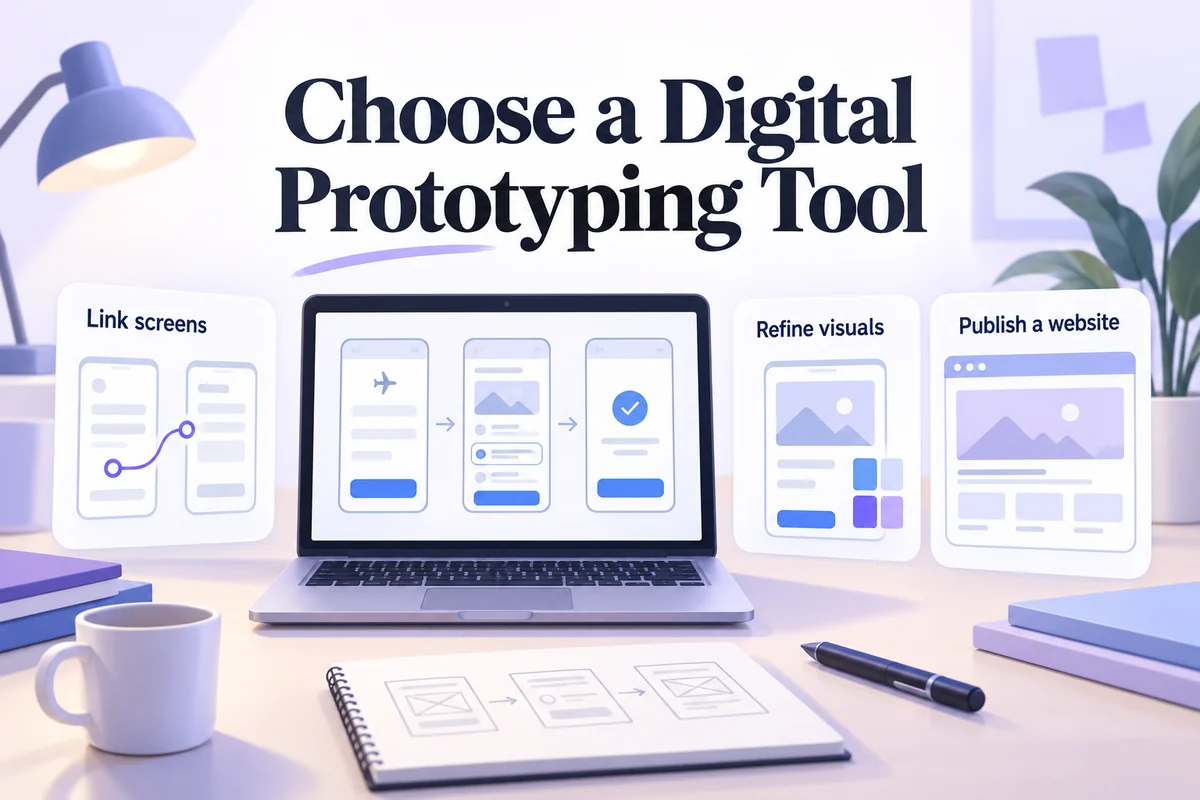
Digital prototyping creates a screen-based model that people can inspect or interact with before the final product is built. The model might be a few linked wireframes, a detailed mobile interaction, or a working website experiment. Choose its detail and tool around the decision you need to make.
This guide explains the process and revisits five tools: Mockitt, Proto.io, Sketch, Framer, and Atomic. Their current roles differ. A tool once discussed as a general prototyping option may now focus on publishing websites or delivering in-app messages, so a historical list should not be treated as five equivalent recommendations.
What is digital prototyping?
A digital prototype represents selected parts of a product in software. It can help a team discuss structure, observe a user task, compare alternatives, or explain an interaction to developers. It does not have to reproduce every detail or contain a working backend.
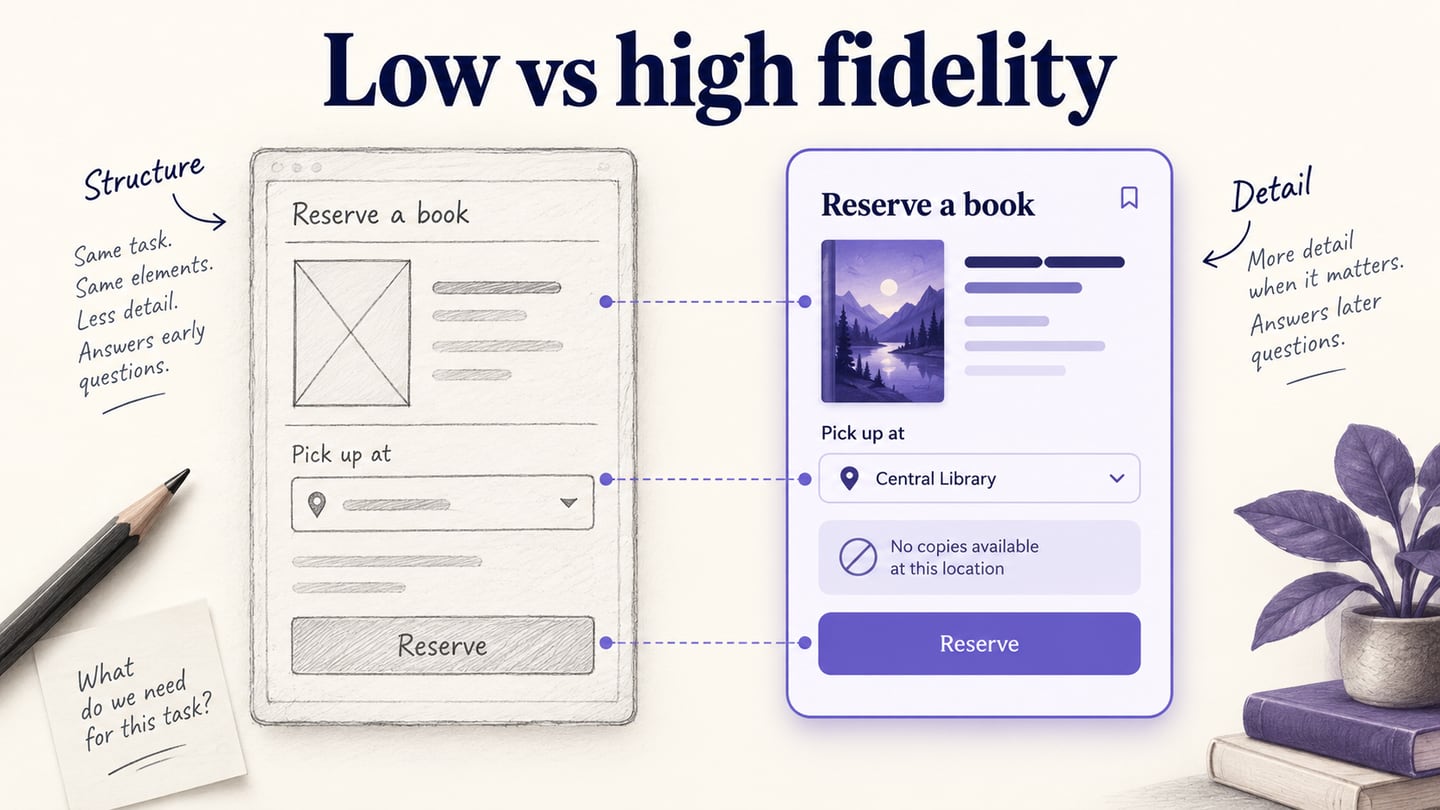
Digital and throwaway describe different things: a digital prototype can be disposable. Likewise, digital work can be low, medium, or high fidelity. A simple clickable wireframe is still a digital prototype even without photography, animation, or the final typography.
A useful five-stage process
- Analyze the question. Decide whether you need to understand a user flow, communicate visual detail, or establish technical feasibility.
- Explore the model. Sketch the necessary pages, content, and states before choosing effects or a template.
- Build a testable slice. Make one task coherent from start to outcome. Include a relevant recovery path.
- Put it in front of the intended audience. Observe use or conduct the review appropriate to the question; do not equate a polished demo with validation.
- Revise from evidence. Record what changed, what the evidence supports, and which assumptions remain untested.
A booking example makes the scope concrete. If the question is whether people understand cancellation terms, the prototype needs realistic wording, a visible place for those terms, and a review step. It does not need a payment integration. If the question is whether a payment integration works, linked screens alone are insufficient.
Five digital prototyping tools: current fit and limitations
The order below is not a measured ranking. Compare tools using your own representative task, device requirements, collaboration needs, and current plan limits. Product positioning and availability should be checked on the linked official sites before committing to a workflow.
1. Mockitt: interactive product flows
Mockitt's online prototyping workspace supports designing interfaces, connecting interactions, and sharing a prototype for review. It is a relevant option when product managers and designers need a common artifact for discussing an app or web journey.
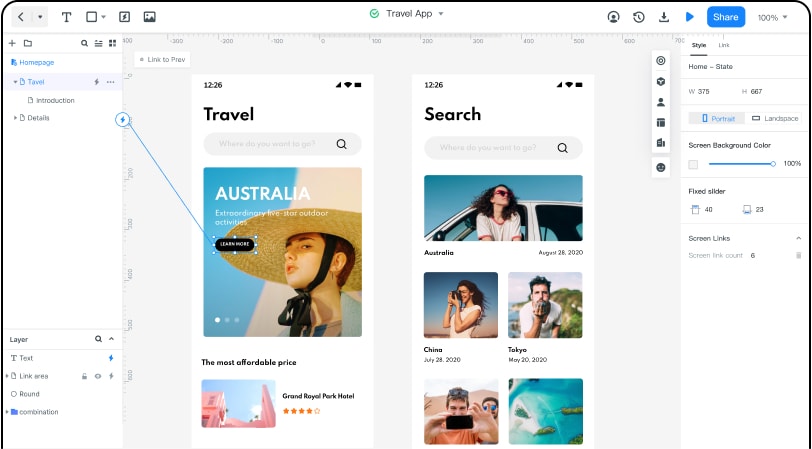
Evaluate it with: a three-screen booking flow, a changed selection, and an unavailable-result state. Preview the shared link on the device reviewers will use. Check whether comments and access settings fit the review process.
Trade-off: representing an interaction is different from delivering production behavior. Verify any required export, import, or plan entitlement rather than assuming that a prototype includes an application's backend. Plan limits can change; check the current Mockitt pricing information for the package you intend to use.
2. Proto.io: detailed interaction prototyping
Proto.io presents itself as a web-based, no-code prototyping tool with UI components, events, actions, animation, preview, and sharing. Its website also describes downloadable formats and a trial. Check the current offer rather than treating a trial as permanently free access.
Evaluate it with: the most interaction-heavy part of your flow. For a booking calendar, test a selected date, scrolling, a changed selection, and an overlay. A static happy path will not reveal whether the tool fits the behavior you need.
Trade-off: a large interaction vocabulary can be useful, but the setup and maintenance effort matter. Ask another team member to edit one behavior and inspect how easily the project can be understood. Review your handoff and export requirements separately from preview quality.
3. Sketch: design work with linked prototypes
Sketch's prototype documentation covers previewing in the Mac app, web app, and iOS apps. Design authoring is centered on its Mac application, while browser-based review makes “Mac only” an incomplete description of the collaboration workflow.
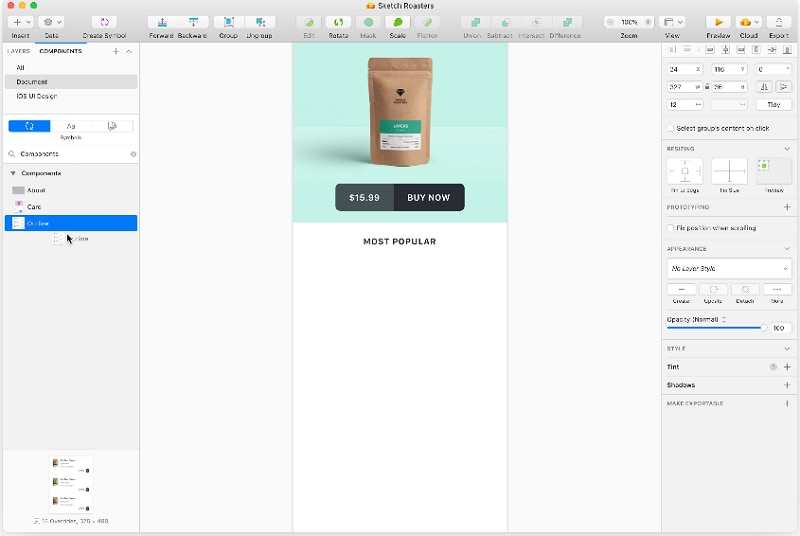
Evaluate it with: an existing design component, a linked detail view, and a stakeholder reviewing the prototype from a browser. Confirm that authoring devices and reviewer access match the team.
Trade-off: a team already maintaining its interface library in Sketch may value continuity. A team that needs every author to work on another operating system should verify that constraint before choosing it. Inspect prototype behavior and development handoff as separate tasks.
4. Framer: website design and publishing
Framer's current site emphasizes a website platform that brings design through to launch, with publishing, CMS, and other site capabilities. That is a different decision from choosing a general-purpose mobile-app prototype editor.
Evaluate it with: the page you actually need to publish, including mobile behavior, navigation, content changes, and the path to a live site. A landing-page concept may benefit from a tool whose output is the website itself.
Trade-off: do not choose a website platform solely because a historical article called it a prototyping tool. Check whether your deliverable is a published web experience or a simulation of a product that will be implemented elsewhere. Hosting, content ownership, and site maintenance also become part of the decision.
5. Atomic: a changed product category
Atomic's current official site describes an in-app messaging platform. It should not be presented as an interchangeable general UI prototyping editor on the basis of an older review.
Evaluate it when: the problem concerns delivering and managing messages or actions inside an existing product. That is a different scope from drawing a new application's screens.
Trade-off: a reader arriving from a legacy prototyping list should verify the present product and its integration requirements before opening a trial or planning a migration. If your immediate goal is a clickable concept, compare tools that currently offer that workflow. Keeping this entry explains the historical recommendation without repeating an outdated one.
Choose by output, not by the longest feature list
| Your next deliverable | Evaluation focus |
|---|---|
| A product flow for user feedback | States, links, realistic content, preview access, and comments. |
| A detailed interaction demonstration | Triggers, transitions, alternate states, and ease of maintenance. |
| A visual design and handoff reference | Components, inspection, assets, and authoring constraints. |
| A live marketing website | Responsive publishing, CMS, navigation, and ongoing ownership. |
| Messages inside an existing application | Integration, delivery behavior, and operational requirements. |
Run the same small trial task in the options that fit your deliverable. Note what you had to fake, how long revision felt in your own workflow, and whether a colleague could review the result without help. These observations are more relevant than an unsupported “best tool” label.
If you already have static layouts, the next task is turning wireframes into a testable prototype. Build the states that answer your question, then add visual detail only when it improves the evidence you can collect.