Wireframe to Prototype Made Easy: A Complete Designer's Workflow
Success in modern digital design practice lies in smoothly transitioning from wireframe into prototype and creating user-centered interactive experiences. Gaining awareness of how static wireframes are translated into dynamic prototypes is very important for great improvements in efficiency and quality regarding everything from designing mobile apps and web platforms to sophisticated software interfaces. This guide will walk designers through each step of the process, integrating practical tools and resources focused on Mockitt-a multifaceted platform that smoothes out the path from wireframe to prototype collaboratively and efficiently.
- Part 1: Understanding Wireframes and Prototypes
- Part 2: Step-by-Step Process: From Wireframe to Prototype
- Part 3: Fidelity Standards and Transition Decisions
- Part 4: Collaboration and Workflow Integration
- Part 5: Compliance, Risk Management, and Practical Tip
- Conclusion
Part 1: Understanding Wireframes and Prototypes
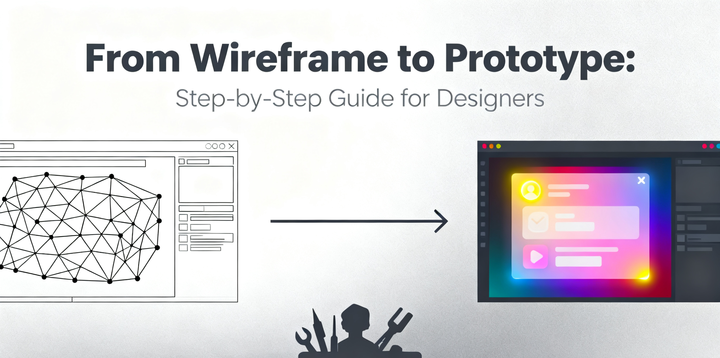
Let me first define what wireframes and prototypes are before venturing into the hands-on steps. In their very essence, wireframing is the blueprint of your design; it takes care of the layout, structure, and basic navigation. This is normally low-fidelity, with high functionality but aesthetic details at a minimum. Wireframes help the designer and the stakeholders grasp how an interface might work in terms of usability and flow, without the distraction of color, font choices, or images.
Whereas the wireframe is usually low-fidelity, this prototype will be the high-fidelity interactive version. It will let the designers add in the clickable navigation, animation, and all those really important elements for testing user flows and validation of design decisions. In real life, moving from a wireframe to a prototype involves progressive additions of fidelity, interactivity, and details while keeping a user-centered approach.
Key considerations in moving from wireframe to prototype will include:
- Project Goals: Is this a concept validation, or preparing for a developer handoff?
- Audience: Is the prototype to be used for internal testing, stakeholder review, or user testing?
- Testing Needs: What level of fidelity is required to generate relevant feedback?
This makes Mockitt particularly suited to this transition, since it allows designers to start with low-fidelity wireframes and enhance those into fully interactive prototypes within one platform.
Part 2: Step-by-Step Process: From Wireframe to Prototype
Step 1. Draw low-fidelity wireframes
The first step going from wireframe to prototype is to make your basic wireframes. That's pretty easy in Mockitt:
- New Project: Open Mockitt, and click "Create Project". You can work on a blank canvas or directly enter any one of the pre-designed templates for your mobile, web, or tablet user interface.
- Create Artboards: Click "+ New Screen", then select the size of your device. This will set up your canvas to begin sketching out any layouts.
- Adding Components: Drag in rectangles, text boxes, placeholder images, and basic shapes from the Widget Library. Look is immaterial at this stage of the process; this is all about structure and flow.
- Organize Screens: Screen groups organize your wireframes. Besides, Mockitt supports screen duplication for fast iteration.
Best Practice: Low-fidelity wireframes are best. The goal is clarity of layout and navigation, not aesthetics.
Step 2: Adding Interaction
With wireframes up, it's time to make them interactive. Creating a prototype from a wire frame means adding clickable elements and navigation flows.
- Link Screens: Tap any object, select "Interaction", then Tap/Click. Finally, link to the destination screen.
- Set Transitions: Transitions can be set to slide, fade, or none, depending on what is intended with regard to the user experience.
- Preview Flows: Click "Preview" to test interactions directly in a browser or on a mobile device.
- Reuse Components: Save reusable components, such as buttons, headers, or navigation bars, so you can maintain consistency in design across similar screens.
Hint: The early implementation of basic interactivity allows one to test user flows without having to invest in detailed visual design.
Step 3: Higher Fidelity
What you want to achieve here, once tested for flow, is getting your prototype very close to the actual final product, and that with high fidelity.
- Visual Design: Here, placeholders will be replaced with real text, images, icons, and color schemes. Modification of typography will be done in Mockitt through the Text Properties Panel.
- Component Libraries: Mockitt has UI kits in Material Design, iOS, and Web. You drag in ready, prebuilt components rather than build from scratch.
- Advanced Interactions: Create swipe, long-press and hover effects with dynamic panels. Use them to create modals or accordian-style expanding menus.
- Version Control: Changes should be tracked from the History tab in Mockitt. Changes should be optimally managed.
Tip: This goal will inform the level of fidelity applied. For example, prototypes can be of medium fidelity for usability testing, while for stakeholder presentations or developer handoffs, it is best to go with high-fidelity prototypes.
Step 4: Testing and Iteration
In a nutshell, user-oriented design needs testing and iteration. All processes, from wire-framing to prototype, are not a unilateral process; they need to be complemented with feedback and iteration.
- Invite Collaborators: Share with collaborators using Mockitt sharing; give permission to view, comment, or edit.
- Collect Feedback: Each team member can add comments right onto the screen and attach feedback to elements.
- Quick Iterations: Preview instantly; see changes in real time.
- Export Options: In Mockitt, you can export your prototype as HTML, PNG assets, and even code snippets for developers.
Tip: This is collaborative and iterative. It closes the design-testiterate loop in order for your final prototype to meet user needs.
Step 5: Best Practices in Mockitt Naming
- Convention: Naming the screen and its different elements avoids confusion in big projects.
- Master Components: Reutilization of UI elements guarantees consistency.
- Flow View: Visually perceive the whole user journey using the Flow Diagram feature in Mockitt.
- Compliance: Prototypes should be shared only with password-protected or restricted links in order not to have problems with data safety and copyright compliance.
Part 3: Fidelity Standards and Transition Decisions
The designers need to keep fidelity demands in their minds throughout the design process:
- Low-fidelity wireframes are fast, cheap, and flexible. It's all about structure and flow.
- Medium-fidelity prototype: This contains some visual design mixed with basic interactivity. It is great for the testing of usability.
- High-Fidelity Prototypes: With visuals and interactions fleshed out, these are ready for either development handoff or stakeholder review.
Whether to go ahead and make a move from wireframe to prototype depends on what kind of feedback you need, project deadlines, and intended audience. Whatever the level of your fidelity may be, Mockitt supports it, which means moving up or down is seamless.
Part 4: Collaboration and Workflow Integration
A good prototype requires the contribution of a designer, developer, product manager, and QA.
- Cross-Role Communication: Commenting, versioning, and even collaborative editing are now all facilitated by Mockitt in communicating across these roles.
- Integrating with Workflows: Works with processes such as Agile, Scrum, or hybrid.
- Handoff: One can directly access components or CSS snippets in Mockitt or any other exported assets to avoid misunderstandings.
- Iteration Loop: Supports a continuous design-test iteration, keeping the user at the center.
Part 5: Compliance, Risk Management, and Practical Tip
- Copyright Compliance: Use assets legally; protect your design IP.
- Data Privacy: Mockitt enables users to share prototypes securely, set password protection for them, and specify expiration dates for links.
- Flexible Standardization: Standardize the design system but adapt to meet particular project demands.
- Practical Workflow Tips: Keep naming clear, document iterations, and make use of Master Components to easily update later.
Mockitt addresses all these aspects by providing a secure, professional environment that supports designers in everything from wireframing to prototyping while sustaining compliance and flexibility.
Conclusion
Transitioning from wireframe to prototype is a critical skill for designers focused on interactive and user-centered designs. Clarity, efficiency, and quality thrive when one follows structured workflows. Integrating fidelity standards, collaboration best practices, and compliance measures, designers can be confident their transition from concept to high-fidelity interactive prototypes will be successful.
Mockitt acts as an excellent partner in doing so. It covers all stages of the design workflow, from low-fidelity wireframes to high-fidelity prototypes, facilitates collaboration across teams, provides a secure way of sharing assets, and makes iteration easier.
Working with Mockitt simplifies the work of designers, cuts errors, and allows one to pay more attention to what really matters: creating experiences for users that amaze them. Knowing how to walk a project through, right from wireframe creation to prototype creation, by using advanced real-world tools such as Mockitt, will only strengthen your design skills and ensure accomplishment-from conceptualization right to the delivery-of your projects, whether you are a beginning or experienced designer.
