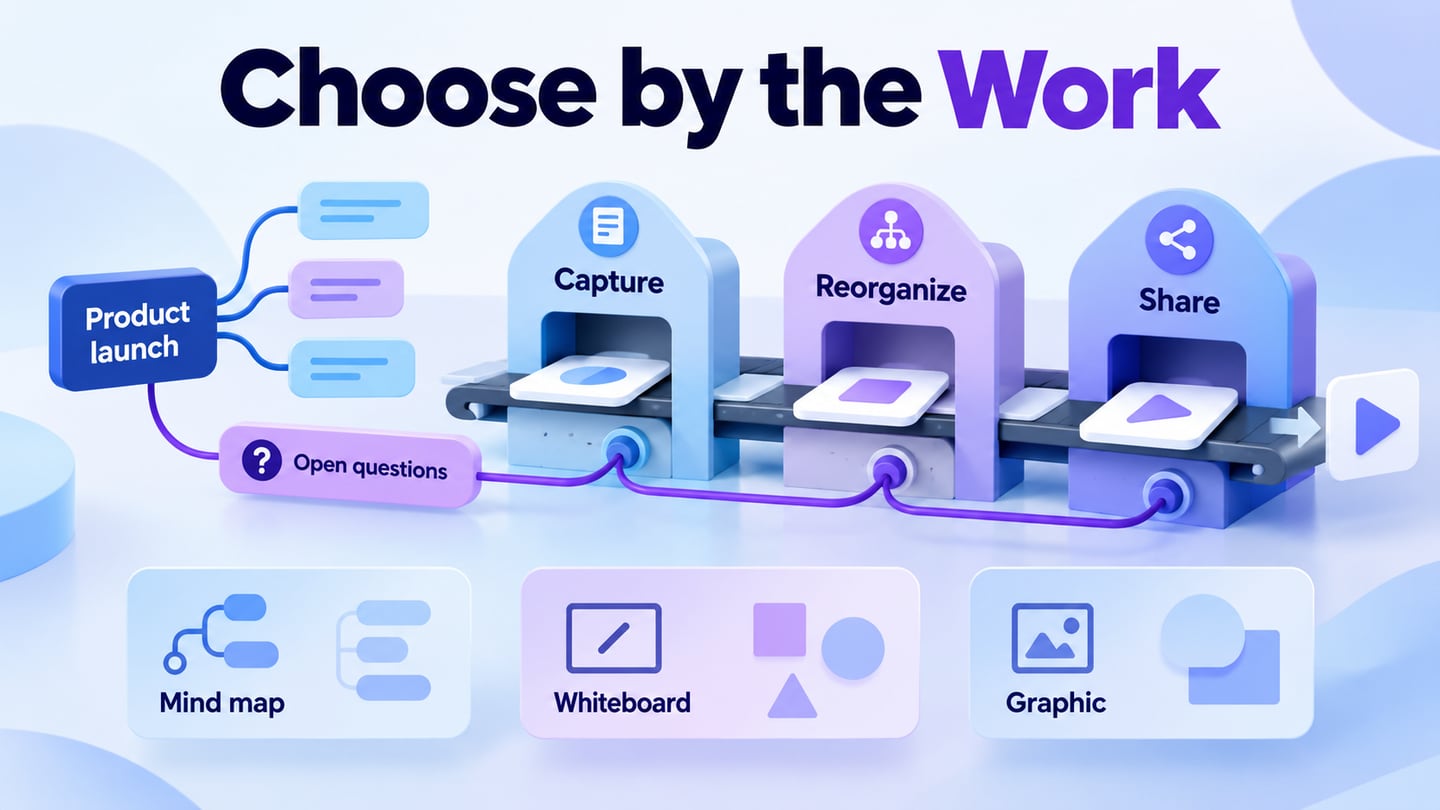
When the route needs editable screens and a shareable preview, Mockitt's online workspace lets the team inspect the same task before implementation.
A mind map maker should help you capture ideas, reorganize branches and share a structure another person can follow. Mockitt’s mapping and whiteboard workspace connects that early organization with product planning. If you use AI for a first draft, review the suggested branches before treating them as a plan.
This ten-tool guide compares dedicated mapping, whiteboarding and general graphic design as distinct categories. Start with Mockitt for a map that leads into product design, or Boardmix for a shared workshop canvas; then compare specialist editors when branch maintenance or a static presentation is the main job.
Best Mind Map Tools
Use the table to narrow the category first, then compare two or three tools with the same content. A tool that produces a polished image is not necessarily the easiest place to maintain a growing editable map.
| Tool or category | Useful starting point | Check with your own map |
|---|---|---|
| Mockitt | Product planning that leads into design | Keep generated ideas separate from reviewed requirements |
| Boardmix | Team mapping on a whiteboard | Reorganization and reviewer access |
| MindMup | Dedicated online mapping | Branch edits, notes and the export you need |
| MindMeister | Mapping across devices and collaborators | Mobile workflow and account limits |
| Miro | Mind maps within workshops | Board organization and permissions |
| VistaCreate | A static visual summary | Manual layout and editable-source limitations |
| SmartDraw | Structured diagramming and maps | Automatic layout with realistic content |
| Lucidchart | Maps alongside other diagrams | Relationships and selected-plan export |
| Canva | Mapping plus visual presentation | Readability and editable structure |
| Mural | Facilitated team discussion | Clarity after the workshop ends |
1 - Mockitt
Mockitt is relevant when a map starts a product-design conversation that later needs screens, flows and feedback. Keep the map’s role clear: it organizes the work but does not prove that every idea belongs in the product.
For a launch-planning trial, start with “Booking feature launch” and add Audience, Experience, Readiness and Open questions. Under Experience, add Find a slot and Confirm a booking. Move an idea to another branch, attach its supporting note and ask a colleague to identify what remains undecided. Then export the map and inspect whether that uncertainty is still visible.
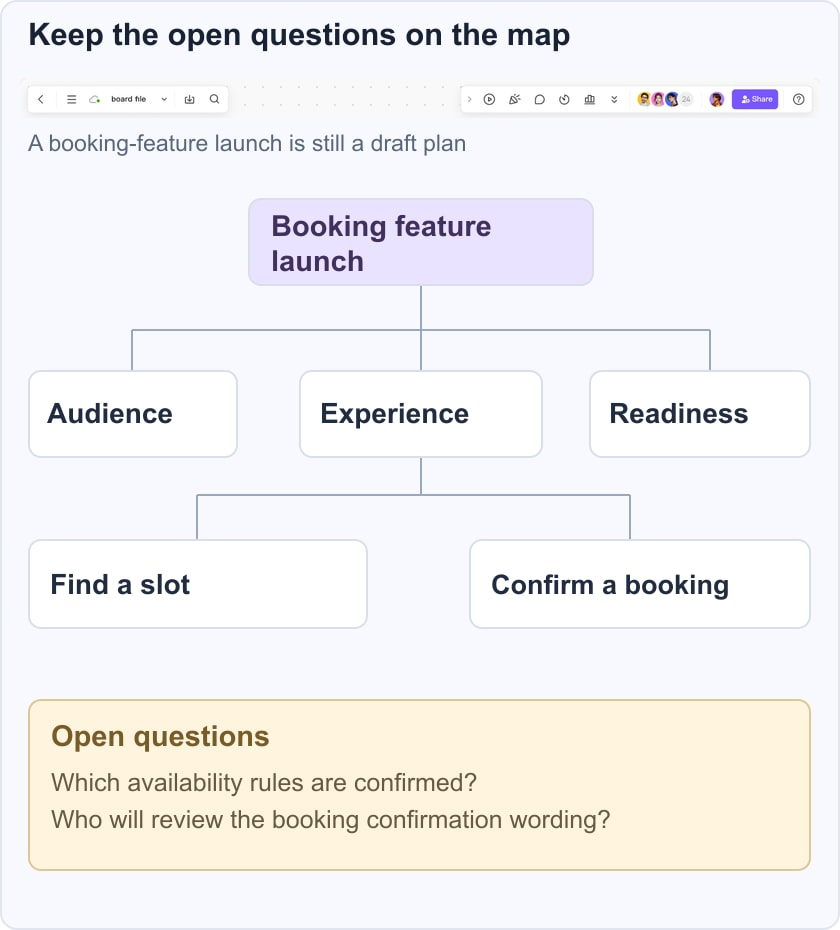
Repeat that small task in each candidate. Record whether branches are easy to restructure, whether a reviewer can contribute with the intended permissions, and whether an export preserves the information needed for the next meeting. Do not treat a generated branch as an approved requirement.
Features
- Flowchart context: use a sequence diagram separately when the question becomes “what happens next?”
- Prototype context: move from a clarified idea to a screen or interaction that can be reviewed.
- Collaboration: keep reviewer feedback tied to the relevant part of the map.
- Mind map: gather and group ideas before deciding which require deeper evidence or design work.
Pros
Useful fit: product teams that need to connect a mapping discussion with a broader design workflow.
Trial task: check that you can revise the structure and keep an unresolved question visible.
Access check: use the current browser workspace and verify the devices your collaborators will use.
Cons
Boundary: a branch outline is not a project-management system unless ownership, dates and dependencies are deliberately handled.
Check connectivity, sharing and export in your intended environment before relying on the workspace for a live session.
2 - Boardmix
Boardmix combines mind maps with a collaborative whiteboard. It fits a launch discussion that needs branches, supporting notes and other diagrams visible in the same workspace.
Features
- Map and notes: keep an idea structure near supporting workshop material while clearly separating a decision from an unreviewed suggestion.
- Collaboration check: ask a colleague to revise a branch using the permissions intended for the real session.
Pros
Useful fit: a team that needs branch-based thinking inside a broader visual workspace.
Trial task: reorganize the launch map, preserve the open questions and inspect its exported reading size.
Cons
Boundary: verify plan entitlements, export behavior and account access before using the board as the only record of a workshop.
Use the same Booking feature launch example. Group raw comments beside Audience, Experience and Readiness, then promote only reviewed ideas into the map. Leave “who can change a booking?” under Open questions until the team agrees the rule. Compare how easily a colleague can move that branch and find its supporting note. Choose Mockitt when the next deliverable is the booking prototype; choose Boardmix when the shared workshop board remains the main working record.
3 - MindMup
MindMup focuses on online mind mapping. It is a candidate for turning an outline into a structured map and maintaining that structure without a large collection of unrelated design tools.
Features
- Outline workflow: test how a set of notes becomes an editable branch structure.
- Map maintenance: move one branch and inspect whether its notes and relationships remain understandable.
- Sharing: check the access and storage model required for the people who need to review the map.
Pros
Useful fit: a straightforward topic map where editing the structure is more important than arranging a workshop canvas.
Export check: open the actual output format you need and inspect the branch labels at normal reading size.
Integration check: confirm the current storage and account requirements instead of assuming a historical Google workflow still applies.
Cons
Offline check: verify the current product’s behavior with your own device and account; a web address alone does not guarantee offline editing.
Boundary: test cross-links, attachments and export requirements before assuming that a simple map can replace a richer diagram.
4 - MindMeister
MindMeister is a dedicated mind-mapping option with mobile and collaborative workflows. It is useful to evaluate when ideas need to move between individual capture and a shared branch structure.
Features
- Custom Styles – Make your mind map uniquely yours by creating personal styles that reveal your personality.
- Focused review: inspect one branch without losing its relation to the central topic.
- Comments & Notifications – receive feedback from your audience or teammates to see what works and what doesn’t.
Pros
Plan check: verify how many maps and which collaboration features the chosen plan includes.
Support check: review the available help and account support for the way your team will use the product.
Start with a small trial map before moving an entire collection of notes.
Cons
The official mobile page describes a free tier with up to three maps; check current account terms before planning a larger workspace.
MindMeister has mobile apps; test the actual capture, editing and sharing sequence on the phone you will use.
5 - Miro
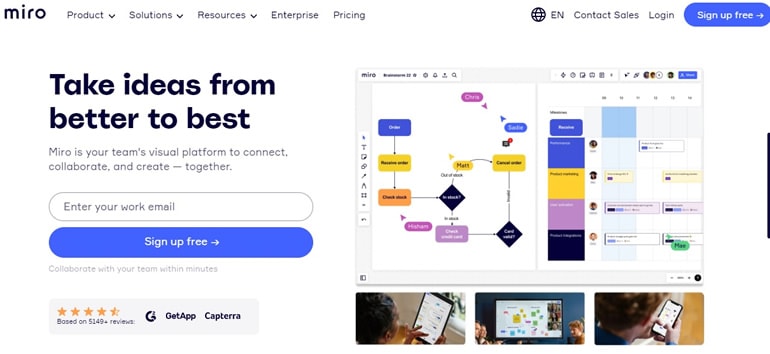
Miro combines mind maps with a larger collaborative board. It is useful when branches need to sit beside workshop notes, images or other diagrams, rather than remain a standalone outline.
Features
- Presentation mode – Break up your mind map into frames to create slides for the presentation.
- Real-time collaboration – Communicate with your team members in real-time.
- Board context: keep the map, supporting evidence and other workshop material in clearly labeled areas.
Pros
Workshop check: confirm which facilitation tools are available in your selected plan and on participants’ devices.
Templates can help start a session, but evaluate the structure with your own content instead of choosing by template count.
Try the intended review and sharing flow before paying for a wider rollout.
Cons
Export check: test the required format and quality using a map with realistic branch depth.
Boundary: a large canvas can become difficult to navigate if the map and raw notes are mixed together. The Miro alternatives guide compares different workshop needs.
6 - VistaCreate
VistaCreate belongs to the general visual-design category in this original list. Consider it for presenting a small, static idea graphic, not as an assumed substitute for a dedicated editor that restructures branches and preserves map semantics.

Features
- Team workflow check: verify how a collaborator accesses the design you plan to share.
- Publishing check: a social graphic can communicate a map summary, but it does not preserve the editable branch model.
- Brand styling: use typography and color to improve the final visual without hiding its meaning.
Pros
Useful fit: a finished visual summary whose main job is communication rather than ongoing branch maintenance.
Supporting graphics can enrich a summary, but keep the map’s labels and structure dominant.
Use the same launch-map content to see how much manual layout work a change requires.
Cons
Plan check: confirm which visual assets and output options are included in the account you intend to use.
Upload your own supporting image if the map needs it, then check that it stays readable in the final design. A static graphic still needs manual layout when the structure changes.
7 - SmartDraw
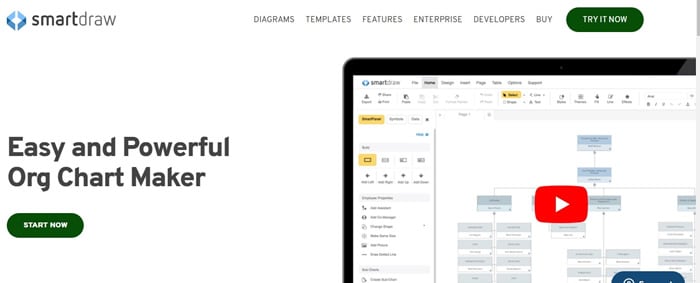
SmartDraw is a diagramming candidate with a mind-map workflow. It is useful to evaluate when the team also needs structured diagrams and wants consistent layout behavior.
Features
- Formatting: test how adding and moving a topic affects the surrounding structure.
- Presentation: check alignment and readability without shrinking the labels to fit a crowded page.
- Sharing: verify the export or application handoff your team actually needs.
Pros
Useful fit: teams that want mapping alongside other structured diagram types.
Trial task: add the Open questions branch and confirm that it stays visible in the exported view.
Support check: look for documentation for the exact editing or import operation you need; no response-time guarantee is assumed here.
Cons
Boundary: an automatically arranged diagram still needs review of its meaning, branch depth and reading order.
8 - Lucidchart
Lucidchart’s mind-map documentation is relevant when the map belongs in a broader diagramming workflow. Test the relationship and export behavior with a representative map rather than assuming that a saved diagram meets every handoff requirement.
Features
- Intelligent diagraming – Quickly visualize your team’s systems, structure, and processes.
- Scale cloud infrastructure – Embed cloud architecture diagrams as reference for your teams.
- Integration – Works well with Google Workspace, Microsoft, Atlassian, Slack, and more.
Pros
Useful fit: a map that needs to be maintained alongside other diagrams.
Export check: verify availability and quality on the selected plan, including any restrictions affecting the final handoff.
Editing check: change one branch and confirm that its supporting relationships remain clear.
Cons
Boundary: keep the map within a readable scope; split a large topic rather than forcing everything into a single view.
Template check: choose a starting layout by its structure, then replace placeholder content and remove irrelevant branches.
9 - Canva
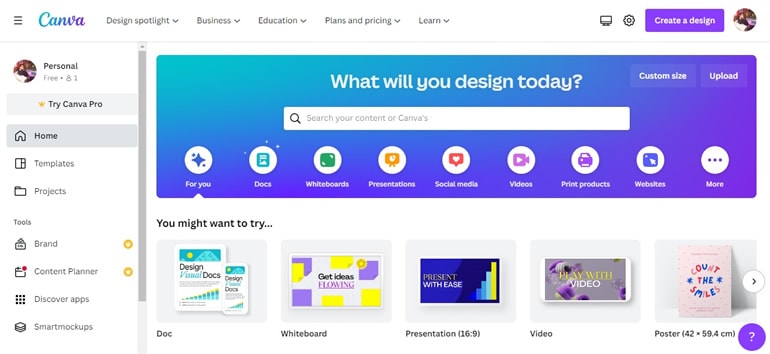
Canva’s whiteboard is an option when idea mapping and visual presentation need to live near each other. Test the actual mapping task, since a large asset library does not by itself make branch maintenance easier.
Features
- Design: add supporting graphics only where they communicate something the labels cannot.
- Visual editing: keep the map’s meaning intact when turning it into a presentation or shareable image.
- Plan check: confirm current storage, asset and export entitlements rather than relying on the old numeric limits.
Pros
Useful fit: a map that will also become a visual explanation for an audience.
It can be helpful when the team already maintains other presentation material in the same environment.
Integration check: verify the specific file or application handoff required by the project.
Cons
Boundary: check whether the chosen template and assets are available to every person who must edit the map.
10 - Mural
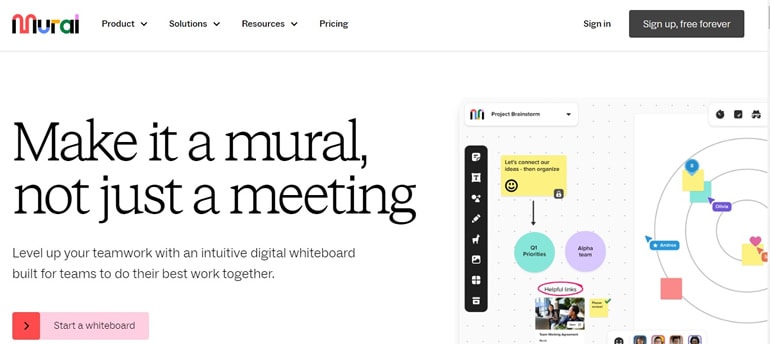
Mural is a collaborative visual workspace for team discussion. Evaluate it when mapping is one part of a facilitated session rather than the entire deliverable.
Features
- Canvas organization: use clearly named areas to keep branches, evidence and decisions separate.
- Mapping and diagramming – Build quick and easy visual content with flows, maps, journeys, and more.
- Flexible permissions – You can control access to Mural’s collaboration features with view-only, edit, etc.
Pros
Useful fit: a facilitated workshop in which several people need to contribute ideas and inspect a shared structure.
Trial task: invite a reviewer and check whether they can follow the launch-map branches without an explanation from the facilitator.
Cons
Boundary: a flexible canvas requires deliberate organization; use a smaller focused map if the board becomes hard to navigate.
What Makes a Good Mind Map Maker?
Use these criteria to make the final decision:
- Branch editing: add, move and regroup topics without losing their notes or meaning.
- Collaboration: confirm who can view, comment and edit under the intended permissions.
- File compatibility: test a real import and export rather than comparing format names alone.
- Sharing: inspect the map on the devices and at the reading size your audience will use.
- Evidence: keep references, unresolved questions and generated suggestions distinguishable from approved work.
Conclusion
Choose the tool that survives the small trial with the least unnecessary friction. For a format-specific choice, see mind mapping on iPad and iPhone; for a change of ecosystem, use the Xmind alternatives comparison.
If the task is explaining dependencies rather than expanding a topic, review how concept maps differ from mind maps. A different question may need a different diagram, not more features in the same editor.
Make each prototype step produce review evidence
For a checkout example, define the starting assumption, create only the screens needed to test it, connect the primary path, and add the error or recovery state that could change the decision. Ask a reviewer to complete the task from the beginning, then record the expected result, observed confusion, and next revision.
| Step | Input | Evidence to keep |
|---|---|---|
| Scope | One uncertain product decision | Decision statement and success condition |
| Build | Minimum screens and states | Connected route and visible labels |
| Review | Known task and starting state | Observed issue and assigned change |