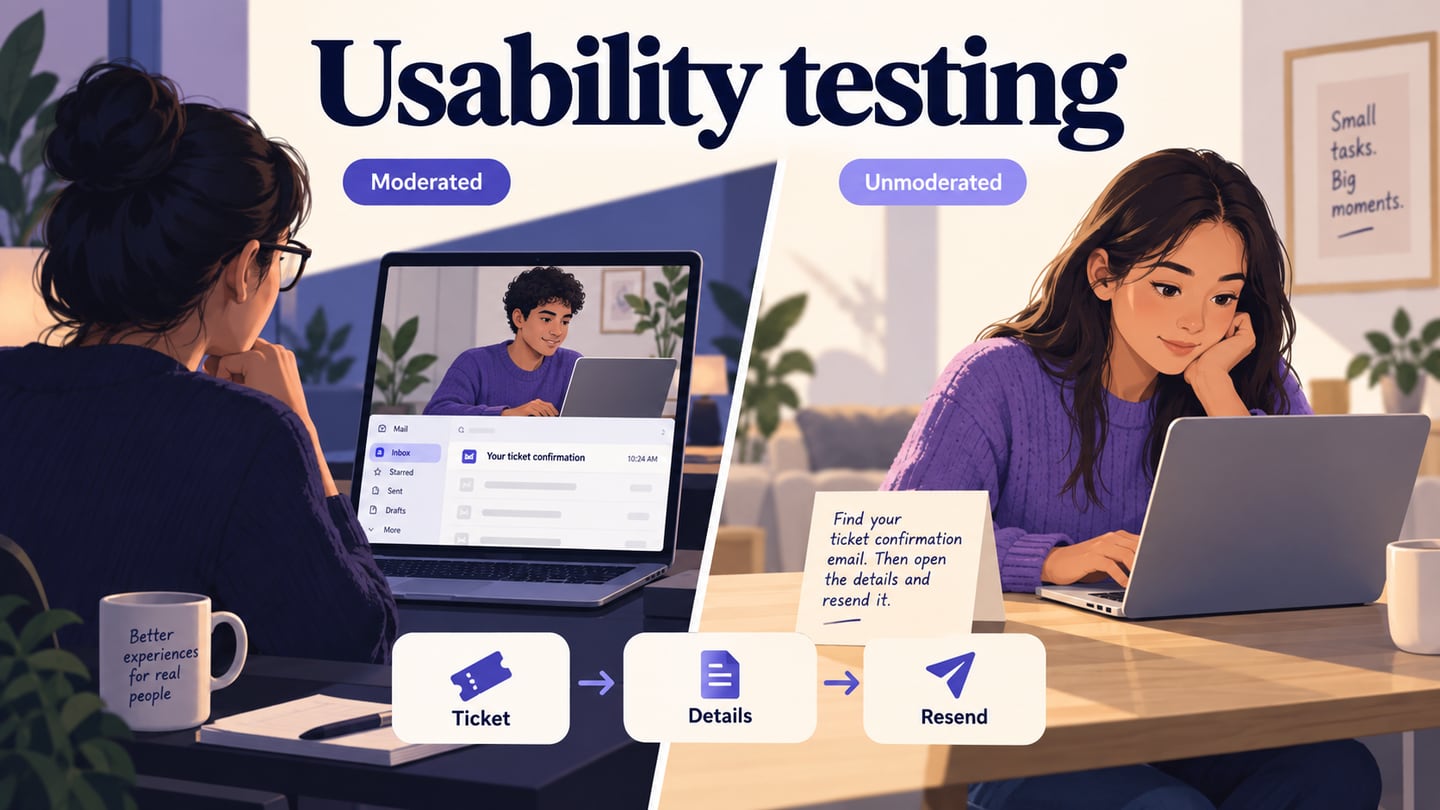
Usability testing examines how people attempt realistic tasks with a product or prototype. A researcher observes what they do and listens to their interpretation, then uses that evidence to identify problems and possible improvements. This guide covers the process and methods through a ticket-confirmation task.
What is Usability testing
In a usability test, participants who reflect the intended audience attempt relevant tasks. The focus is the design, not whether the participant is “good at technology.” As Nielsen Norman Group explains, observation and feedback help reveal problems and opportunities that a team may not see in its own design.
Decide what evidence the task should produce
- Task outcome: did the participant reach the intended result, and what counts as completion?
- Understanding: can they explain what the screen or confirmation means?
- Assistance: where did they need help, and what help was given?
- Errors and recovery: what wrong turns occurred, and could the person recover?
- Observed friction: record pauses, repeated attempts and relevant comments without treating every pause as proof of confusion.
Advantages of Usability testing
- Identify obstacles while the design can still be revised.
- Replace a design debate with observations about a specific task, while keeping the limits of the study visible.
- Hear participants’ interpretations alongside their behavior; a positive opinion alone does not establish task success.
Usability testing Process
- Plan: define the question, participants, task, prototype version and observation criteria. For this example, investigate whether a ticket buyer can locate and resend a confirmation without changing the booking.
- Recruit: select people whose needs and experience match the ticket-buying context. Relevant behavior matters more than filling unrelated demographic quotas.
- Run: explain that the design is being tested, obtain appropriate consent for recording, and give a neutral task. Do not demonstrate the route first.
- Analyze: separate what happened from your interpretation. Note the screen, action, outcome and help provided before grouping issues.
- Report: connect each proposed change to evidence and state what remains uncertain. Revisit the affected task after a revision.
Usability testing methods
Choose the method according to the research question, access to participants and the maturity of the prototype. These options are not interchangeable. Record these choices in a UX research plan.
Guerrilla or intercept testing
Short sessions with available participants can expose obvious issues, but convenience recruitment may not represent the intended audience. Use it for an appropriately limited question and be explicit about who participated. Avoid collecting sensitive booking or identity information in a casual public setting.
Moderated testing
A facilitator observes a participant in person or remotely and can ask follow-up questions. Keep instructions neutral and avoid helping someone past the point you need to understand. Record assistance when it is necessary so a guided completion is not counted as an unaided one.
Remote unmoderated testing
Participants work through written tasks without a facilitator present. This can suit a stable task with clear instructions, but there is no moderator to clarify an unexpected situation. Pilot the wording and check that recordings or task data provide the evidence you need. A broken prototype or leading instruction can undermine many sessions at once.
Prepare the interface in a prototyping tool
A tool such as Mockitt can prepare the screens and connections participants will use. It is not, by itself, a replacement for recruitment, consent, session recording or research analysis. Choose separate study tools where the method requires them.
- Use consistent fictional booking details so the task does not require personal data.
- Keep the review version identifiable and verify the access a participant will receive.
- Document which routes are simulated and what the prototype cannot do.
- Open the prototype in the participant’s intended browser and viewport before the session.
- Pilot the task with someone unfamiliar with the design to catch broken links and unclear instructions; this is preparation, not a substitute for audience research.
Build a ticket-confirmation task
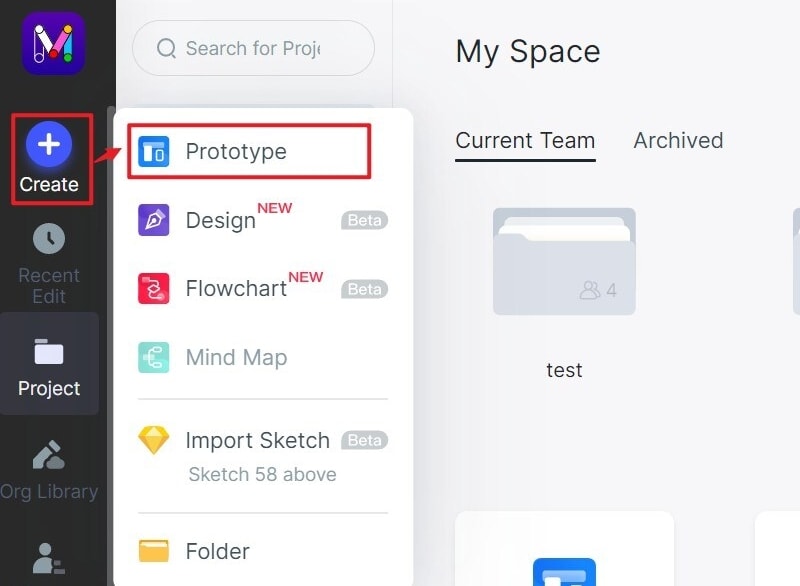
Step 1. Create a Project
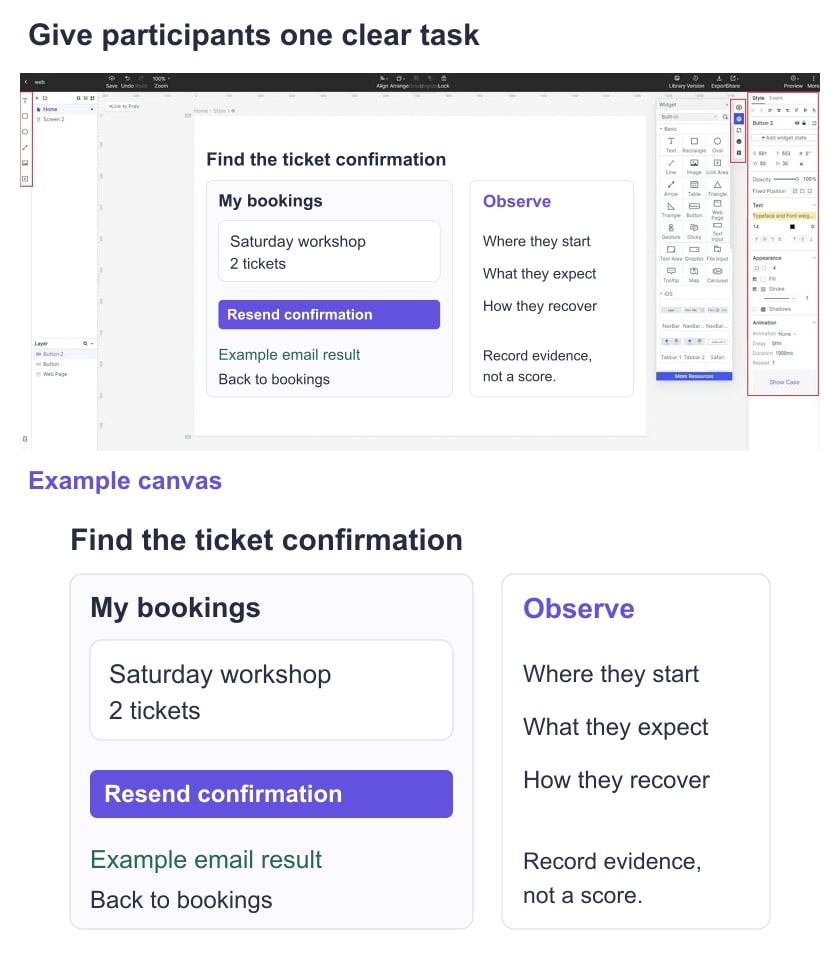
Create a prototype containing a booking list, a booking detail screen and an example confirmation-email result. The older editor images retained here illustrate basic operations; the ticket scenario supplies the study context.
Step 2. Add Widgets
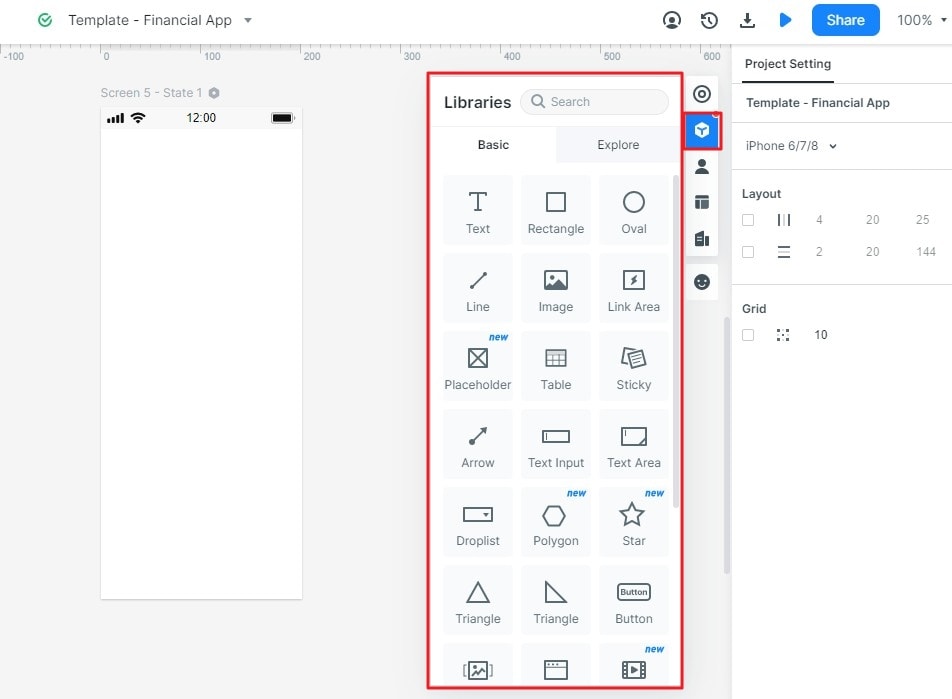
Add the event name, date, ticket quantity and a clearly labeled email action. Include an explanatory result state so the participant can distinguish resending a confirmation from changing or purchasing tickets.
Step 3. Create Interactions
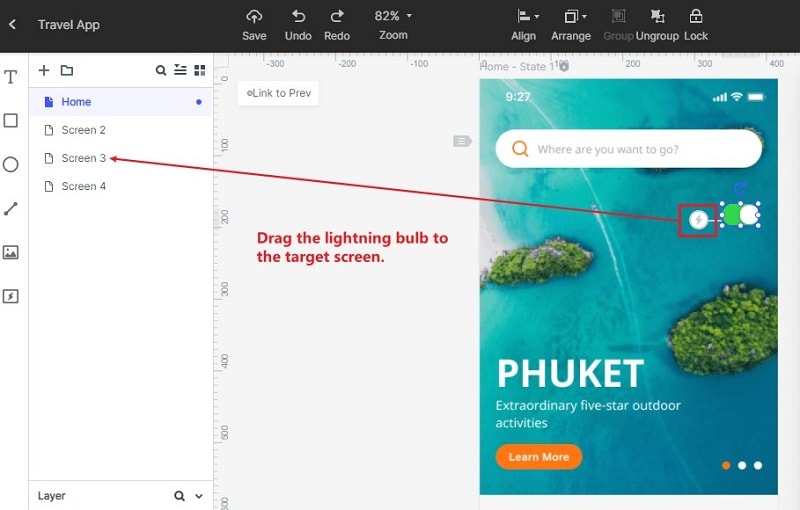
Connect the list to booking details and the resend action to its example result. Add a return route to the booking list. If the result is simulated, state that in the study setup; do not send real emails or change bookings.
Step 4. Preview
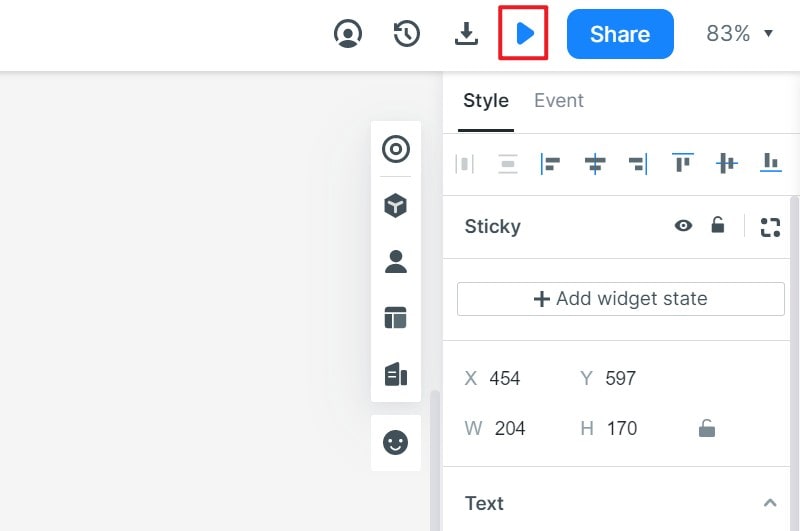
Check the entire route before recruitment. Open the shared version through the same access method participants will use and confirm that important labels remain visible on the planned device.
Run the task and document the evidence
Use a neutral scenario: “You have a ticket for the Saturday workshop, but you cannot find the confirmation email. Show what you would do.” Observe whether the participant finds the booking, distinguishes its details from other events, and explains the result of the email action. Record the screen and action beside each observation. If they think a new ticket was purchased, investigate the label and result message; do not invent a success rate from a single example.
Practical Checks for a Usability Study
The value of a usability test depends on the quality of its task and evidence, not on making the session look formal. Keep these practical checks in view.
- Recruit for the task’s real context and include relevant access needs when they affect the question.
- Treat competitor reviews and support tickets as sources of questions, not as a substitute for observing the intended audience.
- Choose moderated or unmoderated sessions deliberately and keep instructions neutral in both.
- Start when the prototype has enough detail to answer the question. Fix broken routes before a session, then use what you observe to guide the next revision.