
What Is UX Writing?
UX writing shapes the words people use to understand and operate a product. It overlaps with content design, which also considers what information people need and how it is structured. Images, layout and interaction alone may not explain an unfamiliar action or help someone recover when it fails.
Button labels, field instructions, error messages and confirmation text are all examples of UX writing. They connect the interface to the user’s task: what is happening, what information is needed and what can be done next. A useful message can be short, but brevity is secondary to clarity.
How UX writers improve the product experience
UX writers do write instructions and steps when the task requires them. They work with designers, researchers and engineers to choose language people understand, account for different interface states and test whether the words support the intended action. A persona can provide context, while interviews and usability observations help check assumptions about the audience’s vocabulary.
Another important role of a UX content writer is to uphold the brand's voice. The writer ensures that the content adapts to the voice of the brand and relates to the user. Below, you'll find some common UX writing principles that play an important role in UX designing.
UX Writing Principles and Examples
The principles below are useful starting points, but the right wording depends on the task and the information the product actually has. Compare the message with what a person can see and do at that moment, then test whether it helps them continue.
Keep it clear, concise, and useful
Aim for clear, concise and useful copy. A message such as “System error. We can’t book your tickets” identifies a failure but gives the reader little to work with. Before adding detail, establish what failed and which recovery action the system can support.
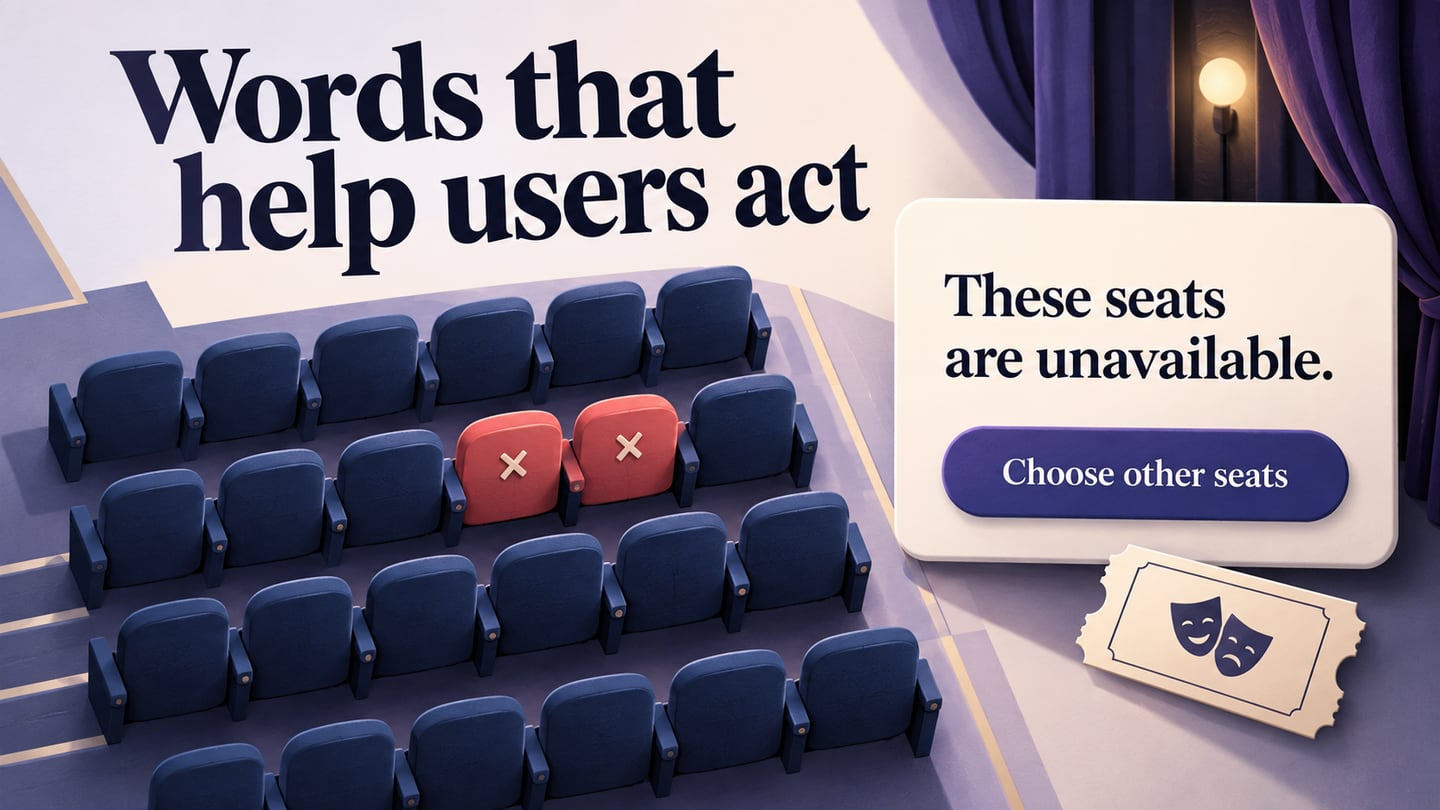
If the product knows that the selected seats are unavailable, say so. “The seats you selected are no longer available” is more useful than a generic error. Do not diagnose a cause that the system cannot confirm, and do not imply that a payment succeeded or failed unless its status is known.
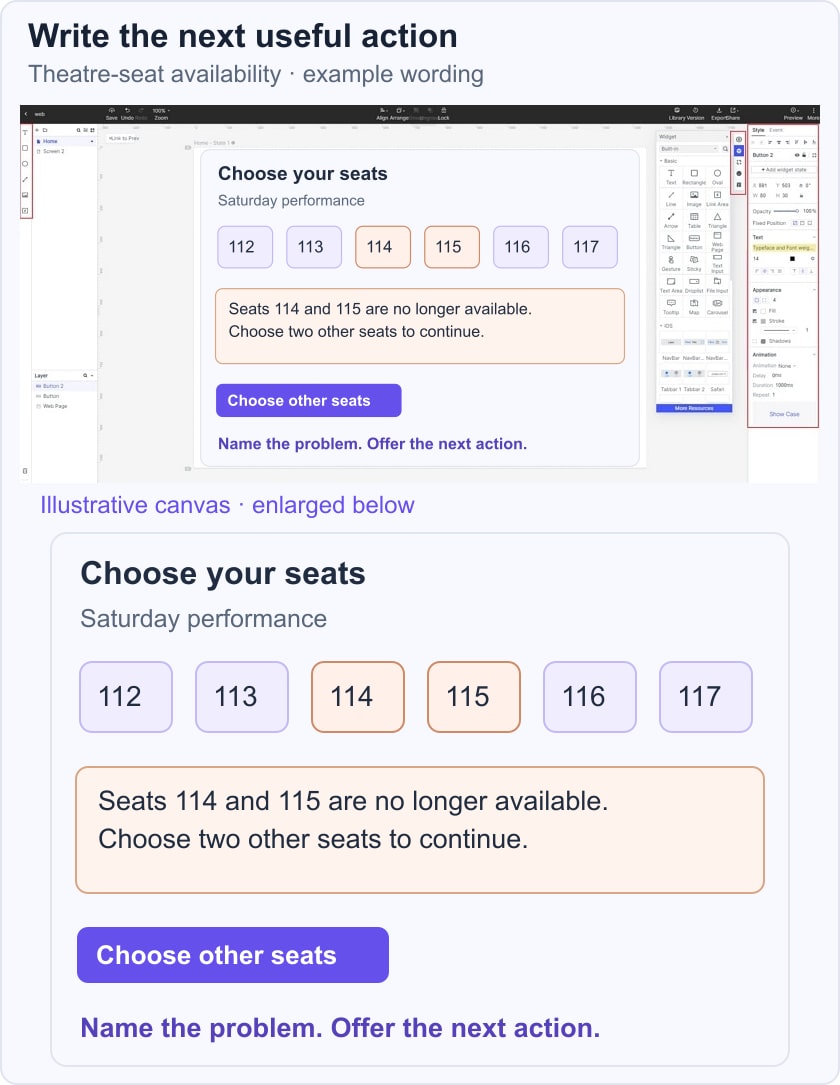
In a theatre-booking example, the message could read: “Seats 114 and 115 are no longer available. Choose other seats to continue.” Put a Choose other seats action beside it. If the product preserves the date and ticket quantity, explain that too so the customer knows what needs to be repeated. In a Mockitt prototype, place the message in the relevant screen and review it with the actual action, rather than judging it as an isolated sentence.
Right voice and tone
Voice is the product’s consistent way of speaking; tone adapts to the situation. A payment problem calls for calm, direct wording that helps the customer act, rather than blame or a joke. A completion message can be warmer, but it should still clearly confirm what happened.
For example, “Check the card expiry date and try again” is appropriate only when that field has been identified as the problem. When the cause is uncertain, give the supported next step without assigning fault. The user’s situation should guide the tone.
Use consistent language
Use the same label for the same action. Download a file and save a change are different tasks, so they can legitimately have different labels. Create a small terminology list that records each action, its preferred name and the states where it appears; do not alternate labels solely to make the copy sound less repetitive.
Avoid jargon
You have just a few words when it comes to UX writing. So, keep it simple and easy and avoid any complex terms or jargon.
Clearly label CTAs
A button should explain the action or its result. “Choose other seats” is clearer in the booking example than “Proceed.” “Next” can work within a clearly labelled multi-step process, while a final action may need a more specific label such as “Confirm reservation.” Review the surrounding heading and helper text before deciding how much information the button needs.
Make important content easy to scan
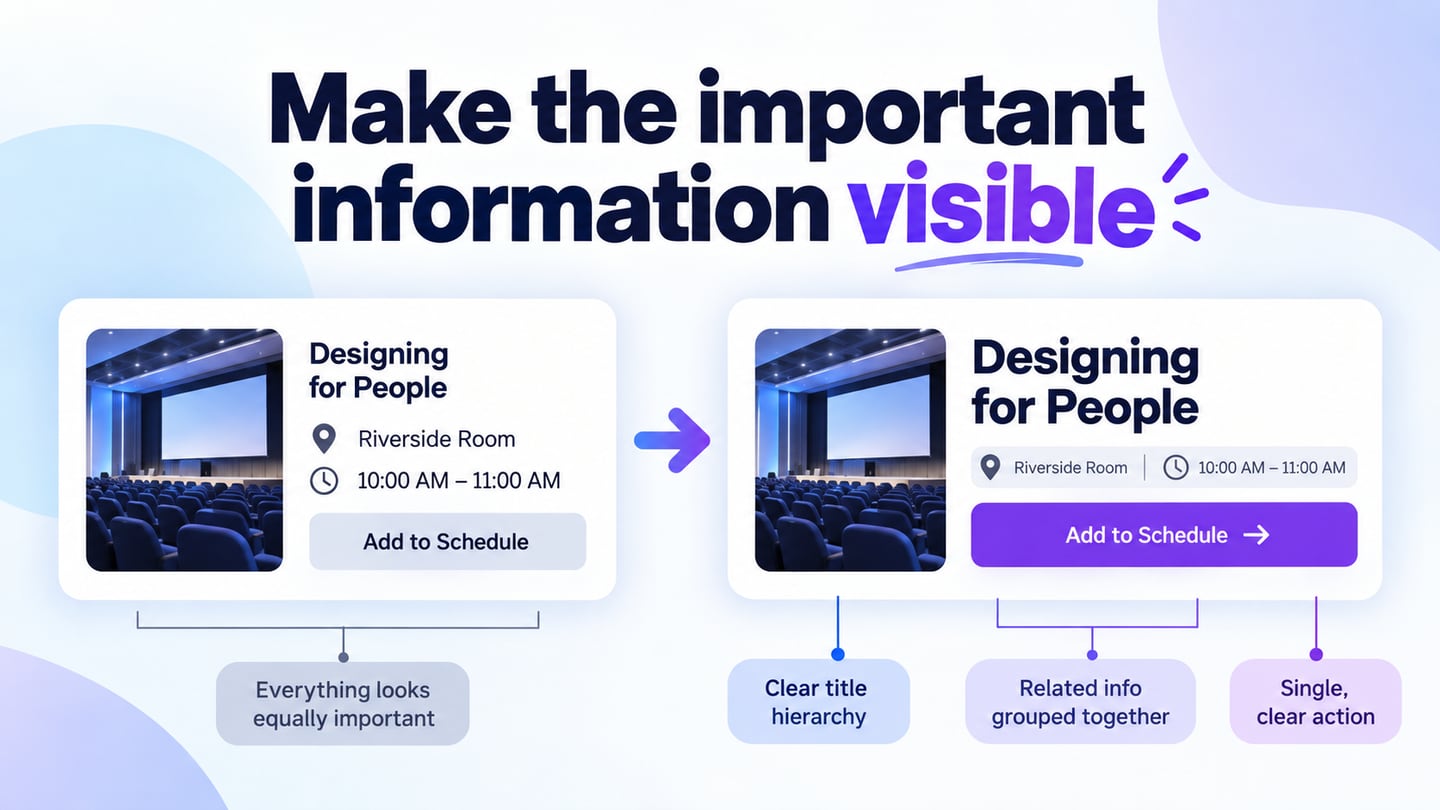
Do not arrange every interface into an F-pattern. Nielsen Norman Group’s reading research describes several scanning behaviors and warns that people can miss content when they fall into an F-shaped pattern. Use informative headings, logical grouping and front-loaded instructions so users can locate the next step without reading every word.
How to Prepare for a UX Writing Job
Writing, content strategy and design experience can provide a starting point, but a transition into UX writing also requires learning how products work. Practice with a small interaction: identify the task, write the default and error states, place the copy in a screen and ask someone to use it. A design tool helps you show context; it does not replace research or writing judgment.
Study product language, accessible content and basic research methods, then build examples that explain your reasoning. Certification requirements vary by employer; a course can provide structure and feedback, but it does not guarantee a role. Books, public design guidance and small practice projects are also useful ways to develop the craft.
UX Writing Courses
1. UX Writing Hub
Access: a free introductory course is available; paid programs have separate terms.
Level - Beginner
The introductory course covers UX writing and content-design basics. Use it to explore the subject before comparing longer programs, instructor feedback and the type of project work included.
2. UX Content Collective
Access: paid training; check the current course page for fees and enrollment conditions.
Level: fundamentals, with further courses available.
Formerly known as UX Writers Collective, UX Content Collective’s fundamentals course focuses on interface content and product thinking. Review its prerequisites and final-project requirements before enrolling instead of relying on an old price range or employer-logo endorsements.
3. Introduction to UX Writing on Domestika
Access: course purchase or applicable subscription terms; prices and promotions vary.
Level - Beginner
Mario Ferrer’s Introduction to UX Writing introduces the role and writing for product interfaces. Check the current audio, subtitle and access options on the course page, particularly if you need English-language instruction.
4. Berghs: UX Writing
Access: paid scheduled course; consult Berghs for the current fee and application dates.
Level: intended for professionals with relevant writing or product experience.
The Berghs UX Writing course covers user-centered interface copy, clarity and practical writing methods. Its current listing is a Swedish-language course in Stockholm; check language, format, workload and current enrollment dates before applying.
UX Writing Books
Let's look at some books that can help you learn UX writing.
1. Strategic Writing for UX
Strategic Writing for UX by Torrey Podmajersky connects UI text with voice, product goals and writing methods. It is a useful option when you want a repeatable way to explain and evaluate wording decisions.
2. Microcopy: the complete guide
Microcopy: The Complete Guide by Kinneret Yifrah covers the small pieces of interface language that help people act, including labels, messages and voice. Use a chapter to critique a real interaction rather than treating examples as wording to copy unchanged.
3. Writing is Designing
Writing Is Designing by Michael J. Metts and Andy Welfle treats language as part of product design. It is particularly relevant when writers need to collaborate on decisions about structure and behavior, rather than receive a finished screen to fill with text.
4. Conversation Design
Conversation-design resources examine how a product and a person exchange information. Before choosing a book with this title, check its author and whether it focuses on chatbots, voice interfaces or broader product dialogue; those are related but different tasks.
A useful exercise is to turn a form into a short dialogue: what does the user need to know, what does the product ask, and how should it respond when information is missing? Then put the answer back into a usable interface instead of adding conversational wording everywhere.
What to Include in a UX Writing Portfolio
A UX writing portfolio should make your decisions understandable. Show the user task, the original problem, the constraints and the copy in its interface context. A polished sentence alone does not explain how you identified the problem or how the wording fits the product.
For an early portfolio, use a clearly labelled practice project when you do not have permission to publish client work. The seat-availability example can show the vague original error, the revised message, the recovery action and the assumptions that still need to be checked.
Include the evidence behind the revision. If you observed that a participant could not tell whether their ticket selection had been saved, connect that observation to the new message. Keep participant details private and distinguish observed behavior from your interpretation.
Describe the outcome honestly. Include metrics only when they were actually measured and you can explain what was compared. For a practice project without a live release, state what a prototype review established and what remains untested; do not invent a conversion improvement.
Make the portfolio easy to navigate and readable on a small screen. Show enough of each interface to explain the copy, provide captions for screenshots and favor a clear account of the work over decorative animation.
Conclusion
UX writing helps people understand a product and complete their tasks. It shares skills with marketing and other kinds of writing, but its immediate job is to make the next action, system state or recovery path understandable.
Start with one confusing interaction, preserve the facts that matter and write the wording in context. Review the default, error and completion states together so the product sounds consistent while giving each situation the information it needs. For blank views, compare first-use and no-results messages.