Attractive, interactive, and compatible user Interface is the first thing every client looks for when they plan for a website. They will just provide the requirements to the designers and it is the job of the designers to create the website according to these requirements. Earlier designers used to draw prototypes with hands which were time-consuming and also hard to make any changes instantly. Mockup Software is the best for this purpose. This software can be used to create prototypes that include all the necessary elements of the website and provide an overview for the clients how the website will look after the final development.
5 Tools Across the Mockup and Handoff Workflow
The following tools serve different stages. Mockitt, Figma, Sketch, and Marvel can support design or prototype work; Zeplin focuses on delivering designs to development. Compare the stage you need to improve rather than treating every entry as an interchangeable mockup editor.
1. Mockitt
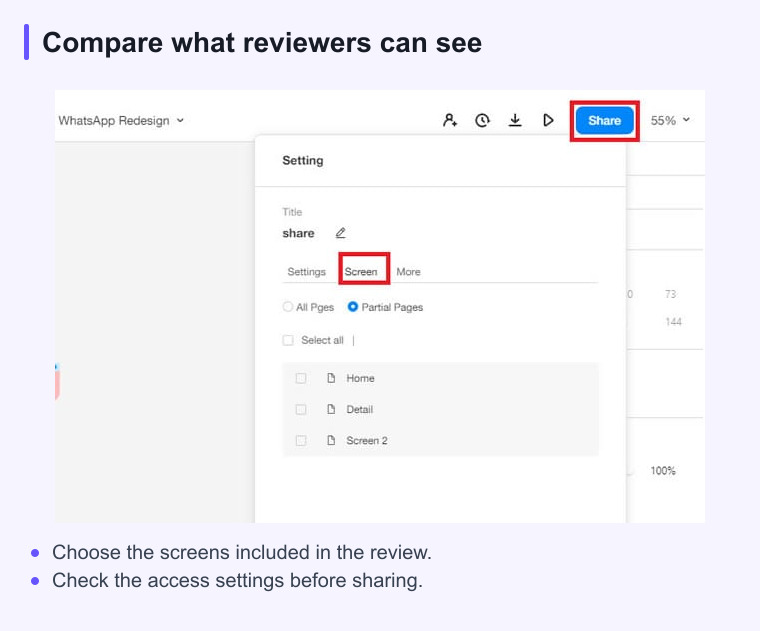
Mockitt is a web mockup software used to create prototypes of websites which are faster to design and animate. Many templates, widget panels, enterprise features, and also cloud access are provided by the tool. Prototypes of interactive mobile apps can be built at a quick time. If you are seeking feedback from others, you can provide a URL wherein only view option is enabled without the permission to edit. The wireframe created can even generate QR codes that can be scanned easily by mobile to test the prototype.
Pros
- Drag and drop feature which includes gestures, transitions of page, and animations.
- Projects can be stored on the cloud and can be synced to the desktop.
- If the team members are working remotely, real-time collaboration is possible to coordinate the work effectively.
Cons
- Many widgets may confuse you if you are a beginner.
- Watching tutorials is a must to understand most of the concepts.
Access: Use the browser workspace for editing and check the current supported browser requirements. Previewing on a mobile device is different from having the full editor available there.
2. Figma
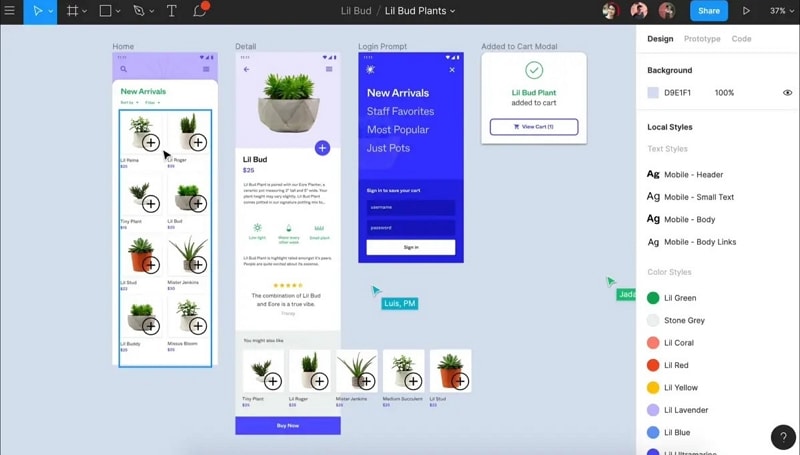
Figma supports shared interface design and prototyping. Frames organize a screen, while vector operations such as union, subtract, intersect, and exclude help combine shapes. Check the current plan’s team-file, collaboration, and history limits against your project before choosing it; a free tier is not a guarantee that all required work is included.
Pros
- Great tool for wireframe and prototype which is simple and easy to use.
- Contains all the required vectors and also has a cloud storage option.
- Supports a separate interface-design workflow and design handoff. Verify any required integration before adoption.
Cons
- Large files may need more memory; test a representative document on your device.
- Complex files and effects can affect responsiveness.
Compatibility - Windows, Mac, Linux
3. Sketch
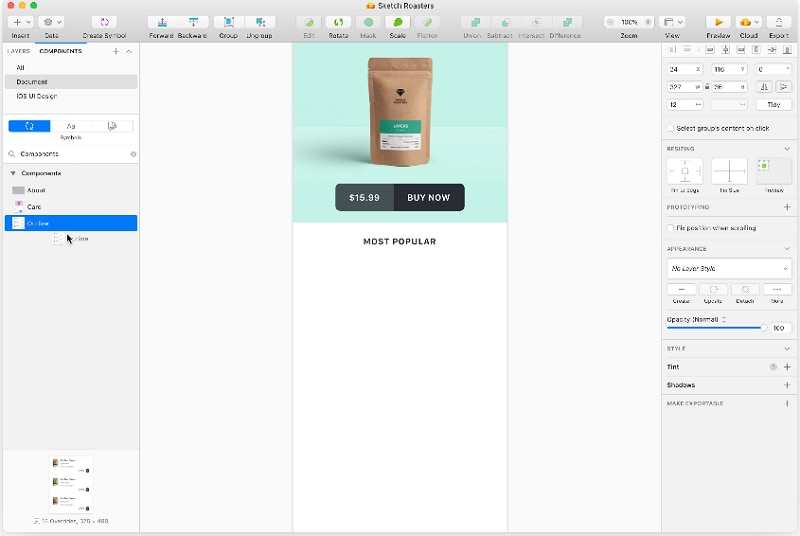
Sketch’s vector editor supports reusable interface elements and prototypes. Design inspection and asset export can support developer handoff, while collaboration depends on the selected access plan.
Pros
- Icons created can be reused again and again.
- Exported assets and design specifications can be shared with developers.
- Designs can be mirrored on multiple devices to test how they look.
Cons
- The tool can slow down your machine
- Check how shared color variables and libraries fit your team’s workflow.
Platform: The Sketch editor runs on macOS. Browser tools support review and handoff.
4. Marvel
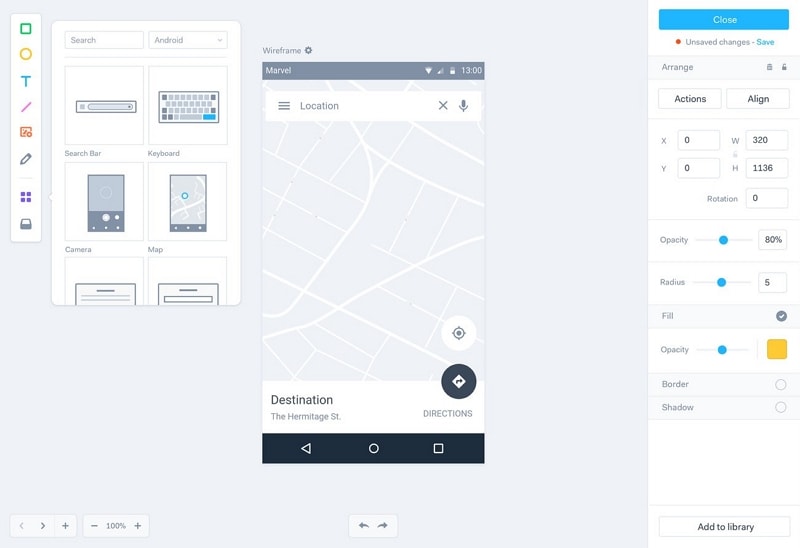
Review Marvel’s current handoff and export options against the actual project. Generated style information or assets do not establish a complete Android, iOS, or web implementation.
Pros
- Easier to set up a working environment.
- Wireframing and prototyping are cloud-based.
- Verify the current integrations needed for the existing design files and review workflow.
Cons
- Review the current trial and paid-plan limits before choosing a team workflow.
- The offline work option is not available.
Compatibility - Confirm the current supported apps, browsers, and integrations for your workflow.
5. Zeplin
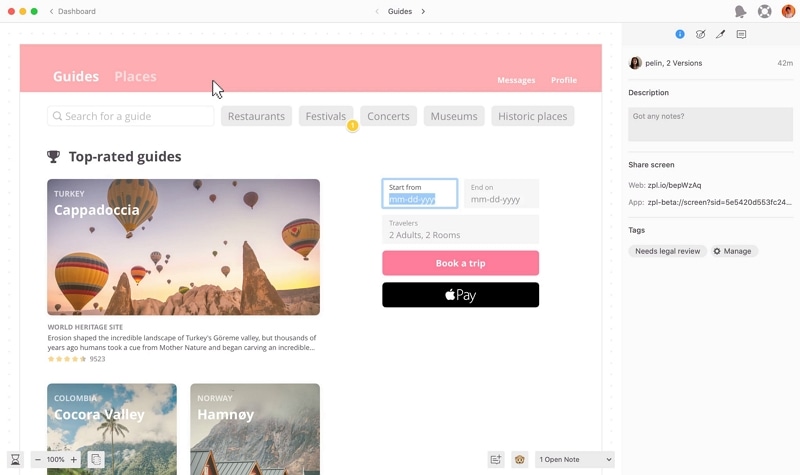
Zeplin is a design-delivery workspace for designers and developers, not a substitute for the editor used to create a mockup. It organizes approved designs, assets, specifications, and changes so implementation can follow the intended design.
Pros
- Can be easily integrated with Sketch.
- Colors can be saved to document color palette and text styles also can be saved.
- Assets can be directly exported from Zeplin.
Cons
- Check the current project and collaboration limits for the intended plan.
- The learning curve is more and requires attention and quite an amount of time
Compatibility - Confirm the current supported apps, browsers, and integrations for your workflow.
Compare mockup software by the next decision
A mockup is valuable when it helps someone answer a question. Decide whether the review needs visual polish, layout validation, a clickable flow, or a shareable presentation before choosing a tool.
Run the same small example through the shortlisted options. Note how quickly you can revise a screen, collect comments, and prepare the next handoff rather than comparing feature names in isolation.