Mockitt - Flowchart Maker
Flowchart - Help Your Work More Efficient and Effective
- Complete guide on creating all types of flowchart.
- Plenty of flowchart examples and templates for inspiration.
- Best flowchart software recommendation.
- Basic flowchart knowledge to understand flowchart better.
7 Examples of A Flowchart in C Language
Flowchart in C is a diagrammatic representation of a sequence of logical steps of a program. Flowcharts use simple geometric shapes to depict processes and arrows to show relationships and process/data flow. A flowchart in C language is a graphical representation of an algorithm. Programmers often use it as a program-planning tool to solve a problem. It makes use of symbols that are connected among them to indicate the flow of information and processing. The process of drawing a flowchart for an algorithm is known as “flowcharting”.
- Part 1: The flowchart in C language examples
- Part 2: Create a simple flowchart online with Wondershare Mockitt
The Flowchart in C Language Examples
A flowchart is a graphical depiction of decisions and the results of those decisions. They are used to analyze, design, document, or manage a process or diagram in different fields. Similar to other kinds of diagrams, they help visualize what is going on. This helps to understand a process and find any flaws and bottlenecks in it
Here are a few examples of flowcharts in c:
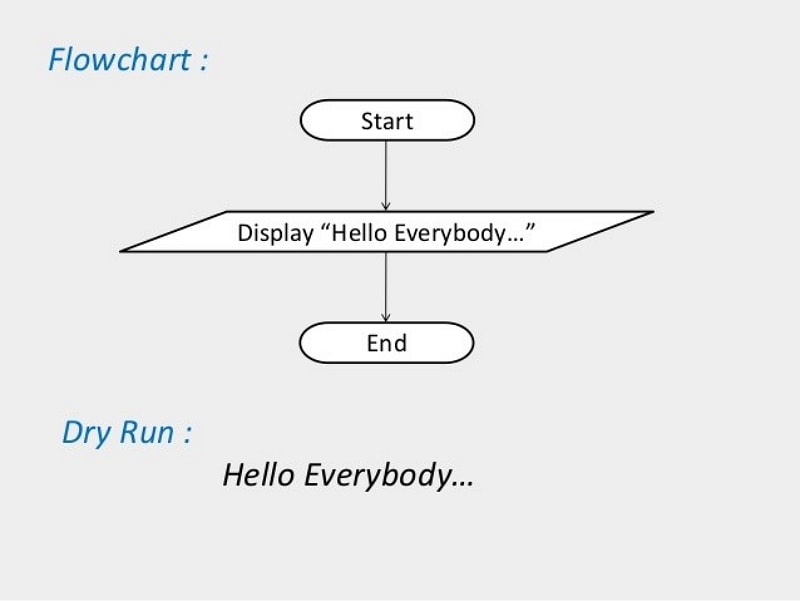
1) Print message "Hello Everybody"
If you wish to print a simple message "Hello everybody" in a flowchart in c language, here is the example:
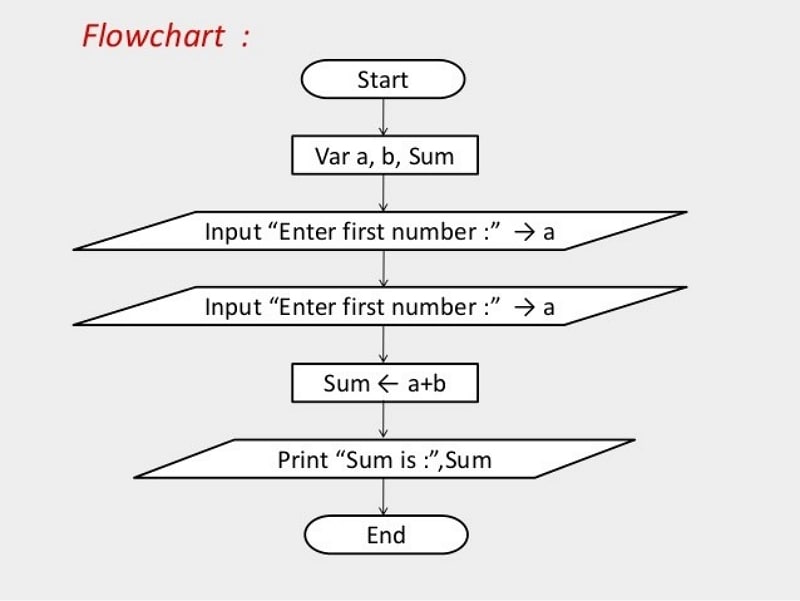
2) Input 2 numbers from the user and print their sum
Imagine that you are a user who wishes to put in two numbers and want their sum to be printed. Here is a flowchart for structure in c which is required:
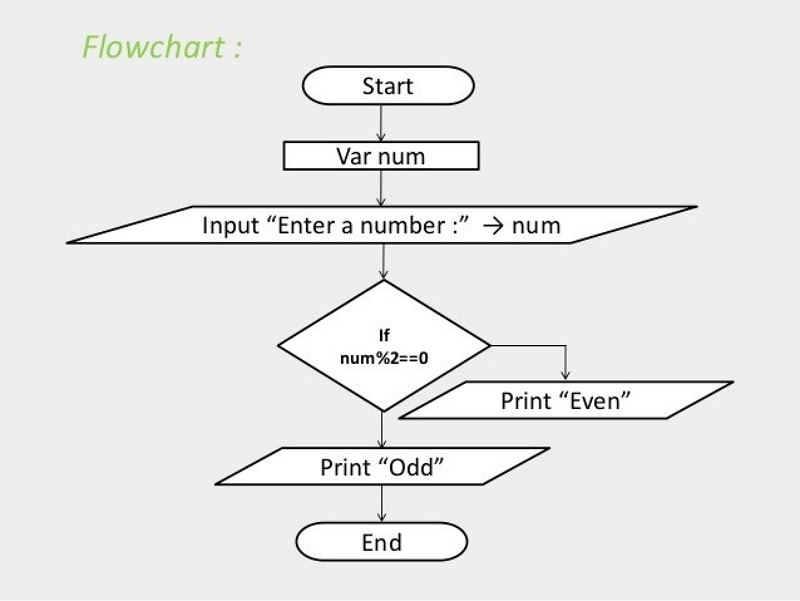
3) Input numbers from the user and check whether it is even or odd
If you wish to put in numbers and then check whether it is an even number or an odd one, the following flowchart of c language can significantly help.
4) Flowchart to find the sum of the first 50 natural numbers
Let’s first see how that will look in a flow chart, and then we see the same thing mapped to a C program. This shows you why it’s important to map out your algorithm to a flow chart before you start coding it.
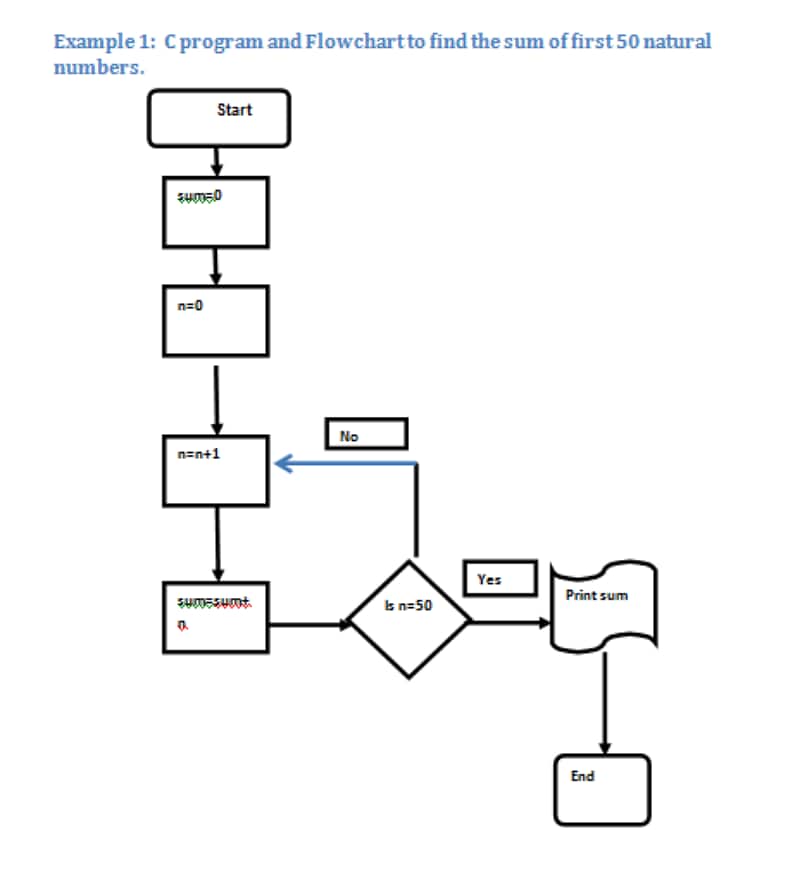
The loop easily translates to a simple C for loop. In this program, we initialize the variable sum =0 and n=0. In the next step, we increment n by 1 and assign sum=sum+n. We check if n=50 and if not, increment n by 1. Else we just print the sum.
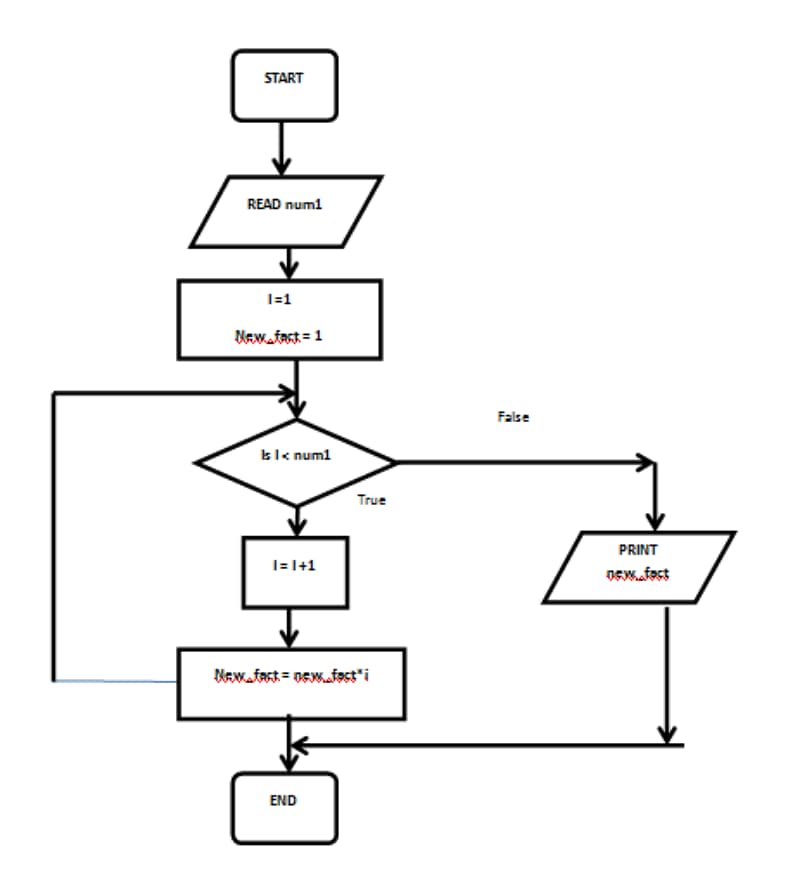
5) C Program to find the Factorial Value of a Number
Now let’s look at a bit more complex example. First, we’ll draw out the flow chart for the factorial n.
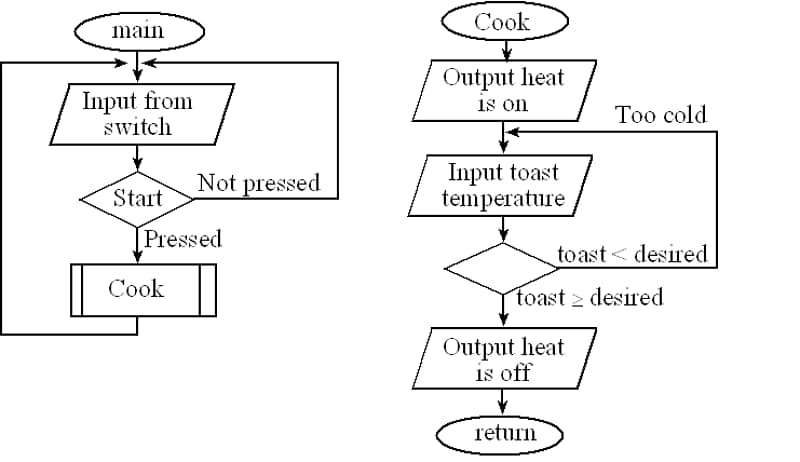
6) Control Algorithm for cooking toast in the toaster
Using a flowchart describe the control algorithm that a toaster might use to cook toast. There will be a start button the user pushes to activate the machine. There is another input that measures toast temperature. The desired temperature is preprogrammed into the machine. The output is a heater, which can be on or off. The toast is automatically lowered into the oven when the heat is applied and is ejected when the heat is turned off.
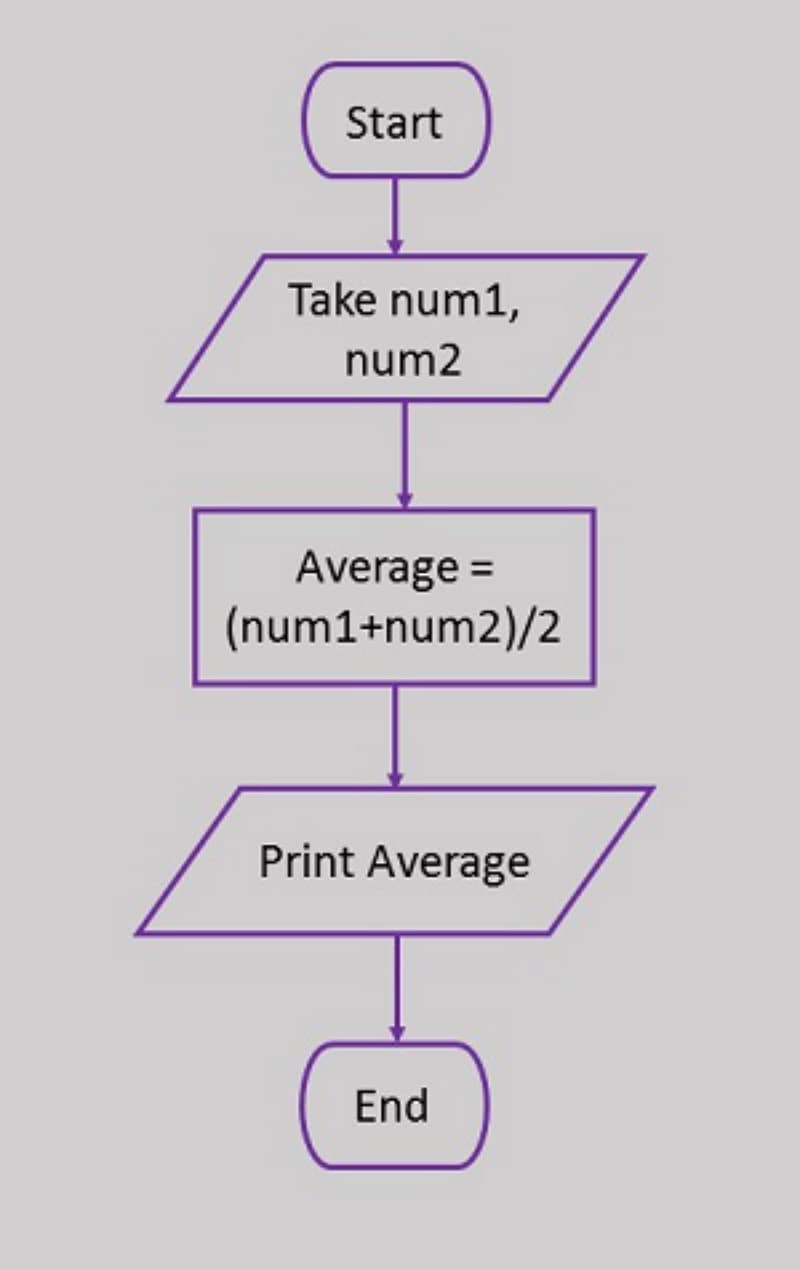
7) Calculation of the average of two numbers
If we have to calculate the average of any two given numbers, the following flowchart for structure in c will be made.
Guidelines for Developing Flowcharts
These are some points to keep in mind while developing a flowchart −
- The flowchart can have only one start and one-stop symbol
- On-page connectors are referenced using numbers
- Off-page connectors are referenced using alphabets
- The general flow of processes is top to bottom or left to right
- Arrows should not cross each other
Create a simple flowchart online with Wondershare Mockitt
Though flowcharts can be useful in writing and analysis of a program, drawing a flowchart for complex programs can be more complicated than writing the program itself. Hence, creating flowcharts for complex programs is often ignored. However, through Wondershare Mockitt, this problem can conveniently be resolved.
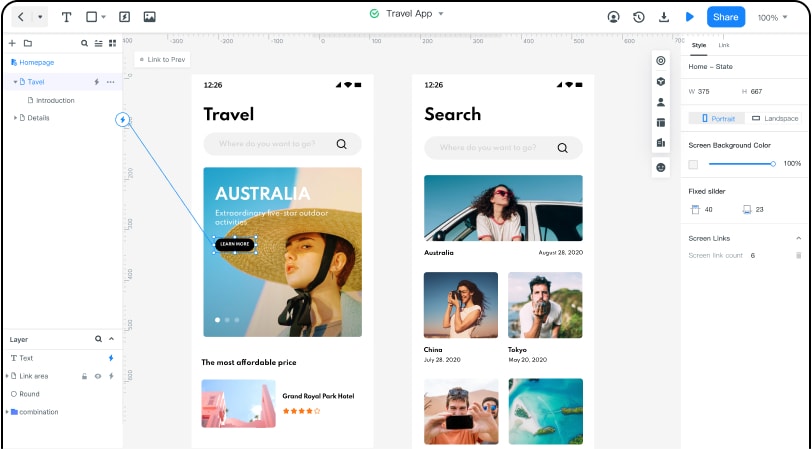
Wondershare Mockitt is one of the best professional and handy product design and collaboration platforms that can bring your ideas to life. With it, you can save time by designing fast and swift.
You can also create a simple flowchart tool online with Mockitt. You can boost your creativity beyond imagination. This online prototyping and collaboration tool allows you to empower your design journey, present your idea, validate your concept, and then implement the design. Creating flowcharts with Mockitt was never easier.
On Mockitt, abundant widgets and icons can be directly used for free. Even if you have zero design experience, you can still make efficient flowcharts. Moreover, you can easily customize these widgets, save and reuse them, all with just a single click. When you are done making a flowchart with Mockitt, you can also easily share them with others.
