CSV Import UX: Field Mapping, Validation, and Error Recovery
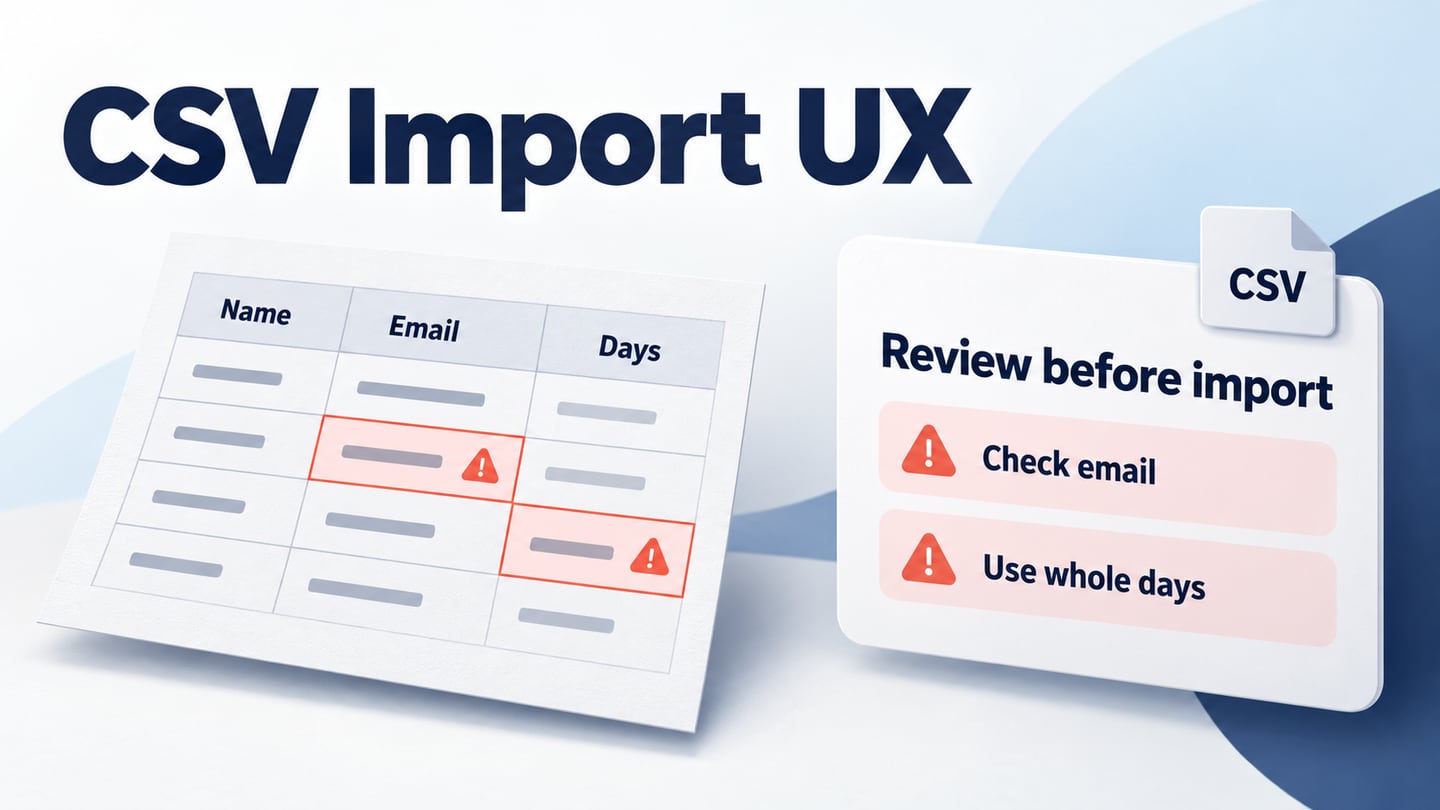
Design a CSV import flow with clear field mapping, row-level errors, a recoverable review step, and an explicit rule for what gets imported.
A CSV import starts with a spreadsheet, but its hardest design problem is trust. Before committing data, a person needs to understand how columns match the destination, which rows need attention, and whether anything has already been imported. A file picker and a green success message do not answer those questions.
This guide specifies a supplier-directory import from file selection to recovery. The four-row file and screen states below are illustrative. They provide a concrete design brief for an interactive prototype to review with engineering; they are not a demonstration of a working importer.
Define what an import commits
Start with the destination rather than the upload screen. For this example, a supplier needs a name, an email address, and a lead time expressed in whole days. Decide which fields are required, whether blank optional values are allowed, and how the application identifies an existing supplier. Those decisions determine what the interface must explain.
Choose a commit policy before writing the primary button. In this example, no rows are imported until every row passes the agreed checks and the user confirms. A service that accepts valid rows while holding back invalid ones needs a different result screen and retry policy. Neither approach is universally better: consider whether an incomplete directory is useful or could mislead the next person using it.
- All-or-nothing: explain the blocking issues, keep the review editable, and say that nothing has been imported yet.
- Partial import: distinguish imported, rejected, and skipped rows, and make it possible to address the rejected set without blindly resubmitting successes.
- Updates to existing records: explain the matching key and show which values will change. Do not quietly treat every row as a new supplier.
The design can specify these policies; the implementation must enforce them. Confirm with engineering what happens when a request times out after processing has started. An uncertain result needs a way to check the import job, not an instruction to keep pressing Import.
Use a small, deliberately imperfect file
Give the prototype realistic values instead of four identical placeholder rows. The following fictional suppliers reveal two different errors without requiring confidential data.
| supplier_name | contact | lead_days |
|---|---|---|
| North Studio | orders@north.example | 4 |
| Elm Workshop | hello@ | 7 |
| Harbor Print | team@harbor.example | soon |
| Field Supply | sales@field.example | 10 |
The example checks address format only; a plausible email address does not prove that a mailbox exists. The domains are reserved examples, not actual supplier contacts. A separate product requirement would be needed to verify a supplier's contact details.
On the upload screen, state supported formats and actual limits next to the file control. Avoid invented limits copied from another service. Offer a file-picker route even if drag and drop is available, retain the chosen file name, and show a useful message when no file was selected or the file could not be read. The GOV.UK file-upload guidance provides concrete patterns for distinguishing these failures.
After selection, show the recognized headers and a preview before asking for approval. Let the user identify the header row if the product supports that choice. Preserve identifiers with leading zeros and ambiguous dates for review rather than silently promising that a spreadsheet's display format will survive conversion.
Make field mapping explicit and reversible
Place each source header beside a destination field and a sample value. For this file, supplier_name maps to Supplier name, contact maps to Email address, and lead_days maps to Lead time in days. A suggestion can save effort, but it should remain a visible, editable choice. Similar wording does not guarantee equivalent meaning.
Use three different states: mapped, ignored, and unresolved. An ignored optional column is not an error. An unresolved required destination field is. If two source columns map to the same destination, the interface should ask the user to resolve the conflict instead of guessing which value wins.
Show destination expectations where they matter: “Whole days, for example 4” is more actionable than “Invalid type.” If someone changes a mapping, rerun the relevant preview checks and make the changed result visible. The Flatfile mapping documentation is a useful real-product reference for reviewing source columns against destination fields; it does not establish how your own importer should transform data.
Keep the mapped preview available when the user goes back. A Back control that silently resets every choice creates unnecessary work and makes the next confirmation harder to trust. Specify whether replacing the file preserves compatible mappings or starts a new import, and communicate that choice.
Show errors at the row and field that need attention
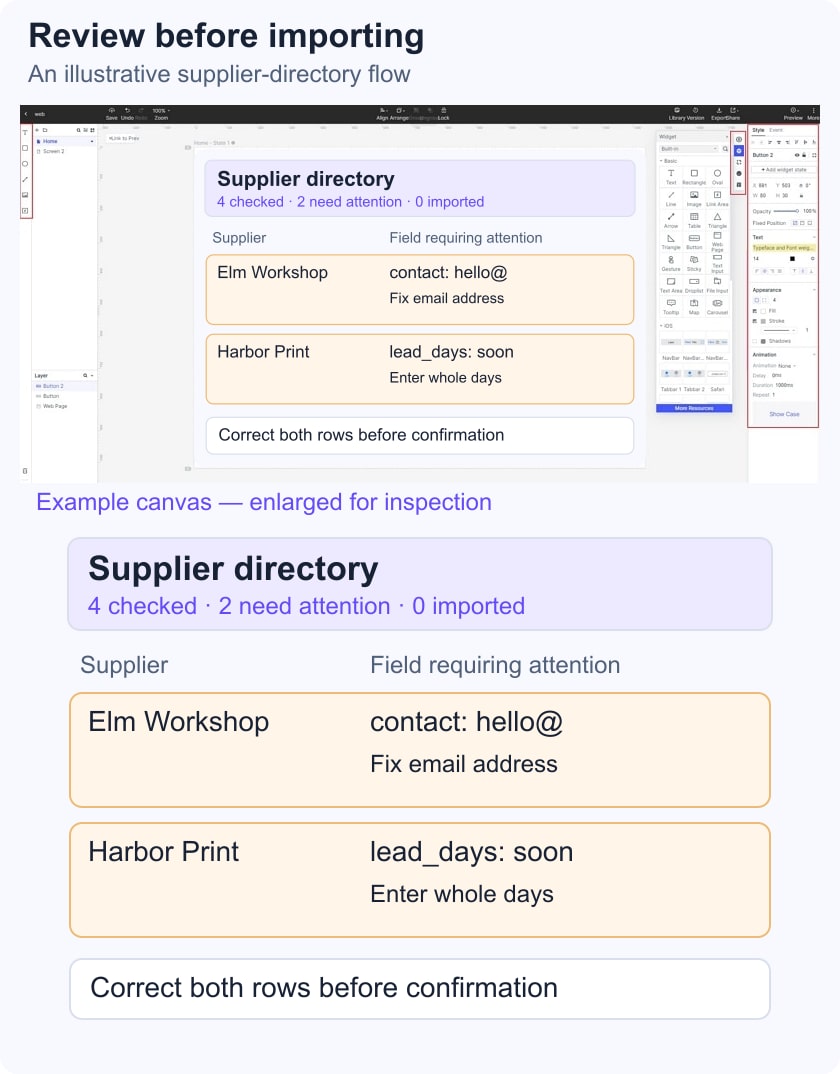
Our review screen should report “4 rows checked, 2 rows need attention, 0 rows imported.” These counts describe different things. Two cells with errors in one row would still mean one row needs attention. Define the counting rule so the summary and table never disagree.
For Elm Workshop, identify the contact field and explain that the email address is incomplete. For Harbor Print, explain that lead time needs a whole number of days. Retain the original values next to the correction controls, show a way to filter to affected rows, and keep stable row references when the list is sorted.
The review screen keeps both invalid values visible and states that zero rows have been imported.
If correction happens in the spreadsheet, provide enough information to find the affected record there. Clarify whether a reported row number includes the header. If correction happens inside the importer, define what is changed: the staged data, the uploaded file, or both. Do not imply that editing a preview also updates a file on the person's computer.
Errors need text as well as color. A keyboard user should be able to reach the error list and its associated field without navigating every valid row. The visual design should specify labels and focus behavior; an implementation test must check whether assistive technology actually receives the status and error information. This is where the broader principles in form design become a concrete importer requirement.
Prototype correction, cancellation, and completion
Use Mockitt's interactive prototyping workspace to create separate upload, mapping, review, correction, and result screens. Connect the two sample errors to prepared corrected states. This lets reviewers inspect the sequence and wording; Mockitt is being used to design the experience, not to parse or validate the CSV.
- Start from the four-row preview with two issues. Ask the reviewer to find what prevents importing.
- Correct the sample email and replace “soon” with an agreed number of days. Show all four rows ready for review.
- Present an explicit confirmation action, such as “Import 4 suppliers,” with a summary of how existing records would be handled.
- Show processing as a separate state. Disable duplicate submission in the design and document how the backend must prevent duplicate jobs.
- Show a prepared result with four imported records and a route to the directory. Add a separate uncertain-result state for a lost connection.
Cancellation has two meanings. Leaving the preview before confirmation should not be described as undoing an import. Stopping work after submission may require a different policy because records could already have been processed. Write those consequences separately rather than using the same Cancel dialog everywhere.
Review the flow with a task, not a tour
Give an intended user the imperfect sample and ask them to add the suppliers. Observe whether they can explain what the mappings mean, locate both problems, and tell whether any records have been created. Avoid explaining the recovery controls before they attempt the task.
Record the point of confusion, the screen, and the decision it affects. If someone mistakes “file uploaded” for “suppliers imported,” change the state labels and review again. If the person cannot decide which source column contains an email address, a clearer button will not solve the underlying file or schema problem.
Before handoff, attach the commit policy, the sample rows, mapping rules, all count definitions, and the uncertain-result path to the design. Use prototype acceptance criteria to distinguish what has been inspected in the screens from what still needs implementation evidence. The finished specification should make both successful import and recoverable failure understandable.