Choose prototyping software by the thing you need to deliver: an editable screen design, an interactive app flow, a detailed simulation, or a published website. These are different outputs. A vector editor can supply icons, and a website builder can publish pages, but neither automatically replaces a tool for testing an app's behavior.
For a product team that needs connected screens and shared feedback, start with Mockitt's interactive prototyping workspace. If the design depends on input-driven rules, compare Axure RP or ProtoPie. For a website you intend to publish, evaluate Framer or Webflow. The differences below help you narrow the field before moving a project.
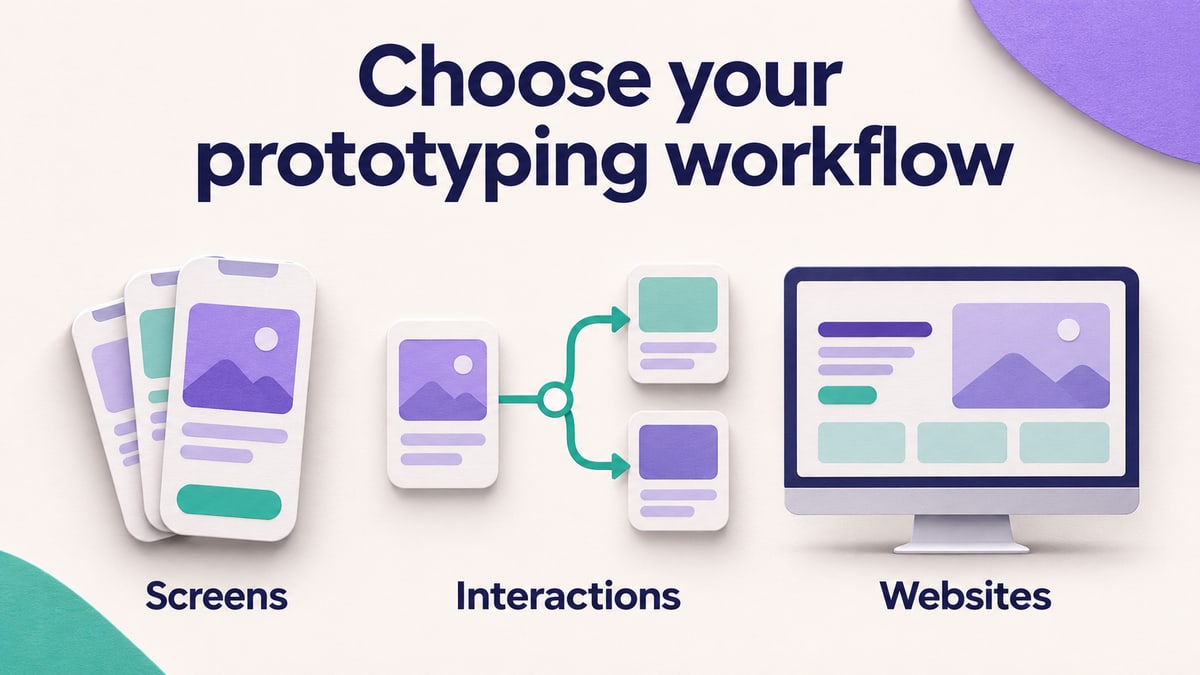
Compare the output before the feature list
The software in this comparison covers several stages of design. Use the following shortlist to match your work to a category; the individual sections explain the tradeoffs. Editing access, reviewer access, and website hosting are separate costs, so a free account alone does not establish that a tool meets the team's needs.
- Editable screens and a connected app flow: Mockitt, Sketch, Marvel, and Proto.io are candidates for turning layouts into an experience people can open and discuss.
- Detailed interaction behavior: Axure RP and ProtoPie are candidates when the discussion depends on conditions, changing values, or coordinated responses.
- A website to publish: Framer and Webflow combine visual website creation with publishing workflows.
- Vector assets for a design: Vectr supplies graphics; use an interactive editor to connect those assets to screens and behavior.
| Tool | Main output and authoring setup | What should drive the choice |
|---|---|---|
| Mockitt | Editable screens and connected prototypes in a browser | A shared product-design flow; test the states and review permissions you need. |
| Sketch | Interface design and prototypes authored in its Mac app | An existing Mac design workflow; browser review is distinct from authoring. |
| Marvel | Screen-based prototypes, testing, and handoff | A straightforward user journey; examine any input-driven behavior separately. |
| Framer | Websites designed and published through a visual editor | A site that will go live, including responsive layouts and content updates. |
| Webflow | Websites with visual styling, CMS, and publishing | A content-driven website; allow time for structure and implementation decisions. |
| Vectr | Vector graphics in a browser | Icons and illustrations for the prototype, not the interactive flow itself. |
| ProtoPie | Detailed interaction simulations in a desktop editor | Changing values, coordinated responses, or device interactions that affect the design. |
| Axure RP | Conditional prototypes authored on Windows or Mac | Forms, variables, and branching application logic; expect more setup. |
| Proto.io | Interactive mobile and web prototypes authored in a browser | Events and actions beyond a slideshow, with delivery requirements checked in advance. |
Atomic is discussed separately as a historical name. The table summarizes documented workflows, not a timed performance test or an overall ranking.
Mockitt: connected screens and collaborative product design
Mockitt combines reusable interface components, screen connections, dynamic states, and shared review. It suits a team that wants to revise the interface and discuss a clickable flow in the same workspace. Starting with widgets and templates also helps keep repeated controls consistent across screens.
The earlier editor example below shows a Travel screen beside a Search screen. It is useful for judging the type of work involved: editable text and cards, a screen list, and connections between destinations. It is an archived product example, not a claim that a travel booking service was implemented.
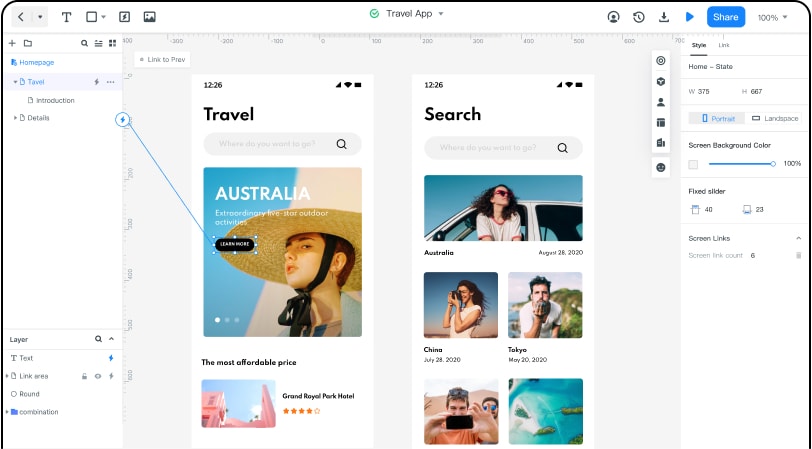
For a similar project, connect a destination card to its details, add a return path, and show an unavailable option as a separate state. Shared feedback can then address the flow and wording before implementation. For precise plan allowances, use Mockitt's pricing comparison. Do not confuse a clickable confirmation with a real reservation or payment.
Sketch: a Mac design workflow with linked prototypes
Sketch is a strong consideration when the team already creates interface designs and reusable components in its Mac app. Its prototyping tools include links, hotspots, overlays, scrolling effects, and start points. You can take an existing design into a connected flow without rebuilding the visual assets in another editor.
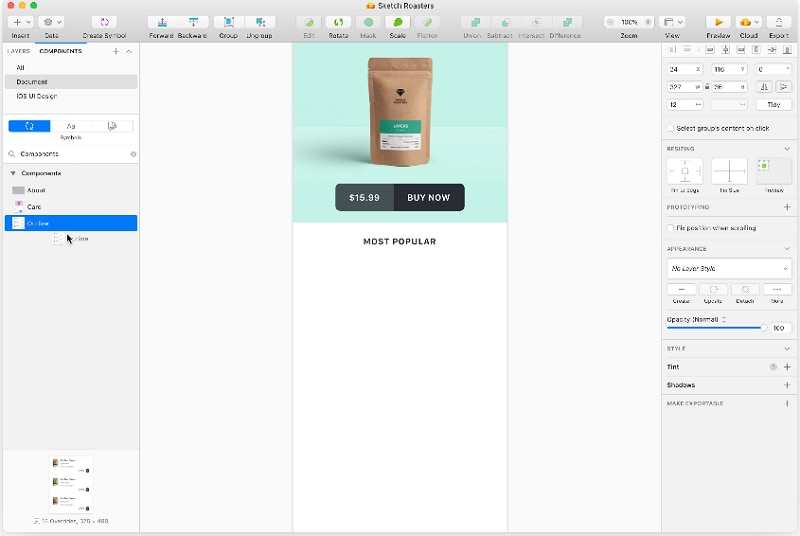
Separate authoring from review when choosing it. A teammate who opens a shared design in a browser does not thereby have the same editing environment as the designer. For a product-card flow, try a details overlay, scrolling content, and the route back to the list. If your main requirement is a calculated quote or a form with many conditional branches, examine that behavior separately from the quality of the screen design.
Marvel: screen-based prototypes, testing, and handoff
Marvel presents prototyping, user testing, design, and developer handoff as parts of its platform. Consider it for a straightforward screen-based experience, especially when the people reviewing it need to move through a sequence rather than inspect a complex authoring file.
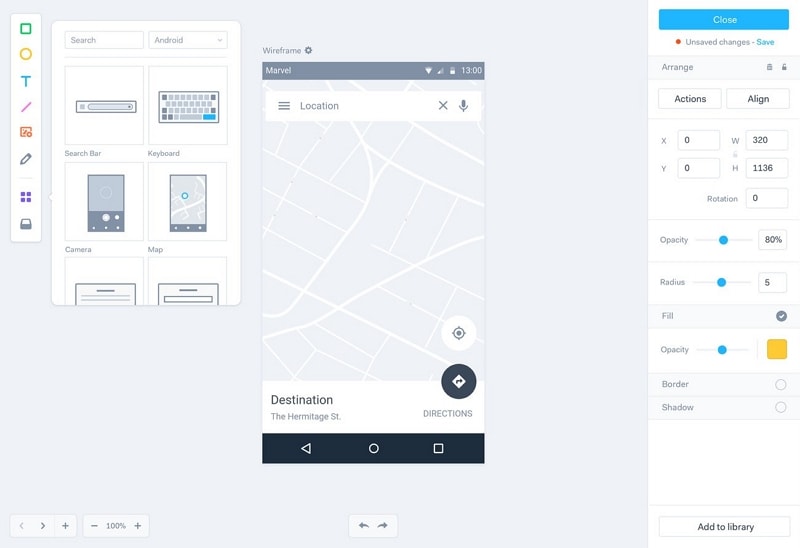
A practical fit check is a location-selection flow: open a place, inspect the details, and return to the map. Distinguish the ability to click through those screens from the ability to enter a location and get a dynamically calculated result. Handoff specifications and assets help developers interpret a design; they are not a completed application. Compare the access needed for the designer, test participant, and developer rather than treating them as one interchangeable user role.
Framer: visual website design and publishing
Framer's current product focuses on building and publishing websites. Its editable canvas, components, layouts, and interactions make it relevant when the intended result is a working marketing site or portfolio. That is a different purchase decision from choosing an app-prototype editor.
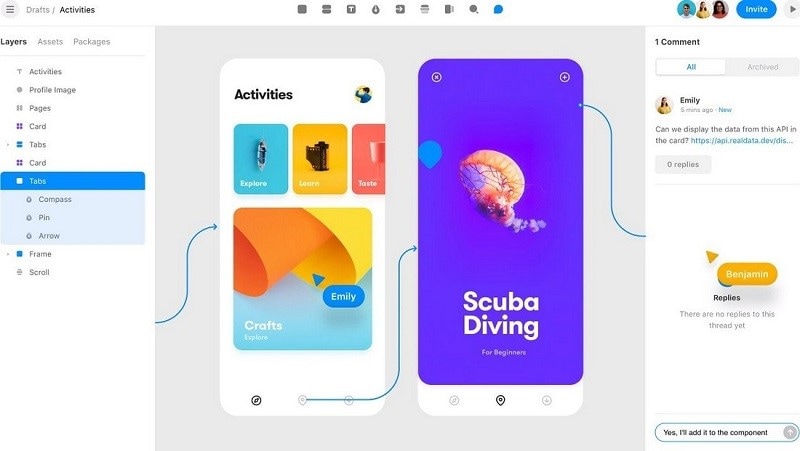
The historical screenshot explains why older comparisons group Framer with app prototyping. It should not be used as a guide to today's controls. For a new site, evaluate responsive page behavior, reusable sections, content updates, and publishing together. If you only need a disposable mobile checkout concept, building and maintaining a publishable website may add work that the design question does not require.
Webflow: websites with layout, content, and publishing needs
Webflow combines visual website design with content management and publishing. It is relevant when your prototype is expected to become a content-driven website, or when the team needs to examine real browser layout rather than a sequence of screen images.
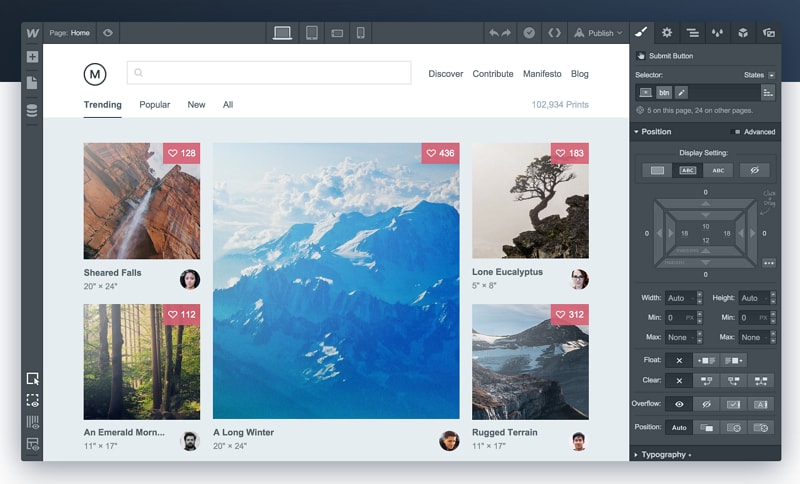
Its website-oriented scope is both a benefit and a commitment. A real layout can reveal problems with long text and changing content; it also requires decisions about structure, styling, and the published site. For a travel directory, compare how a destination page and a list of destinations are maintained. Do not assume that a published page supplies booking logic, account management, or other application services. Those require their own implementation.
Vectr: visual assets rather than an app flow
Vectr is a browser-based vector graphics and logo service. It can help produce icons, illustrations, and other assets used inside a prototype. Its current positioning also includes image-to-vector and AI-assisted graphics tools. That makes it an asset tool in this comparison, rather than a substitute for connecting screens and modeling user actions.
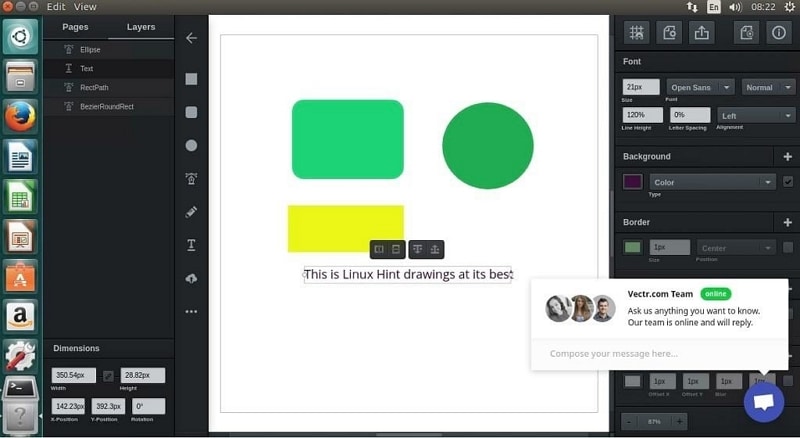
Use it when the missing ingredient is a visual asset: for example, a set of destination-category icons. Then place those assets in the chosen screen or interaction editor. Do not select it solely because an old roundup labeled it free prototyping software. Graphics editing, export allowances, and prototype behavior are different requirements.
Why Atomic appears in older prototyping lists
The current Atomic.io website describes an in-app messaging platform. It is not the prototype editor described in older software roundups, so it is not included in the shortlist for a new interface-design project. This distinction matters when a tutorial or an old project note tells you to use “Atomic”: identify the original file and workflow before assuming the current service can open it.
ProtoPie: detailed interaction behavior
ProtoPie emphasizes interaction logic, multi-device prototyping, and hardware or system integration. Consider it when the experience depends on behavior that a sequence of static screens would conceal. Its object, trigger, and response approach connects a visible element to an event and the resulting change.
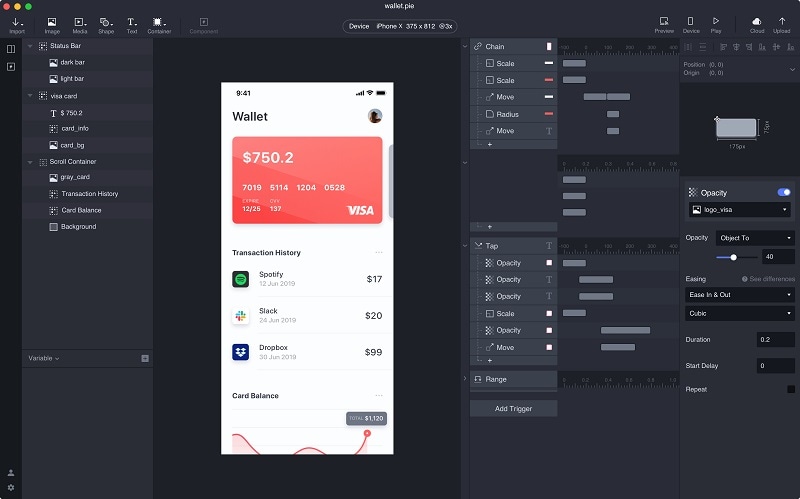
The wallet example makes the distinction concrete: the design includes timing and property changes, not just a destination for a link. For a travel interface, a quantity control that changes a displayed total may justify this level of behavior. The tradeoff is additional interaction setup and maintenance. Choose it because those details affect the question you need to answer, not because a more elaborate prototype is automatically more useful.
Axure RP: forms, conditions, and data-driven interfaces
Axure RP is a desktop prototype editor for Windows and Mac. Its conditions, variables, form widgets, dynamic panels, and repeaters are relevant to enterprise workflows and detailed application logic. For example, an admin screen may need to filter a list, open a record, and display a different state after a form action.
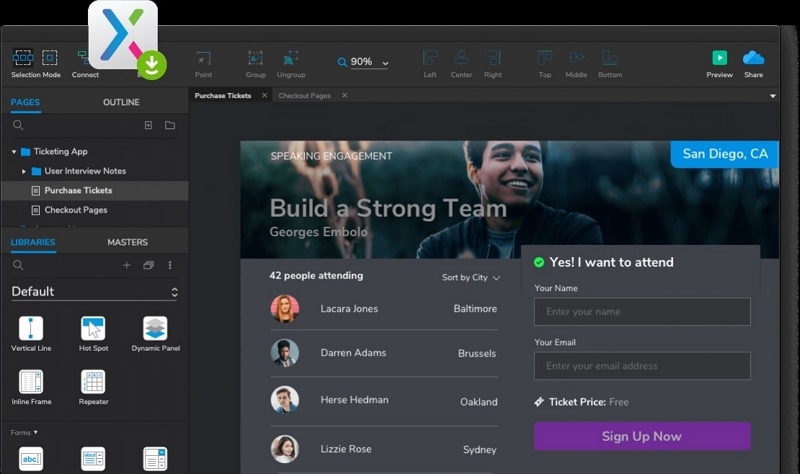
Those capabilities take time to structure and debug. A branching eligibility form is a stronger reason to choose Axure than a basic three-screen presentation. Establish which conditions must be simulated and which can be explained in annotations. Axure Cloud supports sharing prototypes, while team-project workflows have their own collaboration model. A prototype's browser output remains design evidence; it is not production application source code.
Proto.io: interactive prototypes in a web editor
Proto.io provides a web-based editor with interface components, templates, events, actions, and scrolling areas. It is a candidate when you want more interaction detail than a slideshow while keeping authoring in a browser. Its component libraries can help establish familiar mobile and web controls.
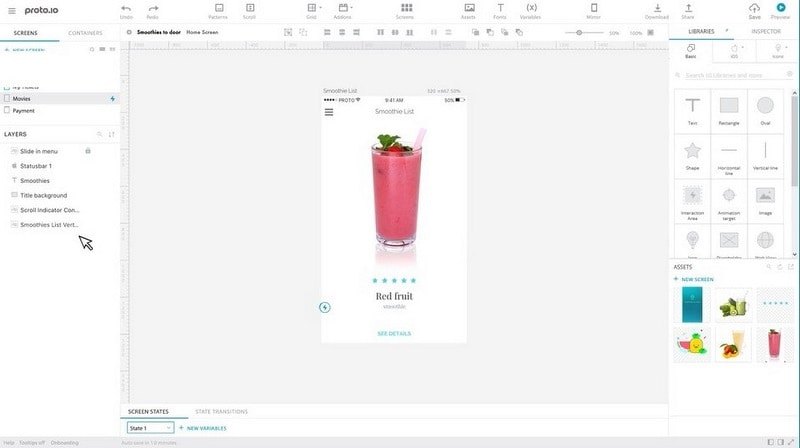
For a product-detail flow, try scrolling the description, opening another item, and returning without losing context. Confirm the deliverable the team needs: a shared prototype, an export, or an editable project. These are different from a deployed app. Include the browser and device used by the recipient in your evaluation, since an experience that works on the designer's screen may be awkward at a smaller viewport.
How to choose between the categories
Try a revision, not just a polished demo
Use a small travel-search example: destination list, destination details, and a selected-date summary. After the first preview, change a destination name and add an unavailable-date message. Notice whether the change stays consistent across repeated elements and whether you can follow the flow back to the list. A tool is easier to maintain when routine corrections do not require reconstructing the prototype.
Build only the behavior the question needs
If the question is whether people notice the date selector, a linked screen with clear content may be enough. If the question is whether they understand a price changing with the guest count, the change itself needs to be visible. If you are evaluating a published destination website, real responsive layout matters. Choosing prototype fidelity starts with that distinction, not with making every screen look finished.
Separate editing, reviewing, and moving the file
Confirm where each person will work. A Mac editor with browser viewing, a Windows-and-Mac desktop editor, and a browser authoring tool impose different constraints. Import support also needs a small trial: bring across one representative screen and inspect text, components, images, and interactions separately. A successful image import does not prove that editable components or conditional behavior survived.
Write down the deliverable
For the travel example, a product designer might deliver editable screens and a shared flow; a website team might deliver responsive pages with maintained destination content. A developer may additionally need assets, specifications, and notes about unavailable states. Agree on that output before choosing the software. Otherwise, teams discover too late that the attractive prototype cannot be edited, shared, or handed off in the required form.
Compare the cost of keeping the work usable
Budget for the people who edit, the people who only review, and any hosting or export requirement. A short trial can establish whether a tool fits, but it does not provide continuing authoring access. The free prototyping tools comparison explains free plans and trials in more detail. For this choice, start with the required output, then select the smallest tool and access level that can deliver it without dropping a necessary behavior.