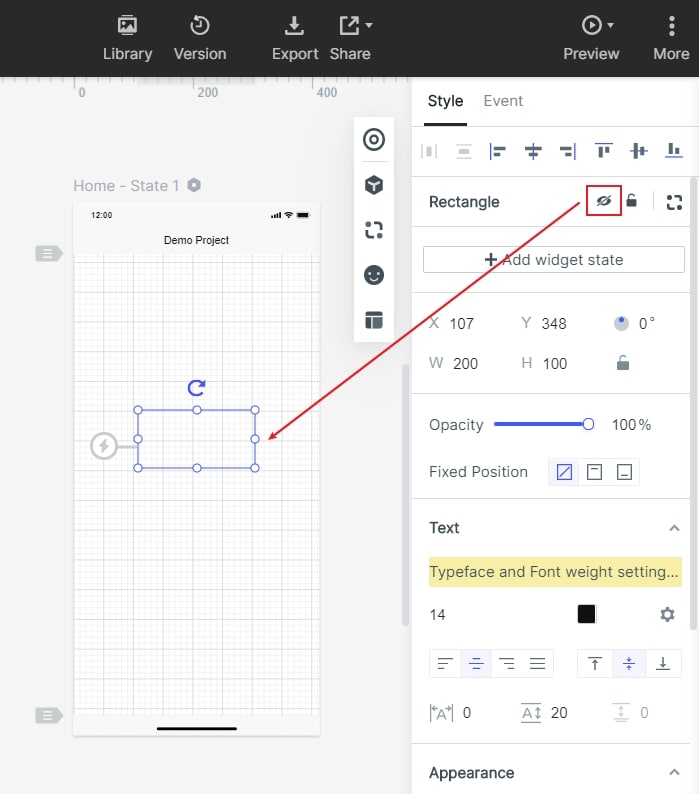
Select the component, you can click the "small eye" icon in the appearance setting panel on the right side of the editing area to show or hide the component.
You can also use shortcut:
Show and hide component shortcuts - Ctrl+Shift+H (hide ).
Select the component, you can click the "small eye" icon in the appearance setting panel on the right side of the editing area to show or hide the component.
You can also use shortcut:
Show and hide component shortcuts - Ctrl+Shift+H (hide ).