A product requirements document (PRD) describes the problem a team intends to solve, the people affected, the scope of a release, and the outcomes it will check. It gives product, design, engineering, and QA a shared reference. It is not a substitute for research or a complete technical specification.
ChatGPT can help organize supplied notes into a draft, expose unanswered questions, and suggest clearer wording. The product team still owns the decisions. This guide preserves five useful writing examples and then works through a meditation app’s group-invitation feature, from initial inputs to acceptance criteria. The example is illustrative, not a reported customer project.
A PRD connects a user problem to proposed product behavior and success criteria. Keep the approved version accessible and record changes; an AI-generated draft becomes a team reference only after the relevant people review it.
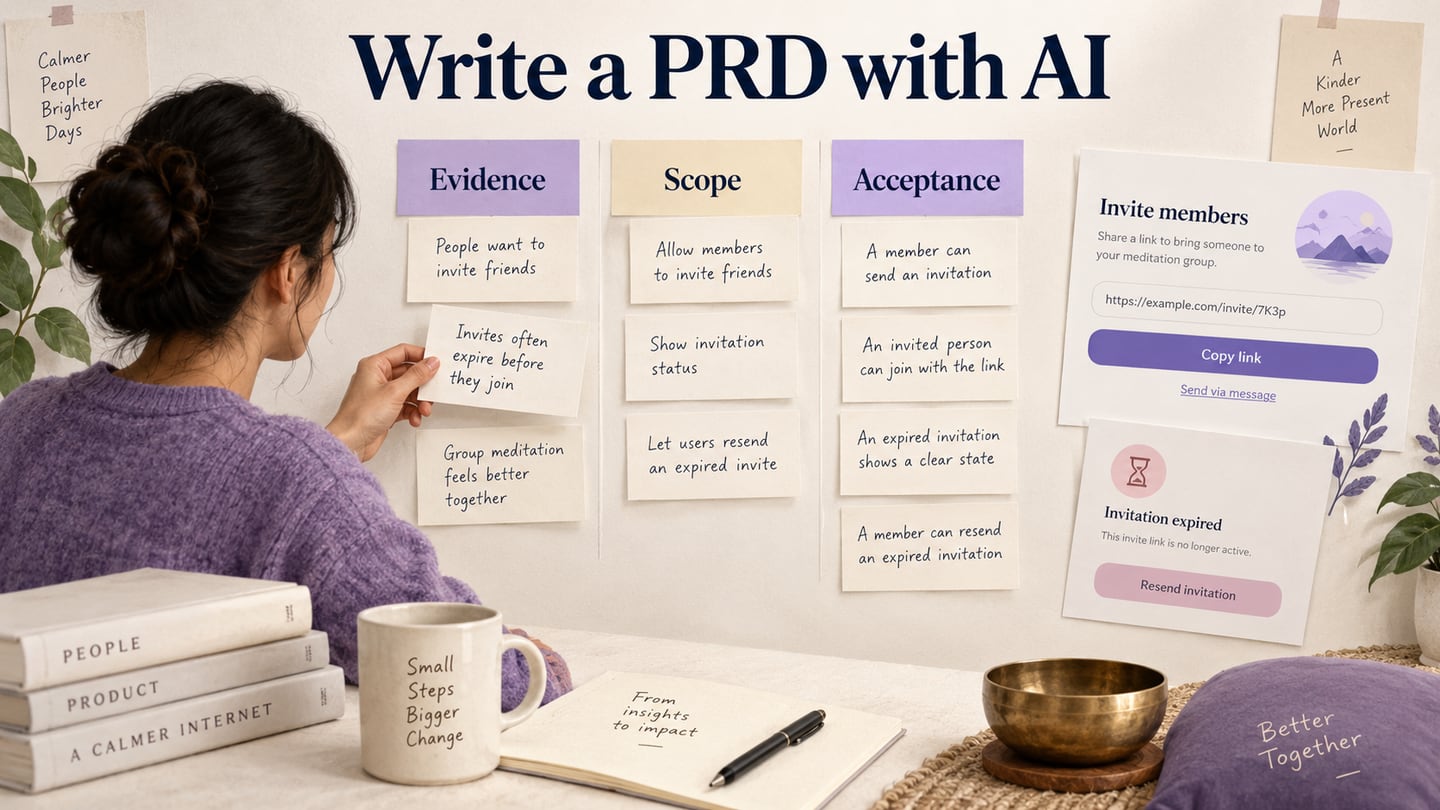
The value is in the decisions a PRD makes visible, rather than its length. For a group-invitation feature, reviewers should be able to find who can invite members, what an invitee sees, what happens when a link expires, and what is outside the release.
- Improved Clarity: A PRD helps clarify the vision and scope of a product, ensuring everyone on the team understands the goals and criteria to avoid ambiguity and confusion.
- Better Communication: A PRD is a communication tool used by several teams inside a firm, including product management, design, development, and quality assurance.
- Risk Reduction: A PRD aids in the identification of potential risks or concerns that may arise during the product development process. It is very beneficial for grooming products or sprints.
- Accountability: A PRD establishes clear expectations for the product development team, holding them accountable for delivering a product that matches the specifications.
The five examples below show different drafting jobs. The retained screenshots come from earlier ChatGPT sessions and illustrate prompt-and-response patterns; their interfaces, product claims, and generated copy are not current product specifications. Do not transfer a generated claim into a PRD without evidence.
1. Writing Product Briefs
A product brief summarizes the intended audience, problem, proposed value, and constraints. Give the assistant the evidence you actually have: approved notes, research excerpts with source identifiers, and known technical limits. Remove private or sensitive material before sharing it.
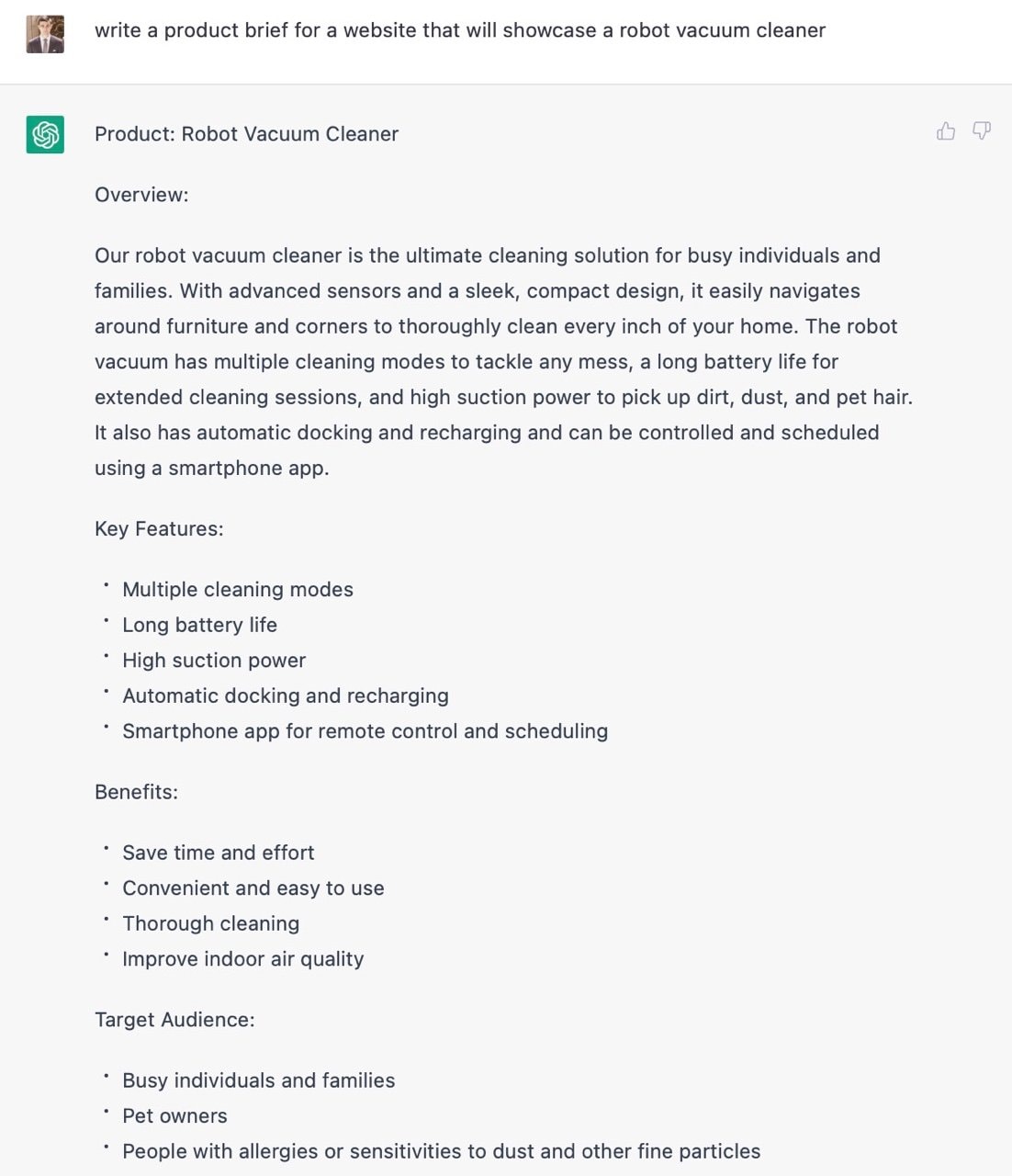
For the meditation example, ask: “Using the supplied notes, summarize why members want to invite a friend to a group. Separate observed needs from assumptions. Do not invent interview findings, market size, or success metrics.” The older robot-vacuum example below shows the format of a response, not validated product claims.
2. Writing Copy for a Product Page
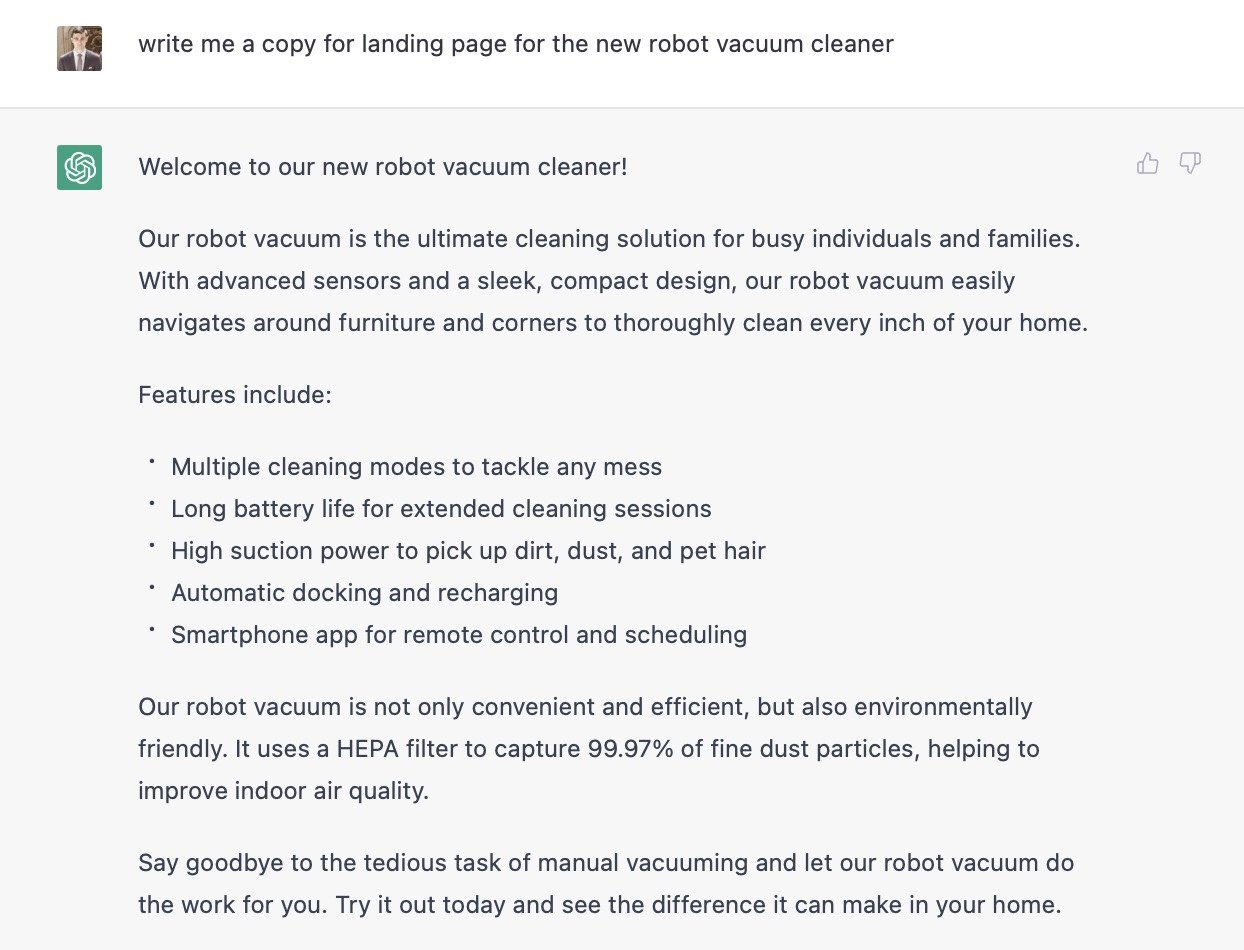
Product-page copy is a separate deliverable from requirements. An AI draft can help explore how to explain the invitation feature, but promotional language must not silently become scope. Ask for copy based only on approved capabilities; flag phrases such as “instant,” “secure,” or “unlimited” for verification. The earlier landing-page response below includes claims that would need that review.
3. Writing Success or Error Messages
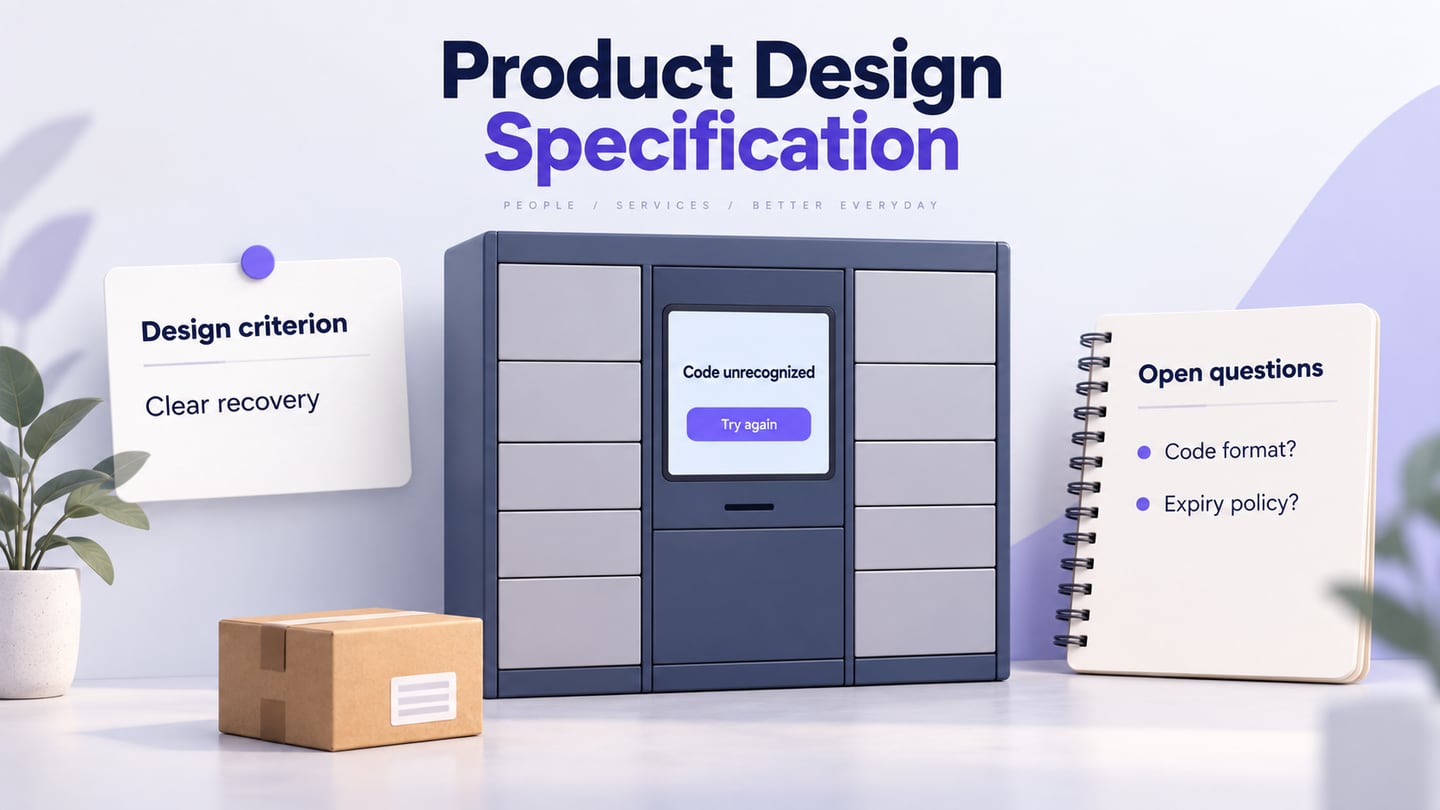
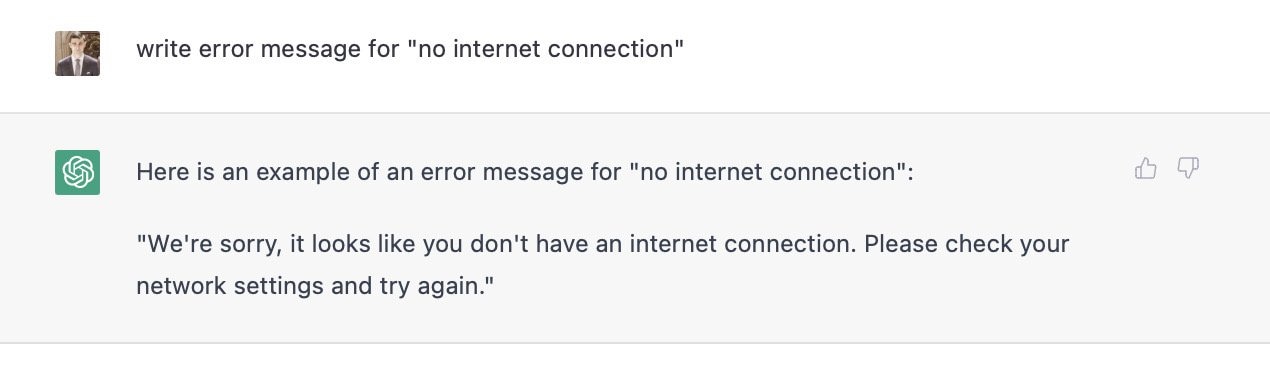
Success and error messages make a requirement observable. For an expired invitation, a useful draft is: “This invitation has expired. Ask the group owner for a new link.” Pair it with the behavior: do not add the user to the group; keep a path back to the sign-in or group-discovery screen. Review the message with the team responsible for the actual expiry rule.
4. Writing Marketing Copy
Marketing copy can explain a feature after the team has agreed what it does. Ask the assistant to distinguish a benefit from a fact requiring evidence. “Invite a friend to your group” describes an action; a promise that the feature improves wellbeing requires separate support.
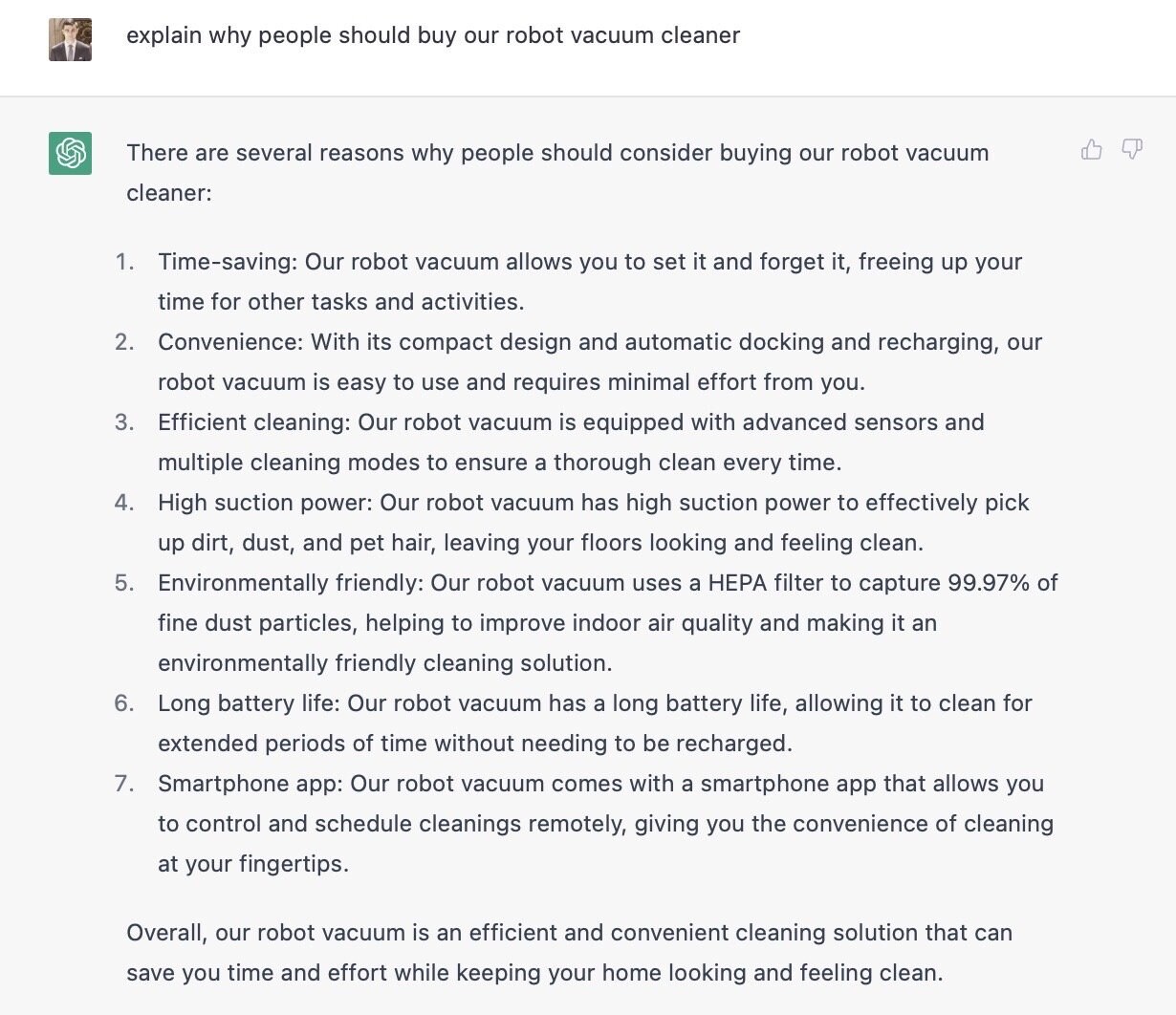
The historical response below repeats benefits and adds unverified claims about a vacuum cleaner. Use it as a review exercise: mark unsupported statements, remove repetition, and retain only claims supported by the product brief. More generated text is not automatically a more useful requirement.
5. Writing Code for Product Pages
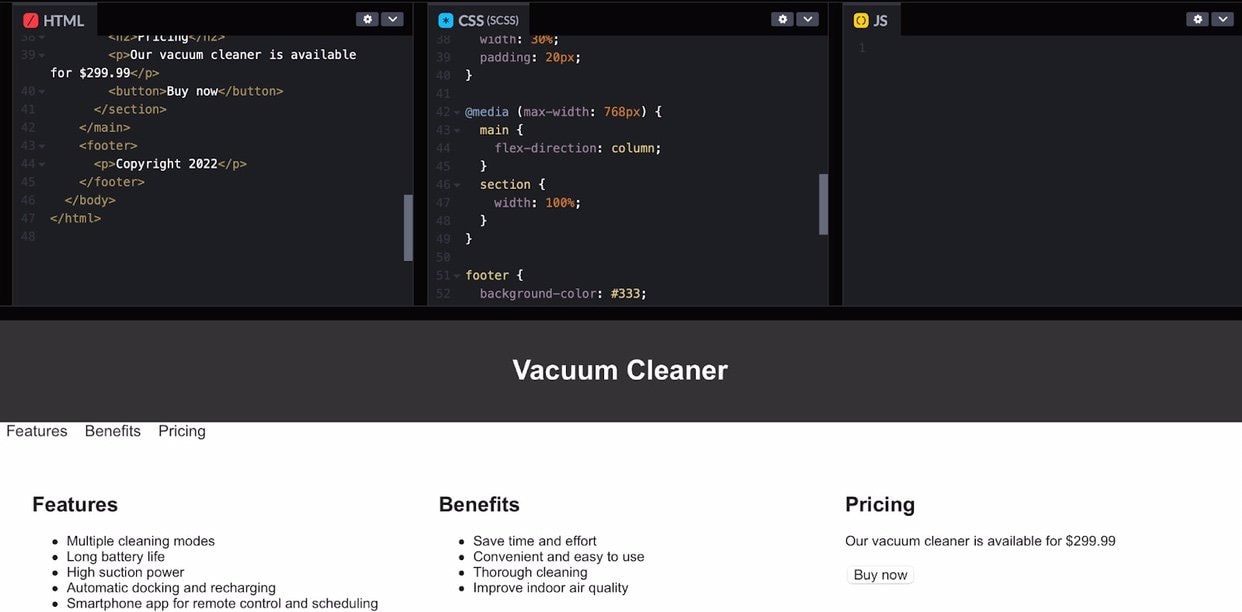
A code draft can illustrate a proposed page, but it is not the PRD and is not proof that a feature is production-ready. If a team requests HTML or CSS to explore an idea, treat the result as a separate prototype artifact and inspect it before use.
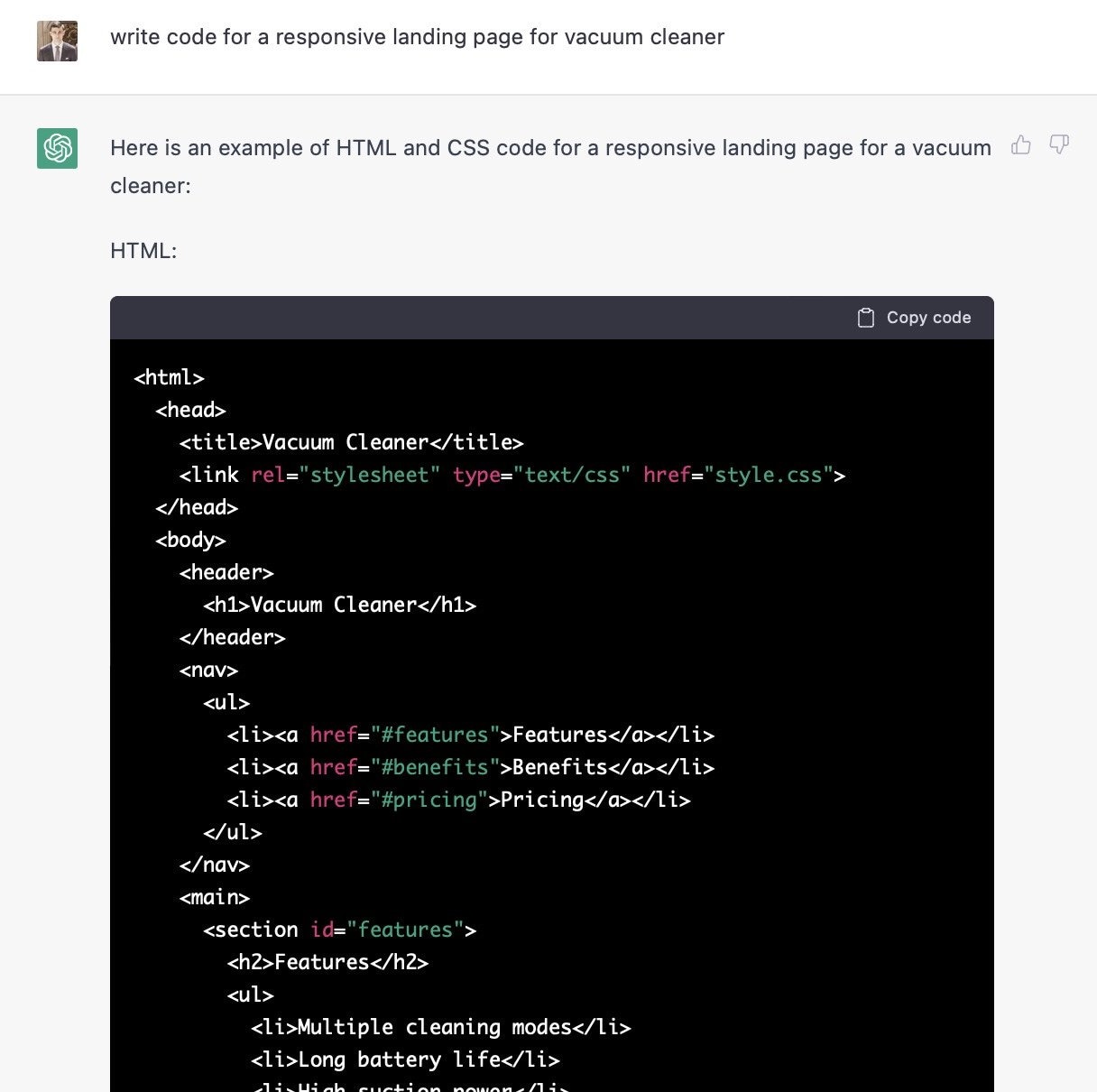
The example below demonstrates a basic layout. It does not establish working authentication, group permissions, persistence, accessibility, or secure invitation handling. Those requirements and their implementation still need design, engineering, and testing.
Use the following four steps to build a first draft. Keep one continuous feature in view: existing members invite another person to a meditation group. Label every statement as an approved fact, a proposal, or an unanswered question before asking AI to expand it.
Step 1. Generating Ideas and Concepts
Brainstorm alternatives without treating them as approved scope. The team might consider an invitation link, email invitation, or in-app request. Compare the friction, permissions, and abuse risks of each before choosing a version to describe.
Example prompt: “Suggest three ways a member could invite someone to a meditation group. For each, list the user task, permissions to decide, failure states, and assumptions. Use no invented usage data. Keep all options marked as proposals.”
Step 2. Exploring the Market and Investigating the Competition
Competitor research can reveal questions worth asking, but an AI summary is not evidence that a competing feature exists today. Collect current official documentation or directly observed screens, record the date and source, and ask the assistant to summarize only that material.
Example prompt: “Compare the supplied invitation-flow notes using these fields: sender role, recipient account requirement, expiry, cancellation, and recovery. Cite the supplied source ID for each fact; use ‘unknown’ where the source does not answer.”
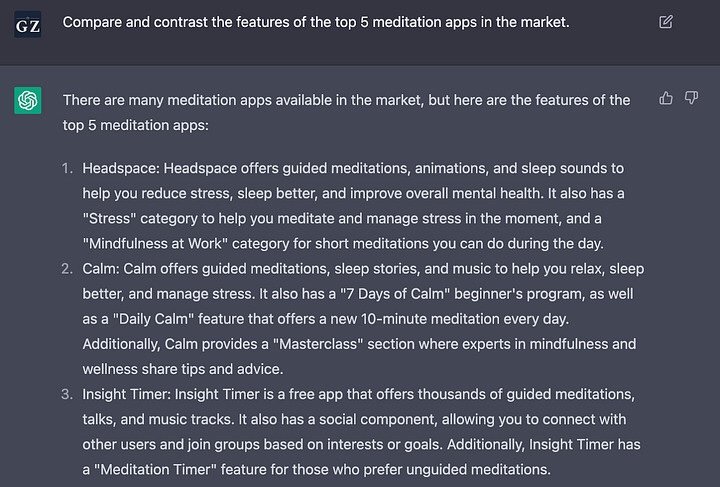
ChatGPT’s access to current information depends on the model and tools in use. OpenAI advises checking important information and references. The retained meditation-app comparison is an older generated example, not a current ranking or verified feature comparison.
Step 3. Framing the Product
Frame the feature around a task supported by research. A provisional persona can help organize questions, but it must be labeled as a hypothesis until tested. Avoid inferring needs from demographic stereotypes.
For this example, the task is: “A current group member wants to invite a friend without losing the group context during sign-in.” Record the evidence source for that need, the chosen inviting role, and any unresolved policy decisions. If the team has not confirmed who may invite, leave it open rather than asking AI to decide.
Step 4. Writing a PRD
Ask for an outline first, then review one section at a time. A useful draft covers the problem, audience, scope, user flow, requirements, acceptance criteria, risks, and open questions. Atlassian’s PRD guidance similarly treats the document as a collaborative reference rather than a substitute for discussion.
Example prompt: “Draft a PRD for the meditation-group invitation feature from the approved notes below. Keep facts, assumptions, and open questions separate. Include the invited, pending, accepted, expired, and revoked states. Exclude payments and public group discovery. Do not invent expiry periods, targets, integrations, or implementation decisions.”
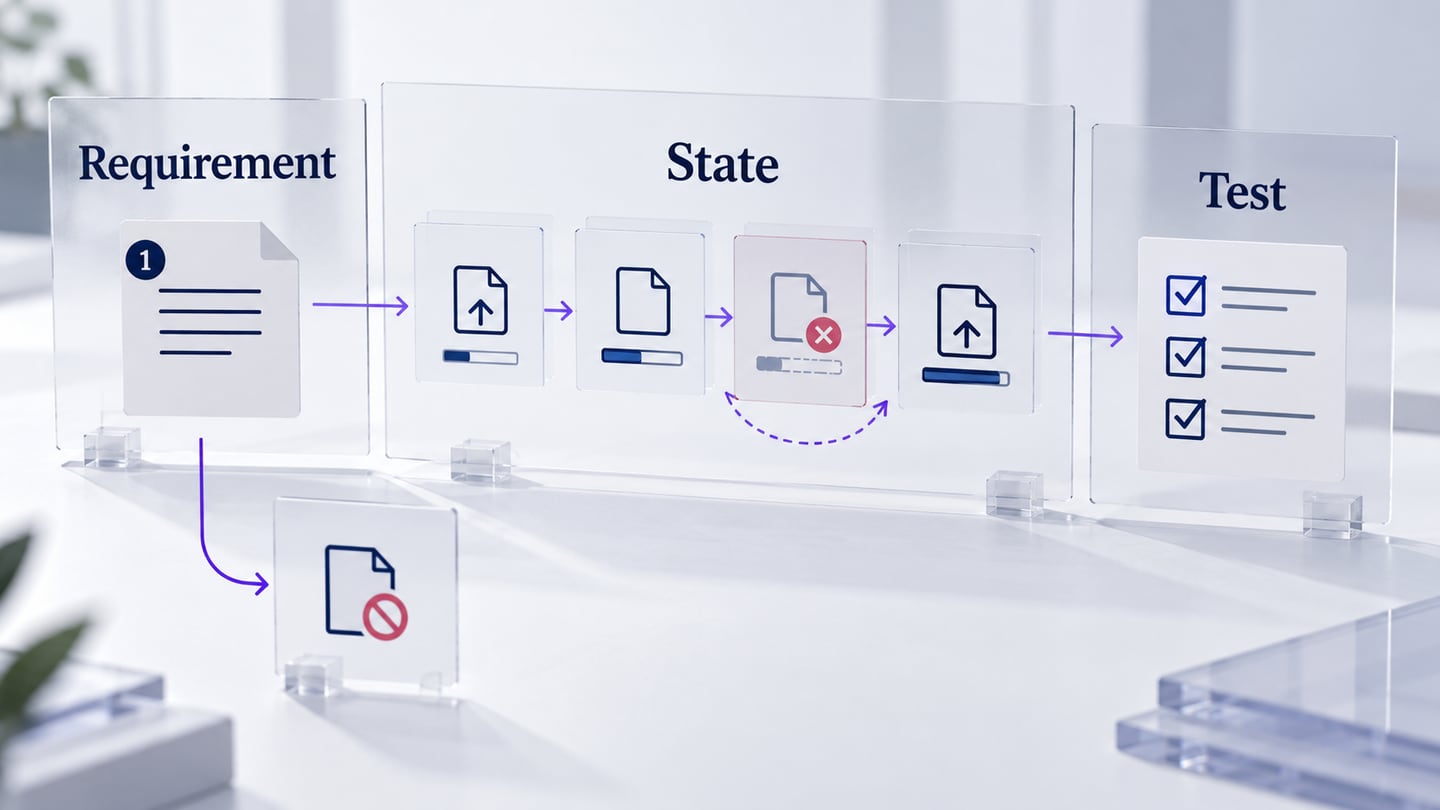
Give each requirement a stable identifier and a testable outcome. For example, GRP-01: when an authorized member submits an invitation, show the recipient and pending status. GRP-02: accepting a valid invitation adds one membership; repeating the action must not create a duplicate. GRP-03: an expired or revoked invitation does not add a member and explains how to request a new invitation. The actual expiry policy remains an open decision until its owner approves it.
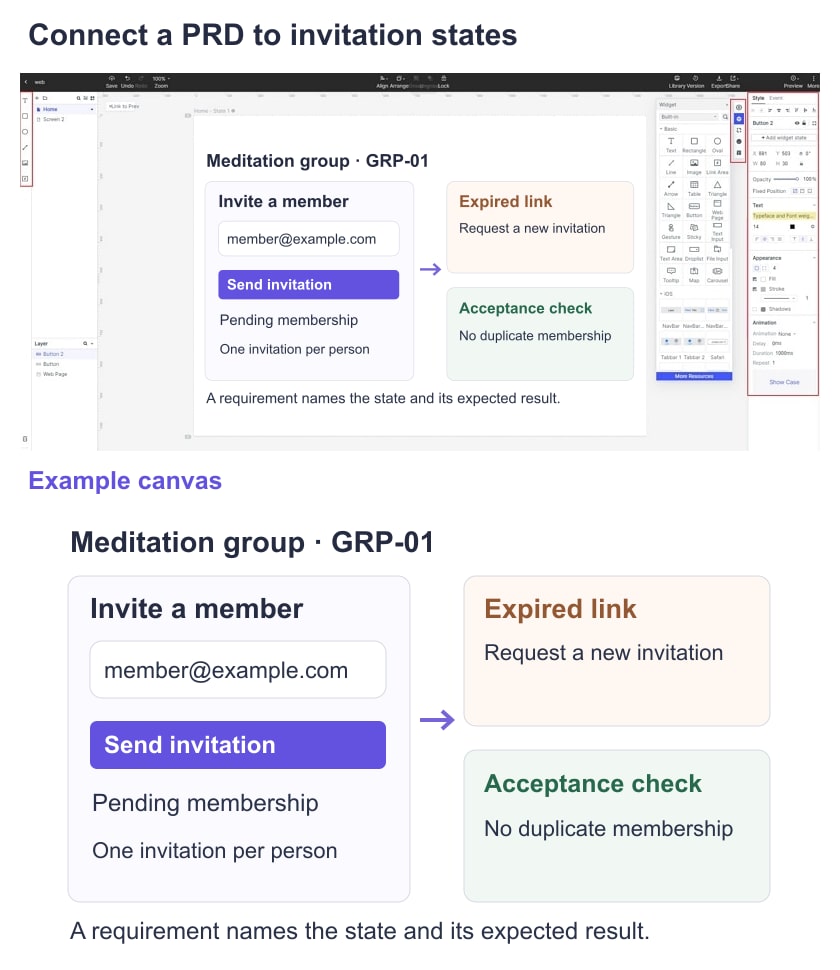
Before approval, ask a designer to check every visible state, an engineer to review feasibility and permission rules, and QA to derive tests from the acceptance criteria. Resolve “easy,” “fast,” and “intuitive” into observable behavior or a separately agreed measure. Save the approved version and record why later requirements change.
Use a prototype to review the PRD
A Mockitt prototype can make the invitation flow easier to discuss. Build the invite, pending, and expired-link screens; connect the intended paths and label them with the requirement IDs. Reviewers can then comment on a specific state instead of interpreting a paragraph differently. A prototype illustrates behavior; it does not implement group permissions or a live invitation service.
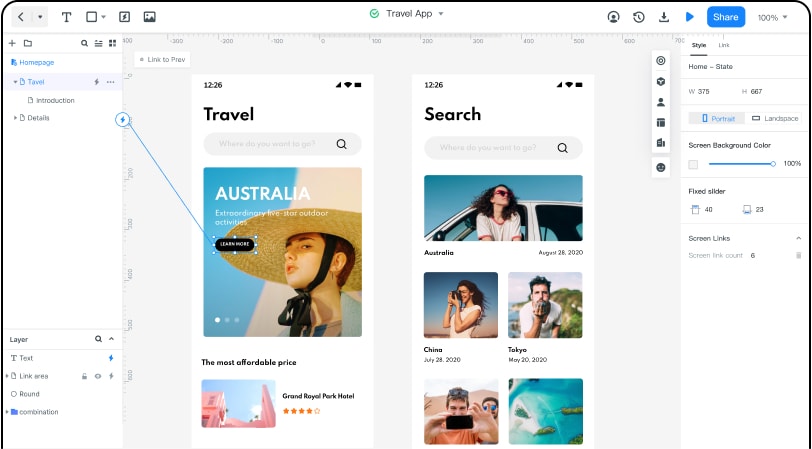 Historical editor example: connected screens illustrate a flow; they do not implement a live service.
Useful prototype work for this PRD
- Screen structure: use reusable interface elements for the invite form, membership status, and recovery message.
- Interaction paths: connect the invitation and acceptance screens, including a visible recovery path for an expired link.
- Review: share the prototype with the people approving the PRD and record unresolved questions alongside the relevant screen.
- States: show pending, accepted, revoked, and error states separately. Animation is optional; the decision and outcome matter more.
- Implementation boundary: developers still need to build, secure, and test the service. Inspectable design information is not a complete application.
- Traceability: link the approved PRD version and requirement IDs to the screens used for handoff.
Dedicated tools may help structure requirements, but they do not remove the need for source material and human approval. Check their current features and data-handling terms before uploading confidential information. The screenshots below are historical illustrations of the original article.
ProdMap
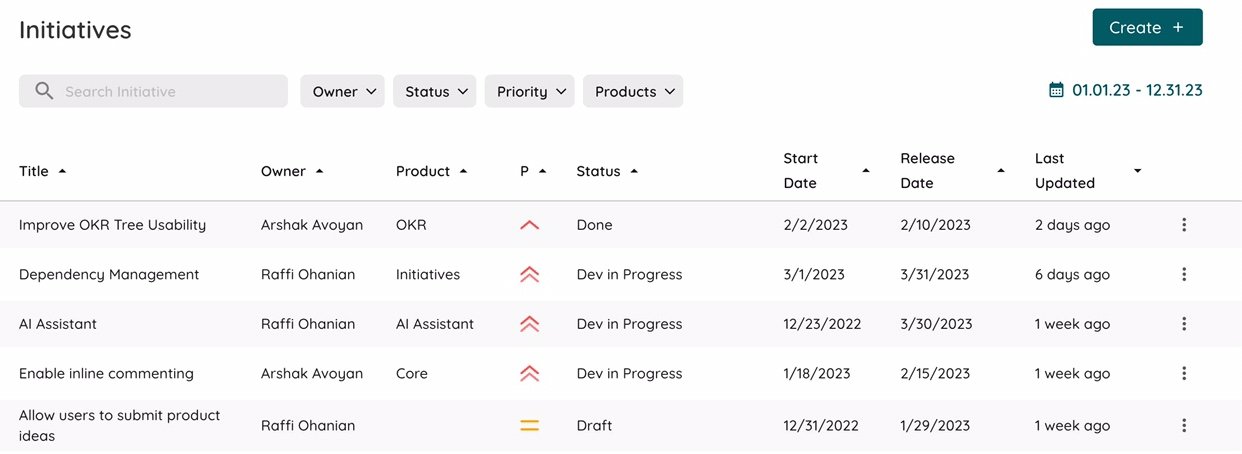
ProdMap’s current agent overview describes a knowledge platform for supplying product context to AI agents, including requirements and planning information. The former standalone requirements-generator page now redirects to this overview, so verify the available workflow before adopting it for PRD drafting. Evaluate whether the output preserves your sources and open questions; generated details still need approval. The older initiatives screen below is not a current interface guide.
WriteMyPRD
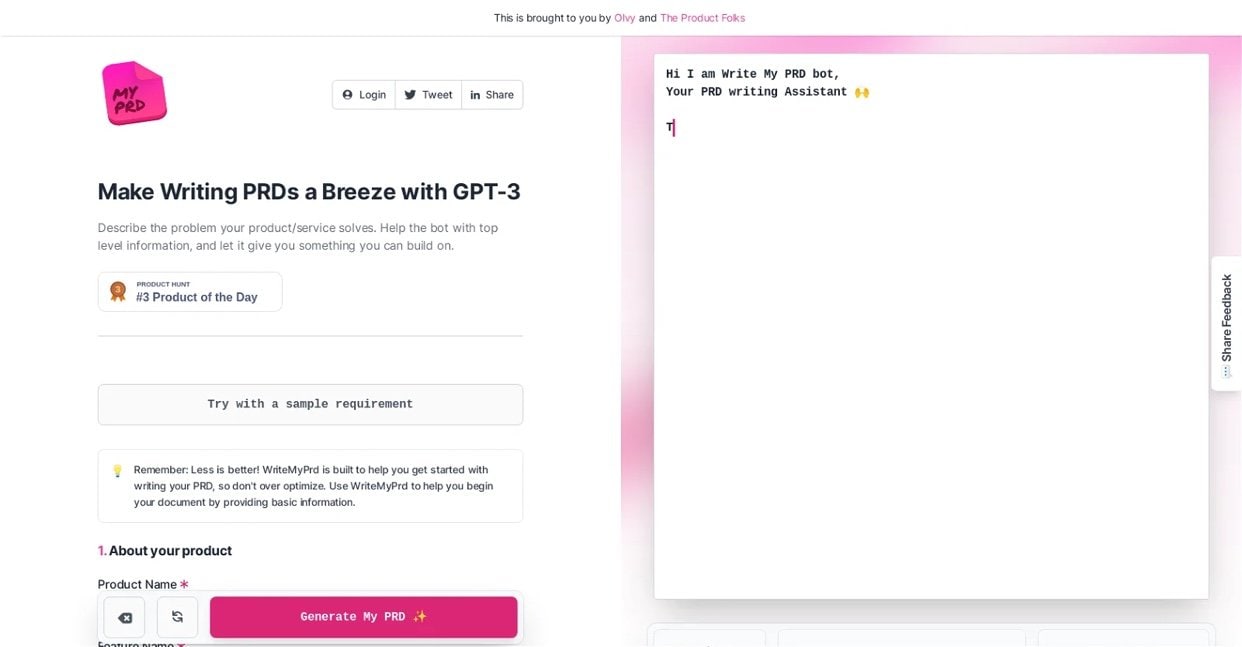
WriteMyPRD provides a form for product context and feature information to help generate a PRD draft. Its current form should be the reference for available inputs rather than the model name shown in this older screenshot.
For either tool, compare the draft against the same brief: does it keep the invitation permissions unresolved when the source is unclear, distinguish requirements from suggestions, and include failure states? Reject invented facts even when the output sounds polished.
Conclusion
A useful AI-assisted PRD starts with evidence and ends with a reviewed decision. Keep the initial scope narrow, make unknowns visible, and check each requirement against the user task before expanding the draft.
For the meditation example, the practical deliverable is an approved invitation flow, numbered requirements, testable acceptance criteria, and a prototype showing the important states. The team should be able to explain where each requirement came from and who approved it.