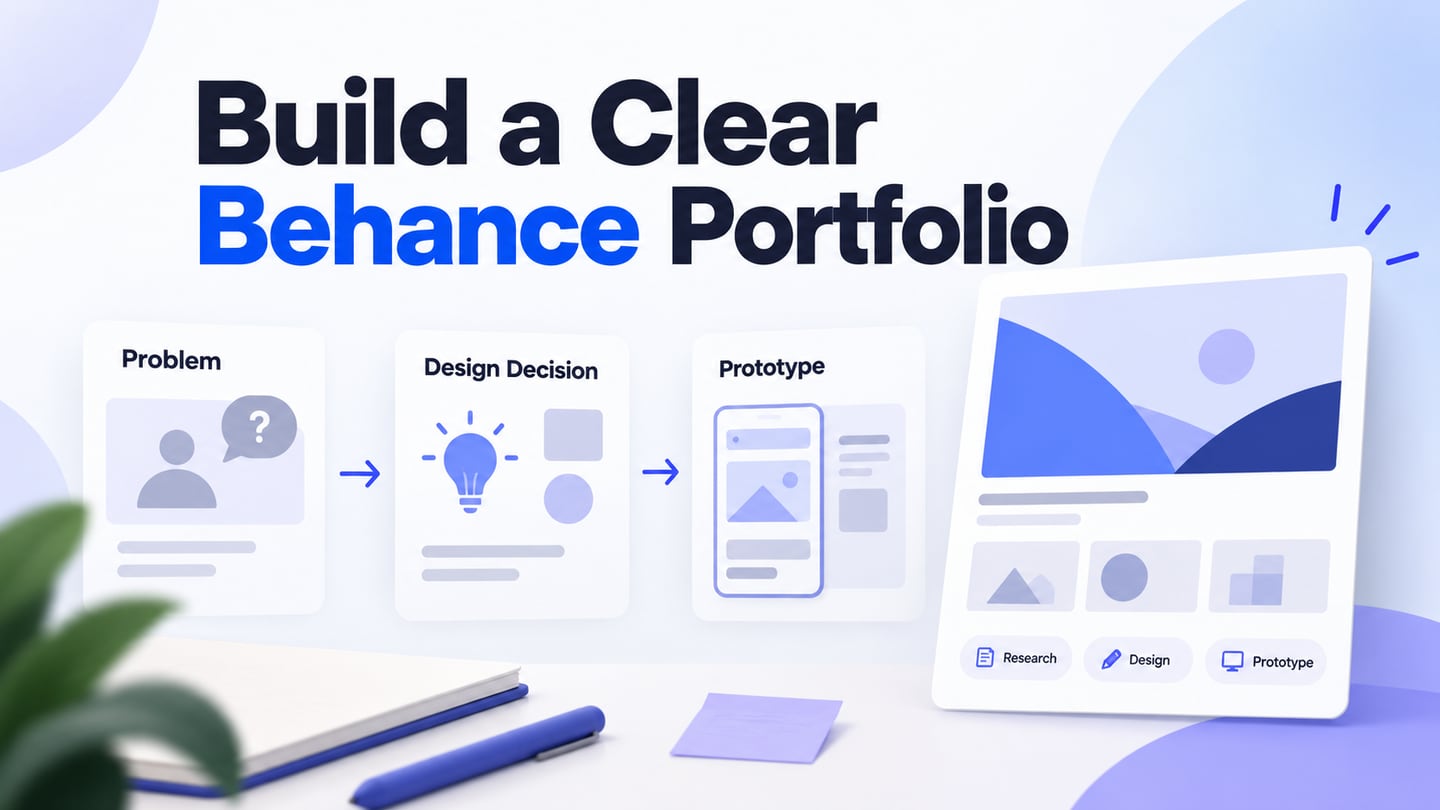
Part 1: Introduction
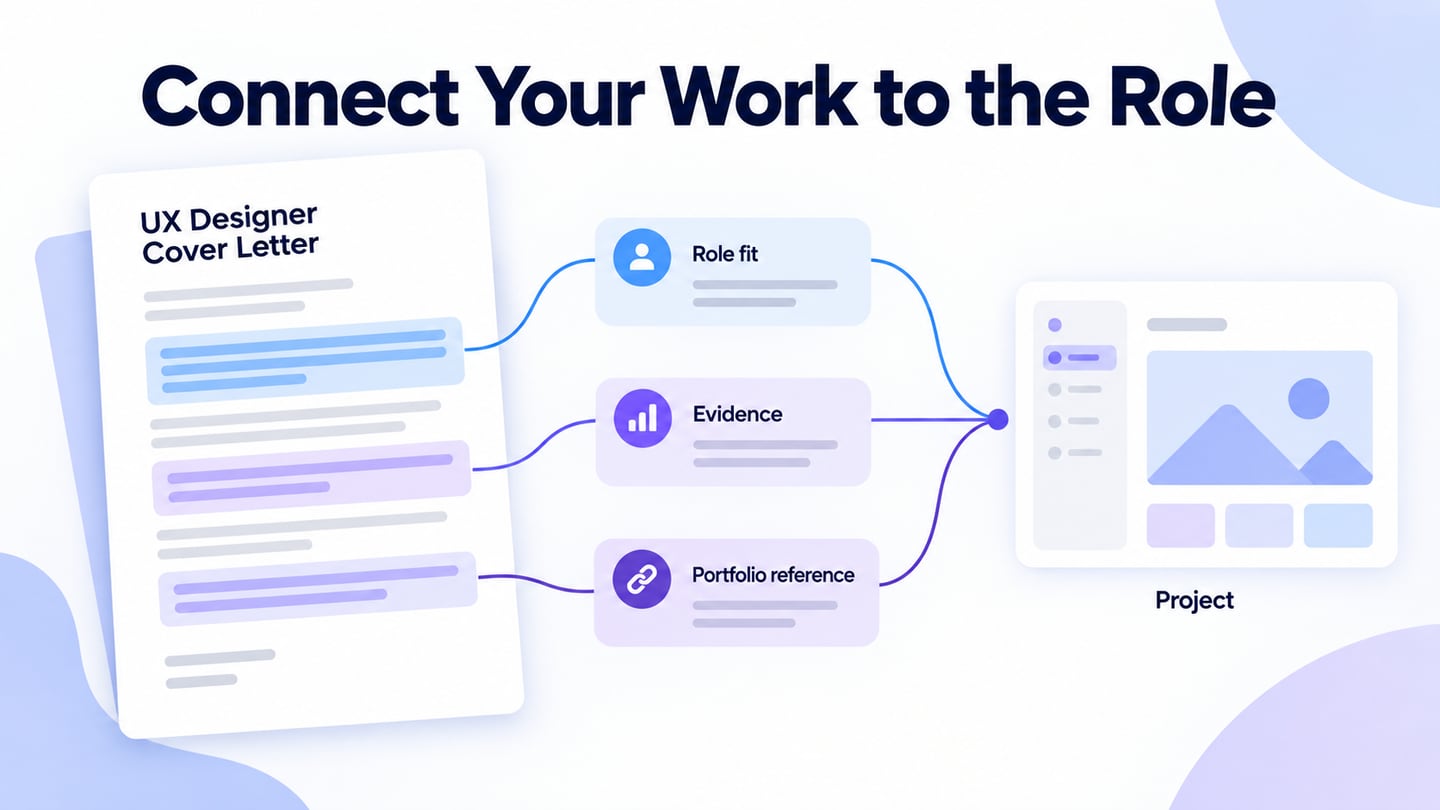
A UX designer cover letter connects a specific role to evidence of how you work. It belongs alongside your resume and portfolio, not in place of them. Choose one relevant project and a few UX deliverables that can support your account of the work. This guide covers what to include, what to leave out, and a structure you can adapt without inventing experience or outcomes.
Part 2: Why Write a Cover Letter?
A cover letter gives you room to explain why the role interests you and how your experience relates to it. A resume lists experience; the letter can connect one or two examples to the employer’s needs. Follow the application instructions first, including whether a letter is required or optional.
A clear letter may help a reader understand your fit, but it does not guarantee an interview. Explain your own contribution rather than relying on broad claims about passion or company growth. Harvard’s resume and cover-letter resources provide a useful starting point for application structure; adapt the advice to the role and the employer’s requested format.

Part 3: Exactly what to include and not include in your cover letter
Choose details that are accurate, relevant, and easy to verify. Keep project names, dates, and responsibilities consistent across the letter, resume, and portfolio. An independent exercise can demonstrate thinking, but identify it as an exercise rather than client work.
What to include in a cover letter?
- Highlight relevant skills: Match a genuine capability to a stated job requirement, then support it with an example of work you did.
- Include contact details: Provide a working email and the portfolio link you want the employer to use. Test the link and any required password.
- Greet Professionally: You can refer to salutation examples to include better greeting phrases while addressing the employer.
- Explain qualifications: Mention relevant experience or training, without turning the body into a second resume. Show how it relates to the work described in the role.
- Use the role’s terminology accurately: If the job mentions usability research or interaction design and you have that experience, use those terms naturally. Repeating keywords does not guarantee that an application system or reviewer will select you.
- Close professionally: Use an appropriate closing such as “Sincerely,” followed by your name. Follow the submission format rather than assuming every digital application requires a handwritten signature.
What not to include in the cover letter?
- Avoid exaggeration: Do not claim a business result, research finding, or leadership role you cannot substantiate. Use plain language rather than inflated claims about being the perfect candidate.
- Choose skills carefully: Include capabilities you can discuss in an interview. Do not fill space with a long tool list disconnected from the work.
- Avoid unverified figures: Check dates, responsibilities, and results before including them.
Part 4: Tips for making your cover letter successful
- Add context, not repetition: Expand on one relevant resume point by explaining the problem, your responsibility, and a design decision. The letter can refer to the same project without copying every resume bullet.
- Adapt the letter to the role: Reuse an accurate core structure if helpful, but check the employer name, role, priorities, and selected example each time.
- Keep it concise: Keep the letter concise, usually within one page unless the application instructions specify otherwise. Include necessary details and avoid repetition.
- Easy to read: Ensure the cover letter is easy to read. Do not use complicated words while writing cover letters. Avoid spelling and grammar mistakes in your content.
- Establish a specific connection: Research the team’s product and the role’s responsibilities. Explain which part of that work interests you and how your experience relates to it. Generic praise of the mission is less useful than a relevant connection.
Part 5: A UX Cover Letter Structure to Adapt
Use the following structure as a checklist, not a script that must sound identical in every application. Write for a reader who may not be a designer. Nielsen Norman Group’s hiring insights underline the importance of explaining work to the people involved in the hiring process.
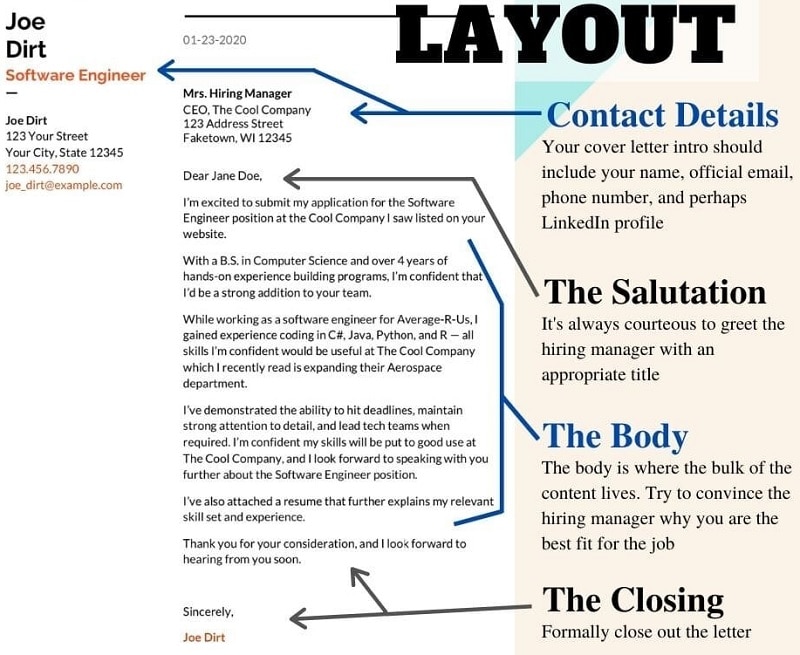
A basic UX designer cover letter template consists of many parts as follows.
- Header section
Include your contact information, the date, and a working portfolio link. Add the employer's details and hiring manager's name when available and appropriate to the submission format.
- Greetings
Use “Dear [Name]” when you know the appropriate person and spelling. If no name is available, “Dear Hiring Team” is a clear alternative. Do not invent a recipient or infer someone’s personality from a greeting.
- Cover letter's body section
State the role you are applying for and a concrete reason for your interest. “I am applying for the UX designer role” is acceptable when it is followed by useful information. Then connect one requirement to a project: explain the task, your contribution, and a decision you can support. Avoid promising company-wide growth from a design you have not yet done.
Point to the relevant portfolio case rather than asking the reader to search through everything. Name the artifact and explain what it demonstrates. If the project has not been tested or shipped, say so; a clear account of your reasoning is still more useful than an invented metric.
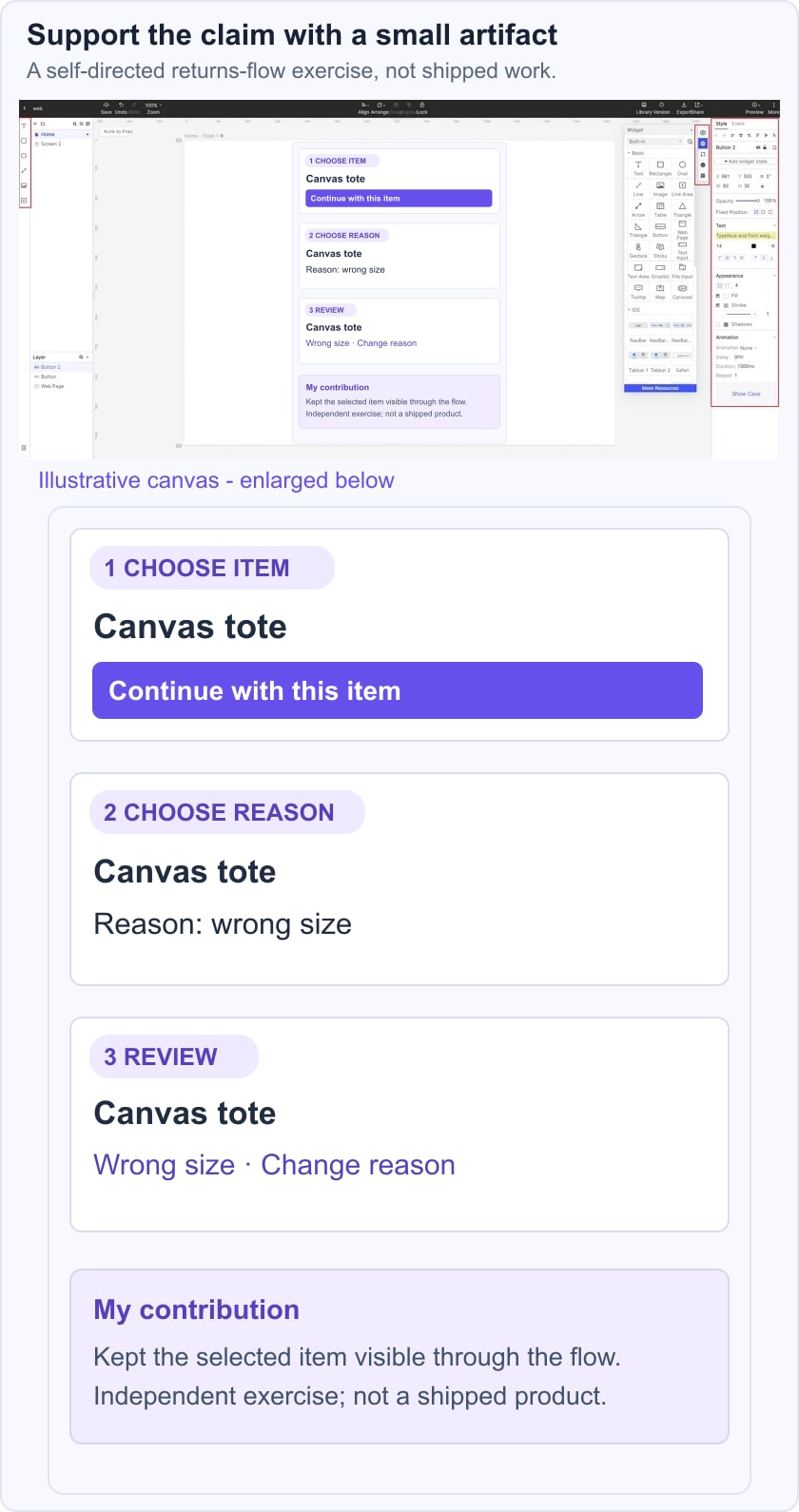
For example, an independent returns-flow exercise could support this sentence: “I mapped the item-selection, reason, and review screens for a returns request, then made the chosen item visible throughout the flow. This was a self-directed design exercise, not a shipped service.” The accompanying artifact could be built in a shared prototype workspace. Only use this wording if it accurately describes your own work.
- Closing of the cover letter
Close by restating your interest in the role and thanking the reader for considering the application. Invite a discussion of the relevant work without assuming a response or an interview. Keep the closing short and include your name.
A compact example structure is: “Dear [Name], I am applying for [role] because [specific connection]. In [project], I was responsible for [your task]. I chose [decision] because [reason or evidence], with [limitation or outcome]. The case at [portfolio location] explains the work. Thank you for considering my application. Sincerely, [Name].” Replace every placeholder with accurate details; do not send the template unchanged.
Part 6: Conclusion
Before submitting, check the role, recipient, contact details, portfolio access, spelling, and every factual claim. Read the letter beside your UX resume to catch contradictions. Then prepare to discuss the same project through UX design interview questions rather than treating the letter as a separate story.