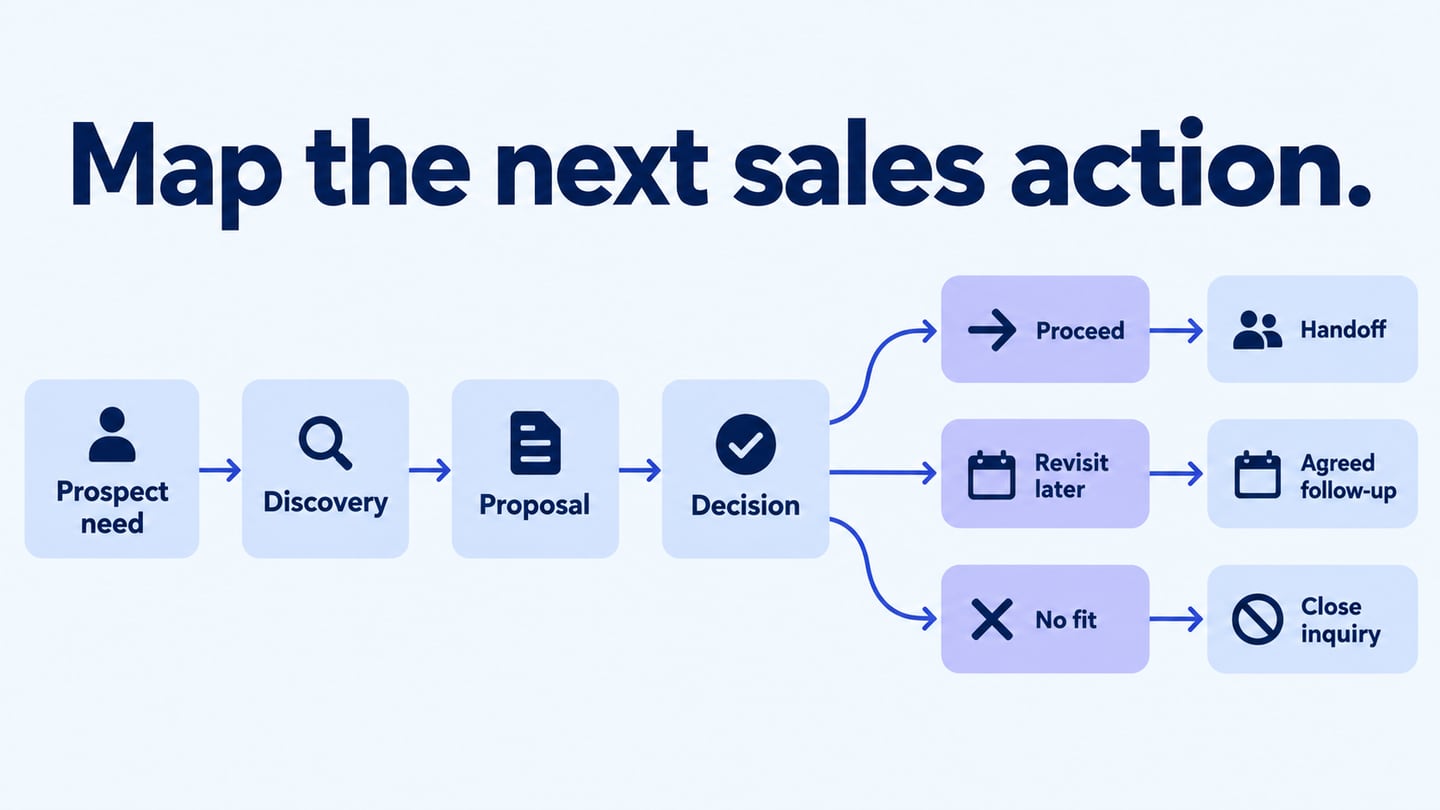
A sales process flowchart shows how a team handles an inquiry, understands a need, proposes a solution, and records the outcome. Build a sales process diagram to clarify the next action and its owner at each stage. The diagram is a working reference, not a promise that following it will produce a sale.
A useful chart includes the routes where the offer is not a fit, the prospect needs more information, or the timing is wrong. These outcomes matter as much as the successful path.
The five steps below cover discovery, questions, solutions, objections, and follow-up, with each stage concrete enough to review.
5 Steps Guide to Build a Sales Process Flowchart
Start with the process your team actually uses and refine it with evidence from recent inquiries.
1. Gather the Process Evidence
Collect representative examples of inquiries, qualification notes, proposals, and outcomes. Ask the people performing the work how an inquiry moves between stages and where it stalls.
Identify the trigger and end states before selecting a template. Decide whether this chart covers the first inquiry through a purchase decision or a smaller part of that journey.
Use accurate stage definitions and job-related information. Visual attractiveness does not replace a clear rule for what happens next.
2. Identify the Questions That Change the Path
List the decisions that affect the next action, such as whether the need is understood, whether the service fits, or whether further information is required.
Label the branches with actual outcomes. A question such as “Is the required service in scope?” should lead to a defined action for both yes and no.
Keep unresolved questions visible for the team instead of inventing an answer to complete the diagram.
Distinguish an internal qualification decision from a question that must be answered by the prospect. The responsible person and the source of the answer should be clear.
3. Define the Next Action for Each Outcome
Connect each decision to a useful next action: clarify a need, prepare a proposal, explain a limitation, or record that the opportunity is not a fit.
For example, map a service inquiry that needs a proposal before a decision. Discovery establishes the requested scope; a suitable inquiry receives a proposal; unanswered questions return for clarification; an accepted proposal moves to the agreed handoff. If timing is the issue, record an agreed follow-up. If the service is not a fit, close the inquiry with a clear explanation rather than forcing it toward a sale.
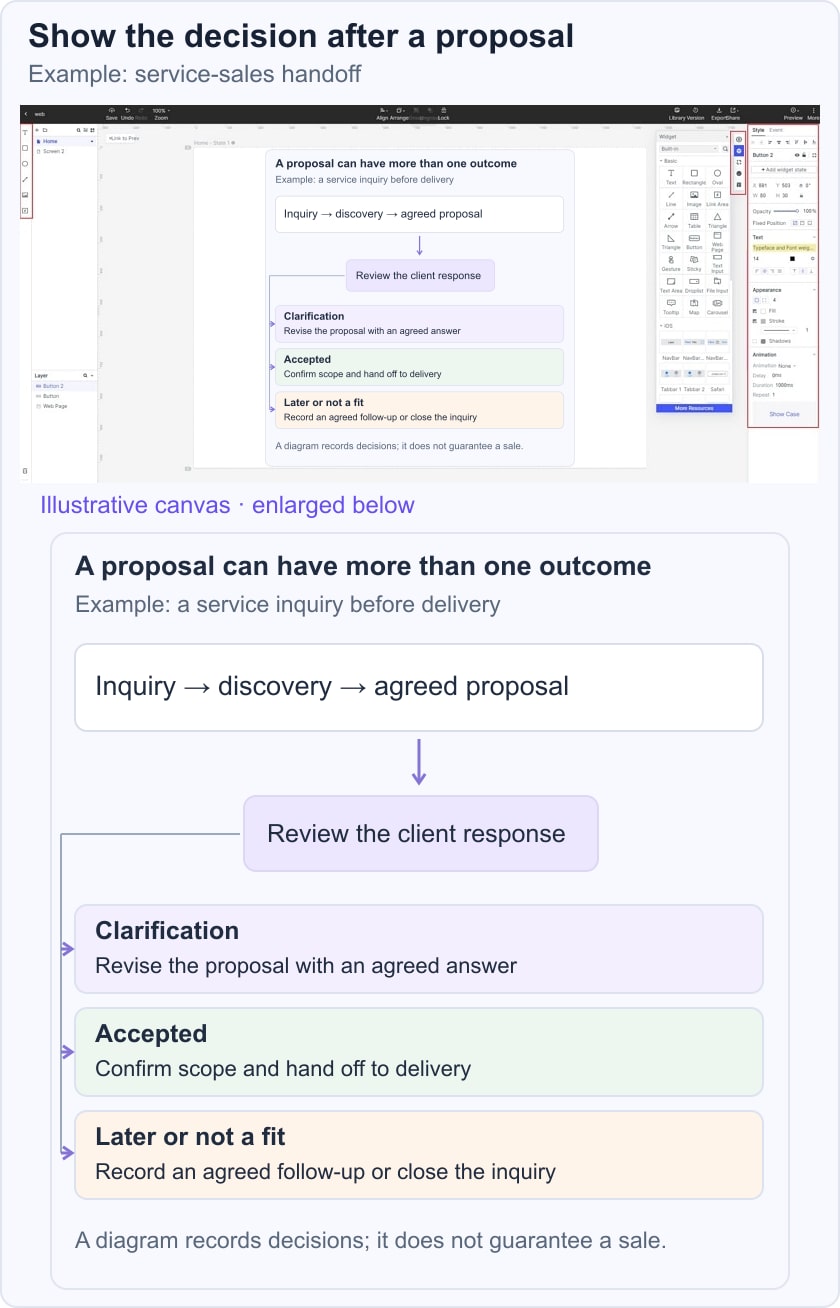
Place the action close to the decision it resolves and use a descriptive label. Avoid an arrow labelled only “follow up” when the required information or owner is unknown.
Keep product details in the appropriate supporting material. The process chart should explain when that material is needed, not become a dense sales brochure.
Review the route with the team to confirm that it reflects the service and its real approval rules.
4. Handle Questions and Objections Honestly
An objection can reveal missing information, a mismatch, or a genuine constraint. Record who should respond and whether the response changes the proposal or ends the inquiry.
Resolving a question does not guarantee a purchase. Keep a clear route for a prospect who declines, and do not treat every objection as something that must be overcome.
Check that a revised proposal goes through any required approval before it is sent.
5. Follow Up
Define what follow-up is appropriate, who owns it, and what information must be recorded. Use the prospect’s agreement and the organization’s communication rules rather than inventing a universal contact cadence.
Use actual outcome data to review the process over time. A change in conversion may have several causes; the flowchart alone does not establish why it happened.
The finished chart should make the next action understandable for a new team member without hiding the possibility of a no-fit or deferred outcome.
Create a Simple flowchart online
Mockitt provides an editable canvas for arranging and reviewing the flow. The original interface image below is historical; use the current workspace controls.
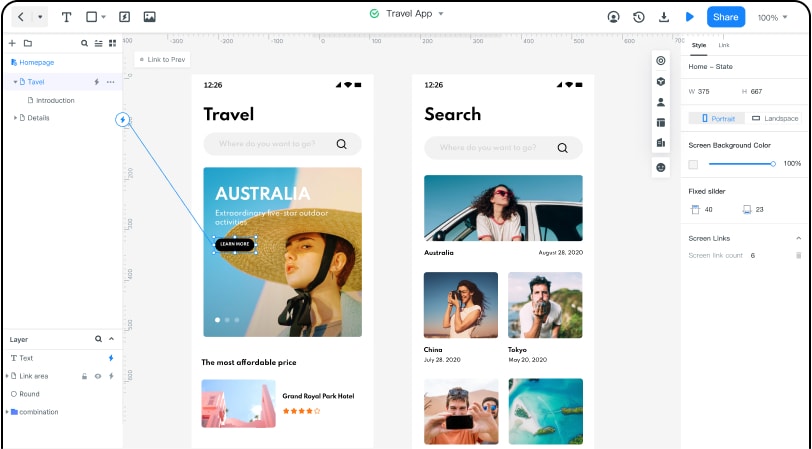
1. Sign in and open a flowchart project or suitable diagramming canvas.
2. Add the stages, decision labels, and outcomes from the reviewed process notes.
3. Connect the paths and ask the people responsible for each stage to check the handoffs.
Trace a successful inquiry, a no-fit inquiry, and one requiring clarification. For the message and acknowledgement details, consult the communication handoff guide. Keep the chart aligned with the process your team has actually agreed.