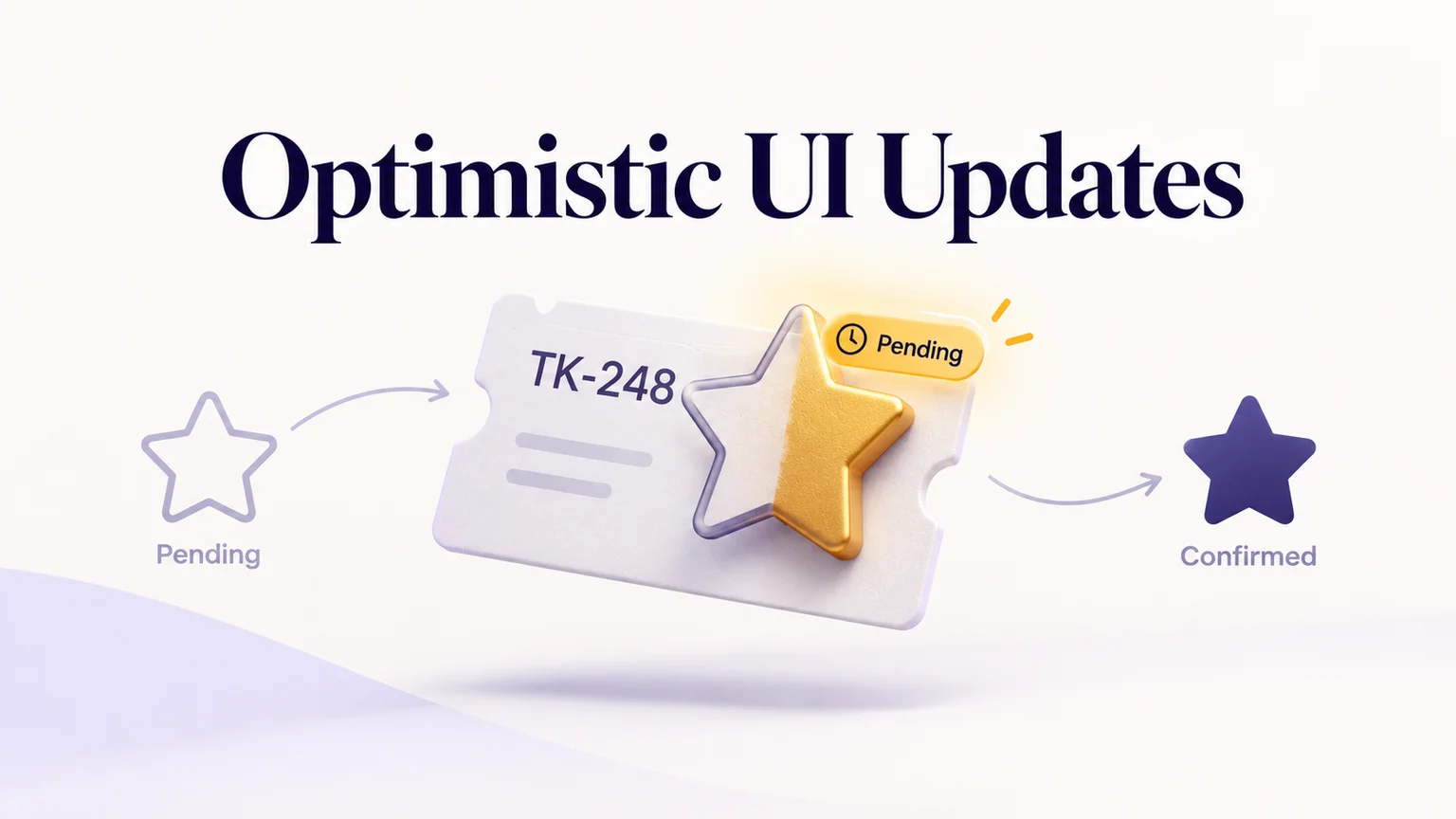
An optimistic UI update shows the result of a person's action before the service confirms it. A star fills, a reaction appears, or an item moves immediately. To make that speed trustworthy, distinguish the temporary display from the confirmed result, explain a rejected change, and keep an older response from overwriting a newer choice.
Consider a fictional support workspace called Beacon. An agent stars ticket TK-248, “Export request,” to find it later. Use a Mockitt prototype to compare the pending, confirmed, and rejected states before deciding how the interaction should behave. The useful design question is what the agent can safely believe at each moment.
Start with an action whose failure is recoverable
Starring a ticket is a reasonable candidate in this example: the intended result is small, recognizable, and reversible. The ticket itself remains available while the personal star changes. A payment, final approval, or irreversible record merge has different consequences. Immediate acknowledgement can still help, but showing a completed result before confirmation can encourage someone to act on a promise the service has not kept.
Separate responsiveness from success. A button can acknowledge a press immediately while the outcome remains pending. If a star must wait for confirmation, a clear working state is still better than an apparently ignored click. The button's label and state should make that distinction understandable without requiring the agent to infer what a spinner means.
React's official optimistic-state documentation describes a temporary displayed value during an action, followed by the current underlying value when it finishes. That illustrates the distinction; a design still needs to specify the message, recovery action, and treatment of subsequent input.
Keep the requested, displayed, and confirmed values separate
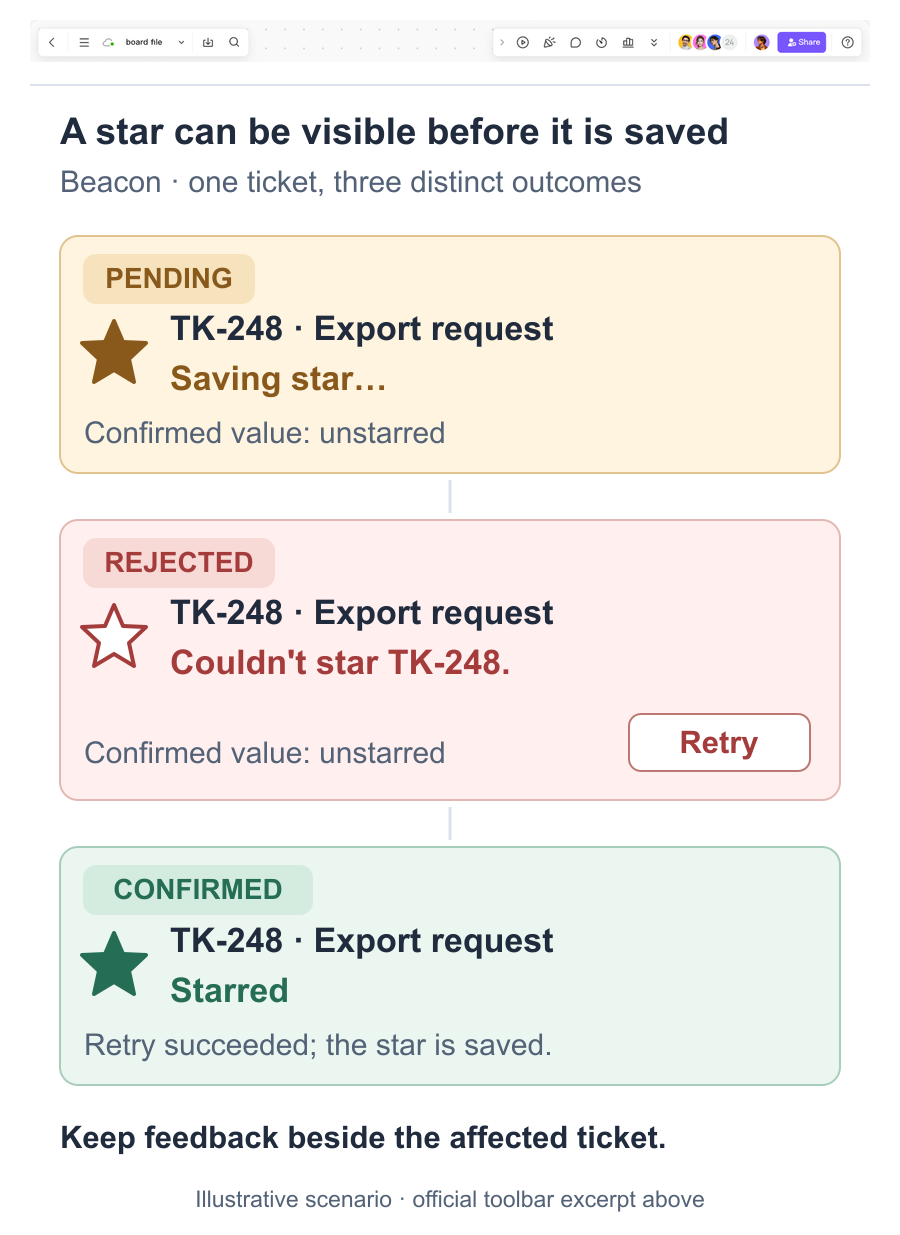
TK-248 starts unstarred. When the agent selects its star, three facts briefly differ: the agent wants it starred, the interface displays it starred, and the latest confirmed value is still unstarred. A nearby “Saving star…” label tells the agent that the filled icon is tentative. Confirmation removes the pending label; rejection restores the confirmed appearance and explains why it changed.
Keep the feedback attached to TK-248. A single “Saving…” message above twenty tickets cannot identify which change remains uncertain. If the same ticket appears in a detail panel and a list, both views should agree about its pending state. A sidebar count should not present an unqualified confirmed total while its matching row is still tentative.
The proposed Beacon interaction keeps the agent in All tickets while the request is pending. For a Starred-only view, decide what happens when a tentative row appears or disappears. A rejected star must leave a visible explanation in the remaining interface; a message that vanishes with the removed row is easy to miss.
Let a rejected star explain its own reversal
Suppose the service explicitly rejects TK-248's star change. Restore the outline star and show “Couldn't star TK-248. Try again.” Keep the ticket title and the agent's place in the list. The reversal communicates the current state; the message explains why a change that seemed to work has disappeared.
The three scenes to compare are a filled star with “Saving star…,” an outline star with the failure message and Retry, and a filled star after a successful retry. Place the error beside the affected ticket rather than making the agent search a separate notification center.
Retry should request the intended outcome, “star this ticket,” rather than blindly reverse whatever icon happens to be visible. Keep Retry and the star control coordinated so one failed operation does not accidentally produce two competing requests. If the service reports that access has changed, explain that condition and offer an appropriate route back instead of an endlessly failing retry.
A brief success message and a recoverable failure do not need the same lifetime. Leave the failure available long enough to act on it, including after focus moves. The notification pattern should support that recovery, rather than disappear simply because a standard toast timer ended.
A second click changes what the agent now wants
Now slow the response and let the agent change their mind. They star TK-248 and then remove the star before the first request returns. The interface needs a rule for this sequence; returning every failure to the screen's original snapshot is not sufficient.
- The confirmed starting value is unstarred.
- The agent stars the ticket; the filled star is pending.
- The agent removes the star; the outline star now represents the latest pending choice.
- The earlier star request succeeds. Its response must not label the later removal as completed.
- When removal succeeds, the outline star becomes confirmed. If removal is rejected and the confirmed value is starred, restore the filled star and explain “Couldn't remove star.”
This example allows another click and keeps the latest intent visible. An alternative is to disable the affected control briefly while its first request finishes. Choose deliberately: disabling simplifies the sequence but prevents immediate correction. If repeated interaction is allowed, ask engineering how requests and responses will stay associated with the correct ticket and intended value.
A related problem occurs when an item moves before its order is saved. Keep the detailed movement and keyboard behavior in the reordering interaction; apply the pending-versus-confirmed distinction wherever that movement is optimistic.
A missing response leaves an unknown outcome
Explicit rejection and a lost connection are different events. The server may have accepted the star even though Beacon did not receive confirmation. In that case, “Star failed” asserts more than the interface knows. Show “Checking star status…” while the service checks the current result, with a clear recovery path if it cannot reconnect.
TanStack Query's optimistic-update guidance discusses both refetching server state and rolling back a change. Those are implementation options, not interchangeable messages. Restore a confirmed value when it is known; do not disguise uncertainty as a verified rollback. Longer-lived document persistence belongs to the separate autosave and recovery flow.
Review what the agent believes after each response
Walk a reviewer through TK-248 without explaining the states first. Ask them to star it, respond to the rejection, and then change their mind during a delayed request. After each event, ask whether the ticket is confirmed starred and what they expect to happen next. Record misunderstandings about the outcome separately from difficulty finding the control.
Include feedback for people who cannot see the icon change. W3C's status-message guidance explains how relevant updates can be exposed to assistive technology without moving focus. Specify the pending and failure announcements, then verify their behavior in the implemented interface. The prototype provides a concrete conversation about the states; the working service must still prove its response ordering and persistence.