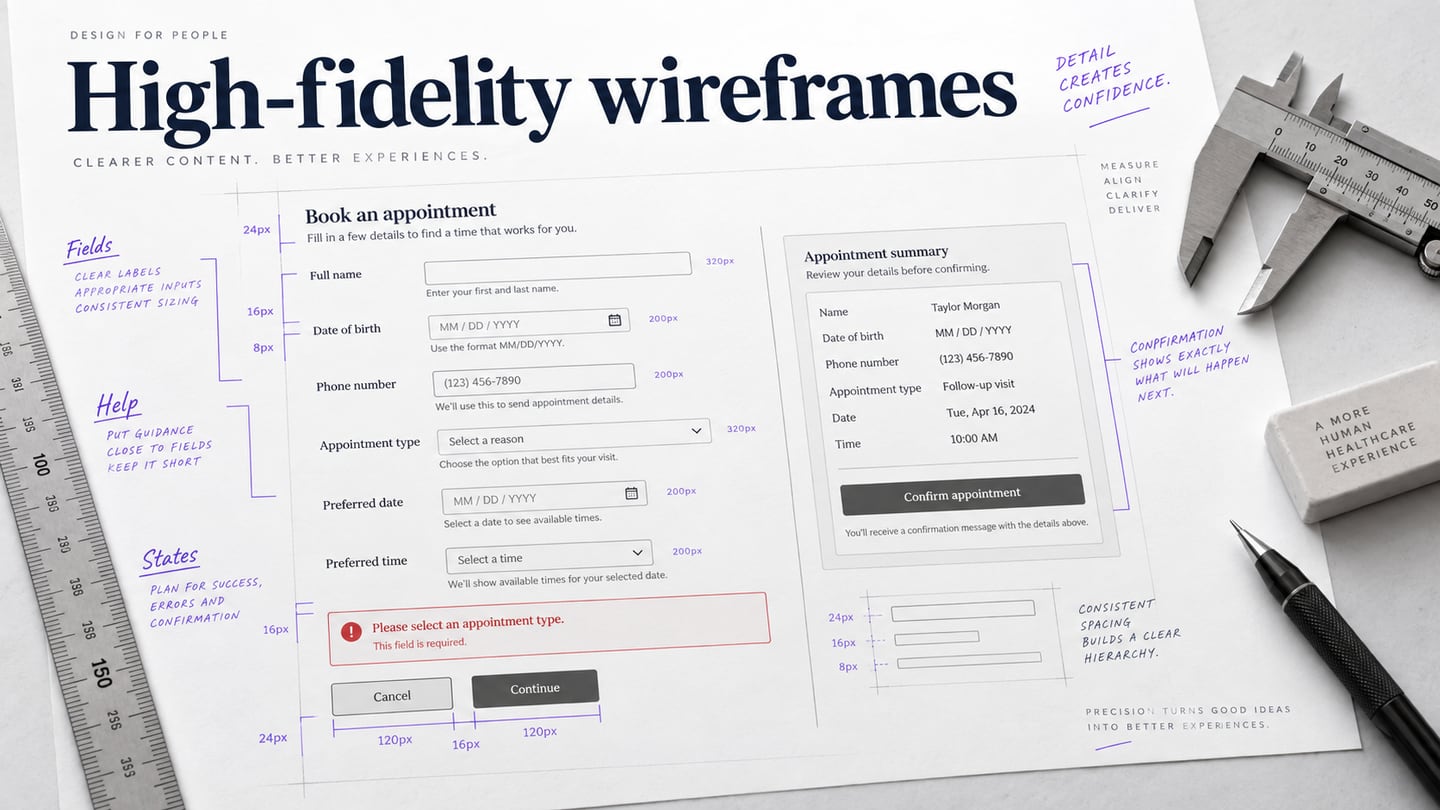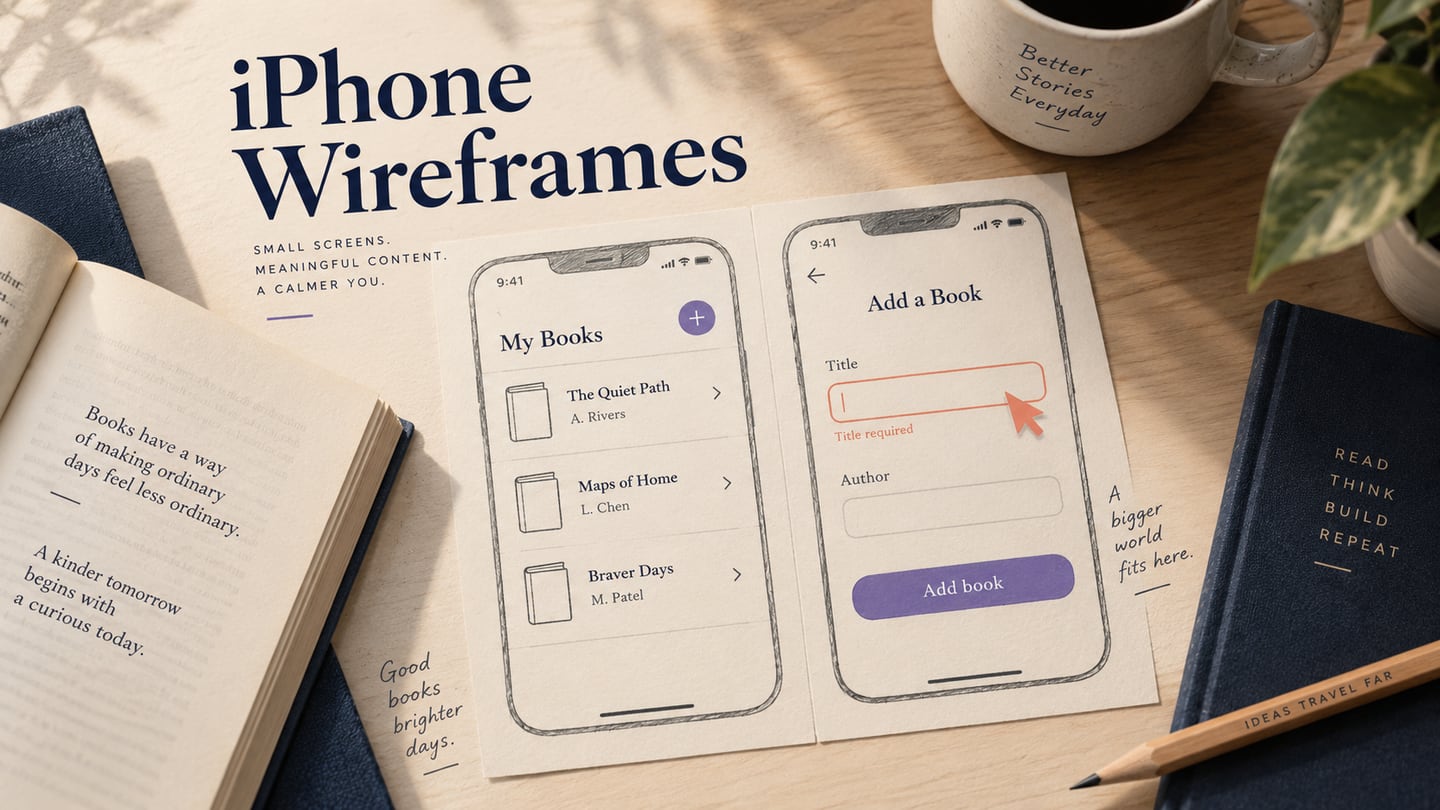
You may not be familiar with the concept of Google wireframe using Google Docs because there's really no ready-to-use wireframing tool provided at this point. Nevertheless, there is a workaround where you can import a wireframe template and then customize that to your specifications. Alternatively, you can use the existing tools to create a Google Docs wireframe for any application or web page, such as a Google Map wireframe, and so on. This article gives you an overview of how to create a Google Drive wireframe that can be easily shared with other collaborators. We also show you a dedicated alternative for creating and sharing wireframes, designs, and prototypes in a much more powerful way.
- How to Create Wireframe with Google Docs
- Tips: How to Create Google Map App Wireframe
- Video Tutorial on How to Create Google Map App Wireframe
How to Create Wireframe with Google Docs
The method we'll be using is to start from a blank document because it's unlikely that you'll find a wireframe template to suit your exact needs. Just follow the steps below to create a Google Docs wireframe easily and share it with others.
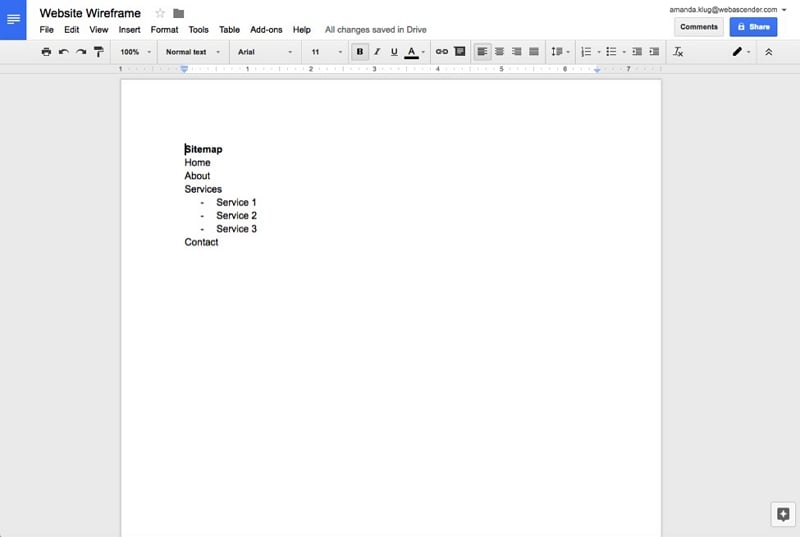
- For a website wireframe, it's always useful to have a sitemap, which is basically an index of the inner pages and their hierarchical relationship to each other. So, create your sitemap using the bullet functions to define levels, as shown in this image:
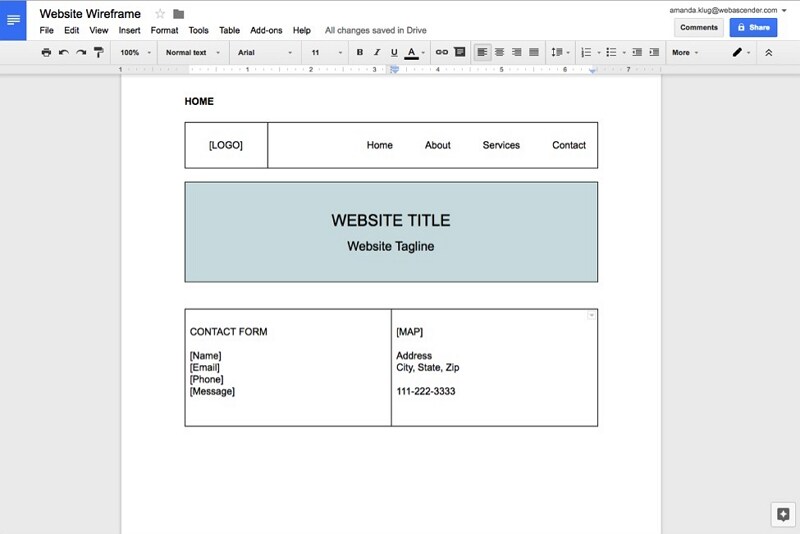
- To add various content blocks, you can use the Insert Table function in Google Docs. Click on Insert → Table and choose the number of columns and rows. You can resize them to fit the requirements of the content block, then add the appropriate text, as shown here:
- Similarly, you can add more tables for each of the content blocks required, until your wireframe looks something like this:
- Links between headings, bookmarks, or documents can suggest a navigation sequence. They do not provide the interaction states of a dedicated prototype: use this approach to discuss content and structure, then move to connected screens when behavior needs testing.
Obviously, since Google Docs is technically not a wireframing tool, it has a lot of disadvantages. However, there are also some benefits to using it. We list some of the pros and cons of using Docs as a Google wireframe app.
Pros of Creating Wireframe in Google Docs
- Simple to get started
- Highly collaborative
- Useful for discussing static page structure and content order
Cons of Creating Wireframe in Google Docs
- Not suitable for complex wireframes with links and multiple screen states
- No device-specific canvas
- No animation and other effects for prototyping
If the review needs connected screens, interaction states, or a device-sized canvas, consider a dedicated prototyping workspace. Keep the document as the record of the content and layout decisions already agreed.
How to Create Google Map App Wireframe
Mockitt is a browser-based workspace for wireframes, screen design, and interactive prototypes. Its widgets and screen links can help you move from a static content outline to a flow that reviewers can try.
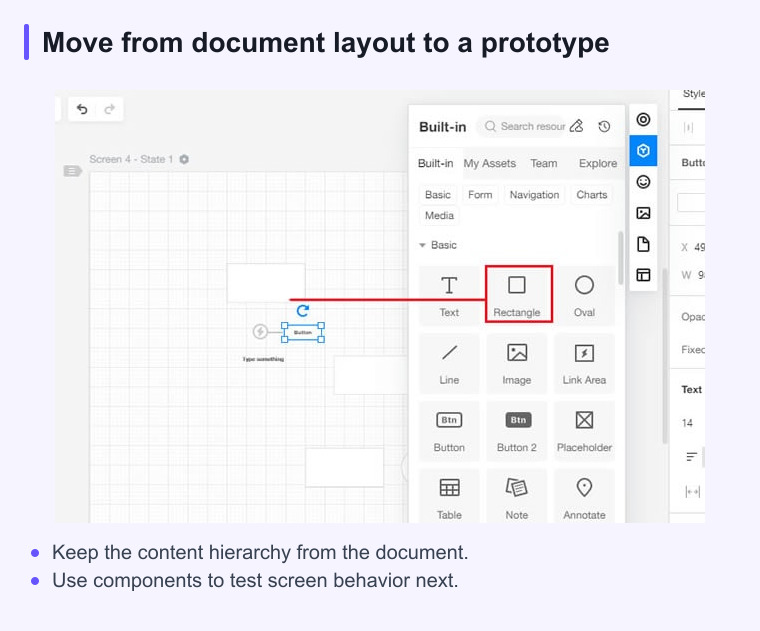
Use reusable widgets for the screen layout, connect the important actions, and preview the flow before sharing it. The prototype communicates the intended experience; application logic and production integration still need implementation.
The steps to create a Google Maps app wireframe is shown below for your reference:
Step 1: Create a Project
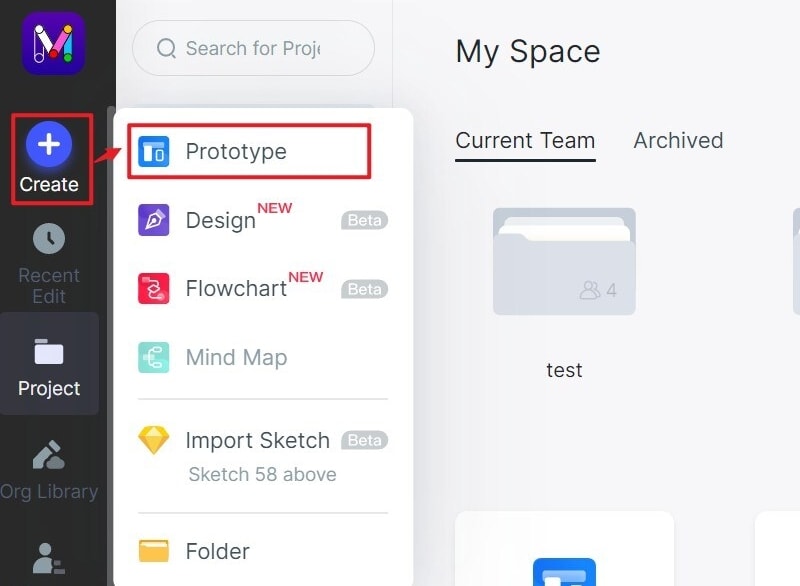
First, create a new project from scratch or using one of the many demo wireframes available. Click "Create > Prototype". Choose a specific device to open the corresponding canvas.
Step 2: Add a Map Widget into the Canvas
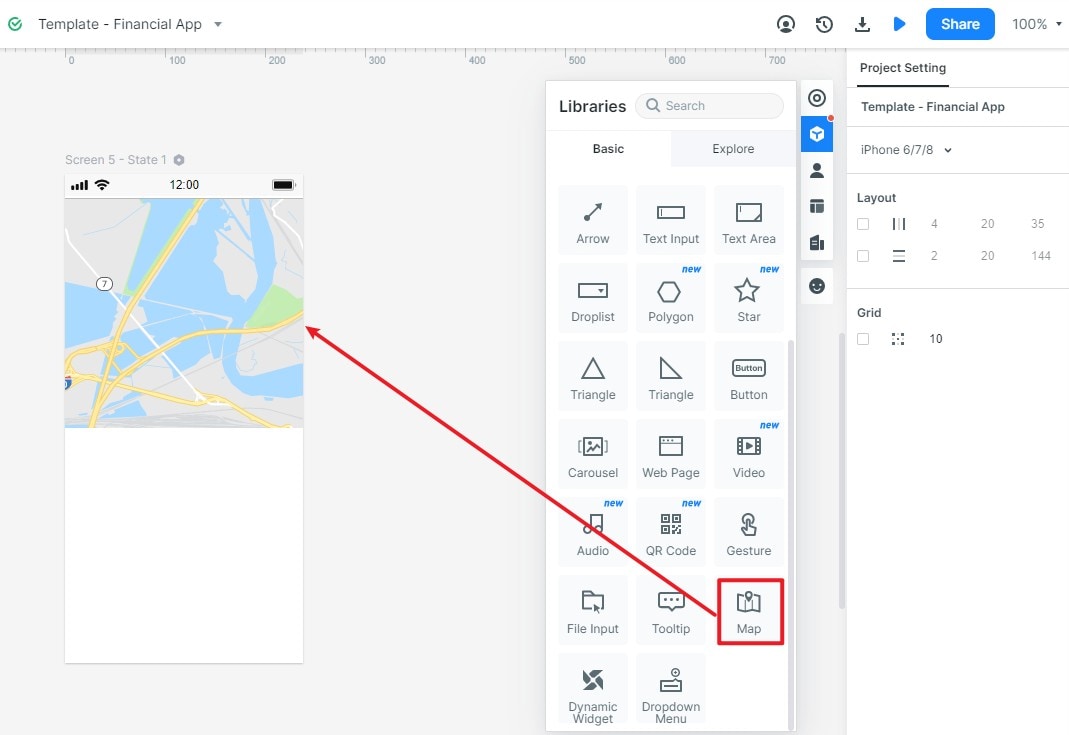
Next, you can add a map widget in the built-in widget panel. Just drag and drop the widget into your canvas. Please note that the map widget is just a sample to show that there should be a map. If you want to insert a dynamic map in your wireframe, you should add the web page widget. You can check the following paragraph.
For an interactive map, first check whether the map provider allows the intended embed and whether your workspace supports that embed method. A normal Google Maps URL does not guarantee an embeddable map. If the content is blocked, keep a clearly labeled map placeholder and prototype the surrounding interaction instead.
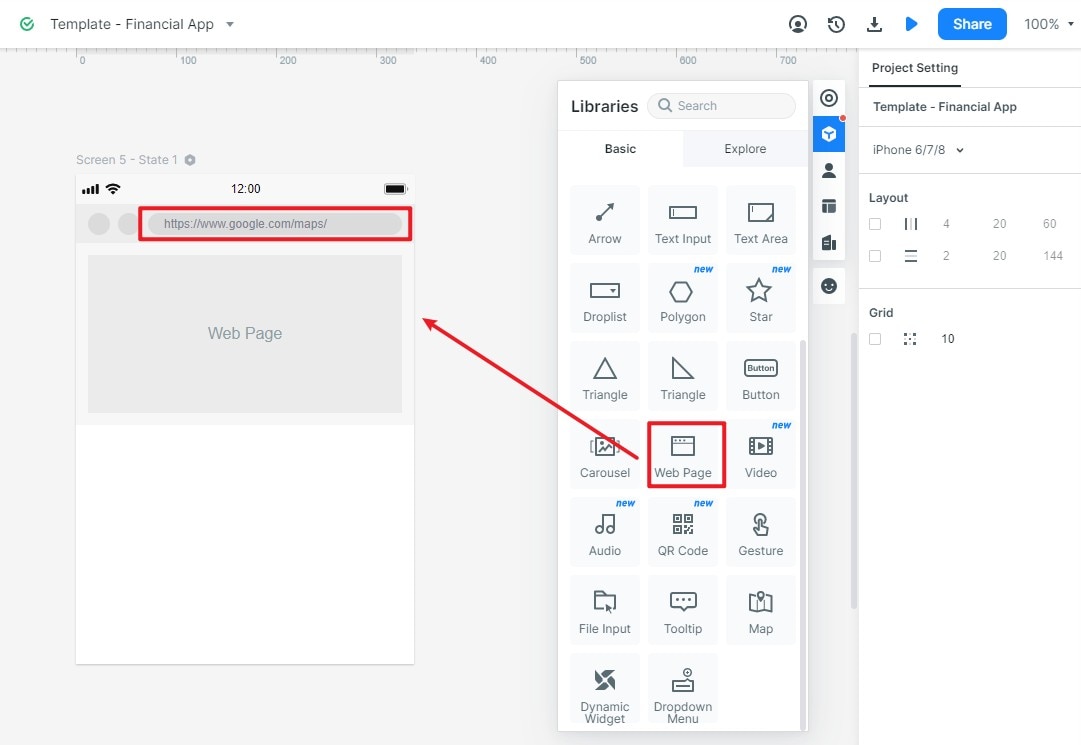
The map example separates the layout from the external service. Review the map area, controls, and destination details in the prototype, and record which live-map behavior must be implemented and tested later.
Video Tutorial on How to Create Google Map App Wireframe
Keep a document wireframe intentionally low fidelity
Google Docs can help a team discuss content order and page structure quickly. Use basic shapes, headings, and tables to express hierarchy, then label areas that still need design or interaction decisions.
Move to a dedicated prototyping workspace when the team needs connected screens, realistic states, or interaction testing. The early document remains useful as a record of the content decisions.