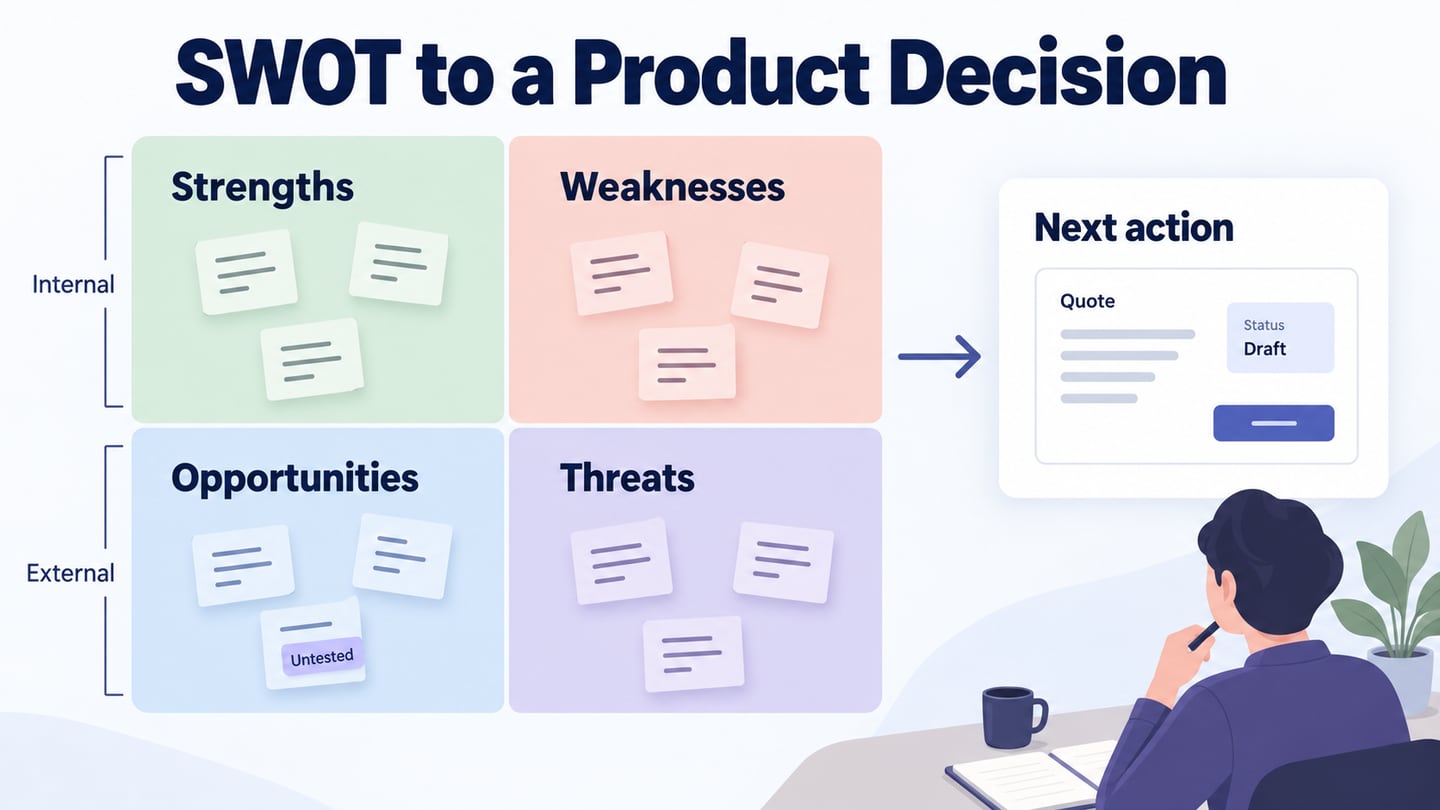
SWOT analysis organizes strengths, weaknesses, opportunities, and threats around a decision. Strengths and weaknesses describe internal conditions; opportunities and threats usually describe the external environment. A product team can use a shared Mockitt whiteboard to collect these factors and discuss their evidence. The useful output is a prioritized next action, not four long lists or a promise that risk has disappeared.
What Is A SWOT Analysis?
SWOT stands for Strengths, Weaknesses, Opportunities, and Threats. CIPD describes SWOT as a planning and diagnostic framework for considering internal and external factors. In product work, it can help you connect capabilities and constraints to a specific choice. It does not eliminate threats, predict market success, or replace research into customers and competitors.

A SWOT analysis brings several perspectives into one discussion. Invite the people who understand the product, users, delivery constraints, and commercial context. Review the matrix when the decision or conditions change; an annual review can be useful, but it is not a rule that fits every product. Date the evidence so an old assumption does not quietly become a current fact.
Use a two-by-two grid, but define the scope before filling it. “Should we improve quote tracking in the repair-booking product?” is more actionable than “How can the company be successful?” The same factor can matter differently for another product or market. Internal also does not mean instantly controllable: changing a staffing or technology constraint may take time.
When To Use SWOT Analysis
Use SWOT when a team needs to compare strategic options, set a direction, or prepare a focused investigation. It is less useful when a narrow usability problem already has enough evidence for a direct fix. Write down the decision the session should support so the discussion does not drift into a general inventory.
A team has limited time, budget, and delivery capacity. Examining strengths can help identify which options are realistic with those resources. For example, an established technician network may make a repair service feasible, while weak quote-status communication may undermine the experience. The matrix makes that tension visible; it does not prove that investing in a particular feature will increase revenue.
Treat weaknesses as conditions to investigate rather than reasons to blame individuals. Look for evidence about process, capability, or product behavior and distinguish it from opinion. If an earlier decision went poorly, ask what information was available and what has changed. A SWOT can expose assumptions before a launch, but it cannot prevent every strategic error.

How to Do SWOT Analysis as A UX Designer
1. Decide Your Goals of Doing A SWOT Analysis
Define the goal and decision first. State whether you are considering a new product, a change to an existing journey, or an operational improvement. Agree on the time horizon and the users affected. Keep these boundaries visible while the team gathers factors.

2. Research the Business Context
Research the business and user context before filling the matrix. Consult team members, relevant customers, and stakeholders, and distinguish observations from assumptions. A competitive analysis can inform external factors, but a competitor feature is not automatically an opportunity you should copy. Include the source and date of each important claim.
3. Point out Your Business Strengths
List specific strengths supported by evidence: a relevant capability, a reliable process, access to a customer group, or an asset the team can use. Replace “great service” with a concrete statement that can be examined. For the repair-booking example, an existing technician network is a possible strength; its coverage and availability still need confirmation.
4. Point out Your Business Weaknesses
List internal weaknesses that affect the decision, such as unclear ownership, missing capability, or a confusing product state. Avoid vague judgments about staff reliability. In the repair-booking example, callers asking for a quote update could suggest a visibility problem, but the source and frequency of those calls need checking before the team prioritizes a redesign.
5. Keep Track Of Potential Opportunities and Threats
Record external opportunities and threats with their implications. A growing interest in repeat servicing might create demand, while variable parts availability could make promised dates unreliable. The same external change can have both helpful and harmful effects; describe those effects separately instead of forcing the factor into one quadrant. Mark uncertain assumptions so they remain candidates for research, not established facts.
6. Develop a Strategy according To the Prioritized lists
Keep these things in mind while developing a strategy.
- How can you use your strengths to support the opportunity?
- How can you use your strengths to reduce the risks and threats?
- Which opportunities can you pursue, and where?
- How can you address the identified threats and weaknesses?
Prioritize the factors by relevance to the decision, quality of evidence, and practical impact. Choose a next action with an owner and a review point. If the highest-impact factor is poorly supported, the next action may be research rather than a feature. Keep rejected options and the reason for rejecting them so the team can revisit the decision when conditions change.
Test the Product Response in a Prototype
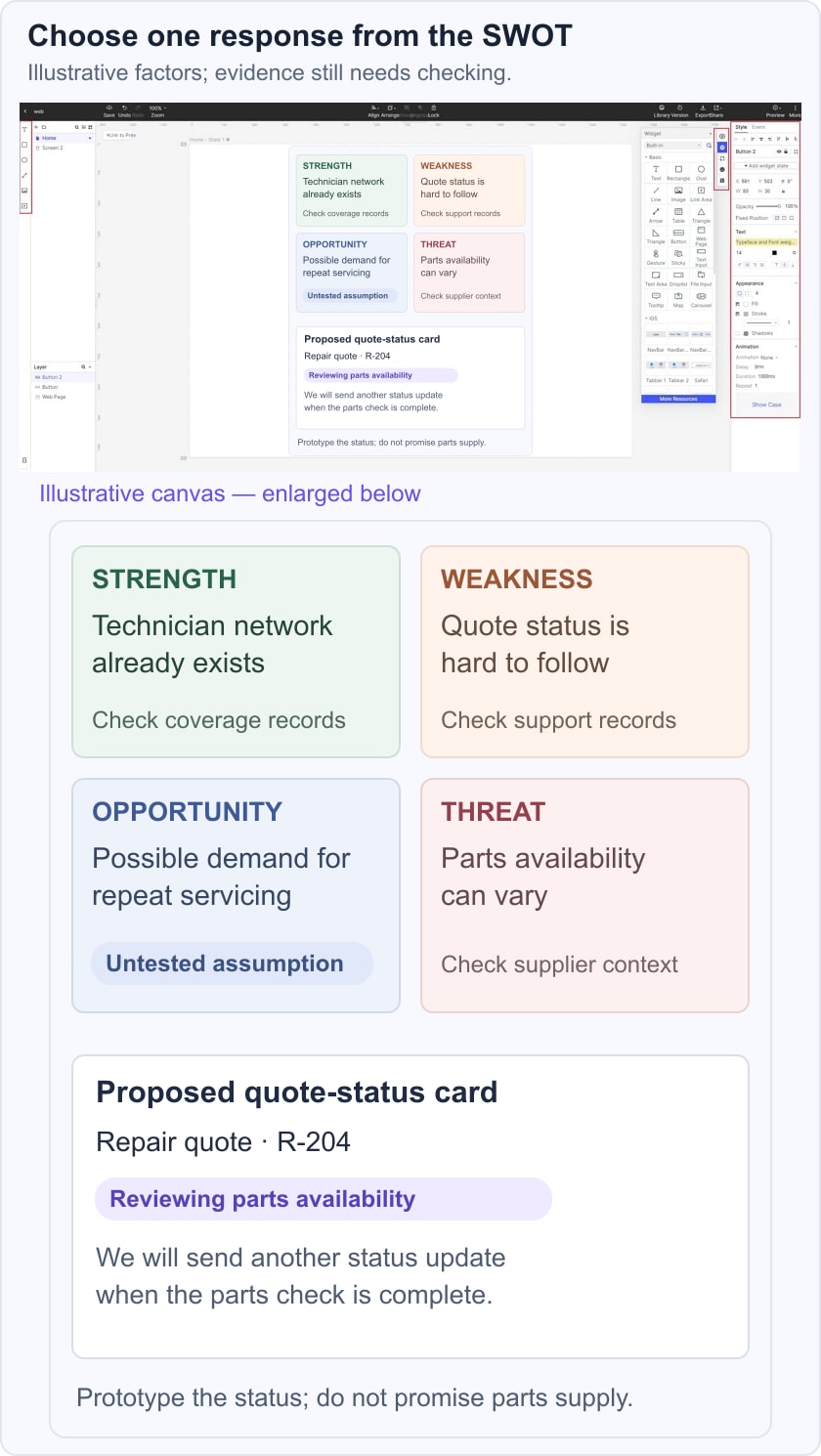
Once the SWOT identifies a product question, use a Mockitt prototype to make a possible response concrete. For a repair-booking service, a quote-status card might show “Reviewing parts availability” and explain when another update is expected. That design addresses an identified weakness without claiming to solve the external parts-supply threat. The historical editor screenshot below illustrates the design workspace.
The example below uses four illustrative factors: an established technician network, unclear quote status, possible repeat-service demand, and variable parts supply. Only the quote-status response is prototyped. The demand assumption remains untested. This keeps the product design decision connected to the matrix without turning every note into a feature.
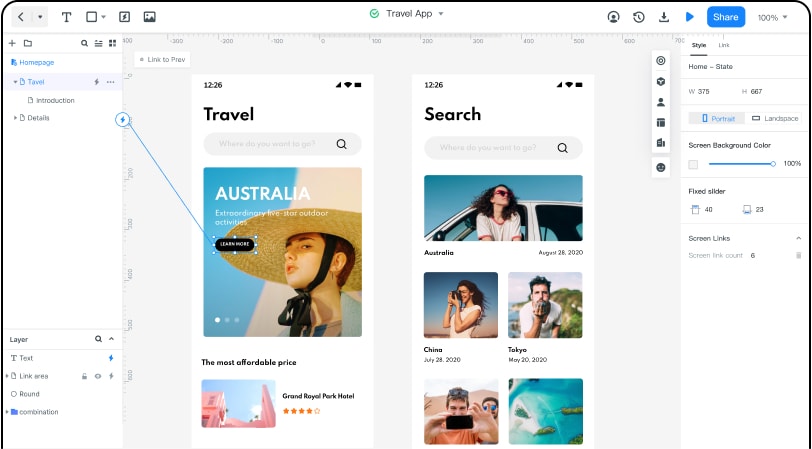
Arrange the relevant screens, connect the task, and share the prototype with reviewers. Keep evidence notes separate from the proposed interface so nobody mistakes a hypothesis for a completed improvement. Ask whether customers understand the current quote status and the next step. After the review, return to the matrix and record what the new evidence changes.