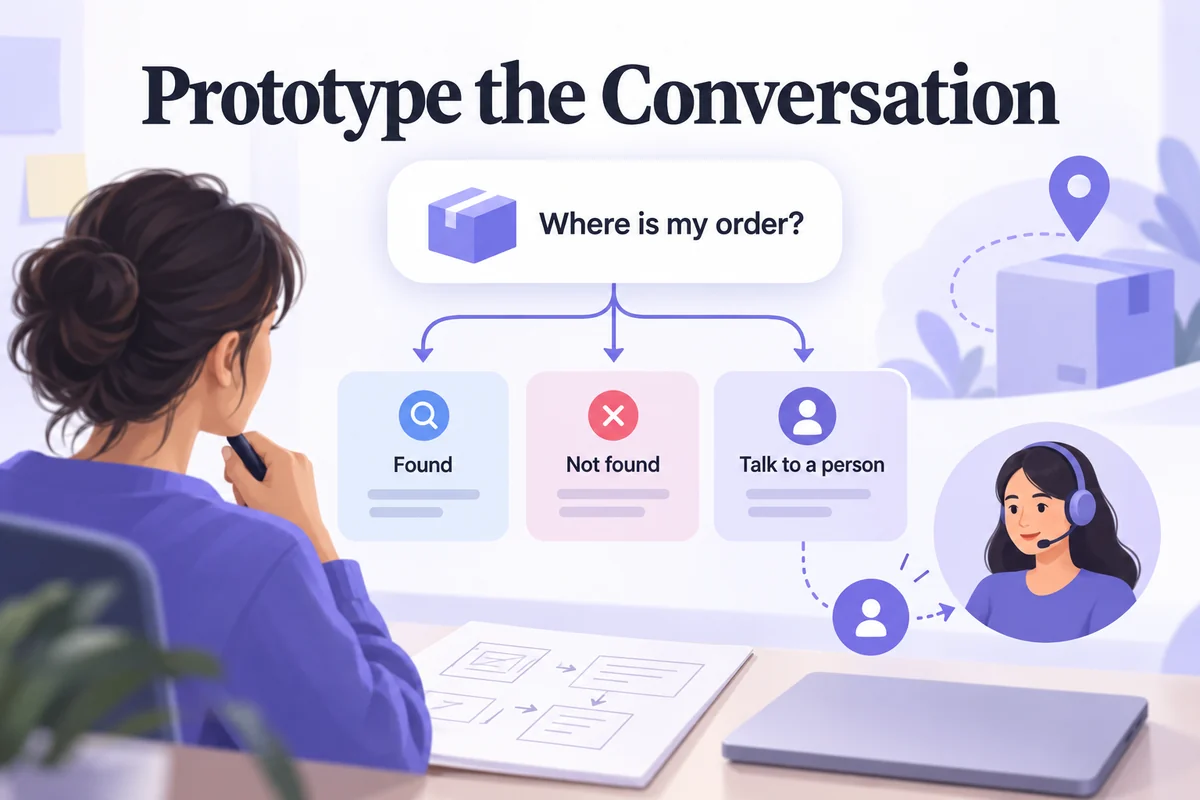
A chatbot prototype lets you test a conversation before building the service behind it. It shows what the user can ask, how the assistant responds, and what happens when the conversation cannot continue as expected. You can prototype those decisions without deploying an AI model or connecting real customer data.
The key is to design more than a friendly opening message. Include the task, the information needed to complete it, the response states, and a clear route to recovery or human help. This guide covers preparation, a five-step design process, and a Mockitt workflow using an order-tracking example.
What is a chatbot prototype?
A chatbot prototype is a representation of a conversational experience. It might use linked screens, predefined replies, or simulated inputs to show how the dialogue works. It can represent a rule-based bot, an AI assistant, or a hybrid system; the prototype itself does not prove that any particular language model is connected.
A low-fidelity version is useful for testing the sequence and wording. A more detailed version can help review message layout, quick replies, typing feedback, accessibility, and handoff. Choose the fidelity according to the question rather than making every screen look finished before the conversation has been checked.
For an order-tracking assistant, the central question is whether a customer can get the right status or find a useful next step. The prototype should distinguish a found order, an unrecognized order, and a temporary lookup failure. These states require different explanations even if the interface looks similar.
What to prepare before designing the conversation
Define the task and conversation flow
Write the user's goal in plain language: “I want to know where my parcel is.” Identify what the system needs, such as an order reference, and what it should not ask for. In a prototype, use fictional references and clearly simulated data.
Map the main route before polishing the wording. The user starts the conversation, supplies a reference, receives a status, and chooses a next action. Then add branches for missing information, a reference that cannot be found, and a service that is temporarily unavailable. Do not use the same generic error for all three.
| Situation | Response should explain | Useful next action |
|---|---|---|
| Order found | The simulated status and what it means | View details or ask about delivery |
| Reference not found | The assistant could not match this reference | Check the reference or get help |
| Lookup unavailable | The service cannot check right now | Try again or contact support |
| Request outside scope | What the assistant can and cannot handle | Choose a supported task or request handoff |
Decide what the prototype needs to visualize
List the interface elements: message bubbles, sender identification, input, send action, suggested replies, and any status card. Decide which interactions can be simulated with linked screens and which need a more detailed treatment. Label the simulation clearly for reviewers.
Write a short sample conversation before building the UI. For instance: “Track a parcel” → “Enter your order reference” → “We couldn't find that reference” → “Check the reference” or “Contact support.” This exposes a recovery decision that a happy-path-only mockup would miss.
Five steps to design a chatbot prototype
1. Define the goal and audience
Choose one primary task and a realistic audience. A first-time customer checking a parcel has different needs from a support agent investigating several orders. State what success looks like and which requests are outside the prototype's scope.
2. Write the script and key interactions
Draft the opening, the required question, the successful response, and recovery messages. Keep each reply short enough to scan while preserving the information needed for the next action. Avoid saying that an order was changed or a refund was issued when the system only offered instructions.
Use suggested replies when they make choices easier, but do not force every situation into buttons. If free text is part of the design, show what happens when the input is unclear or unsupported. The goal is to communicate the limits honestly, not to make the assistant appear more human than it is.
3. Create the prototype
Build a screen or state for each important point in the conversation. Connect the main route and the recovery branches. A reviewer should be able to reach the not-found state and the handoff route without asking the designer to explain where they are hidden.
4. Refine the visual design
Make sender roles, message order, and available actions clear. Check contrast, text size, spacing, and long-message wrapping. Reserve adequate room for localized text if the product will serve several languages. Do not communicate an important status through color alone.
5. Test and revise the conversation
Give a reviewer a task rather than a script to follow. Ask them to find the status of a fictional parcel, then introduce an incorrect reference. Observe where they hesitate, repeat a question, or believe an action has been completed when it has not.
Record the specific point of confusion and revise that part of the flow. Recheck the recovery route after changing it. A prototype test evaluates the proposed experience; it does not establish production accuracy, security, or service reliability.
How to build the chatbot flow in Mockitt
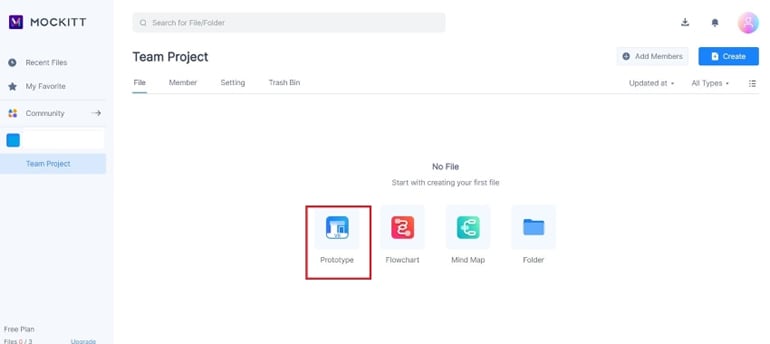
Mockitt can be used to create and connect the screens that represent the conversation. The following five-step sequence uses legacy editor captures for project setup. They show genuine UI states, but the current workspace's labels and available controls may differ.
1. Create a project
Start a prototype for the order-tracking task and choose a descriptive project name. Keep the first version focused on the main route and two recovery branches so the team can review it without navigating a large unfinished application.
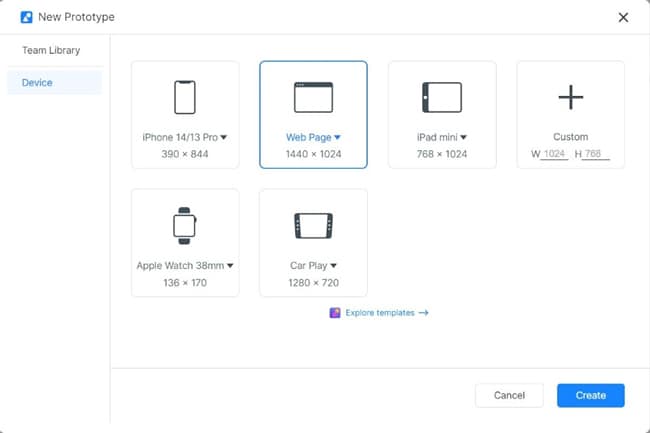
2. Select the device or canvas
Choose a phone or web layout according to where users will encounter the assistant. The captured dialog shows a web-page option. A floating website chat panel and a full-screen mobile conversation have different space constraints, so choose deliberately.
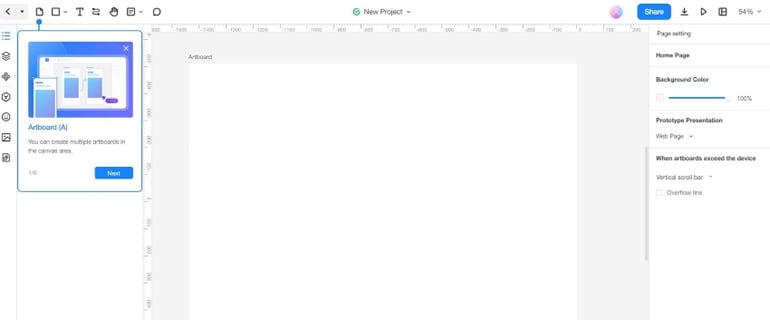
3. Build the message layout
Add the conversation area, the input, and the main actions. Use consistent spacing and distinguish the user's messages from the assistant's responses. Put the most important next action near the message that explains it.
4. Connect the conversation states
Duplicate or create the screens needed to show found, not-found, unavailable, and handoff states. Connect the relevant controls so a reviewer can move through each route. Use clear fictional values, such as an example reference, and keep status messages consistent across the states.
The online prototyping workflow explains the broader screen-and-interaction approach. If you use the AI prototype generator to create a starting layout, inspect and complete these conversation branches before testing.
5. Preview and share the experience
Test the routes yourself, then share the prototype with a reviewer. Explain which parts are simulated without telling them which button to press. Capture their interpretation of each status and whether they can find help when the assistant cannot continue.
Design tips that improve the conversation
Give the assistant a consistent, appropriate voice without pretending it is a person. State its useful scope early. A parcel assistant can offer “Track a parcel” and “Get delivery help”; it does not need a long personality introduction before letting someone act.
Use proactive suggestions when they respond to the situation. After a failed lookup, suggest checking the reference or contacting support. An unrelated sales message at that moment interrupts recovery and makes the assistant feel less trustworthy.
If voice input is part of the real product, prototype how users discover it, correct a transcription, and switch back to typing. Do not add a microphone icon that implies a working capability the intended service does not support.
Finally, make handoff useful. Explain what happens next, whether the conversation context is preserved, and which information the user may need to provide again. A chatbot prototype succeeds when it helps the team see and improve those decisions before implementation.