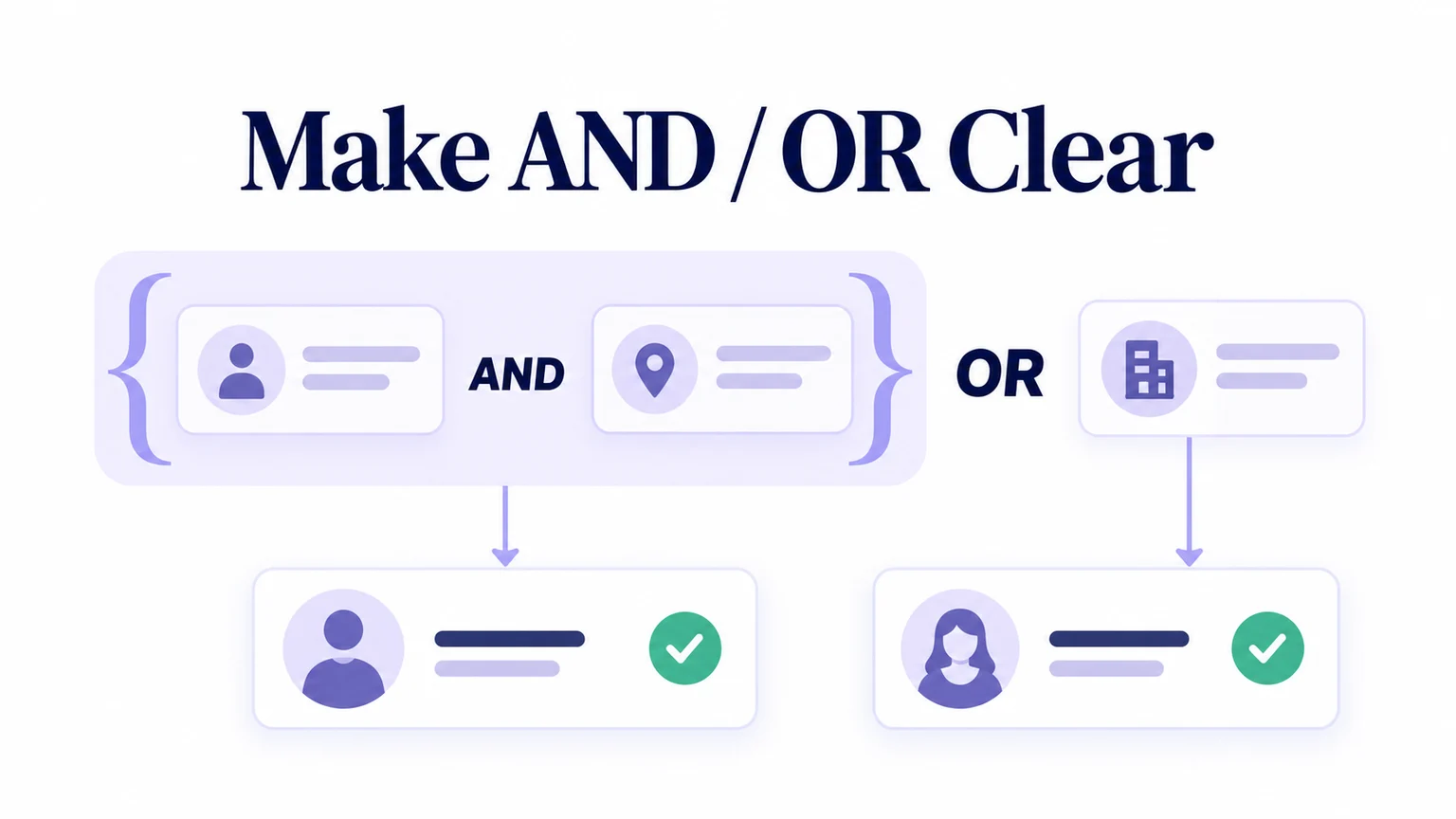
A query builder lets people express conditions without writing a query language. Its hardest job is making the relationship between conditions understandable. “West region and renewal due, or flagged” can describe two different audiences depending on which conditions belong together.
For a fictional account-management product called Fieldwork, an operations specialist needs this view: accounts in the West region whose renewal is due, plus flagged accounts from any region. Use Mockitt to prototype the condition groups, a small result sample and the saved-view state before deciding that a row of dropdowns is sufficient.
Start with the question a person can explain
Write the intended rule in ordinary language before choosing controls: “Include West accounts with renewal due. Also include any flagged account.” The second sentence is essential. A flagged East account should appear even when its renewal is not due.
Define the fields for this example. Region has the values West and East. Renewal due and Flagged are known yes/no values supplied in the sample data. Renewal due is an existing account property; the builder does not calculate it from an unspecified date range.
Use a builder when users need combinations that simple controls cannot express clearly. A familiar search box with a few independent filters may be enough for many tasks. Keep the broader search and results experience available, rather than forcing every person to construct a logical expression.
Use four accounts to expose a grouping mistake
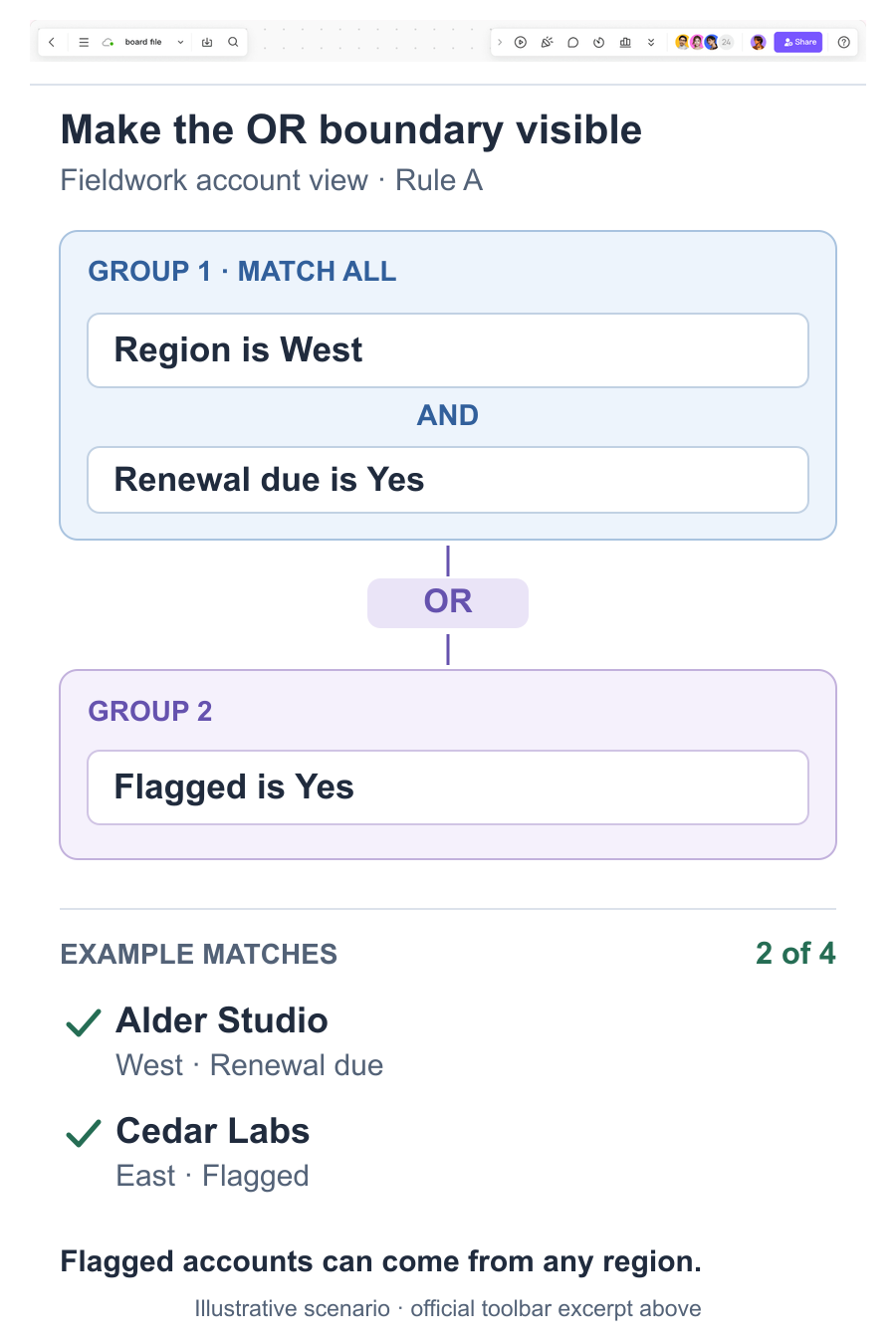
Call the intended expression Rule A: (West AND Renewal due) OR Flagged. Compare it with Rule B: West AND (Renewal due OR Flagged). Rule B restricts every result to West, including flagged accounts. The same field names and operators produce a different set.
The following four fictional records are a deliberately small truth-checking sample. Match results are calculated from the values shown, not measured from a live application.
| Account | Region | Renewal due | Flagged | Rule A match | Rule B match |
|---|---|---|---|---|---|
| Alder Studio | West | Yes | No | Yes | Yes |
| Birch Works | West | No | No | No | No |
| Cedar Labs | East | No | Yes | Yes | No |
| Dune Supply | East | Yes | No | No | No |
Rule A includes Alder Studio and Cedar Labs: two of the four records. Rule B includes only Alder Studio. Cedar Labs is the revealing case because its flag should be enough to qualify. Birch Works also matters: being in West alone is insufficient.
Keep these records available throughout design review. If changing a group connector produces an unexpected result, inspect the rule and the sample together. A large invented result count would hide the logic rather than demonstrate it.
Give each group a visible boundary and a readable meaning
For Rule A, show a first group labelled “Match all conditions in this group,” containing Region is West and Renewal due is Yes. Put an OR connector outside that group. The second group contains Flagged is Yes. A short summary underneath reads: “West accounts with renewal due, or flagged accounts in any region.”
Use spacing, a border and a group label together. Color alone cannot establish which rows belong inside a condition. Keep the outer connector visually distinct from connectors between rows, especially when the builder stacks on a narrow screen.
HubSpot's record-filtering documentation demonstrates one product convention: conditions in an AND group must all match, while an OR group provides another route into the result. Its model is a useful reference, not a requirement to support every possible nesting level.
Decide how much nesting your audience needs. A flat list of OR-connected AND groups can express this example without arbitrary nested groups. If more levels are necessary, provide explicit indentation, descriptive group controls and a summary that preserves the hierarchy.
Keep the active expression beside its sample matches when space permits. On a narrow screen, place the readable rule summary immediately above the results. A person inspecting Cedar Labs should be able to find the condition that included it without losing their place.
Make incomplete rules repairable without changing their meaning
A condition generally needs a field, a compatible operator and a value. Label those controls individually. Region is West is complete; Region is, with no value selected, is still a draft condition.
In Fieldwork, incomplete conditions prevent Apply. Explain the specific missing piece beside the condition and keep the last applied results visible with “Results reflect the previous filters.” Do not quietly ignore the unfinished row and present a broader audience as the requested result.
Changing a field can invalidate its old operator or value. If someone changes Region to Renewal due, the value West no longer makes sense. Show that the condition needs a new value, rather than retaining hidden invalid data or selecting Yes without explanation.
Distinguish removing a condition from removing its entire group. “Remove Flagged condition” and “Remove group 2” are more understandable than identical unlabeled trash icons. After removing the only condition, this example removes the empty group and its unused connector; it does not treat an empty group as matching every account.
Define missing data separately from No. The four-record example uses known values, but a production property may be unknown. Offer an explicit “is unknown” operator when needed and document how it combines with other conditions. Do not infer missing-value behavior from the sample's yes/no fields.
Separate draft conditions, applied results and a saved view
Fieldwork uses explicit Apply and Save view actions. Editing a condition changes the draft. Apply requests results for that expression. Save view preserves the named expression for a later visit. These are three different commitments, so their status messages should not all say “Saved.”
While an updated result is loading, retain the expression being evaluated. If a newer edit exists, identify it as unapplied. The table should not appear to match the latest visible controls when it still represents an earlier query. This is an extension of the table, filter and editable-state decisions made elsewhere in the interface.
For this prototype, the result label is “2 matching accounts in the 4-record example.” In a working service, define whether the count covers all accessible records or only a loaded sample. A failed request should show an error and retry path, not “0 results.”
After applying Rule A, name the view “West renewals and flagged accounts.” If saving the view fails, keep the applied results and the proposed name available. Explain that the view was not saved; do not imply that the filter itself stopped matching those records.
Review with the account that should cross the boundary
Build the default builder, completed Rule A, Rule B, incomplete-condition state and saved-view confirmation in Mockitt. Reuse the same four accounts. Link prepared screens so a reviewer can inspect changes without mistaking the demonstration for a live query engine.
Give the reviewer the original operations request, then ask whether Cedar Labs should appear and why. Let them construct the groups before showing the expected matches. Next, change OR to AND and ask them to predict the result before revealing it. Their explanation shows whether the group boundary is understood.
Finally, ask them to remove one condition and save the view. Review keyboard labels, focus after removal, error messages and narrow-screen grouping in the implementation as part of design QA. Carry the four-record truth table into that handoff: the same two expressions should still produce the exact matches documented here.