Audit the success, cancellation, failure, and recovery paths in an interactive prototype with a practical branch coverage checklist.
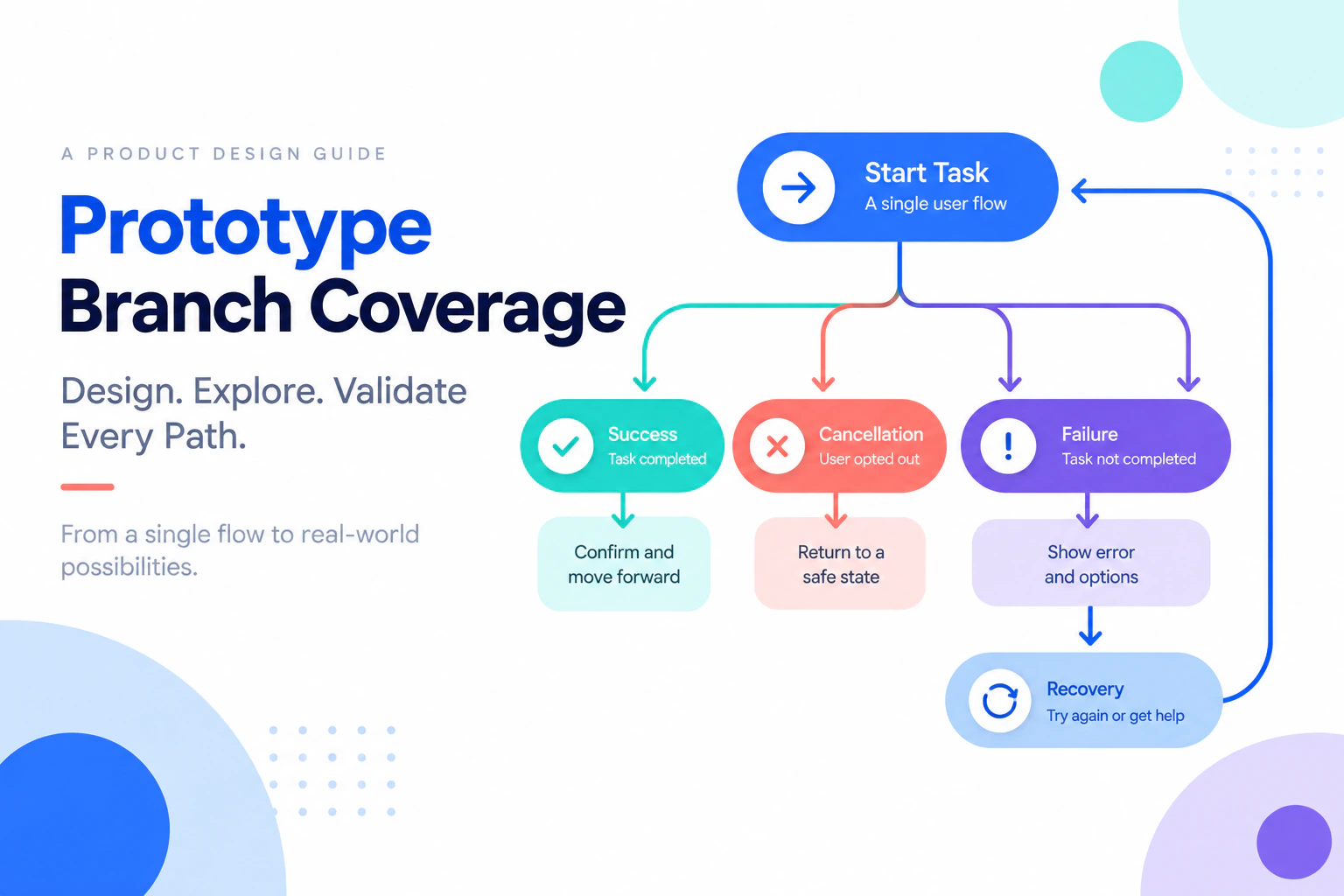
An interactive prototype can look convincing while covering only the happy path. A reviewer taps “Continue,” reaches a success screen, and assumes the flow is complete. Real tasks also include cancellation, unavailable choices, validation errors, permission limits, and a return from detail to summary. Prototype branch coverage is a practical way to find those gaps before the team treats a flow as ready.
Use Mockitt’s interactive prototyping workspace to connect the screens that answer one review question.
What branch coverage means in a prototype
Branch coverage is an inventory of meaningful outcomes for a task. It is not a demand to draw every theoretical click. A branch begins when a condition changes the next step or the information a person needs. A general user-flow guide can help name the actors and entry points; this article focuses on checking whether the important outcomes are actually represented.
For an expense-reimbursement flow, useful branches could include:
| Point in the task | Branch | Expected result |
|---|---|---|
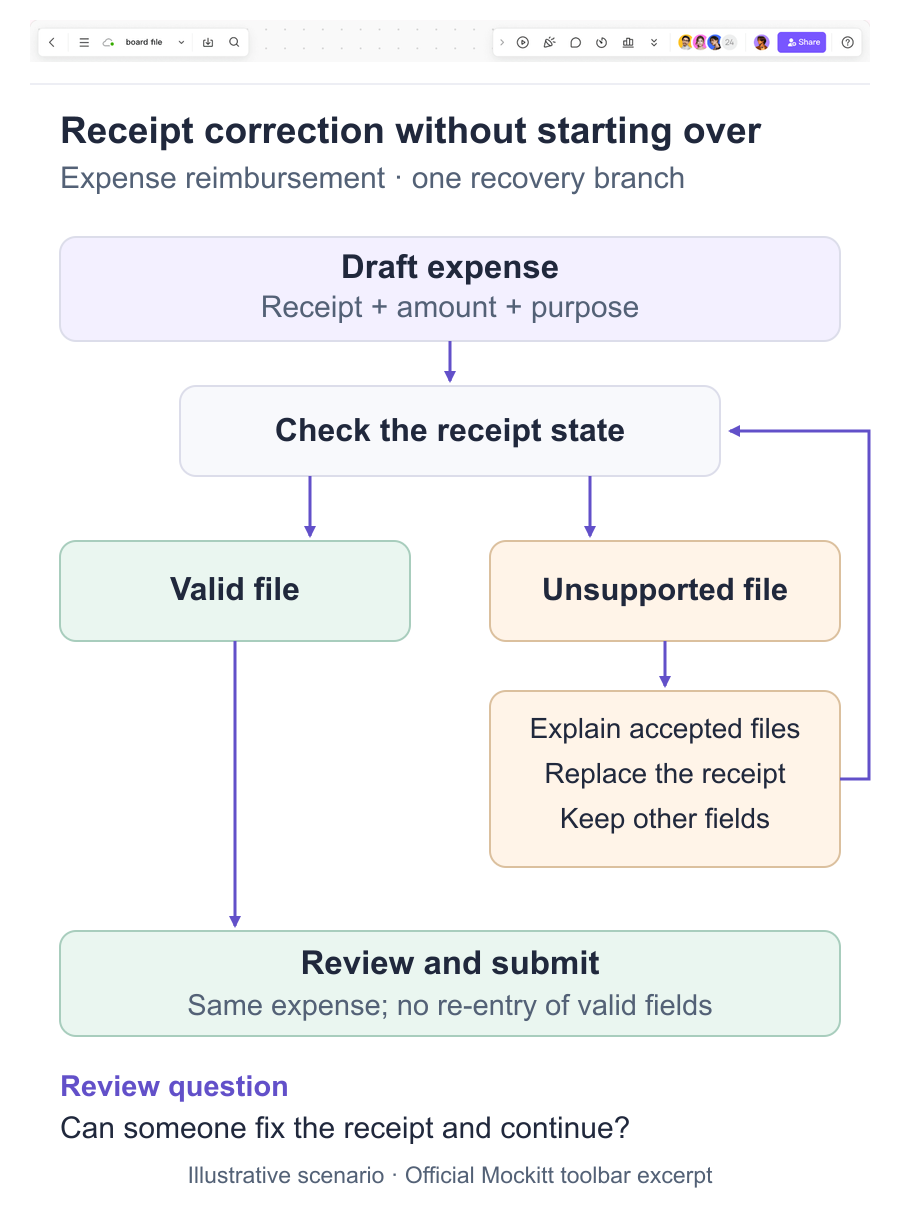
| Receipt upload | Valid file / unsupported file | Continue with receipt, or explain the correction without losing other fields |
| Amount review | Within policy / over policy | Submit, or show the policy reason and next action |
| Final action | Submitted / duplicate request | Show confirmation, or preserve the existing request context |
The table describes behavior to review. It does not claim that a prototype validates the real upload, policy, or duplicate-detection service.
Step 1: State the task and entry condition
Write one task in ordinary language: “Submit a travel expense for a receipt that needs a correction.” Record where the participant starts, what data is already present, and what outcome counts as completion. If the flow has several audiences, make a separate branch map instead of hiding permissions in a footnote.
Keep the first version small. A task with one entry, two decision points, and one recovery branch is more useful than a board of disconnected screens. Name the screens by state so that reviewers can identify the exact branch under discussion.
Step 2: Draw the happy path, then mark decisions
Create the primary route from entry to outcome. At every action that can produce a different consequence, add a decision marker. Typical markers include:
- a required field that may be invalid;
- a selection that may be unavailable;
- a request that may be delayed or rejected;
- an action that can be canceled or reversed; and
- a permission boundary that changes what is visible.
Do not add an error screen just because the word “error” appears in a requirement. Connect it to the condition that causes it and identify how the person continues. If there is no meaningful next step, record that as an unresolved product decision.
Step 3: Build a branch inventory
Use a simple inventory alongside the prototype:
| ID | Trigger or condition | Entry screen | Destination | Recovery or return | Owner | Status |
|---|---|---|---|---|---|---|
| B-01 | Unsupported receipt type | Receipt upload | File guidance | Keep other fields | Content + engineering | Open |
The status can be covered, partially covered, out of scope, or open. “Out of scope” is honest when a service or policy cannot be represented in the visual draft. It should still have an implementation check and owner.
Step 4: Connect the states in the prototype
In the editor, link each branch to a visible outcome. The interactive prototype workflow explains the general idea of connected screens; here, preserve the task context when someone recovers. If an amount fails validation, keep the entered amount and explain the constraint. If a request is canceled, return to a predictable summary rather than a blank start screen. If a permission rule changes the action, show the reason and the path for requesting access.
Use the same sample record across branches so the difference is understandable. A changed customer name or total can make reviewers think they are looking at a different task. Add a note for simulated behavior, such as “the policy check is represented by this state; implementation must connect the real rule.”
Step 5: Review every branch with a task prompt
Do not review branches as a gallery. Give reviewers a prompt that starts from a known state:
- Open the expense draft with its amount and description already entered.
- Select a receipt file that the flow does not support.
- Follow the file guidance and replace it with a supported receipt.
- Return to the expense summary and verify that the amount and description are still present.
Record whether the expected state appeared, whether the reviewer knew why it appeared, and whether the next action was clear. A branch is covered visually when the route exists and the information is understandable; that does not prove the implemented service will return the same result.
Common coverage gaps
Cancellation returns to the wrong context
A modal may close correctly but return the person to a list instead of the draft they were editing. Add an explicit return target and test it from both the primary and recovery branches.
Empty and failed states look identical
“No matches” means a valid search produced no result. “Could not load” means the service or network failed. Use distinct copy and a distinct next action so reviewers do not test the wrong recovery.
A disabled action has no explanation
If a person cannot submit because required information is missing or they lack permission, show the relevant reason near the action. Avoid relying on a color change alone.
The prototype skips the handoff state
A confirmation screen may hide the receipt, owner, or next deadline that implementation must preserve. Add the information needed to verify the outcome, then capture the requirement separately.
A compact coverage review
Before sharing, ask:
- Can another reviewer name every decision point in the task?
- Does each meaningful branch have a destination or an explicit out-of-scope note?
- Does cancellation return to the right context?
- Are loading, empty, failure, permission, and success outcomes distinguishable where relevant?
- Are simulated conditions labeled for the implementation team?
- Can the reviewer repeat a branch without being coached through the control names?
Keep the inventory with the prototype version. When a screen changes, update the affected branch row and repeat only the scenarios that depend on it. The prototype usability testing plan can then use the selected branches to write neutral participant tasks. This keeps a review focused while making gaps visible.
Branch coverage is useful because it turns “the prototype works” into a more precise statement: these task outcomes are represented, these are intentionally simulated, and these still need a product or implementation decision. That clarity is more valuable than adding decorative screens to an untested happy path.