Mockitt - Best Free Wireframe Tool
Helpful Tips About Wireframe
- How To Create A Wireframe
- Wireframe Tools You Should Know
- Wireframe Templates for Your Inspiration
- Free-to-use Wireframe Kit
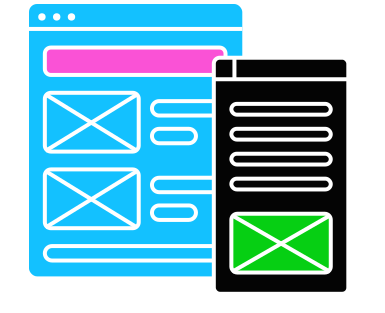
Design QA: Compare the Build with the Prototype and Report Useful Fixes
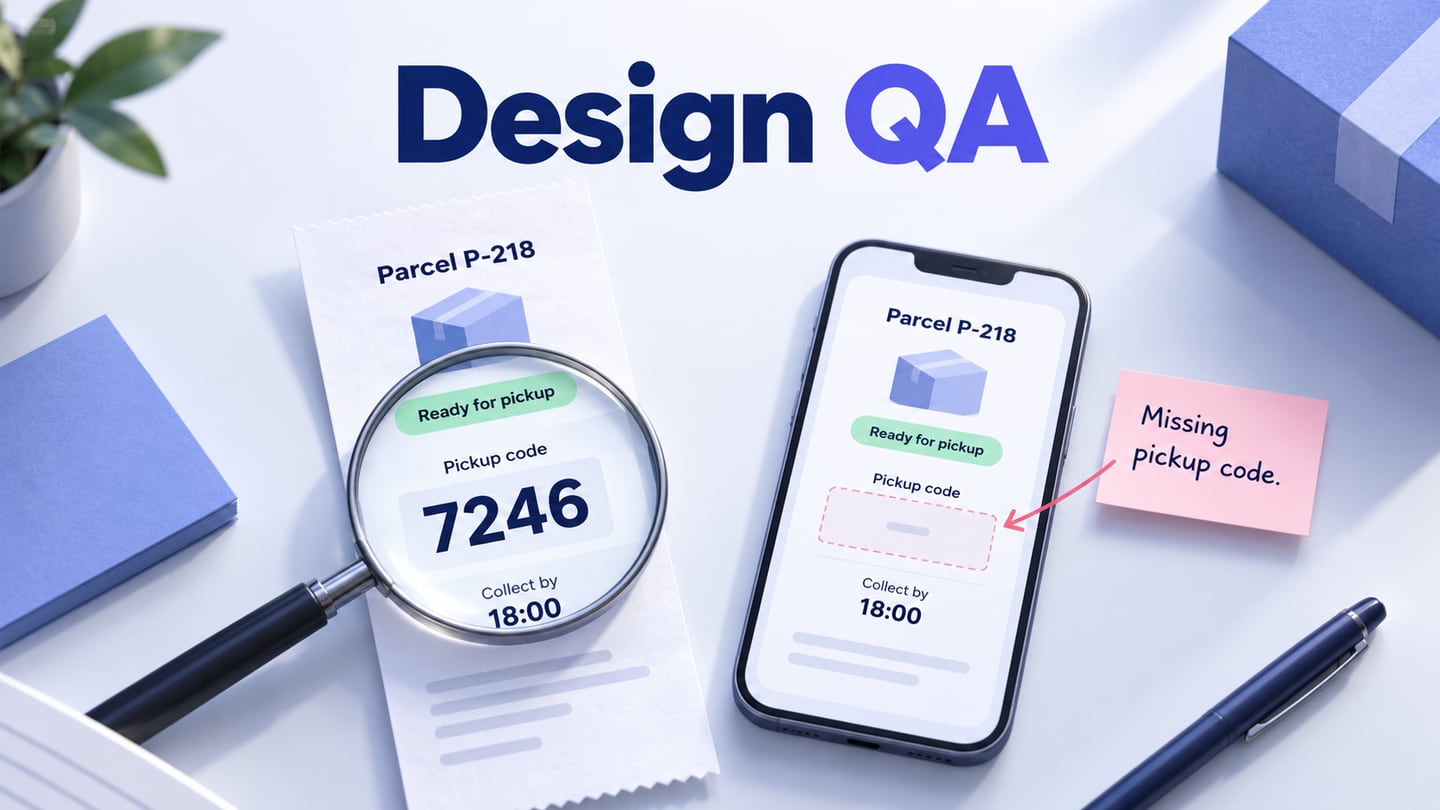
The prototype shows a collection code. The mobile build shows the parcel, collection point, and opening hours, but no code. A reviewer writes “This screen does not match the design.” Engineering still needs to know which record, which screen width, and which approved version the comment refers to.
Design QA closes that gap between an agreed interface and its implementation. The useful result is an explainable difference, a decision about its consequence, and evidence that the correction works. Start with a clear design handoff and approved reference; comparing a build with an unreviewed working file can turn yesterday's deliberate decision into today's apparent defect.
This guide follows an illustrative parcel-collection review. The service, records, build labels, and findings are fictional. They show how to run the review and write the evidence, rather than report a test performed on Mockitt or a real delivery service.
Define what this design QA review can decide
A design QA review asks whether the implemented user experience follows the agreed design: its content, hierarchy, controls, responsive behavior, and relevant interaction states. It also catches decisions that were never specified clearly enough to implement.
It is one part of product quality. A visual match cannot establish that a parcel is assigned to the correct account, that a server enforces access, or that the system performs reliably. Usability research asks another question: whether intended users understand and complete the task. Keep those responsibilities connected without marking them all “passed” because a screen looks right.
Agree the review scope with engineering and the product owner. For the example, it is the signed-in collection-detail page and its return to the parcel list. Delivery tracking, account creation, and the staff collection system are outside this change. Reviewers may record an issue elsewhere, but it should not silently expand the implementation ticket.
There is a useful precedent in GitLab's product-design merge-request review guidance: understand the change, inspect it in a live environment, and keep feedback tied to the relevant UX requirements. That is a documented practice from one team, not a requirement to adopt its tools or approval process.
Match the reference, build, and starting state
Prepare a short review record before opening screenshots. Name the design revision, implementation build, user role, test record, starting route, and display conditions. A shared URL that always opens the latest design is useful for collaboration, but it needs a recoverable revision reference when the team is checking an earlier agreement.
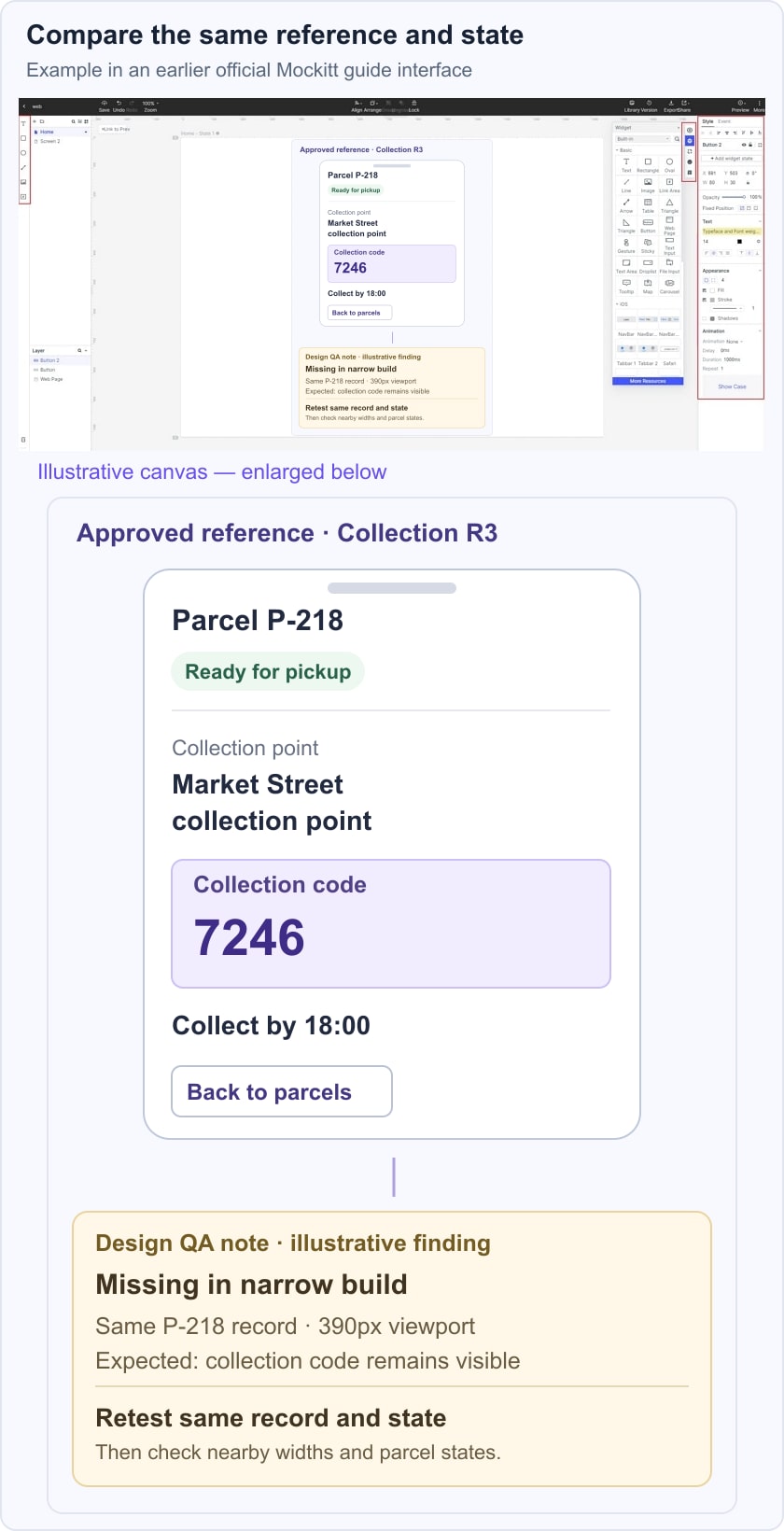
For the fictional service, the baseline is Collection R3. Parcel P-218 is Ready for pickup at Market Street collection point. Its collection code is 7246, and the screen says Collect by 18:00. These exact values stay the same in the reference and the implementation example.
- Reference: Collection R3, the narrow collection-detail screen and its content rules.
- Build: the team's identified staging build, with the feature enabled for the review account.
- Case: P-218 in the Ready for pickup state, reached from the signed-in parcel list.
- Display: 390 CSS pixels wide at the normal zoom setting for the initial comparison; record browser and operating-system versions when actually testing.
- Expected task: find the collection point, deadline, and code needed at collection.
Use Mockitt to prepare and share the prototype reference, with the intended screens and paths available to the people reviewing them. The working application must be opened separately. A prepared example in the editor does not execute a staging build or automatically detect its differences.
If the two views show different records, permissions, or loading states, resolve that mismatch first. A missing code in an In transit state may be intentional; the same omission in Ready for pickup may violate the agreed requirement. Compare like with like before measuring spacing.
Follow the task before inspecting individual pixels
Open the parcel list, select P-218, find the collection information, and return to the list. Inspect the actual controls, not just a screenshot supplied with the ticket. A still image cannot show an action that does nothing, an unexpected focus jump, or content hidden by an expanded panel.
Review in three passes. First, check the information and actions needed to complete the task. Next, check the states and layout conditions that can change them. Finally, inspect the visual details that make the interface consistent and readable. This order helps avoid spending the whole session on a border radius while essential information is absent.
In the example, the first pass finds that the narrow build omits the collection code. The second checks whether the same code appears at a wide viewport and whether the Ready for pickup status remains correct. A small gap between the location label and its value can be recorded separately; it should not hide the missing-code finding inside one long “mobile polish” comment.
The illustrated reference keeps P-218, code 7246, and the collection deadline together, with a separate review note identifying what the hypothetical narrow build omitted.
Use component and layout rules when judging a difference. Text wrapping onto a second line can be correct responsive behavior even if it differs from a fixed reference image. Conversely, removing useful content to make a narrow screen match the height of a mockup is not a valid substitute for a responsive layout decision.
Include relevant enlarged-text and keyboard checks in the working interface. W3C's reflow guidance addresses preserving information and function as content rearranges, with exceptions for content that requires a two-dimensional layout. Do not interpret every changed line break as a defect, or a single successful width as complete accessibility verification.
Decide whether the difference is a defect, a change, or an unanswered question
A visible difference needs interpretation. Check its source before assigning a fix:
| Finding | Decision to make | Useful action |
|---|---|---|
| The agreed collection code is absent in the relevant state. | Does the build violate the approved content requirement? | Record a defect against that reference and its user consequence. |
| The implementation uses a revised, approved collection-point label. | Is the design reference stale? | Update the reference and record the accepted change; do not request a reversion automatically. |
| No one specified what happens when the collection point has a long name. | Which content behavior should the product support? | Resolve the design question with its owner before treating one guessed behavior as correct. |
| A reviewer now prefers a different button shape. | Is this necessary for the agreed task or a new proposal? | Explain the reason and handle it as a design change unless an existing requirement is violated. |
Ask the product owner to resolve changed requirements and the designer to clarify the intended experience; engineering can explain constraints and observed behavior. A disagreement is not settled by declaring that the picture is always right. Record the decision so a later reviewer does not raise the same apparent mismatch again.
Write an issue someone else can reproduce
A useful report names the problem, not only a preferred solution. “Pickup code is missing at 390px for a ready parcel” gives the next person a starting point. “Move the code above the button” assumes a fix before the cause and intended responsive rule have been discussed.
The following is a completed example of the report's structure. Its observations are hypothetical, so a real reviewer would replace them with evidence from the actual test.
- Summary
- Pickup code missing from the narrow Ready for pickup screen.
- Reference and environment
- Collection R3; staging build B42; signed-in review account; parcel P-218; 390px viewport. Add the actual browser, OS, zoom setting, and review time.
- Steps
- Open the parcel list. Select P-218. Confirm Ready for pickup. Inspect the collection information before taking any other action.
- Expected
- The screen shows collection code 7246 alongside the relevant collection information, as required by Collection R3. It remains readable and reachable at the narrow width.
- Observed in this example
- The location and Collect by 18:00 are visible, but the collection code is absent. The same example record shows the code at the wide width.
- Consequence
- A person using the narrow page cannot obtain the code the agreed collection task requires.
- Evidence
- Attach the matched reference and build captures, identify the omitted region, and retain the reproduction steps. Redact any real account information before sharing.
- Retest condition
- Repeat this record and state in the corrected build at the narrow width; check that the wide presentation and other parcel states remain consistent with their agreed rules.
Mozilla's bug-writing guidance similarly emphasizes precise steps, clear expected and actual results, and separate reports for distinct issues. A screenshot is valuable evidence, but it cannot substitute for the state and actions needed to reproduce the problem.
Avoid diagnosing an unseen cause. “The code is not visible” is an observation. “The mobile API dropped the field” is a hypothesis unless someone has verified it. Engineering may find that the data exists but the layout hides it; the report should remain accurate either way.
Triage by consequence, then retest the agreed correction
Separate impact from scheduling. Impact describes what the issue prevents or confuses; priority reflects the team's release decision and other constraints. For P-218, the missing code affects task completion. A slightly different corner radius may affect consistency without blocking the collection task. Those findings should not receive identical treatment merely because each has one screenshot.
Record an owner, the agreed correction, and any decision to defer. A deferred issue should retain its consequence and reason; it does not become a passing check. If the team cannot establish the expected behavior, the next action is to resolve the requirement, not ask a developer to choose silently.
When a fix is ready, open the identified new build and repeat the original case. Verify the exact record, state, and viewport that exposed the issue. Then inspect the nearby variations the change could affect: the wide presentation, a longer collection-point name, and a parcel that is not ready for pickup. Do not require every parcel to display a code if the agreed rules say otherwise.
The broader UI testing workflow can cover additional behavior and regression checks. Keep this design QA result precise: which difference was resolved, in which build, under which conditions, and what remains untested. “Looks good now” discards that information.
Close the review with an accurate release record
A concise closeout identifies the reviewed build and reference, resolved findings, accepted deviations, deferred issues with owners, and checks still required by other disciplines. If an approved change altered the collection rule, update the design and its related specification together. Otherwise the next delivery starts from contradictory instructions.
Design QA is most useful when it creates this shared account of the implemented experience. The parcel example begins with an indistinct mismatch and ends with a reproducible omission, a scoped correction, and a meaningful retest. That is the standard to apply to the next flow: enough context to understand the difference, enough evidence to act, and a clear boundary around what the review has actually established.