Use a prototype review scorecard to decide whether a flow is ready for research, implementation, or another design iteration.
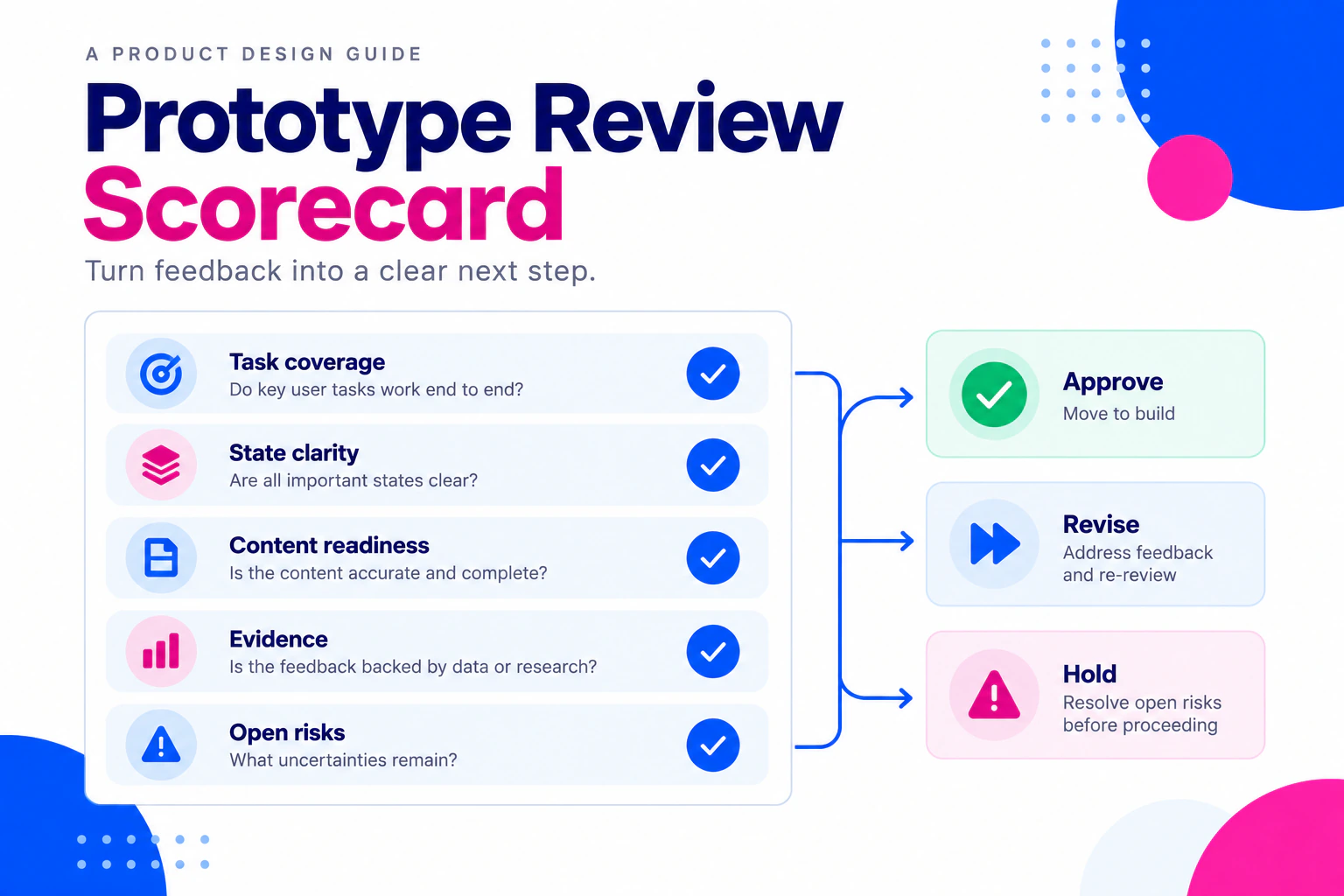
“Looks good” is not a useful handoff decision. A prototype may communicate the happy path while missing an error state, a permission rule, or the content needed for implementation. A review scorecard gives a cross-functional team a shared way to decide whether the next step is research, revision, implementation planning, or a deliberate hold.
Review the connected screens in Mockitt’s online prototype workspace, then record the evidence and open questions outside the prototype. Use prototype acceptance criteria when the team needs to define the expected outcome before applying this broader status decision.
Use a scorecard, not a ranking
The scorecard is a structured conversation. It should not turn design quality into a single number or compare unrelated projects. Use five review areas and mark each one ready, ready with follow-up, or not ready:
| Review area | Ready means… | Evidence to attach |
|---|---|---|
| Task path | The agreed task can be followed from entry to outcome | Scenario and prototype version |
| States | Relevant success, empty, failure, permission, and recovery states are represented or assigned | Branch map and open-state notes |
| Content | Labels, realistic values, and messages support the decision | Content fixture or copy review |
| Evidence | The team knows what this review can and cannot establish | Research notes, assumptions, or implementation checks |
| Handoff | Owners, dependencies, and next actions are explicit | Decision log and implementation questions |
The definitions are intentionally qualitative. A team can use a numeric aid internally, but the status should remain explainable to someone who was not in the meeting.
Step 1: Fix the review scope
Write the outcome the review must support. “Approve the checkout design” may hide several decisions. “Decide whether a shopper can choose an unavailable size, understand the constraint, and recover without losing the cart” is testable.
Record the audience, starting state, relevant viewport, prototype version, and exclusions. If payment, inventory, or a third-party service is simulated, say so before the review. A visible click path is not evidence that the underlying service works.
Step 2: Walk one scenario end to end
Ask a reviewer to complete the task rather than inspect a gallery. Start with the same entry point a participant or stakeholder will use. Observe whether the person understands the next action, notices the state change, and can recover from the selected exception.
Record the first meaningful action, hesitation, workaround, and expected result. Do not rewrite every hesitation as a defect. Ask whether the moment reveals a content, flow, permission, or evidence question that belongs on the scorecard.
Step 3: Check task coverage
A task path is ready when its entry, primary actions, outcome, and relevant return route are clear. Use a small path table:
| Check | Result | Follow-up |
|---|---|---|
| Entry point is identifiable | Ready | — |
| Required choice is visible | Ready with follow-up | Confirm label with content owner |
| Cancel returns to the draft | Not ready | Add a return state and retest |
Keep the table tied to one version. A later screen edit can change a result without changing the scorecard language. The design handoff checklist is the next reference when the scorecard moves from review to implementation preparation.
Step 4: Inspect states and dependencies
Review more than the success screen. For each meaningful condition, ask:
- What triggers the state?
- What does the person see and understand?
- What action is available next?
- What must the working product or service verify?
If a permission-restricted state is missing, mark the area not ready when the decision depends on it. If the state is outside the current scope, mark ready with follow-up only when an owner and next check are recorded. Do not hide a material dependency because it is difficult to draw.
For generated screens, the AI draft evaluation checklist adds checks for whether the output represents the original brief before the team assigns a review status.
Step 5: Verify content and responsive intent
Review realistic copy, long names, numbers, unavailable values, and error messages. Check the primary screen at the widths relevant to the task. A single resized artboard does not prove responsive implementation. Note what should wrap, truncate, scroll, or remain fixed, and give each unresolved rule an owner.
If the flow has a dialog or keyboard-dependent action, record entry focus, dismissal, and return behavior for implementation. The prototype can illustrate the intended sequence, but it does not certify semantic markup or assistive technology behavior.
Step 6: Record the status and next action
Use a concise status contract:
Ready: The agreed scope can move to the named next step. Remaining items are documented and non-blocking.
Ready with follow-up: A known issue has an owner, a next check, and no immediate change to the agreed task decision.
Not ready: An unresolved choice changes the behavior, dependency, content, or verification required for the next step.
Example:
| Area | Status | Evidence | Owner / next check |
|---|---|---|---|
| Task path | Ready with follow-up | Reviewers completed the primary route | Product: confirm return wording |
| States | Not ready | Permission denial has no recovery route | Design + engineering: add request-access state |
| Content | Ready | Long plan labels reviewed | — |
The scorecard should point to the prototype version and the related decision-log entries. A status without evidence is just a new version of “looks good.”
Worked example: team invitation
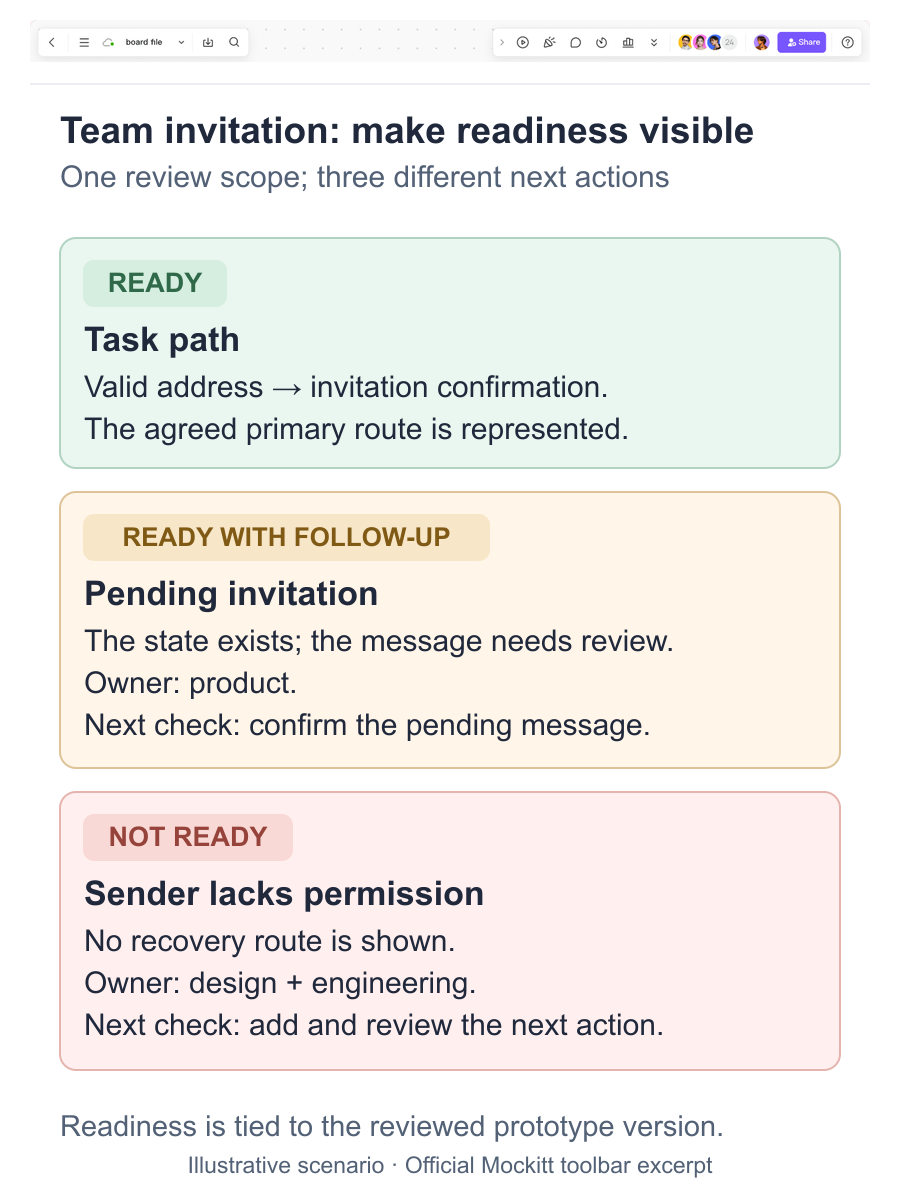
Suppose a team reviews an invitation dialog. The primary route covers entering an email and sending an invitation. The review also needs an invalid address, an existing member, a pending invitation, and a permission-limited sender.
The task path may be ready for a valid invitation. States may be ready with follow-up if the pending-invitation message needs product confirmation. Handoff may be not ready if the prototype does not show what happens when the sender lacks permission. The team can then revise the relevant states instead of delaying every part of the design.
Keep the example data representative and avoid real email addresses. The prototype demonstrates the intended conversation; implementation still needs permission checks, duplicate handling, notifications, and security review.
After the review
Publish the scorecard with the reviewed prototype version, open questions, decision owners, and the next review date or trigger. When a state changes, reopen the affected row rather than silently preserving an old status. If a new assumption appears, add it to the decision log and define evidence before changing the status.
A review scorecard works when it makes the next step clearer and the remaining uncertainty visible. It should help a team move deliberately, not create a false sense of precision around an untested prototype.