Turn prototype review comments into traceable questions, evidence, decisions, owners, and versioned follow-up actions.
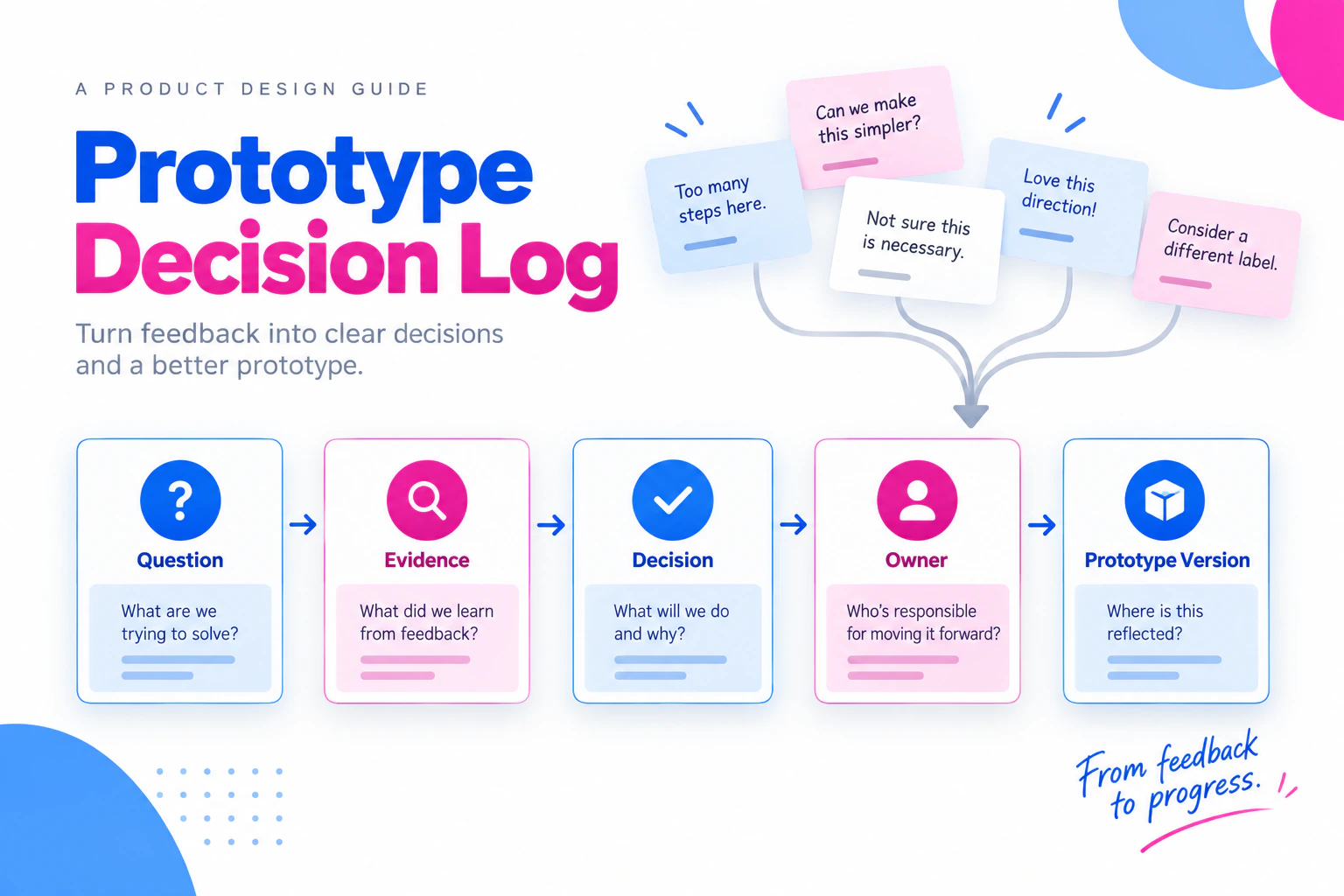
A prototype review can generate useful evidence and still leave the team unsure what was decided. One person remembers “make the button clearer,” another remembers “remove the step,” and the next version quietly changes both. A prototype decision log turns review comments into a small, traceable record: the question, the evidence, the decision, the owner, and the prototype state that changes next. Use the existing design review questions to frame the discussion, then keep the decision record separate from the prompt list.
Use a shared document or project tracker to record decisions against the versioned prototype you review in Mockitt’s prototype workspace.
What belongs in a decision log
A decision log is not a transcript and not a list of every opinion. Add an entry when a review changes the direction, wording, state, scope, or implementation question. A useful entry answers:
| Field | Example |
|---|---|
| Decision ID | D-014 |
| Question | Should a traveler edit dates from the confirmation screen? |
| Evidence | Three reviewers looked for an edit path before confirming. |
| Decision | Keep Edit dates beside the summary and return to the selected range. |
| Owner | Product designer |
| Affected version | Booking flow v3 |
| Follow-up | Verify the range remains selected after returning. |
The evidence line should describe what was observed, not convert a small review into a market claim. “Three reviewers missed the edit path” is useful. “The new button improves conversion” requires a different measurement.
Step 1: Set the review question
Before opening the prototype, write the decision the group must make. A question such as “Is this screen good?” is too broad. “Can a person confirm the booking and still find the date-edit path?” gives reviewers a behavior to inspect.
Record the audience, starting state, and version under review. If the question depends on a permission, device, or data condition, include it. A comment made on a manager view may not apply to the employee flow.
Step 2: Capture comments without deciding too early
During the review, record the exact location and the observed issue. The prototype feedback workshop guide provides a useful meeting context, but the log should preserve the final decision rather than a transcript. Use a neutral note:
Example: On Booking summary v3, three reviewers searched the top navigation for a way to change dates. They did not notice the Edit dates action beside the summary.
Do not immediately rewrite that note as a solution. First ask what decision it informs. Possible responses include changing placement, adding a label, keeping the design and testing a different entry point, or confirming that the behavior is outside this review.
Link the comment to a screen, state, or interaction. A broad note such as “navigation feels confusing” is difficult to verify in the next version.
Step 3: Separate evidence, decision, and follow-up
Use three short blocks in each entry:
Evidence: What did people do, say, or fail to find? What source supports the observation?
Decision: What will the team keep, change, defer, or reject? Include the reason and the constraint.
Follow-up: What must someone check next, and what would reopen the decision?
This separation prevents a reviewer’s preference from appearing to be a research finding. It also makes a technical limitation visible. For example, a prototype may show a date change, while implementation still needs to confirm how the service handles a conflicting reservation.
Step 4: Resolve disagreement explicitly
When reviewers disagree, keep both positions visible until the owner resolves the question. Ask:
- Are they describing different audiences or starting states?
- Do they have different evidence, or different priorities?
- Can a small prototype change distinguish the options?
- What risk remains if the team defers the decision?
Avoid voting on a design without naming the decision criterion. A majority opinion can still miss a content, permission, or accessibility requirement. If a decision depends on evidence that does not exist yet, mark it open and define the next check.
Step 5: Connect the log to the prototype version
A decision without a version reference becomes hard to trust after several iterations. Store the version label, review date, relevant screen or interaction, and a short change summary. When a decision changes, create a new entry that cites the earlier one instead of silently overwriting history.
For a prototype review, a compact status set works well:
open— evidence or ownership is missing;decided— the direction and owner are clear;in revision— a new prototype state is being prepared;verified for review— the change is ready for the next check; anddeferred— the question has a reason, owner, and revisit condition.
These statuses describe project coordination. They do not certify production readiness.
Worked example: a permission request
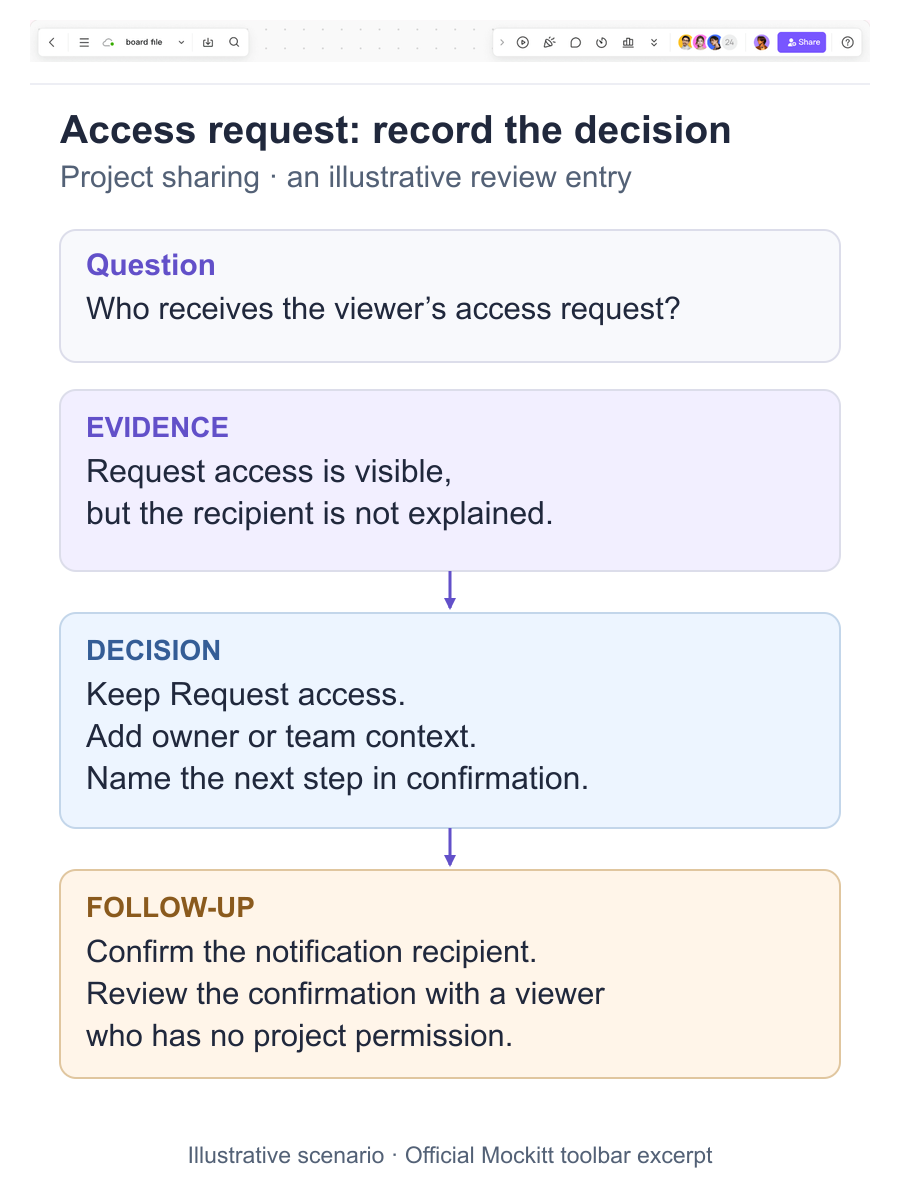
Imagine a team reviewing a project-sharing flow. A reviewer says the Request access button should be more prominent. Another says the button should be hidden until the project owner is identified. The log can preserve the distinction:
Question: How should a viewer proceed when a shared project requires access?
Evidence: The current prototype offers Request access, but does not explain who receives the request. One reviewer searched for an owner and another selected the button immediately.
Decision: Keep Request access visible, add the owner or team context, and show a confirmation that names the next step. Do not imply that the prototype sends a real access request.
Follow-up: Confirm the intended notification recipient and test the confirmation copy with a viewer who has no project permission.
The decision changes the prototype state and creates a concrete implementation question. It does not claim that a visual review proves the permission service works.
From log to next review
At the end of a review, group entries by affected flow and risk. Choose the smallest set that must change before the next session. Leave useful rejected alternatives in the log with their reason; otherwise the team may revisit the same suggestion without its context.
When the next version is ready, reopen only entries whose states or evidence changed. Verify the behavior in the prototype, then mark the entry for the next implementation or research check. Keep the log short enough that a new teammate can understand what changed and why.
A decision log gives a prototype a memory. It protects evidence from disappearing into a meeting transcript, keeps disagreement honest, and makes the next action visible without turning every comment into a feature request. For a presentation-led review, the UX presentation guide can help shape the meeting while this log records what survives it.