Use a prototype risk matrix to prioritize uncertainty, choose a focused prototype slice, and set a clear stop or continue rule before polishing.
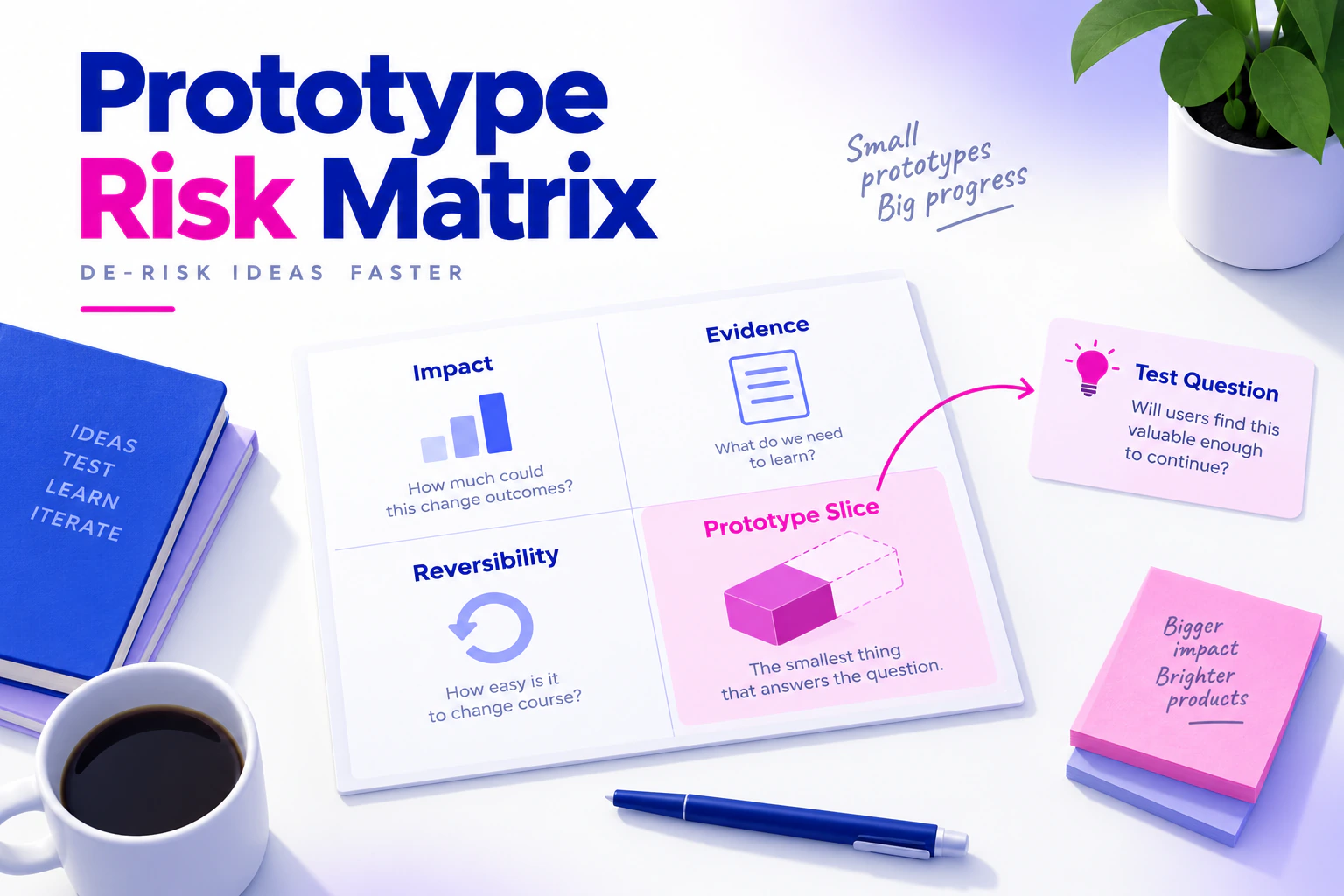
Teams rarely have time to prototype every assumption in a product idea. A risk matrix helps you decide which uncertainty deserves a realistic prototype first. The goal is not to give every idea a precise score. It is to make the trade-off visible: what could go wrong for a person, how much evidence you have, and how easily the team can change course.
Use an online prototyping workspace to turn the highest-risk slice into connected screens that the team can review.
What a prototype risk matrix is for
A risk matrix is a small decision tool. Each row represents an assumption that could change the product direction. A row might say:
| Assumption | If wrong, the consequence is… | Evidence today | Next check |
|---|---|---|---|
| A customer can identify the right plan from three labels | People choose the wrong plan or abandon the flow | Five support conversations, no prototype | Test plan comparison and confirmation copy |
The useful question is not “Is this feature risky?” It is “What would we need to learn before committing more work?” Keep product, technical, operational, and content risks in the same conversation, then separate them when different owners need to act.
Step 1: Collect assumptions, not solutions
Start with a product brief, research notes, or an existing flow. Write assumptions as statements that could be true or false. “Add a comparison table” is a solution. “People can distinguish the plans without opening a second page” is an assumption.
For each assumption, record:
- the person and situation involved;
- the behavior or decision you expect;
- the evidence supporting it;
- what would change if it failed; and
- the owner who can make the next decision.
Avoid turning every open question into a prototype task. Some questions need a data check, policy decision, or technical spike. A visual prototype is useful when the uncertainty involves an interface, sequence, content choice, or interaction that people can inspect.
Step 2: Score consequence, evidence, and reversibility
Use simple, explainable scales. For example, rate consequence from 1 to 3:
- The issue is inconvenient but easy to correct.
- The issue could create rework, confusion, or a missed task.
- The issue could block a critical task, create a harmful misunderstanding, or force a major change.
Rate evidence from 1 to 3 in the opposite direction: 1 means little direct evidence, 3 means repeated evidence from an appropriate source. Then rate reversibility from 1 to 3: 1 means a late change is expensive or constrained, while 3 means the team can change the decision cheaply.
You can calculate a working priority such as consequence × (4 - evidence) × (4 - reversibility). Treat the number as a conversation aid, not a scientific probability. A single severe risk can deserve attention even if its score is not the highest.
Step 3: Choose the smallest useful prototype slice
The top row does not automatically require a polished end-to-end product. Define the smallest slice that can answer the question. If the uncertainty is whether a plan comparison is understandable, the slice may contain:
- the entry point;
- the comparison state;
- a selected plan;
- the confirmation or back path; and
- one confusing or unavailable state.
Name each screen by its state rather than creating unnamed copies. A clear name such as Plan comparison — annual selected makes the review easier to repeat and helps the team notice missing branches. If the question is instead about choosing the right fidelity, use the existing fidelity selection guide rather than turning this matrix into a second fidelity tutorial.
Step 4: Build the evidence path
Create the screens and connect only the interactions needed for the decision. In Mockitt, link the entry action to the comparison screen, then connect selection, confirmation, and return behavior. Keep sample data clearly representative. If a result is simulated, note what remains outside the prototype, such as pricing calculation, account permissions, or inventory.
Make the risk visible in the prototype. If the question concerns an ambiguous label, show the competing labels. If it concerns recovery, include a failed request and the action that lets a person continue. Do not hide the difficult state to make the demo look complete.
Step 5: Define a stop or continue rule
Before review, decide what observation changes the plan. A rule might be:
Continue to implementation planning if reviewers can identify the selected plan, explain the difference, and recover from an unavailable option without coaching. Otherwise, revise the labels and repeat the review.
This is a decision rule, not a conversion claim. The team should record what people saw, what they inferred, and which assumption remains unresolved. Turn the selected rule into explicit checks with the prototype acceptance criteria guide. If the prototype cannot represent a dependency, create an implementation check instead of pretending the visual confirms it.
A worked example: equipment booking
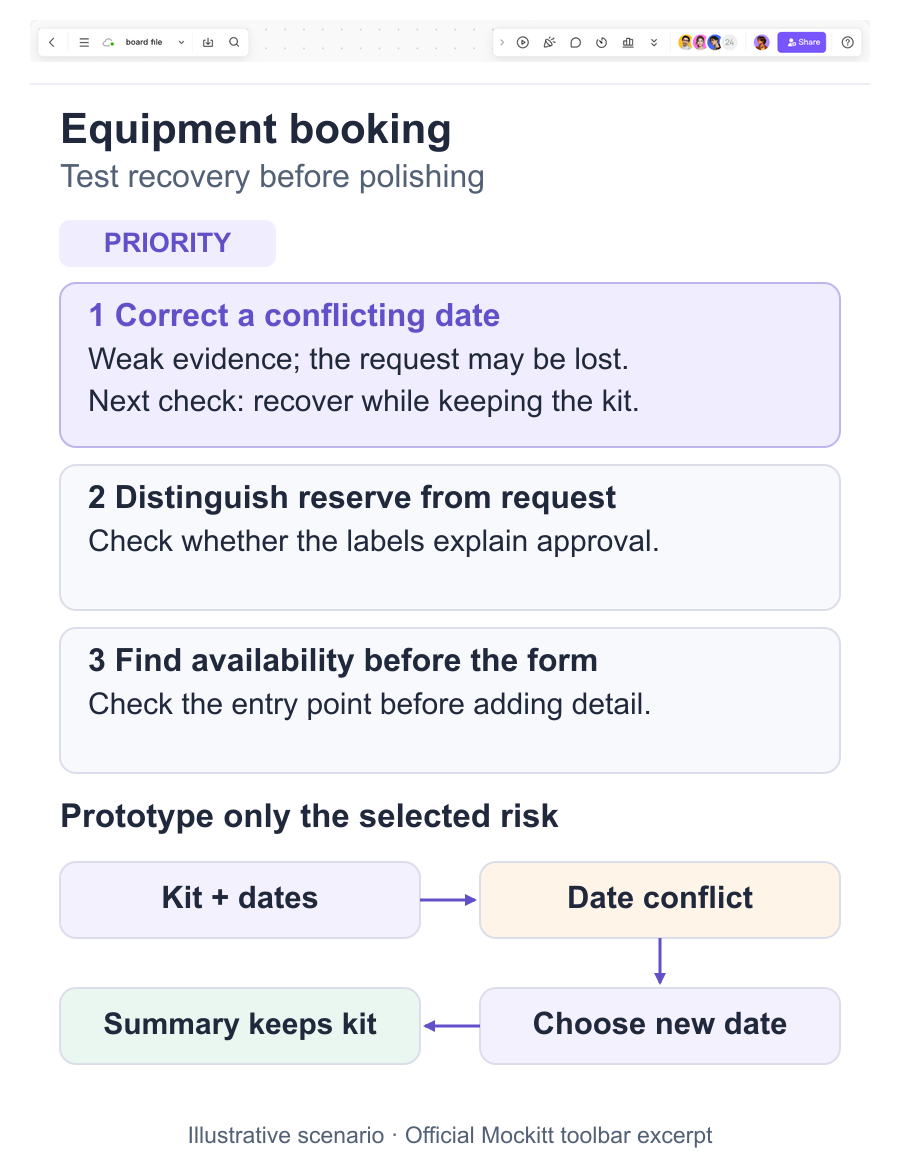
Suppose an operations team is designing a camera-equipment request flow. Three assumptions compete:
- staff understand the difference between “reserve” and “request approval”;
- a date conflict can be corrected without losing the selected kit; and
- the team can review availability before entering a long request form.
The matrix may rank the date-conflict recovery highest because a wrong path could waste a request and the team has little evidence. The prototype slice then includes kit selection, date selection, a conflict message, an alternate date, and a return to the request summary. Reviewers receive one task: choose a kit, select an unavailable date, and recover without starting again.
Record the observed decision, not a vague thumbs-up. Did reviewers understand why the date was unavailable? Did the summary retain the kit? Which rule still needs a service or policy owner? Those answers determine the next prototype revision.
Keep the matrix alive
Archive the original assumption, score rationale, prototype version, evidence, decision, and follow-up owner together. When new research changes the evidence score, update the row instead of creating a second hidden list. Link the approved prototype version and keep unresolved technical or content dependencies visible.
A risk matrix earns its place when it changes what the team tests next. Start with one high-consequence, weak-evidence assumption, build the smallest connected slice, and let the review produce a decision that someone owns.