Stress-test a prototype with realistic short, long, translated, empty, and error content before handoff.
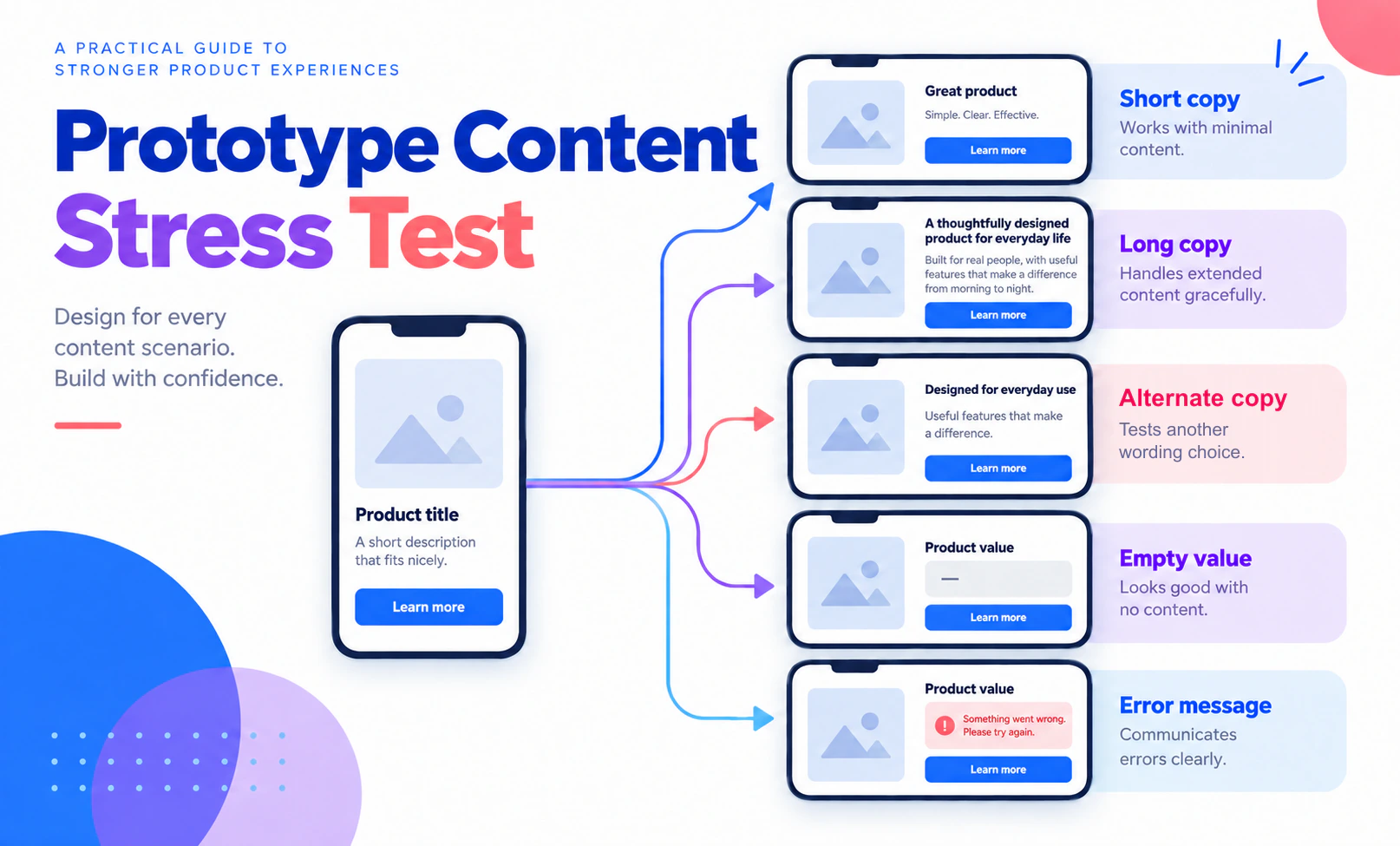
A prototype can look balanced because every label is short, every name fits one line, and every message describes a successful result. Real content is less cooperative. A translated label may be longer, a person’s name may wrap, a record may have no image, and an error may need two sentences instead of one. A content stress test exposes those layout and hierarchy problems while the design is still easy to change.
Build the fixtures and states in Mockitt’s design workspace, then review the result with the people who own content, product rules, and implementation. For the handoff stage, connect each finding to the design handoff checklist instead of hiding content rules in a comment.
What to test
Choose content variations that could change a design decision. A useful fixture set includes:
| Fixture | Example | What it reveals |
|---|---|---|
| Short | “Save” | Whether hierarchy still works when a label has little visual weight |
| Long | “Save and send for manager approval” | Wrapping, button width, and action hierarchy |
| Missing | No avatar or description | Fallback layout and whether the record remains identifiable |
| Unexpected | A name with a hyphen or a very large number | Overflow, truncation, and formatting assumptions |
| Failure | “We could not upload this report. Try again.” | Message space, recovery action, and focus |
Do not replace realistic values with invented statistics just to fill space. A sample is enough when it represents the shape and rule the interface must support.
Step 1: Start with the user decision
Content testing is not proofreading in a frame. Start with the decision a person needs to make: choose a plan, identify a record, compare a result, or correct an error. List the content that supports that decision and the values that could make it harder.
For an equipment request, the decision may depend on item name, availability, date, owner, and a warning. A long item name can expose a card that hides the availability state. A missing owner can reveal whether the request still has a clear next action.
Write a short content contract for each field. The content strategy guide can supply the broader purpose and audience context; this test turns that context into values that can be inspected in the interface:
- source and purpose;
- minimum and typical length;
- whether it may be absent;
- formatting or localization rules; and
- what the interface should do when the rule is violated.
If the rule is unknown, mark it for the content or product owner. Do not hide the unknown by shortening the sample.
Step 2: Create a content fixture
Put representative values in a small table before placing them in screens. For a report dashboard, the fixture might include:
| Field | Typical | Stress value | Empty or failure value |
|---|---|---|---|
| Report name | Weekly usage | Usage report for North America — week ending 30 September | Untitled report |
| Owner | Ava Chen | The Operations and Compliance Team | Owner not assigned |
| Status | Ready | Waiting for data refresh | Could not refresh |
Keep one record consistent across the prototype. Changing several fields at once makes it hard to know which condition caused a layout change. Add a fixture ID so reviewers can refer to the exact content under discussion.
Step 3: Place the ordinary state first
Build the normal screen with content that reflects the real task. Use component or repeatable-element patterns where the design needs the same structure across cards, rows, or messages. Put labels close to the controls they explain. Check that the primary action remains identifiable without color alone.
The normal state is a baseline, not the final proof. Capture which regions must remain stable when content changes: the card action, table columns, selected filter, or message position. This gives the reviewer something to compare.
Step 4: Apply one stress value at a time
Replace one fixture value and inspect the result at the relevant widths. Ask:
- Does the text wrap, truncate, scroll, or push a control away?
- Is the complete meaning still available to the person?
- Does the primary action remain visible and correctly associated?
- Does an empty or error state explain what happened and what to do next?
- Does the layout preserve the same decision order on a narrow screen?
If a value is too long, do not immediately shrink the font. Decide whether it should wrap, clamp with a full-value alternative, or change the layout. Record the decision and its owner.
Step 5: Test translated and directional content deliberately
Even when the first release is English, reserve room for realistic localization. Use a reviewed translation sample rather than a random longer string. Check labels, dates, numbers, buttons, table headers, and inline messages together. A field may grow while its neighboring control does not.
For right-to-left or mixed-direction content, verify language and direction rules with a localization or accessibility owner. A visual prototype can show the layout decision; it cannot certify browser direction handling or assistive technology behavior.
A worked example: report export
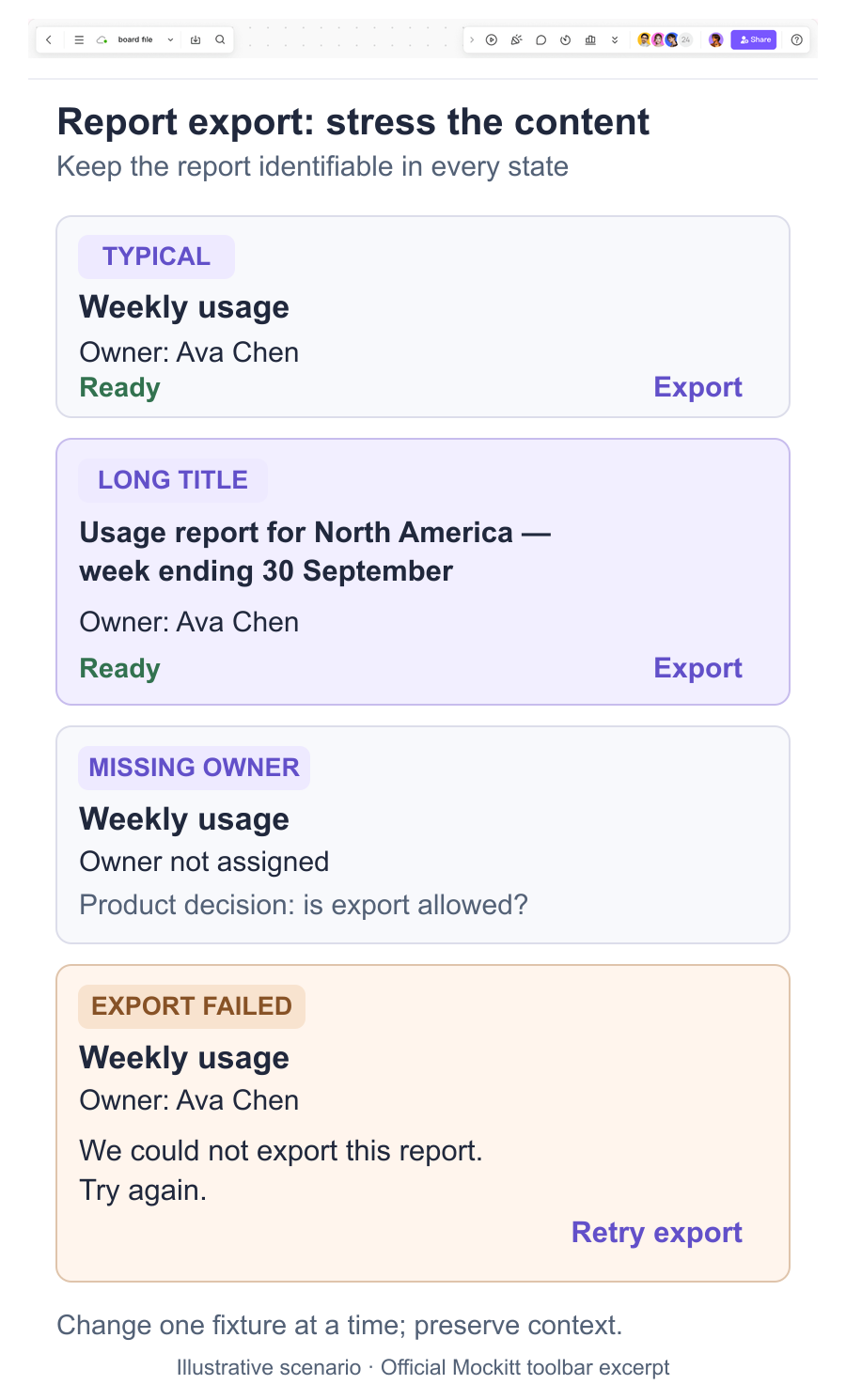
Imagine a report card with the title “Weekly usage,” owner “Ava Chen,” a Ready badge, and an Export button. Create a stress fixture with a long title, an unassigned owner, a status “Waiting for data refresh,” and an error message after export.
In the prototype, the long title should not hide the status or make Export look like a different card action. The unassigned owner should explain whether someone can still export. Waiting should differ from a failed export, and the error should retain the report context while offering a retry. The visual draft does not prove that a file is generated or permissions are enforced.
Ask a reviewer to identify the report, explain its status, and recover from the export error. Record the first meaningful action and any point where the reviewer interpreted a placeholder as real data.
Review and handoff record
Capture each finding in a small table:
| Fixture ID | Screen/state | Observation | Decision | Owner |
|---|---|---|---|---|
| F-04 | Report card / error | Retry pushed the report title below the fold | Keep title visible; move retry below the message | Design + engineering |
Link the finding to the component or screen version. Include the chosen rule in the handoff, especially for wrapping, truncation, missing values, error copy, and responsive behavior. A design handoff checklist can carry these decisions forward, but the content fixture remains useful for implementation QA.
When the test is complete
The test is complete when the team can explain behavior for the agreed ordinary, long, missing, translated, and failure values. It does not require every possible string, but it does require an owner for unresolved values and states.
Realistic content makes a prototype a better decision surface. Test the words and data that shape the task, preserve the states that matter, and leave production rules clearly assigned instead of hiding them behind perfect placeholder copy.