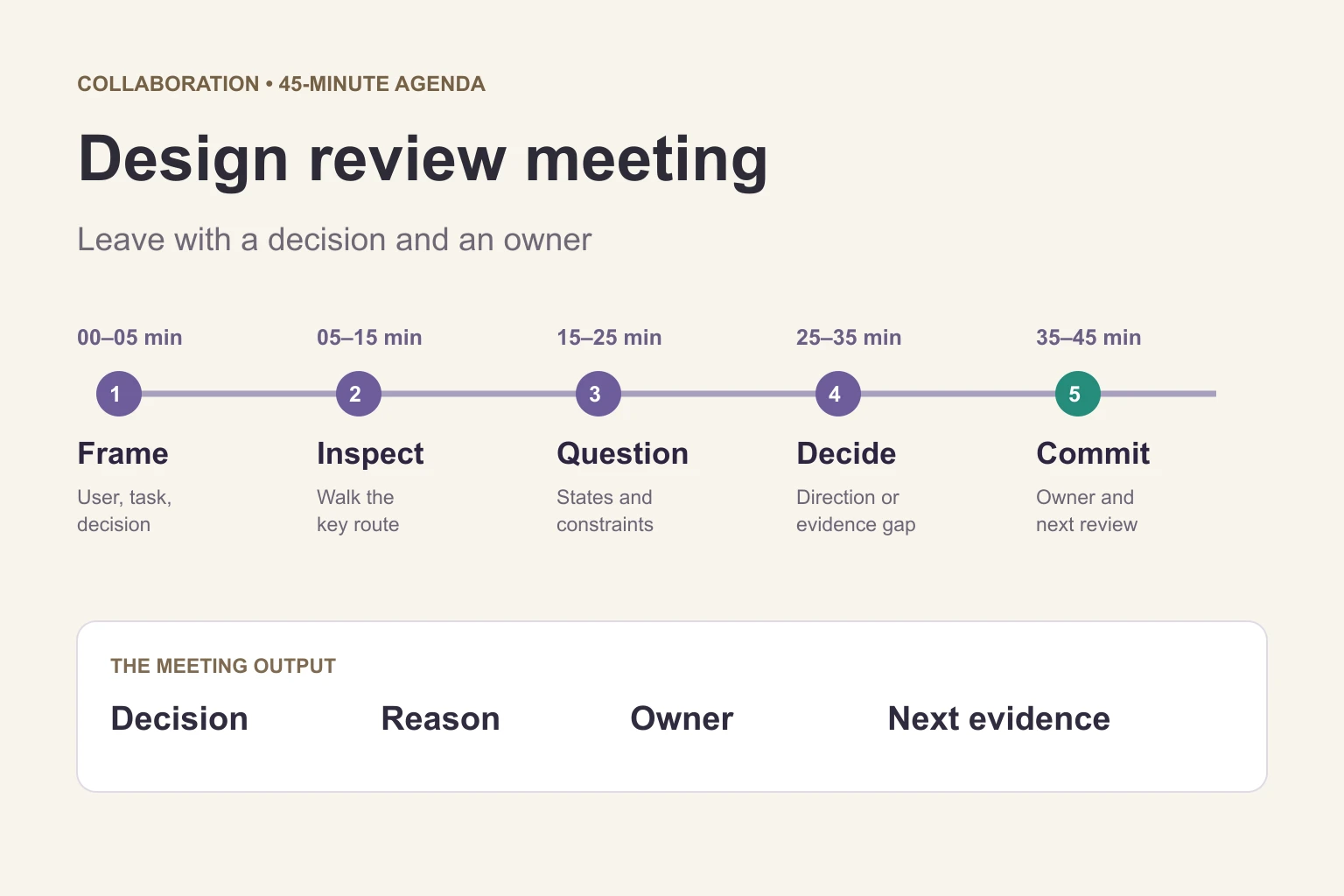
A useful design review meeting agenda gives the team one user task, one decision to make, and a clear next step. For a 30–45 minute session, allow five minutes for context, ten for the design walkthrough, ten for risks and alternatives, and the remaining time for the decision and follow-up. Send the design and review question beforehand so the meeting can focus on unresolved issues.
A review is useful when the design is developed enough to inspect but still changeable. Put the relevant screens together in Mockitt’s design workspace, identify the version being discussed, and keep feedback attached to the screen or state it concerns. The meeting should end with an approved direction, a specific revision, or an unanswered question with an owner.
Before the meeting: send a brief people can use
Send the task, prototype link, review question, and known constraints in advance. “Review the new settings page” is too broad. “Can we let a workspace administrator rename a team inline, while keeping workspace setup on a separate page?” gives participants something concrete to evaluate.
Keep the brief short enough to read before opening the design. Include:
- User and task: who needs to do what, and what counts as completion.
- Decision requested: the choice the meeting must resolve, including what is outside its scope.
- Design link and starting point: a named version, starting screen, and route to inspect.
- Evidence: relevant research findings, support examples, or established requirements; distinguish these from assumptions.
- Constraints: technical dependencies, accessibility requirements, release boundaries, and unresolved policy questions.
- Preparation: which screens to inspect and where to leave questions.
Mark simulated behavior and provisional content. If a prototype uses a fixed response instead of a working service, say so in the brief. Otherwise, reviewers may approve an interaction on the mistaken assumption that the underlying implementation is already settled.
Copyable design review invitation
Subject: Design review — [user task] — [decision needed]
Outcome: Decide whether [proposed direction] is ready for [next stage], or identify the changes needed.
Pre-read: [design/version link], [evidence summary], and [constraints]. Start at [screen].
In scope: [flow or decision]. Out of scope: [unrelated work].
Preparation: Inspect the route and bring observations tied to a screen, user need, or requirement.
Decision owner: [name]. Facilitator: [name]. Note-taker: [name].
Who should attend, and who decides?
Invite people who can change the decision or explain a relevant constraint. The designer presents the work; a product representative clarifies the intended outcome; engineering explains implementation implications. Bring a researcher, content designer, accessibility specialist, or other expert when their input is needed for this specific task.
Name one decision owner before the session. This person chooses the next direction within the team’s agreed authority; the facilitator keeps the discussion focused and gives quieter participants room to contribute. A separate note-taker is helpful when the presenter would otherwise need to defend, demonstrate, and record the work at once.
A group review is not automatically a vote. State which constraints are mandatory and which choices are open. If nobody present can authorize the requested decision, change the meeting’s outcome to a recommendation and identify who must approve it.
A 30–45 minute design review agenda
| Time | Activity | Output |
|---|---|---|
| 0–5 min | Frame the user, task, constraints, and requested decision. | Shared review boundary. |
| 5–15 min | Walk the primary route; give reviewers quiet time to inspect it and note gaps. | Observations tied to specific screens or states. |
| 15–25 min | Discuss the highest-impact issues: completion, recovery, content, accessibility, and feasibility. | Prioritized risks and required changes. |
| 25–35 min | Compare relevant alternatives against the same criterion. | Chosen direction or a defined evidence gap. |
| 35–45 min | Read back the decision, actions, owners, and next review date. | A decision log others can follow. |
For a 30-minute review, keep context to five minutes, the walkthrough to eight, issue discussion to ten, and decisions to seven. Use the pre-read to collect alternatives beforehand. Reduce the number of decisions rather than removing the closing discussion or rushing through every screen.
During the walkthrough, explain the user’s goal and let the route show how the design supports it. Ask reviewers to capture observations before debating solutions. For a deeper screen-by-screen inspection, use the prototype critique checklist as preparation; this agenda governs the meeting, while that checklist helps reviewers inspect the design.
Use evidence to keep the discussion useful
Ask “What would we need to observe to change this decision?” when opinions split. A screenshot can show a visual issue; a task attempt can reveal a flow problem; an implementation note can expose a technical constraint. Keep those evidence types separate.
Translate preferences into questions. “I prefer a modal” becomes “Does the user need to see the original information while editing, and can they recover if they close the dialog?” Compare alternatives against that need, rather than counting how many people like each layout.
Separate a confirmed issue from a prediction. “The keyboard focus disappears behind the dialog” is an observation if demonstrated. “People will miss this button” is a hypothesis until supported by appropriate evidence. Both can matter, but they justify different next actions.
If a disagreement cannot be resolved in the time available, record the competing options, the remaining uncertainty, and the smallest useful way to investigate it. Do not turn an unresolved usability question into an approval merely because the meeting ends. Park unrelated ideas with an owner so they do not consume the current decision.
Example: inline team editing or a separate setup page?
Consider an illustrative review of a workspace settings design. An administrator needs to rename a team and configure a new workspace. The proposed design puts both tasks in an inline panel. The review question is whether they belong in the same interaction.
The designer walks through changing a short team name, saving it, and canceling an edit. Engineering then explains the states needed for multi-step workspace setup, including a failed save and returning to unfinished work. The team compares the options using reversibility, information required, and recovery as criteria.
A reasonable outcome is to retain inline editing for the short, reversible name change and move the multi-step setup to a dedicated page. That is a design decision for this example, not a claim that inline editing or separate pages always perform better. The next version still needs its failure and recovery states checked.
Example decision log
- Decision: keep inline editing for the team name; use a full page for workspace setup.
- Reason: the short edit is reversible, while setup needs progress, saved state, and recovery.
- Required change: show cancel, save failure, and successful completion for the name edit; add the return-to-setup route.
- Owner: the product designer prepares the routes; engineering confirms the state model.
- Open question: can administrators resume setup without misunderstanding what has already been saved?
- Follow-up: choose a suitable task-based evaluation, assign its owner, and agree when the evidence will be reviewed.
Record decisions, not a transcript
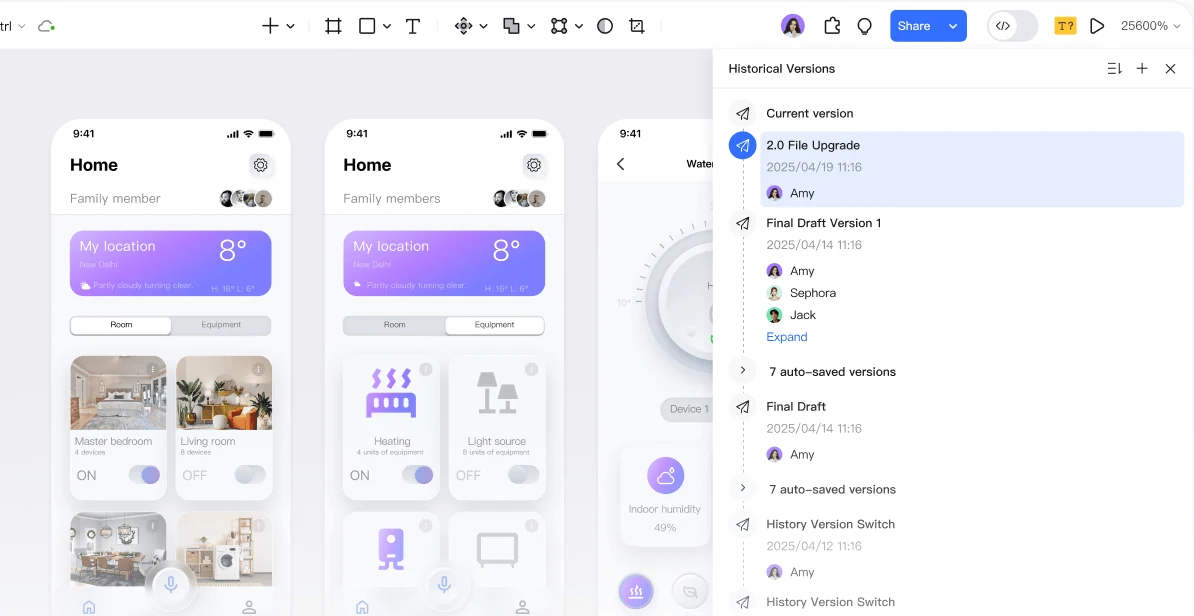
Keep the notes with the reviewed design version. A compact record can use this format: question → decision/status → reason/evidence → required action → owner → due date → unresolved question. Add a link to the affected screen where useful.
Use explicit statuses such as “approved,” “revise before approval,” or “needs evidence.” Approval with conditions should state who checks those conditions. Do not leave the designer to infer whether ten comments are suggestions, blockers, or already resolved.
Adapt the agenda and close the meeting
For asynchronous reviews, share the same brief with a response deadline and structured questions. The decision owner summarizes the comments and resolves straightforward issues in writing. Schedule a live discussion only for the conflicts or dependencies that remain.
For complex work, split the review by decision: agree on the user flow before reviewing detailed visual styling, or resolve a shared technical dependency before discussing multiple screens. For a quick follow-up, review only the agreed changes and outstanding conditions instead of replaying the entire presentation.
Read the decision, owner, evidence gap, and next date aloud. Publish the notes with the design link and identify the version that supersedes the reviewed one. A review is complete when someone outside the room can understand what changed, why it changed, and what still needs to happen.