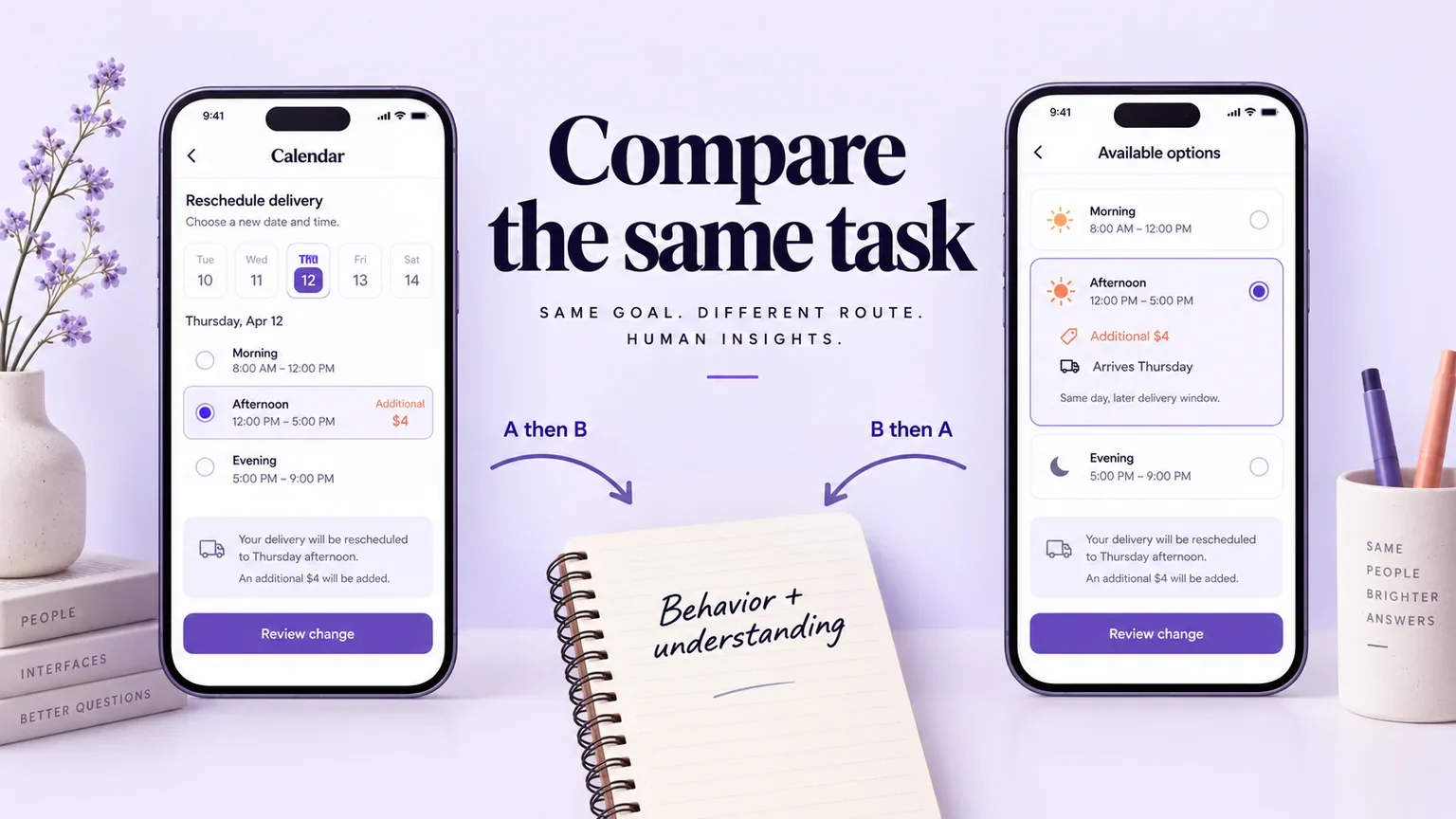
Comparative prototype testing helps a team understand how two designs support the same user task before building either one. Give both versions comparable content and working paths, plan which version each participant sees first, and record behavior separately from preference. The useful outcome is an explanation of the tradeoff—not a small-sample claim that one design will increase conversion.
Start with the same task-based principles used in usability testing, then add controls for the differences between versions. This guide works through a fictional delivery-rescheduling example: a calendar-led route and a list-led route. It includes a comparison brief, an order plan, an observation sheet, and a way to make the resulting decision traceable.
1. Define one comparison the study can answer
“Which design is better?” leaves the researcher, participant, and product team to invent different meanings of better. Instead, name the task and the uncertainty: “Can a customer move an existing delivery to a suitable date while correctly understanding the additional charge?”
Version A begins with a calendar and shows time windows after a date is selected. Version B begins with a chronological list of available date-and-window combinations. Both eventually show the new booking and any charge before confirmation. The comparison concerns finding and understanding an option, not branding, delivery pricing, or the quality of two different fulfillment services.
| Comparison brief | Decision for this example |
|---|---|
| User task | Move an existing delivery to a day when someone can receive it. |
| Design difference | Calendar-first navigation versus a list of available combinations. |
| What remains equal | Available dates, time windows, charges, current booking, wording of the task, and confirmation behavior. |
| What to observe | How people find an option, notice the charge, correct an unsuitable choice, and interpret confirmation. |
| What this study cannot answer alone | Population conversion uplift, live-system speed, or whether the business should change its charges. |
If the calendar version has polished copy and the list version has placeholder labels, the team is comparing more than navigation. Either make those elements comparable or record the extra difference as part of the question. Do not explain it away only after the favored design struggles.
2. Build equivalent tasks and complete paths
Both prototypes need enough depth to support the task. A clickable first screen is insufficient if one route ends before the charge appears. Include selection, review, correction, confirmation, and a way back to the original booking. Match the level of detail so that one version does not benefit from looking more finished.
Use a Mockitt interactive prototype to arrange the two screen routes and inspect their transitions. Keep a clear start screen for each version and use fictional booking details. The purpose is to prepare comparable interactions; a prototype does not verify the availability service or process a real booking change.
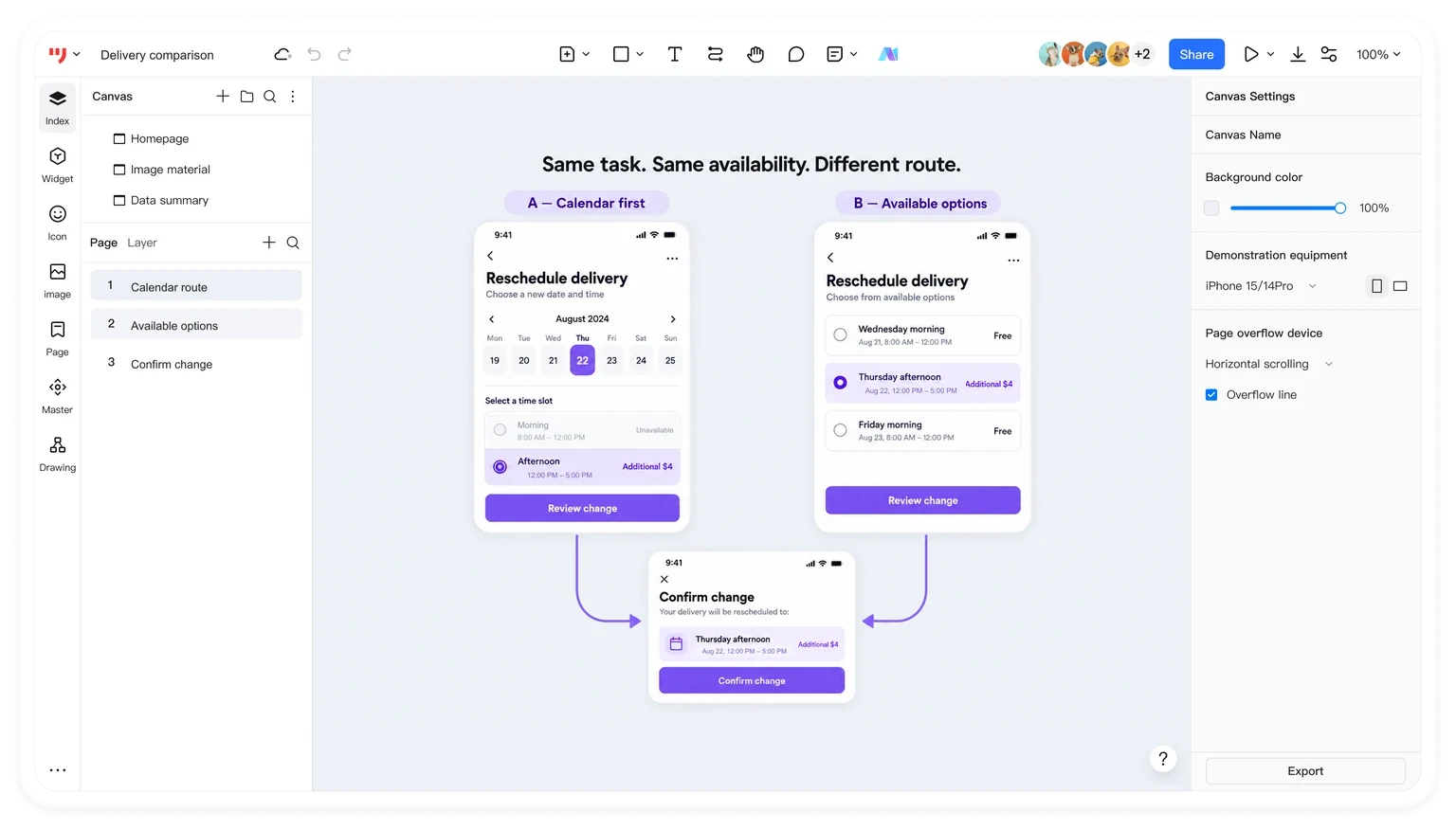
For this demonstration, the current delivery is Tuesday morning. The customer needs Thursday afternoon; the available Thursday option costs an additional $4. The amount is fictional test content, not a product price. Both routes must reveal the same amount and allow the customer to return without confirming.
Before sessions, run a dry task through each route. Confirm that the same valid answer is reachable, the charge is visible at the intended stage, and the prototype resets to the original booking. If a link fails in one route, fix it before comparison or separate that session from evidence about the intended design.
3. Choose who sees each version, and in what order
When each participant tries both versions, you can ask about the contrast, but their first attempt teaches them about the task. When separate participants try different versions, you avoid that direct transfer while introducing differences between the groups. Neither arrangement removes the need for careful recruiting and interpretation. Nielsen Norman Group explains these tradeoffs in its within- and between-subjects study guide.
For an exploratory round in which people see both versions, assign the order before sessions and keep the two orders roughly balanced: some people see A then B; others see B then A. Do not choose an order based on who is recruited first, or give the familiar design to one type of participant and the new design to another without considering what else changed.
| Session order | First route | Second route | Record alongside observations |
|---|---|---|---|
| AB | Calendar | Available-options list | What the participant already learned about dates, charges, and confirmation. |
| BA | Available-options list | Calendar | The same learning notes, without treating the second attempt as independent. |
This is an order plan, not a prescribed sample size. Recruit according to the study question and the experiences that need to be represented. If using a second scenario to reduce memorization, keep its difficulty comparable: changing to a free option in one route and a charged option in the other would introduce a new difference.
Keep facilitation consistent too. Changing device, task wording, or the amount of help can distort the comparison. NN/g's discussion of study validity explains why consistent conditions and attention to order matter. Record unavoidable changes so that they remain visible during analysis.
4. Observe behavior before asking for preference
Give a goal rather than instructions that reveal the interface: “Your plans have changed. Arrange the delivery for Thursday afternoon and check what the change involves before deciding whether to confirm.” Avoid “Use the calendar to pick Thursday,” which tells participants where to go in one version.
During each attempt, record what happened before interpreting why. “Opened three dates before finding a suitable window” is an observation. “The calendar is confusing” is a proposed explanation. Capture the moment that supports the explanation and note any intervention from the facilitator.
| Observation field | What belongs in it |
|---|---|
| Version and order | A first, A second, B first, or B second; include the prototype version. |
| Task route | Selections, reversals, pauses, and the point where the person stopped. |
| Understanding | What the person said the new date, window, and charge would be. |
| Assistance | The exact hint or reset, and whether it affected completion. |
| Evidence | A session timestamp or authorized research-note reference. |
| Interpretation to check | A possible design explanation, kept separate from the observed event. |
After the tasks, ask which differences mattered and why. A person might prefer the appearance of the calendar while finding a date faster in the list. That is useful tension, not a reason to discard either response. Ask them to connect the preference to a concrete moment rather than forcing a winner. For a separate visual-direction question, use preference testing.
Do not turn think-aloud pauses, moderator hints, or a partly functional prototype into a clean speed leaderboard. Timing can help locate friction, but the conditions and purpose of measurement determine what comparison it can support.
5. Compare patterns, including the awkward ones
Group the evidence around the decision: finding a suitable option, recognizing the charge, correcting a selection, and understanding the final booking. Keep first and second exposure visible. If people miss the charge only on their first attempt, the issue may not belong exclusively to either navigation pattern.
A useful synthesis might say: “The list made available windows easy to scan, but its charge label was separated from the selected row. The calendar helped participants orient by date, but unavailable days looked selectable.” Those are examples of possible findings, not results from a study conducted for this article. Actual findings need their own session evidence.
Inspect contradictory cases rather than averaging them away. Someone arranging around several possible days may benefit from a calendar; someone with one fixed date may favor a list. That can suggest a user-context difference worth investigating, but a few observations do not establish a market segment or its size.
Use the prototype testing plan to check the original success conditions. If neither design supports the task, the next action may be to improve both. If one path solves discovery but fails on confirmation, combine or revise the relevant parts and test the resulting route rather than declaring the entire design successful.
6. Turn the comparison into a bounded design decision
End with a decision record that states what changes next, the evidence behind it, and what remains unresolved. Assign an owner to the next design step. Keep the chosen prototype version and its research notes connected so that a later redesign does not inherit a conclusion about a different interface.
| Decision record | Example entry to complete after research |
|---|---|
| Adopt or revise | Name the specific navigation or information treatment, not just “B wins.” |
| Supporting observations | Link the sessions and moments that support the choice. |
| Counterevidence | Describe contexts or participants for whom the treatment did not work well. |
| Next validation | State the unresolved task or implementation behavior that needs another check. |
| Owner and version | Identify who will make the change and which prototype was evaluated. |
When the question later becomes whether a released change affects a measurable outcome across real traffic, plan an appropriate live A/B experiment. That is a different study with different data and operational requirements. Comparative prototype testing is valuable earlier because it exposes how people understand and use competing routes while the team can still change them cheaply.