Prototype Usability Test Plan: Tasks, Evidence, and Decisions
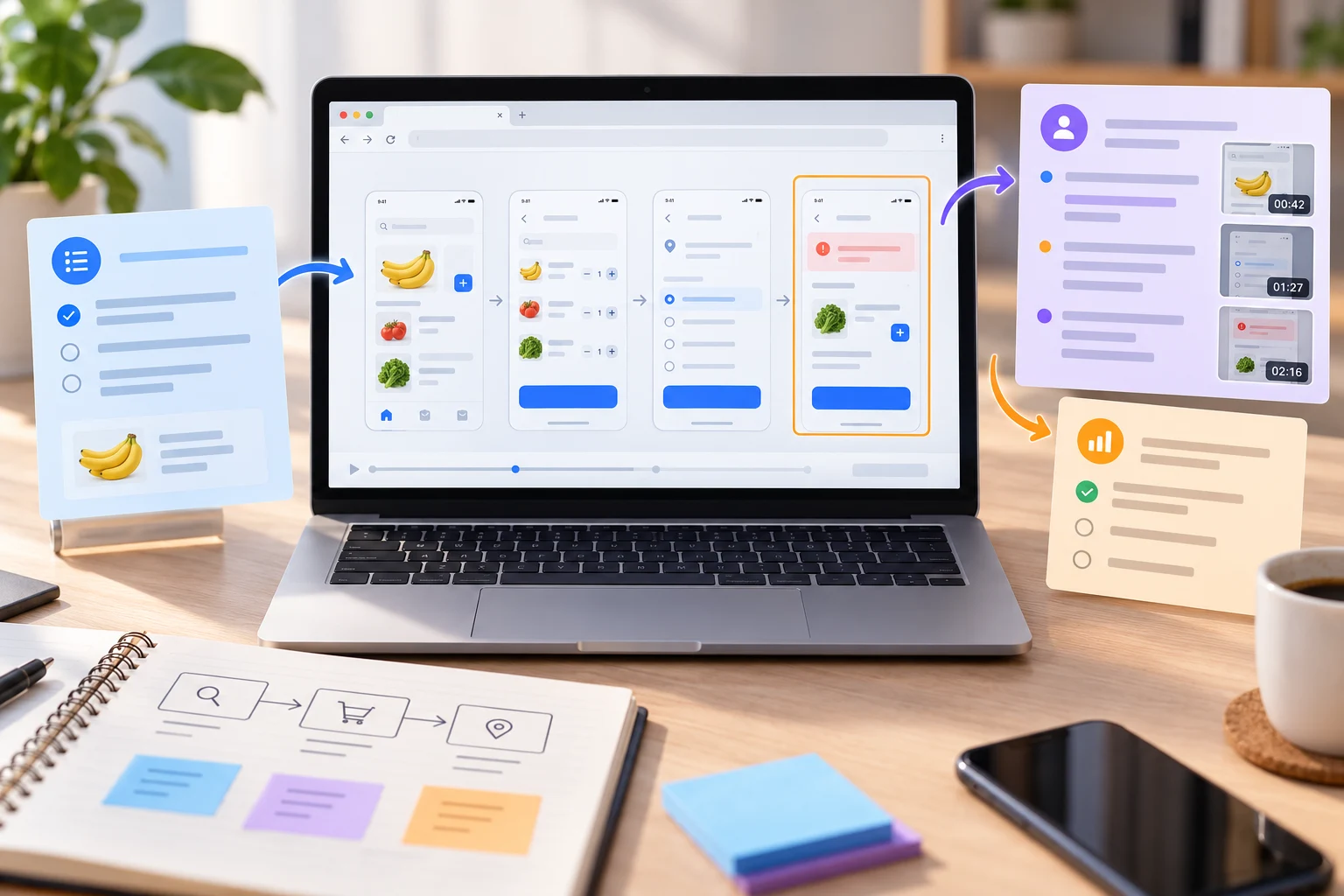
A prototype usability test plan turns a design question into a small, repeatable study. It names the task, the participant context, the evidence to collect, and the decision that will change afterward. Use this plan before opening an interactive flow so the team tests a real uncertainty instead of collecting general opinions.
Start with an interactive prototype that contains only the states needed for the question. In this example, a customer chooses a delivery slot, changes the address, and recovers when no slot is available.
1. Write the decision before the script
Complete this sentence: “After the sessions, we will decide whether to keep, change, or remove ___.” A useful decision might be whether the delivery-slot layout makes the next action clear on a phone. Avoid goals such as “learn what users think”; they do not tell the facilitator what evidence matters.
- Task: the participant action to complete.
- Risk: the behavior or assumption that could fail.
- Evidence: observable completion, hesitation, error, or explanation.
- Decision: the change that the team will make if the risk appears.
2. Define the participant and context
Describe the people who can reasonably encounter the problem, then set practical eligibility rules. For the delivery example, include people who have recently scheduled a delivery and exclude anyone who designed the flow. Record language, device, assistive-technology needs, and any compensation or privacy constraint that affects the session. A small, relevant group is more useful than a large group that cannot speak to the task.
3. Prepare a neutral task script
Give participants a situation and an outcome, not a tour of the interface. “You are ordering groceries for tomorrow evening. Choose a delivery slot, then change the address when the first slot becomes unavailable” lets the participant decide what to do. Do not name the button, explain the expected path, or correct a choice before recording it.
Moderator prompts
- Read the scenario once and ask the participant to think aloud if that is comfortable.
- Observe the first action, the point of hesitation, and the language used to describe the goal.
- Ask a neutral follow-up such as “What would you expect to happen next?”
- Record the participant’s words separately from the observer’s interpretation.
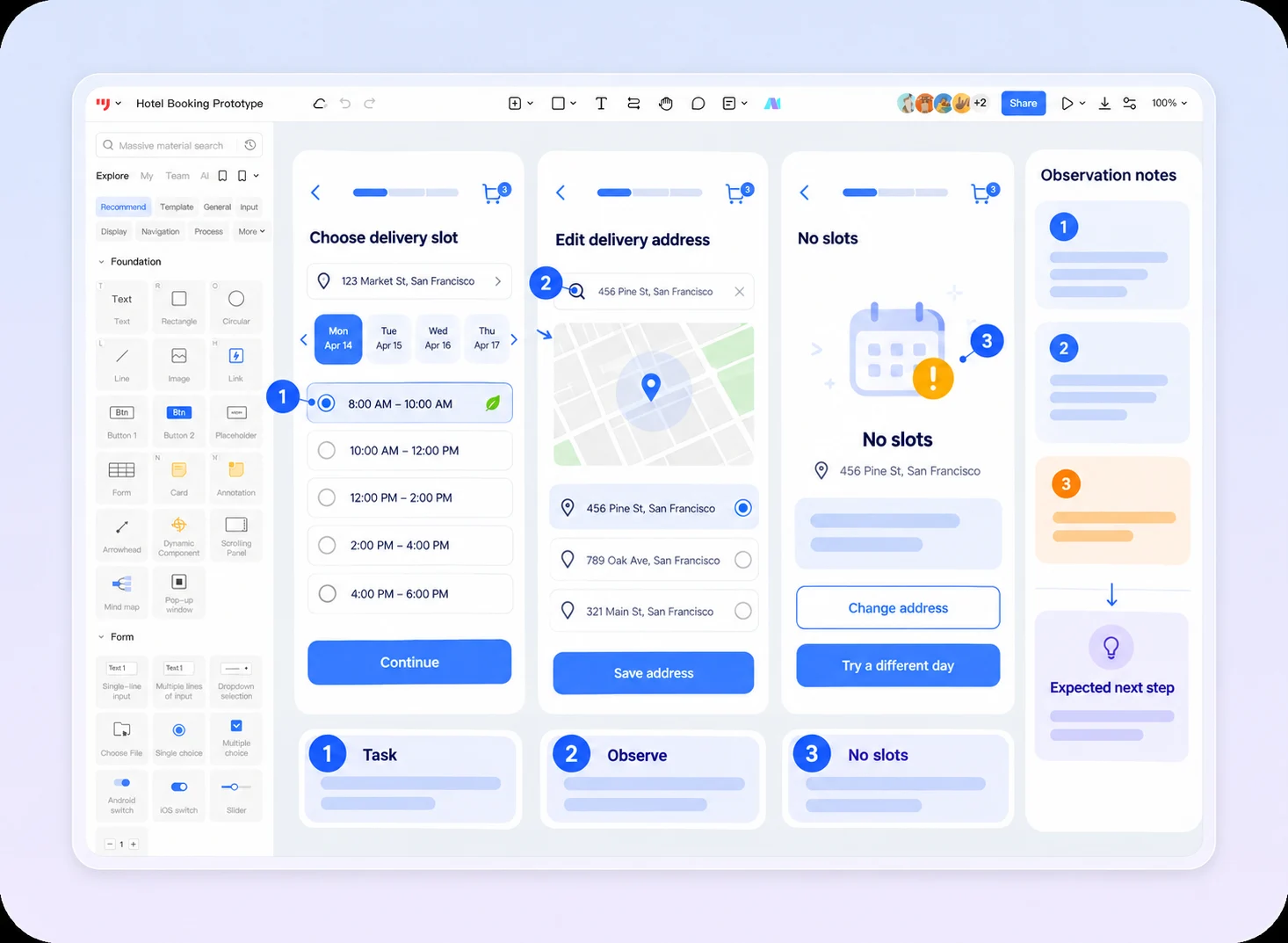
The example keeps the delivery task, no-slot state, moderator prompts, and observation notes together in one editable Mockitt canvas. The orange note is a planned question, not evidence that a participant failed the task.
4. Test the path and the recovery state
Run the happy path once, then trigger the risk you named in the decision. Check whether the participant can tell what changed, what action is available, and whether entered information is preserved. A polished first screen can still fail if the unavailable-slot message has no next step or if returning to the address clears the order.
| Observation | Record | Follow-up |
|---|---|---|
| Hesitation | Screen, action considered, participant words | Review hierarchy or wording |
| Wrong path | First action and expected destination | Test navigation and affordance |
| Recovery failure | State shown and information lost | Define a recovery path and content |
| Successful completion | Outcome and remaining uncertainty | Keep the evidence; do not overgeneralize |
5. Turn observations into a decision
After each session, tag notes as observed behavior, participant explanation, or team interpretation. Do not convert one preference into a product requirement. Summarize patterns only when the same task problem appears more than once or when a single severe failure clearly blocks the intended outcome.
End with a short decision record: the risk tested, evidence, affected states, recommended change, owner, and the next verification. Link the exact prototype state so another reviewer can reproduce the discussion.
Reusable acceptance checklist
- One decision and one risky behavior are explicit.
- The participant context and privacy constraints are recorded.
- The task script avoids naming controls or the expected path.
- Happy and recovery states are both reachable.
- Observed behavior is separated from interpretation.
- Each finding has an owner and a next verification.
A good prototype usability test plan is small enough to run and specific enough to change a decision. It keeps the prototype editable while the team learns, rather than treating a test as a presentation after the design is already fixed.