Mockitt - Best Free Wireframe Tool
Helpful Tips About Wireframe
- How To Create A Wireframe
- Wireframe Tools You Should Know
- Wireframe Templates for Your Inspiration
- Free-to-use Wireframe Kit
AI Prototype Prompts: Patterns for Turning Requirements into Screens
Use reusable AI prototype prompt patterns to turn product requirements into reviewable screens, states, and flows with clear human checks.
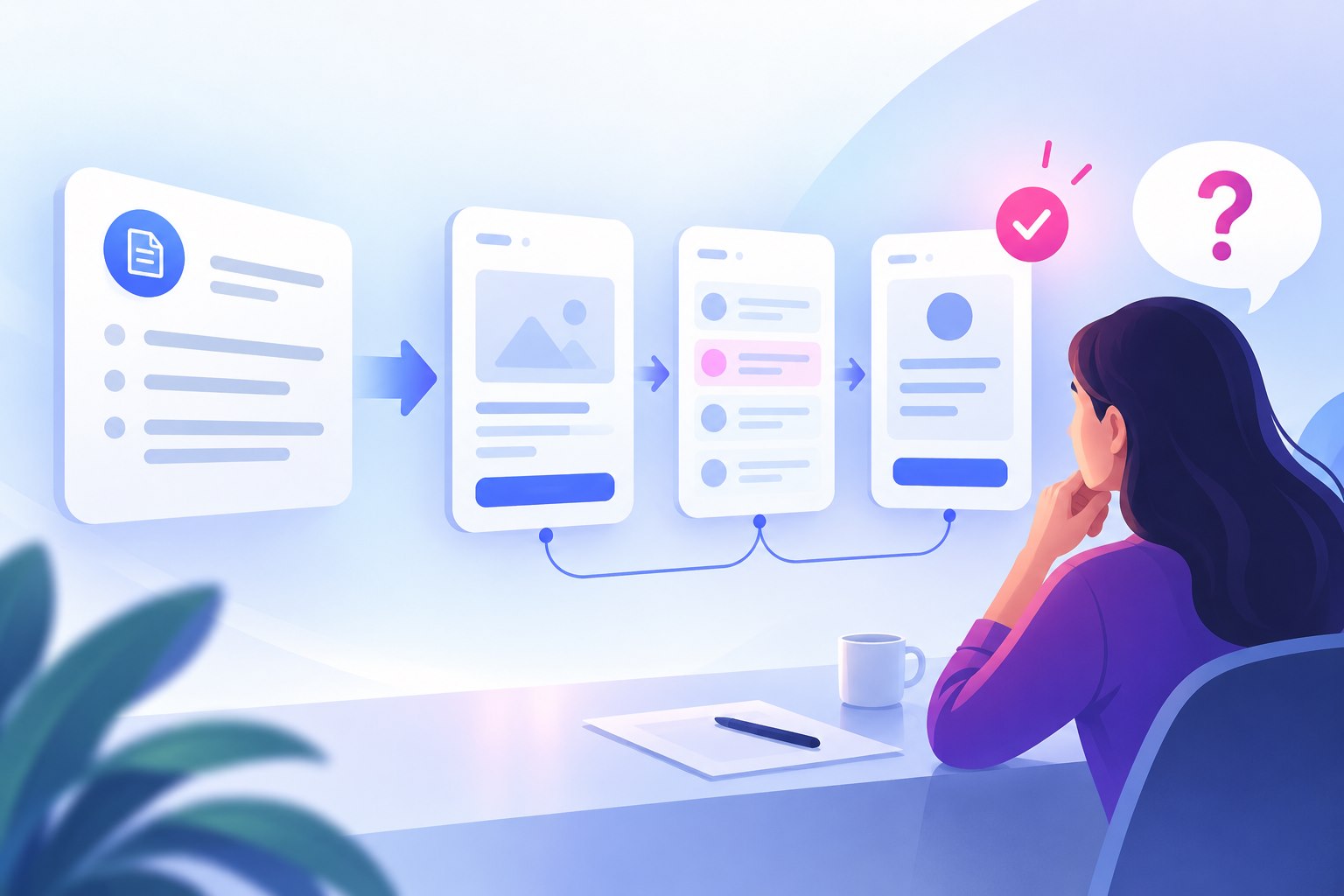
An AI prototype prompt is a design brief written for a generation system. The strongest prompts do more than name an app. They describe the user, the job to be done, the information that matters, and the output the team wants to inspect. The goal is a reviewable first draft, not an automatic replacement for product decisions.
If your workspace includes Mockitt AI, treat generated screens and flows as hypotheses. Check the wording, states, hierarchy, and task path against the original requirement before sharing the result with a team or user.
What a useful AI prototype prompt contains
A useful starting structure is: context → user → task → constraints → output → review focus. Context explains the product situation. User identifies who is acting. Task describes the outcome. Constraints set platform, content, or compliance boundaries. Output names the screens or flow to produce. Review focus tells the system and the team what to inspect first.
Keep the first prompt narrow. One primary task and a few important states are easier to evaluate than a request for an entire product.
Six reusable prompt patterns
1. Requirement-to-flow prompt
“For a first-time project manager creating a project from a brief, map the shortest flow from brief upload to a reviewable project summary. Include the entry screen, upload state, processing state, empty/error state, and completion state. Keep the first draft focused on task order and labels.”
2. Role-and-context prompt
“Design a tablet workflow for a support lead reviewing unresolved tickets during a weekly meeting. The user needs to filter by priority, inspect the latest reply, and assign an owner. Show the information needed for each decision and keep secondary settings out of the main path.”
3. State-coverage prompt
“Take the existing project list flow and add loading, empty, permission-limited, offline, and error states. For each state, explain what the user can do next. Do not invent data or claim that a retry will succeed.”
4. Content-first prompt
“Create a checkout review screen using these exact field names and delivery choices. Mark missing copy as a placeholder. Make the total, delivery date, and primary action easy to compare. Do not add promotional claims.”
5. Constraint prompt
“Generate a responsive web flow for a keyboard-first user. Keep the primary action reachable without a pointer, do not rely on color alone for status, and leave room for longer localized labels. Show where focus and validation feedback appear.”
6. Critique-and-revise prompt
“Review this prototype against the task: a new user must find and share a saved report. List the first three points where the user may hesitate, explain the evidence in the current flow, and propose one small revision for each. Keep the original goal and do not add features.”
Example: from requirement to reviewable flow
Imagine the requirement is: “A team lead should be able to invite a reviewer to a project without losing unsaved work.” For this hypothetical example, keep the project name and draft text visible in the starting screen so the return state can be compared with it. The task is to inspect an invitation flow, not to test whether a service actually sends invitations or saves data.
A first prompt could be: “Create a desktop prototype for a team lead editing the Launch plan project. The draft note is ‘Review the mobile checkout flow.’ Add an Invite reviewer entry point, recipient email form, invalid-email state, invitation confirmation, and Cancel path. Returning from either confirmation or Cancel must show the same project name and draft note. Use example data, label simulated states, and keep unrelated project settings out of this flow.”
Inspect both return paths. If Cancel opens an empty project screen, the draft does not represent the requirement even if the invitation form looks finished. A bounded revision prompt would be: “Change only the Cancel destination: return to the Launch plan screen with ‘Review the mobile checkout flow.’ still visible. Keep the recipient form and confirmation unchanged.” Compare the starting and return screens, then replay the invalid-email and confirmation paths to check that the revision did not disconnect them.
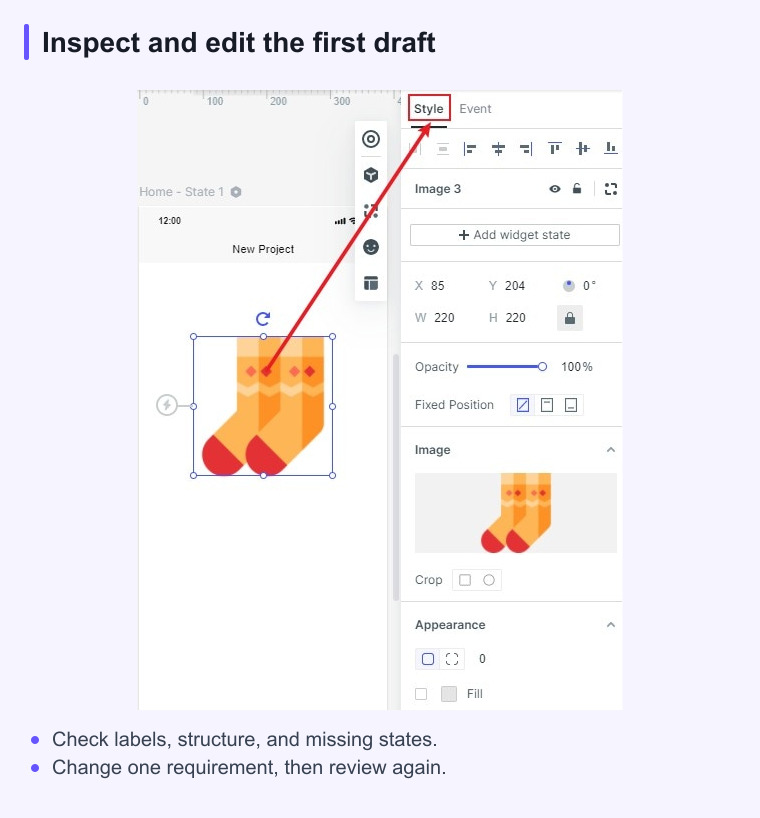
How to inspect and correct an AI draft
- Replay the primary task without reading the prompt again.
- List where the next action, status, or ownership is unclear.
- Check every generated label against the requirement and approved terminology.
- Test the important empty, error, permission, and back states.
- Ask the system for one bounded revision at a time, then compare versions.
Keep a human decision record beside the prototype. It should explain which changes were accepted, which were rejected, and which questions need user research or engineering input.
For the invitation example, record a revision as accepted only after its return screen matches the chosen draft state. Keep “Does the application retain an unsaved edit after a network failure?” open for implementation testing. An editor screenshot can illustrate how to inspect or amend this draft; it is not evidence that these prompts were run or that an invitation was delivered.
What not to delegate to a prompt
Do not use generated output as proof of security, accessibility compliance, production performance, data availability, or customer demand. A prototype can illustrate an interaction and expose a product question; it cannot verify systems that are not represented in the draft.
Also avoid prompts that ask for “the best” interface without a user, task, or constraint. That wording produces a visual direction without a decision standard.
AI prototype prompt checklist
- Who is the user and what situation are they in?
- What single outcome should the first draft help the team inspect?
- Which screens and states are required?
- Which content, platform, accessibility, or localization constraints matter?
- What should the reviewer check after generation?
- Which claims still require research, product data, or engineering confirmation?
Structured prompts make AI output easier to evaluate. The product team still owns the requirement, the trade-offs, and the decision to move a prototype forward.
Sources and scope
This guide combines product workflow guidance with the linked reference material. Product capabilities and limits can change, so check the current Mockitt page before relying on a feature detail.