A real estate website has to connect an attractive property presentation with useful decisions: where to search, which details to compare and how to ask for more information. The right layout depends on whether the site presents one development, a brokerage's listings or a network of workspaces. Review that journey in a Mockitt website design before choosing the visual treatment or template.
The seven website examples below are historical design references from the retained screenshots, followed by three original template references. Use them to study information hierarchy and navigation rather than as a ranking of current businesses. A strong photograph can introduce a place; the surrounding controls and property facts must help someone take the next step.
Seven Real Estate Website Design Examples
1. JacksonShaw
JacksonShaw's retained homepage leads with a concise developer-positioning statement and a large architectural background. Its main navigation separates Hospitality, Urban Industrial and Portfolio from company information and contact. That distinction matters for a development business with several kinds of work: visitors need a useful category before they can decide which project to inspect. The downward arrow signals more content below the hero. Adapt the lesson by naming the portfolio categories clearly and making each route visible alongside the brand introduction.

2. Charbonnel Town
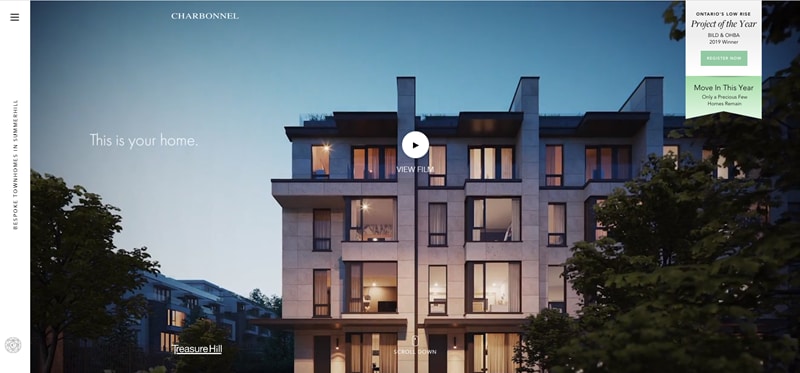
The Charbonnel capture presents a particular residential project through a large building image, restrained typography and the message “This is your home.” A central View film control offers a richer presentation without filling the first screen with competing actions. This approach suits a focused development story more than a large multi-property search catalogue.
Keep essential facts available outside a promotional film. A prospective buyer may want the location, property types and enquiry route before choosing to watch. Use imagery to establish the setting, then make the practical content easy to reach. The still image supports this hierarchy observation; it does not establish the film's current availability or performance.
3. Gizmo
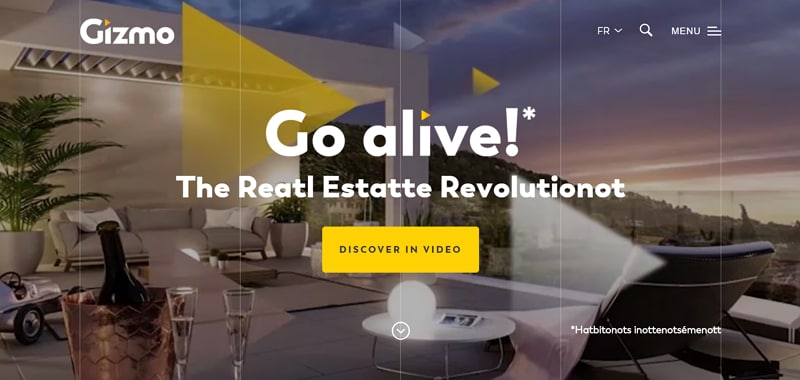
Gizmo's retained design combines a strong headline, an interior image and a yellow Discover in video button. Language, search and menu controls sit together at the top. The focused accent gives one action visual priority, while the image introduces the service's real-estate context. For a similarly promotional page, decide whether a visitor needs an overview video, service explanation or immediate enquiry first. Keep those routes understandable without relying on animated effects to explain what the business does.
4. Copernico
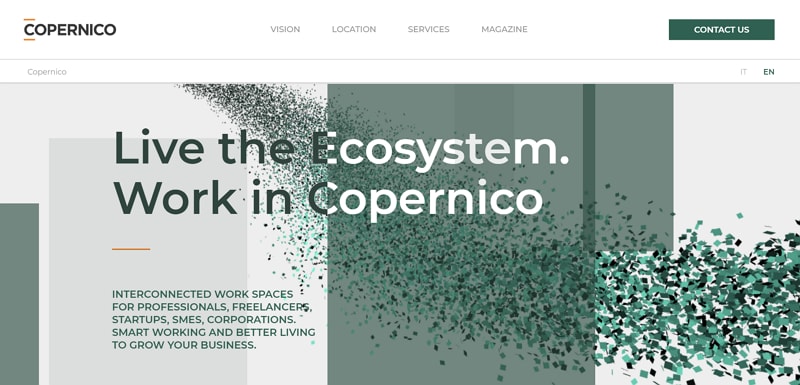
Copernico presents an interconnected workspace proposition rather than a conventional house listing. The screenshot separates Vision, Location, Services and Magazine, with Contact us given its own button. The headline and supporting text explain the working environment before asking the visitor to explore it. The useful lesson is to align navigation with the service: someone choosing a workspace needs to understand where it is, what it provides and how to speak to the operator. An abstract visual style should leave those routes legible.
5. Les Grandes Serres
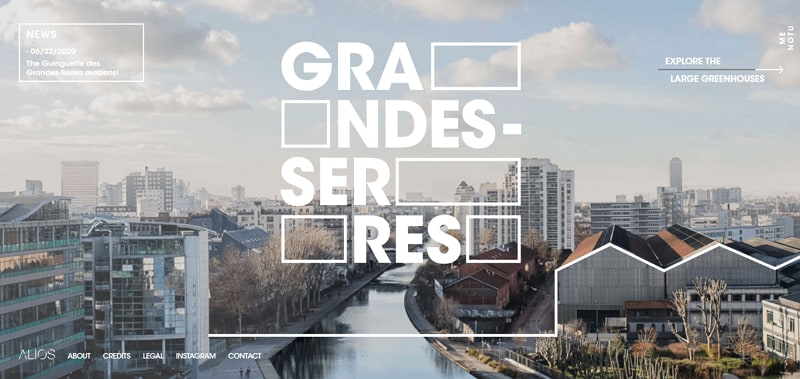
The Grandes Serres capture uses a large aerial photograph to place the development in its surrounding landscape. Oversized, split lettering makes the project name part of the composition, while an Explore the large greenhouses route invites further reading. This is a project-story approach: context and architecture lead the experience. If you borrow that idea, retain a readable route to practical project information and examine how the large lettering behaves on smaller screens. Do not let the visual composition obscure the name or navigation.
6. Hilton & Hyland
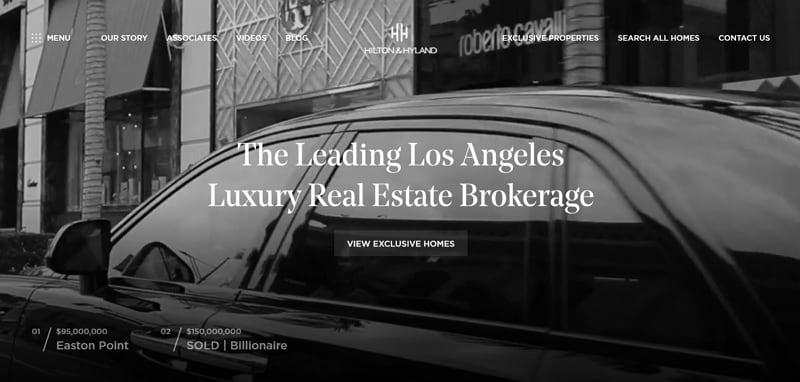
The Hilton & Hyland screenshot pairs a brokerage headline with View exclusive homes and Search all homes routes. The distinction gives visitors a choice between a curated presentation and a broader property search. The top bar also exposes associates, company information and contact. A clear website header helps keep these different intentions from competing in a single undifferentiated menu. Evaluate listing discovery and enquiry separately from the cinematic background: a premium visual treatment still needs understandable property information.
7. Kamerton Premium Apartments
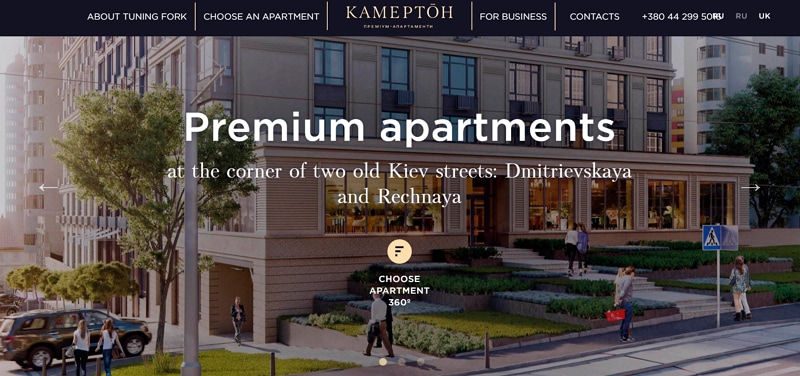
Kamerton's retained page concentrates on one apartment development, with a building rendering and a Choose apartment action. The headline names the property type and the image caption identifies its setting. Artkai identifies Kamerton among its real-estate projects; the useful design observation here is the route from an overview of the building to an individual apartment. For your own project, connect that selection to the floor plan, area and relevant details. A three-dimensional presentation can complement those facts, but should not be the only way to understand them.
Three Real Estate Template References
A template supplies a starting structure, not a complete property service. Before adopting one, review the content and implementation fit of the website template: which pages it includes, how search and enquiry will work, and what its current download and attribution terms require. The retained previews below may differ from newer releases.
1. Colorlib's Real Estate Template
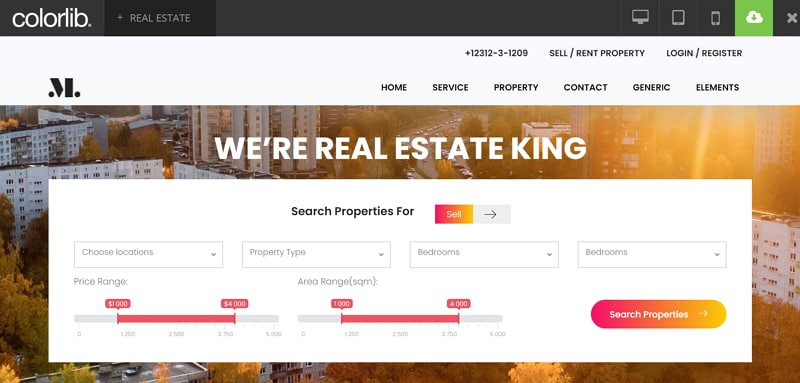
The original Colorlib Real Estate preview gives the search form a large area within the hero. Location, property type, bedroom choices, price and floor-area ranges are grouped around a Search properties action. This is useful when visitors already know their requirements. Check whether every field has a distinct label and whether the chosen filters remain visible in the results. The roomy layout is a starting point for content, not evidence that a database, enquiry processing or every required page is already provided. Verify the exact template package before implementation.
2. uiCookies' Haus Template
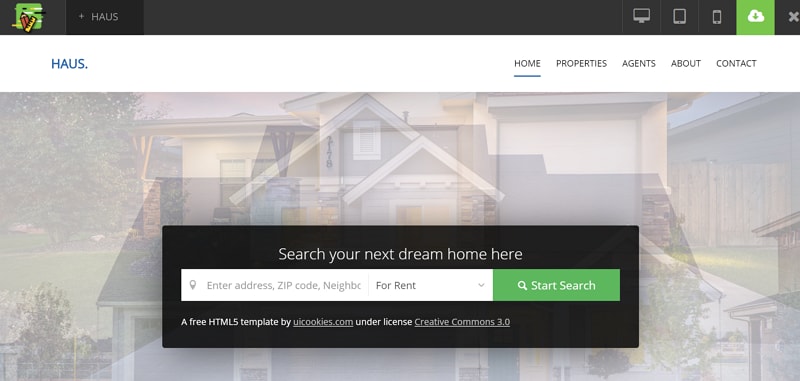
The retained Haus preview offers a shorter address or neighbourhood search with a rental selector and a prominent Start Search action. The current official Haus page describes a static HTML template and explicitly separates its search and contact markup from backend processing. It also lists download and footer-credit conditions. Use the simpler form when a location-led start fits the task, then decide which additional criteria belong on the results page. A template can show the form while your implementation supplies the actual listings and submission handling.
3. Colorlib's Bluesky Template
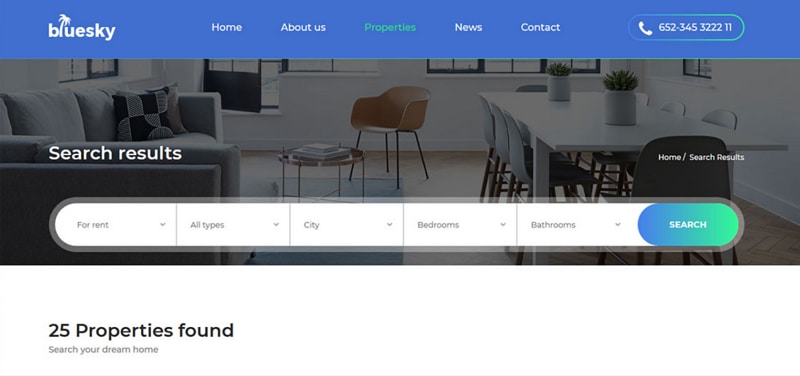
Bluesky's retained search-results preview presents rent, type, city, bedroom and bathroom controls above a visible results count. That arrangement helps show which question the result set answers. The official Bluesky page supplies current template and license information; check the offered package and conditions rather than assuming all support, updates or use rights are permanently free. When adapting the layout, include an understandable empty-result response and keep the enquiry route with the property details. Demo counts and forms must be connected to real data and services before release.
Prototype a Property-Search Journey
Use Mockitt to make the proposed search, result and detail relationship visible before committing to a template. Start with the information a visitor needs, then choose a layout that supports it. The goal is to review the property-selection task, not to simulate a live listing database or promise a finished real-estate website.
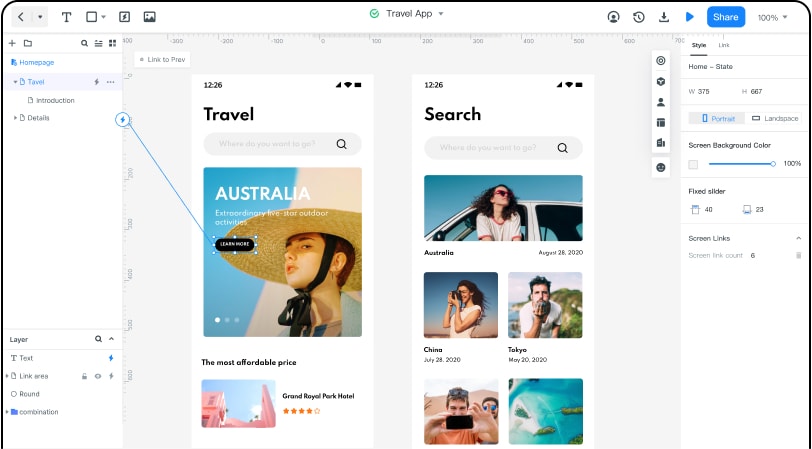
Create the relevant website screens and connect their controls. Keep search criteria beside the results so a reviewer can see why a property appears. A detail screen should carry the facts needed for comparison and a clear enquiry action. Share the preview with someone who can assess both the content and the proposed journey.
In the fictional Maple District example, a search for two-bedroom properties leads to a Willow Court result. Opening it reveals the floor area, a simple floor plan and Request details. The review checks whether the selected criteria, property facts and next action remain connected; all names and listing content are illustrative.
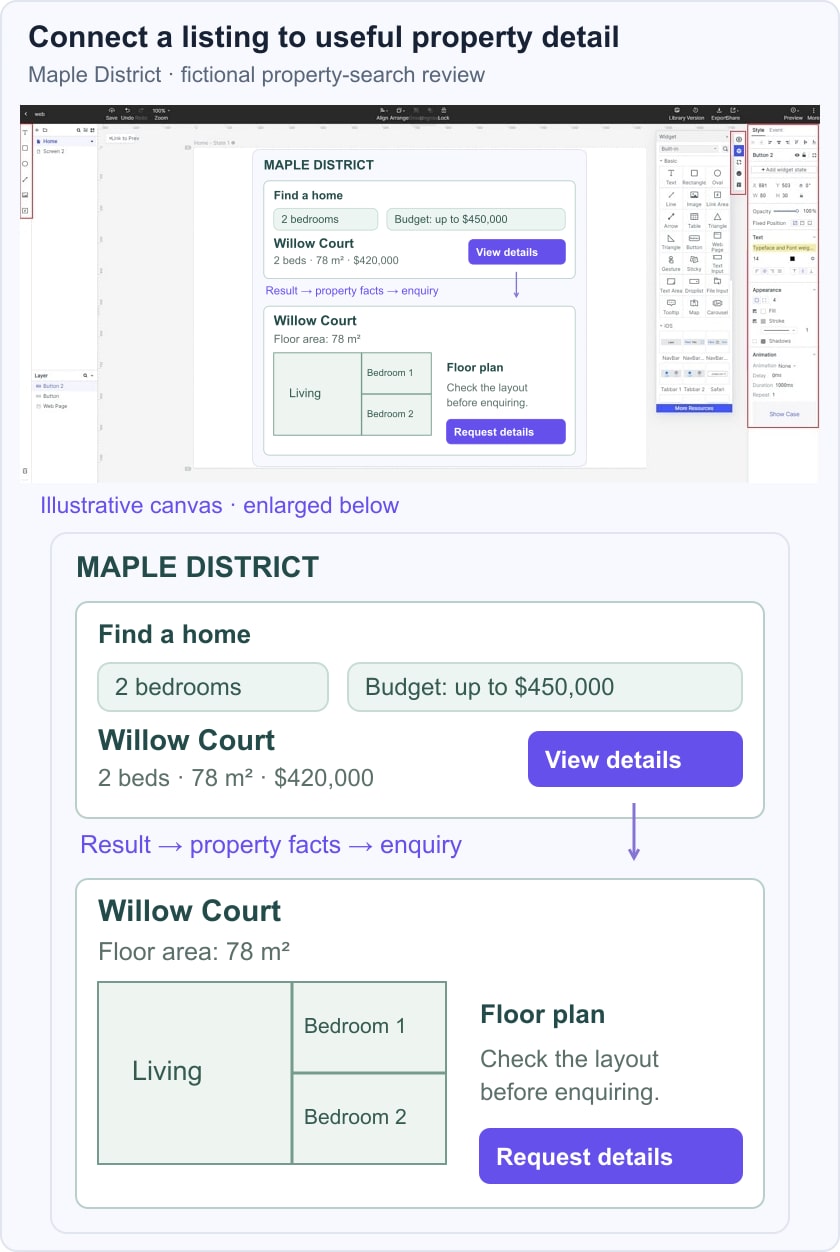
Review the same journey at a narrow width. Check whether filters collapse without hiding their selected values, whether the floor plan remains interpretable and whether the enquiry action stays associated with the correct listing. Ask reviewers to explain which property they are viewing and what happens next, then revise unclear labels or missing information.
Carry the agreed screen structure and unresolved questions into implementation. Search relevance, map data, listing availability and enquiry delivery need their own production checks. The prototype gives the team a concrete design to discuss before those systems are connected.