
Original illustration source: Nopio (archived).
A functional specification explains what the system should do when a person or another system performs an action. It connects inputs, rules, conditions, and observable results. It can form part of a broader software requirements document, but it is not the same as a screen layout, project schedule, or visual style guide.
For UX work, the specification gives the team a shared account of expected behaviour: what happens, what can go wrong, and how the person can continue. It should be precise enough to review and test while leaving implementation choices open unless a genuine constraint requires them. A document helps communication; it does not remove the need to clarify assumptions with stakeholders.
What Is a Functional Specification?
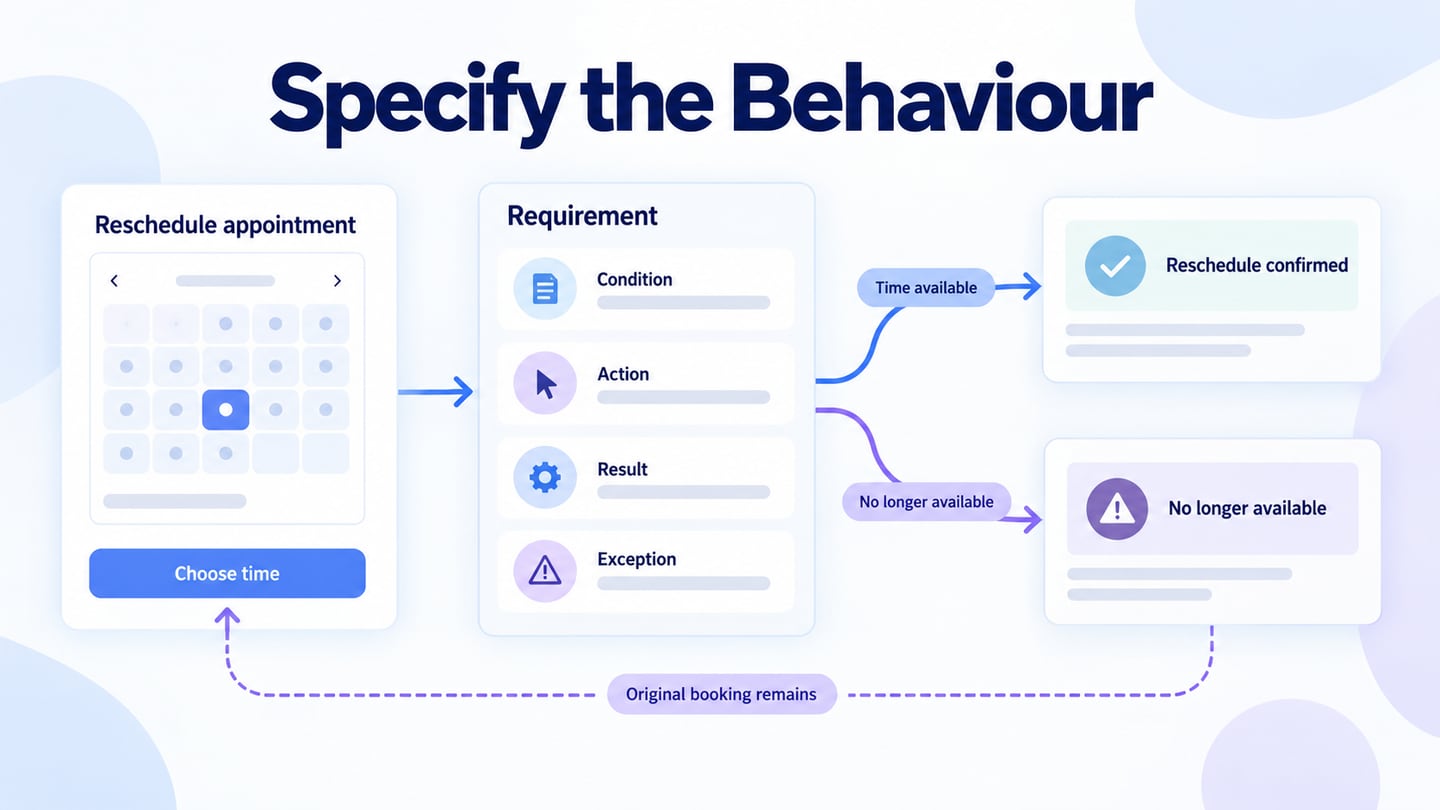
Functional specifications describe the behaviour needed to meet agreed requirements. They explain the relationship between an action and its result, including relevant business rules and exceptions. For example, “allow appointment changes” is a broad goal; a useful specification also explains who can change a booking, when a change is allowed, and what happens if the requested time is no longer available.
Use a structure that suits the project rather than treating every template heading as mandatory. The original sections below are a useful checklist when their purpose is kept distinct:
- Introduction
State the product, purpose, intended users, and the decision this document supports. Include the version, owner, and relevant context so reviewers know which behaviour is being proposed or maintained.
- Project Scope
Define what is included and excluded. Identify the affected features and deliverables, while linking to the project plan for cost and schedule information rather than duplicating figures that may change independently.
- Sequence and Dependencies
Describe the order of relevant actions and the conditions that enable each one. Distinguish the user’s task sequence from the team’s implementation phases; a development schedule is not a substitute for a behavioural flow.
- Risks and Assumptions
Record assumptions, unresolved decisions, and constraints. An assumption such as “availability can be checked before confirmation” needs an owner and validation. If it proves false, the design and its error handling may need to change.
- Use Cases
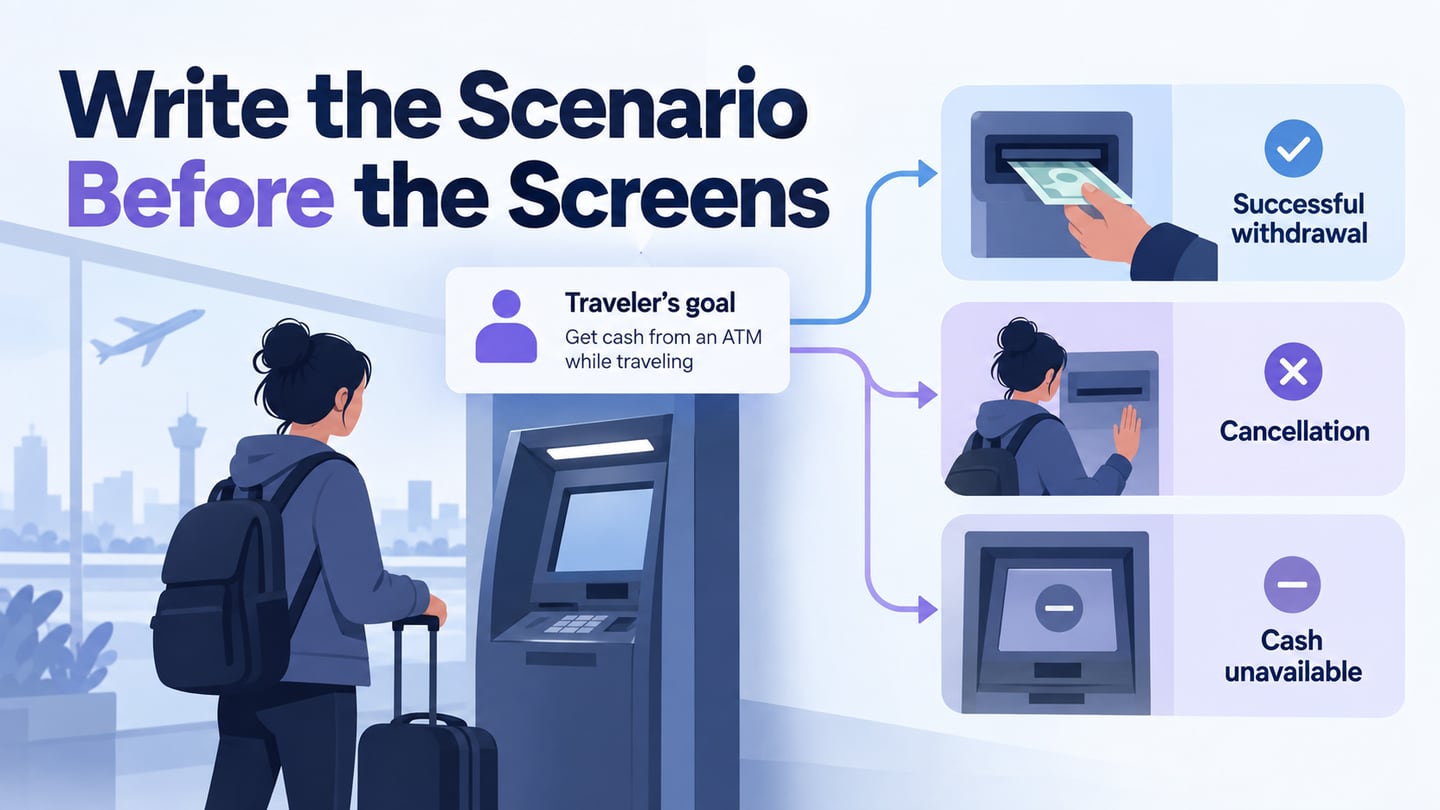
Describe the actor, goal, preconditions, main path, alternatives, and expected outcome. Include exceptions that affect the user’s task, such as loss of permission or a resource becoming unavailable during the interaction.
- Requirements
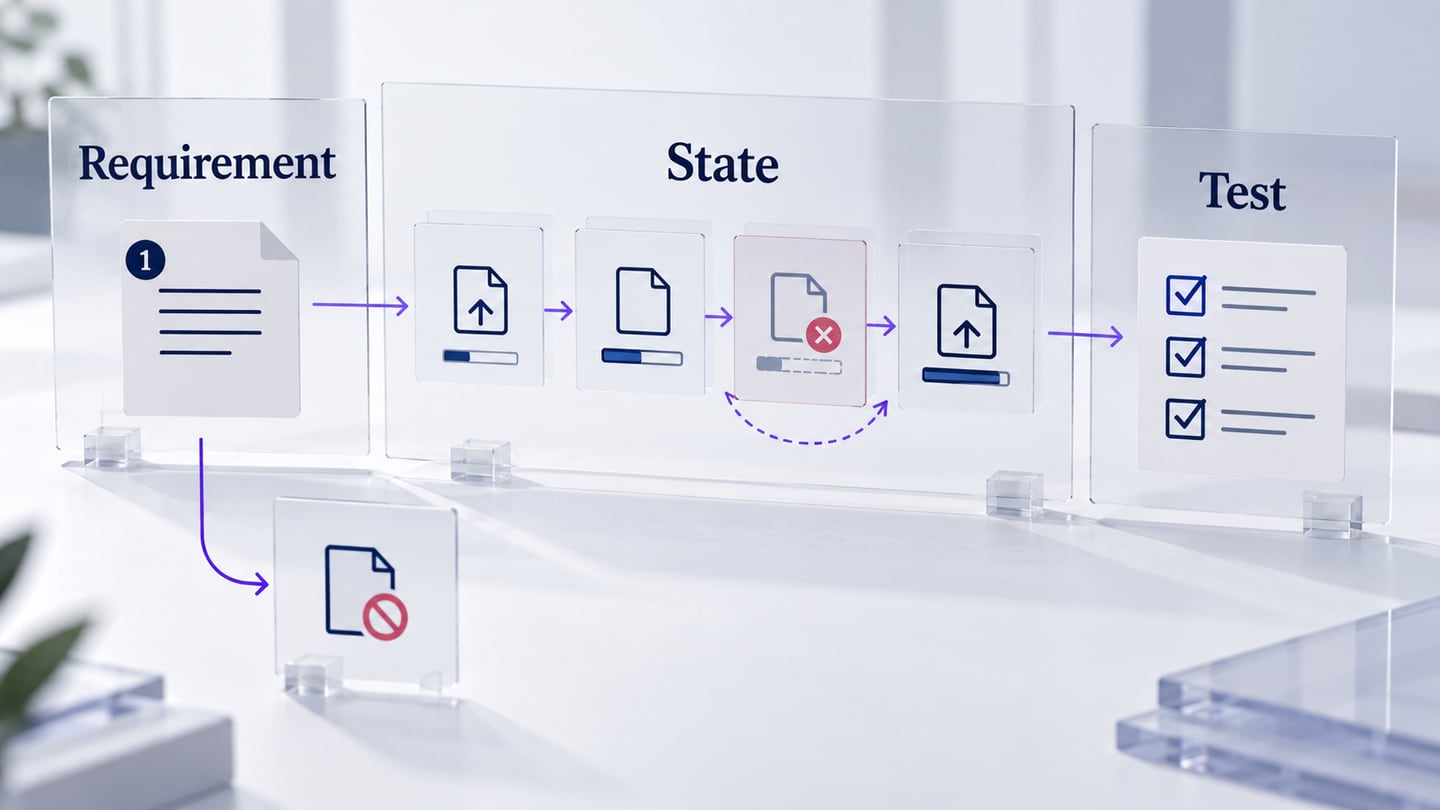
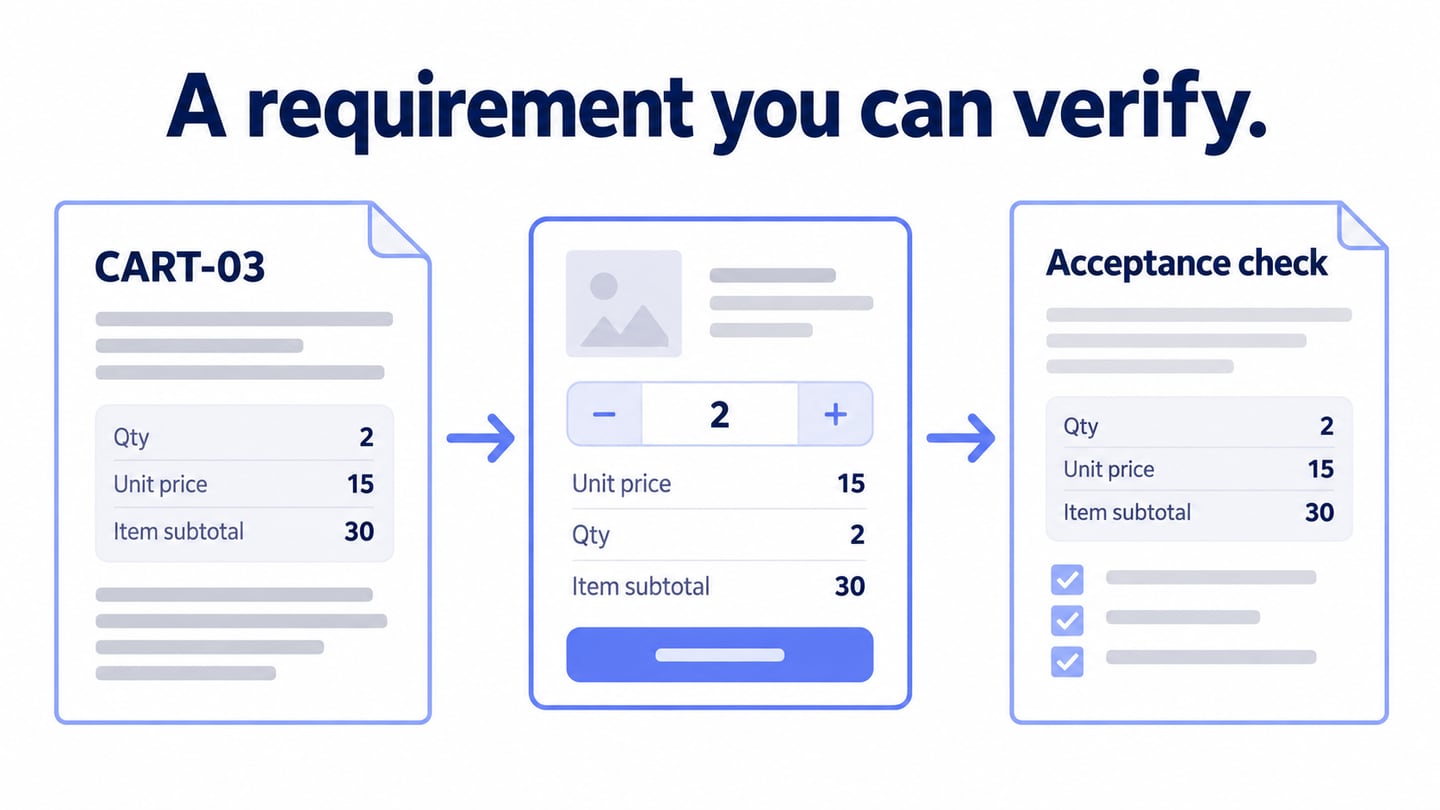
Give each important requirement a stable identifier and an observable result. Avoid phrases such as “works smoothly” without an agreed way to check them. NASA’s requirement-writing guidance is a useful reference for clarity and verifiability, even when a team uses a lighter document than a systems-engineering project.
- Responsibilities and Interfaces
Identify the people who own decisions and the system interfaces that exchange information. These are different concepts: a reviewer is not a software interface. Record relevant inputs, outputs, dependencies, and ownership without burying the user-facing behaviour in implementation detail.
- Configuration
State the configuration and preconditions needed for the behaviour to apply. These may include the account role, an enabled feature, required data, or a supported environment. Distinguish setup instructions from rules that the product must enforce.
- Non-functional Requirements
Non-functional requirements concern qualities and constraints such as performance, accessibility, security, and reliability. They are not merely optional enhancements or decorative themes. Define measurable expectations where possible and connect them to the relevant functions without pretending that the visual design alone verifies them.
- Error Reporting
Specify what information appears when an operation cannot complete, whether input is preserved, and which recovery actions are available. Include the difference between a validation problem, a permission failure, and a temporary service problem when those require different responses.
Together, these sections connect intent, conditions, behaviour, and review criteria. Keep the specification focused: include enough detail to remove ambiguity, then link to maintained supporting material rather than repeating it in several places.
Everyday Examples of Functional Specifications
Functional specifications apply to common interactions such as account access, booking changes, reports, and administrative actions. The useful question is what the system must do in a particular condition, not how impressive the document looks.
Typical subjects include:
- Business rules that determine whether an action is allowed.
- Corrections, adjustments, cancellations, and their effects on existing records.
- Administrative actions and the permissions required to perform them.
- Authentication behaviour, including relevant recovery paths.
- Application functions and their observable results.
- Authorization levels and behaviour when access is denied.
- Audit events that must be recorded for specified actions.
- Information exchanged with external systems.
- Functions needed to meet applicable certification or compliance obligations.
- Report inputs, filters, outputs, and access rules.
- How historical data is retrieved, displayed, or retained under the relevant policy.
A template can help organize these subjects, but completeness comes from reviewing the task and its exceptions. Keep requirements connected to the screens, rules, and checks that demonstrate their meaning.
Write one rescheduling requirement and its checks
For an illustrative appointment service, begin with a confirmed booking on Tuesday at 10:00. The person requests Wednesday at 14:00. Requirement R-07 states that the service changes the booking only after it confirms the new slot is available and the person confirms the change.
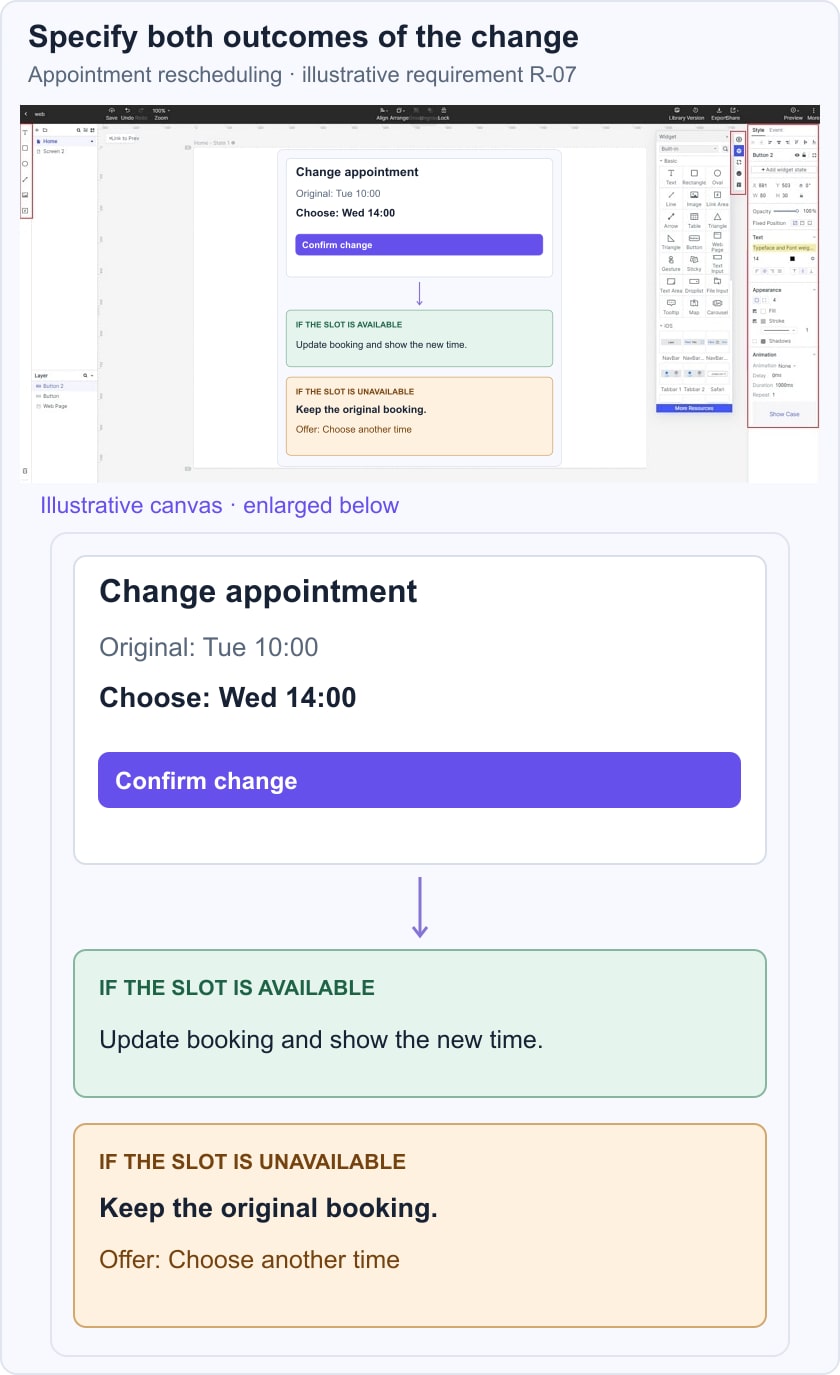
Specify two outcomes. If the slot is available, show the new time and update the booking record. If it is unavailable, keep the original booking and explain that another time must be selected. The design must not show a success message before the change is confirmed, and a failed attempt must not silently cancel the original appointment.
Review the states in a linked appointment prototype, then define implementation checks for each outcome. The prototype can reveal an ambiguous confirmation or missing recovery action; it cannot prove that the server preserves the booking during competing requests. Assign that check to the implemented service and keep the requirement identifier attached to the result. Define analytics event triggers and validation rules separately from the user-facing result.
Common Uses for Functional Specifications.
A functional specification can support several kinds of review:
- Check that the expected actions and results are understandable to the relevant users and team.
- Clarify relationships between the system and its dependencies.
- Identify missing conditions or exceptions by walking through the task.
- Resolve ambiguity before it spreads into design, implementation, and testing.
- Define the goals and acceptance checks for the specified behaviour.
The most common uses of the functional specifications are:
- Review risks early, including cases that a happy-path mockup does not show.
- Give product, design, development, and testing a common reference for discussion.
- Record decisions and changes so teams do not implement conflicting interpretations.
- Keep related requirements discoverable in one maintained structure.
- Provide clear behaviour descriptions that can inform interface messages and implementation tests.
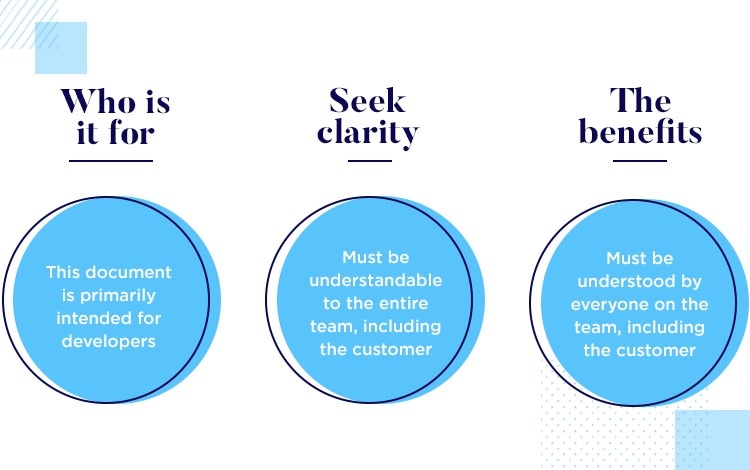
How Functional Specifications Support UX
UX work helps reveal whether the required behaviour makes sense in a person’s situation. Specifications make the intended rules and outcomes explicit. Neither replaces the other: a precise rule can still produce a confusing experience, while an attractive screen can omit an important constraint.
Use the relationship in the following ways:
- Connect user needs with concrete actions and understandable results.
- Compare the documented path with the screens, including alternate and failure states.
- Invite relevant disciplines to identify assumptions, technical constraints, and missing information.
- Define how input, state, and feedback remain consistent as the task progresses.
- Review applicable compliance and accessibility requirements with qualified owners; do not infer compliance from a polished prototype.
Conclusion
A useful functional specification states conditions, actions, results, and exceptions clearly enough for others to challenge and verify. The NASA technical-requirements process likewise emphasizes stakeholder validation and verifiability. Adapt that discipline to the scale of the product rather than copying a large template without purpose.
Keep the document connected to the actual design and implementation. When a rule changes, review its screens, messages, dependencies, and tests together. The result should be a shared, maintained account of behaviour—not an untested claim that every expectation has been satisfied.