Scenario design describes a person trying to achieve a goal in a particular situation. It gives a design team context before it chooses screens or controls. A scenario can inform a user flow, but the two are not identical: the scenario explains who needs what and why, while the flow makes the steps and branches explicit.
This guide keeps the original focus on scenario elements, different paths, the everyday ATM example, and uses across product development. The aim is to create a short, useful account that exposes questions the interface must answer.
Begin with one important task. Add context that changes the design decision, and leave out biographical detail that has no effect on the task. If a scenario is based on assumptions rather than research, label it as a hypothesis for the team to investigate.
What is Scenario Design?
A UX scenario is a short account of a person’s goal, circumstances, actions, and possible outcome. It can describe an existing experience or a proposed one. Scenario mapping uses that account to explore design ideas and questions. It is useful early in design, but it can also reveal problems during an iteration or review.
Keep the person’s goal distinct from the business goal. A person may want to withdraw enough cash for a journey; the organization may want fewer abandoned transactions. The scenario should explain the person’s situation first, then help the team see where business and service requirements affect it.
Include these elements when they change how the task is approached:
- Person and prior knowledge: Who is attempting the task, and what relevant experience or access needs do they bring?
- Goal: What outcome is the person trying to achieve?
- Action: What do they need to do, without prescribing every interface control?
- Context: What time pressure, interruption, environment, or device affects the task?
- Outcome and constraints: What would count as completion, and what could prevent it?
Use these elements to write a short narrative, then examine several paths through it. The following categories are practical lenses; they are not a single universal taxonomy.
Types of Scenarios
1. Alternative path: The person achieves the goal through another valid route. At an ATM, they might choose a smaller amount when their first choice is unavailable.
2. Error and recovery: A problem interrupts progress. Describe what the person can understand and do next, such as retrying a temporary failure or choosing to cancel.
3. Risk or misuse: Consider a relevant safety or security concern separately from ordinary errors. Do not solve such risks with interface wording alone; the underlying service needs appropriate controls.
4. Sequence: Put the important events in order, including the starting conditions and the point where the person knows the task is complete. For release scope, slice this sequence into a complete user outcome.
5. Simulation or storyboard: Show the situation visually when location, timing, or several people make a text description hard to follow. The picture illustrates the proposed experience; it is not proof that it works.
6. Use case: A more formal account can identify actors, preconditions, main steps, alternatives, and outcomes. It is useful when behavior must be specified for implementation.
7. Narrative: A short story can make the goal and context understandable to a wider team. It should not replace the details needed to test or build the interaction.
Choose the representation for the decision in front of you. A short narrative helps explore ideas; a flow exposes missing branches; a use case can clarify detailed behavior. Combining them is useful when each adds information rather than repeating the same list.
An Example of Everyday Scenario Design
The original ATM example is a helpful way to separate the person’s goal from a sequence of button presses. “Use the ATM” is too broad. “Withdraw cash for the next part of a journey” gives the task a purpose and allows the team to consider alternatives.
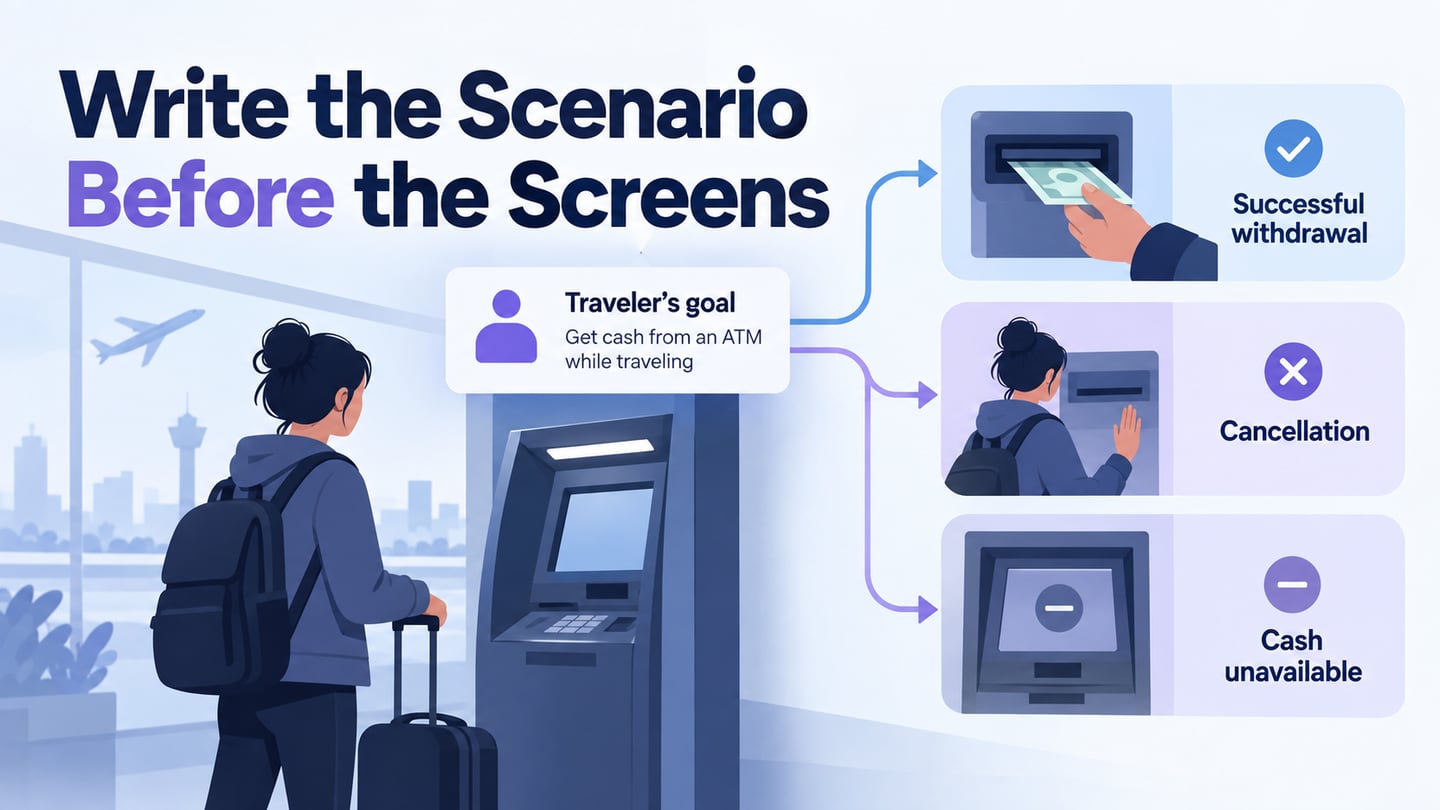
For this illustrative ATM scenario, the person needs cash before a bus departure and has limited time. They request an amount, but the machine cannot supply it. They need to understand the available alternatives and recover their card whether they continue or cancel. Exact bank rules and machine behavior would need to be confirmed for a real service.
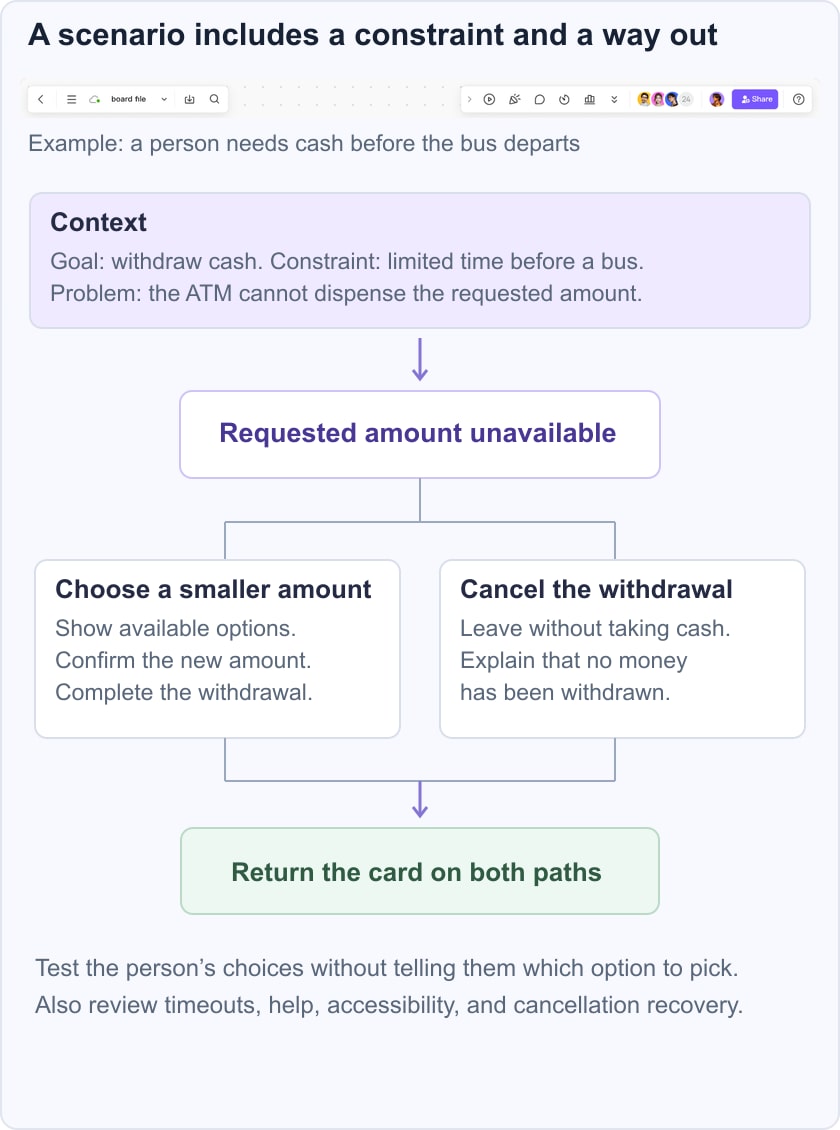
Map a normal route and the unavailable-amount branch. The normal route ends when the person receives the expected cash and card; the alternative lets them choose a supported amount or cancel. Check each exit for a clear outcome. This reveals a design question that a simple list of “insert card, choose amount, take cash” misses: how does someone safely stop when the original goal cannot be met?
Turn the scenario into a prototype question
Create the decision and recovery screens in Mockitt’s prototyping workspace and connect the paths that matter to this review. Ask reviewers to trace both a completed withdrawal and a cancellation. Annotate what is simulated, such as cash availability or account checks, so nobody confuses the prototype with a working financial service.
For a participant task, describe the goal and relevant situation without naming the control to use. “You need cash for the next part of your journey, but your first choice is unavailable. Show what you would do next” leaves room for observation. Telling them to press the smaller-amount button would test instruction-following rather than whether the design is understandable.
Common Uses for Scenario Design
Scenarios are useful for teams of any size when they need a shared account of a task. They can reveal missing information, competing expectations, and recovery needs before those assumptions become embedded in the interface.
In software work, use the scenario to connect the user’s situation with system behavior. Record which steps depend on permissions, data, or services outside the interface. A scenario is not a prediction that every person follows one path; it is a concrete case against which to question the design.
Across development, the same scenario can support different artifacts:
- Requirements: Identify the information and behavior needed to support the goal.
- Communication: Give users, designers, and stakeholders a common situation to discuss.
- Design rationale: Explain why a particular branch, label, or recovery option exists.
- Software design: Translate relevant behavior into states and system responsibilities.
- Implementation: Clarify dependencies and outcomes without prescribing unsupported technical details.
- Documentation: Explain how the service handles the situation.
- Testing: Check the main path, alternatives, and important failure conditions.
- Training: Practice a realistic situation and explain the boundaries of the exercise.
The Relationship Between Scenario Design and UX
A user story usually summarizes a need in a short form. A scenario provides the context and sequence around that need. A user flow shows the route and branches. Keep these roles distinct so the team does not mistake a short story for a complete specification or a long flowchart for evidence about user expectations.
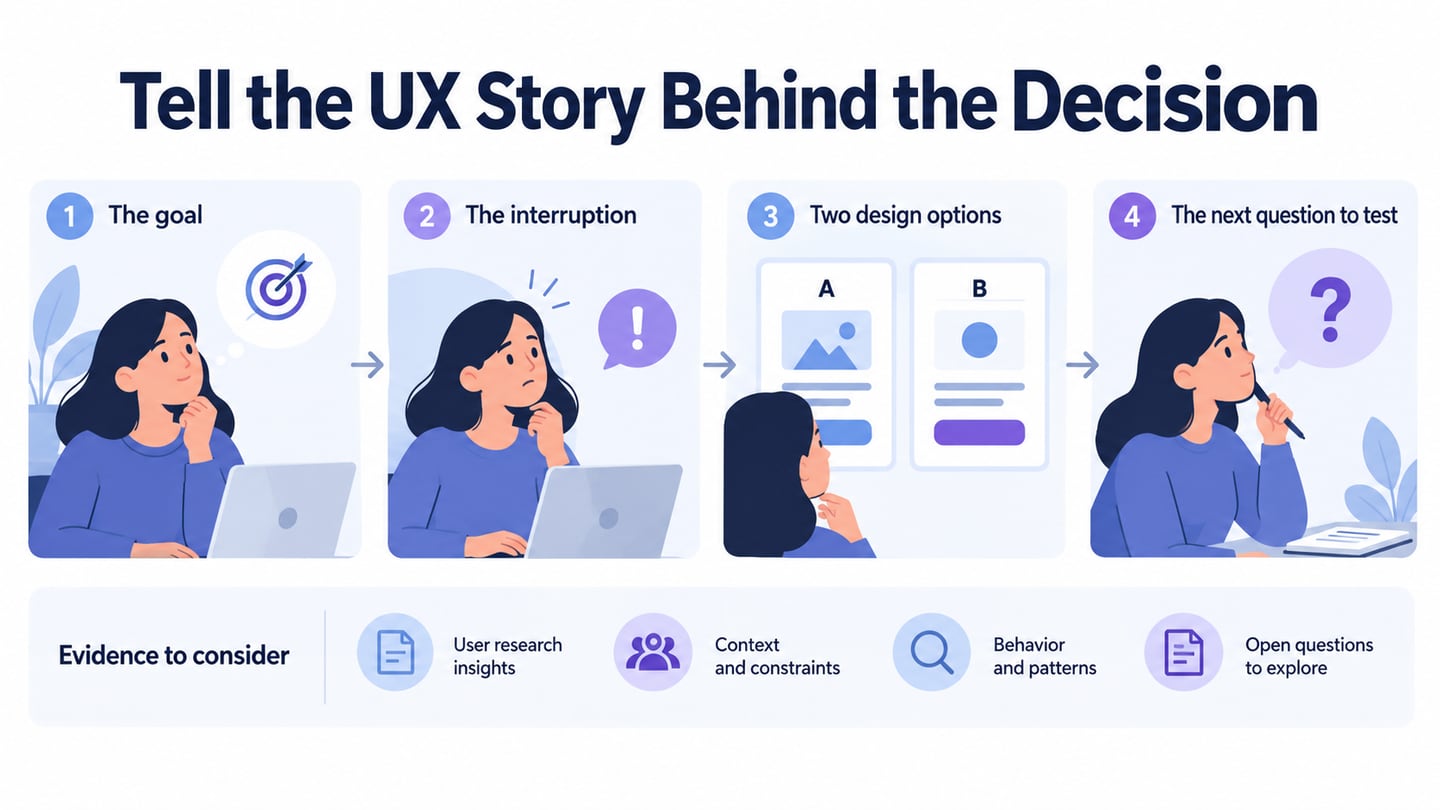
The UX value comes from making assumptions discussable. Who might approach the task differently? What happens after an interruption? Which message tells the person that the task is complete? Use usability testing and other relevant research to investigate these questions rather than equating attention or engagement with success.
A scenario can guide interface design without fixing the solution too early. Describe the goal and constraints first, sketch several possible responses, then choose which to prototype. Preserve the alternatives you rejected and the reason, especially when a business rule or technical dependency limits the design.
Before sharing a scenario, check that it has one clear goal, relevant context, a visible outcome, and at least the important recovery path. Mark assumptions and unanswered questions. That makes it useful to the next person who needs to design, build, or evaluate the experience.