Mockitt - Best Free Wireframe Tool
Helpful Tips About Wireframe
- How To Create A Wireframe
- Wireframe Tools You Should Know
- Wireframe Templates for Your Inspiration
- Free-to-use Wireframe Kit

Team Invitation UX: Roles, Expiry, and Account Mismatches
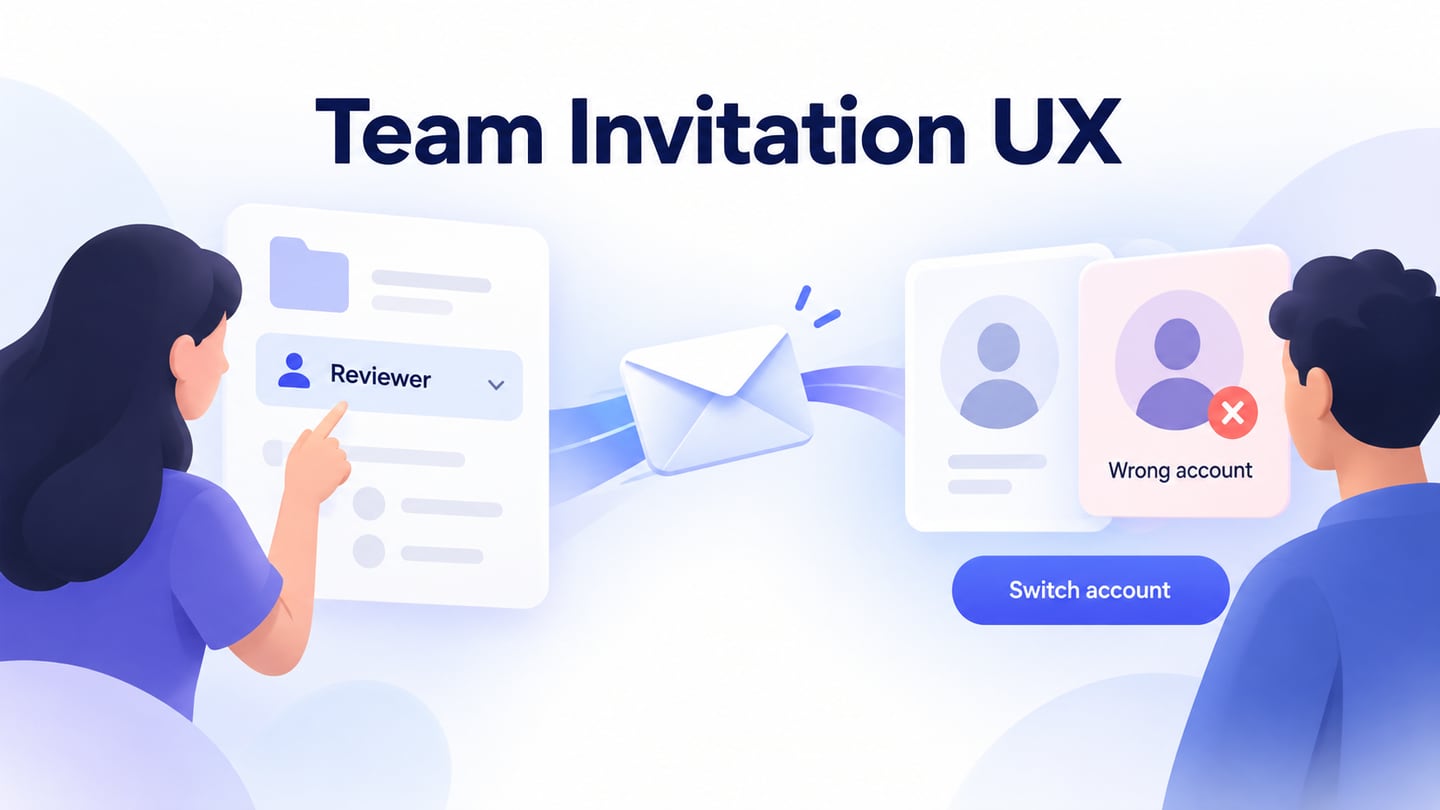
Design a team invitation flow with clear roles, pending states, account-mismatch recovery, expiry, resend, and a useful destination after acceptance.
A team invitation has two users: the person granting access and the person receiving it. A polished email cannot compensate for a recipient landing in the wrong workspace, accepting with the wrong account, or discovering that “Reviewer” means more access than expected. Good invitation UX makes the destination, identity, role, and next action clear on both sides.
Consider a fictional design studio, Northline, inviting an external reviewer to its Spring Campaign project. The reviewer may comment on that project but cannot edit its files or manage the studio. We will turn that decision into an interactive prototype in Mockitt, following the invitation from the sender’s form to the recipient’s first useful screen.
Decide what accepting an invitation actually grants
Write the access decision before drawing the invite modal. In the Northline example, the invitation is for one project, not unrestricted workspace membership. The role description should say that plainly: “Can view and comment on Spring Campaign. Cannot edit files or invite people.” A label such as Guest or Reviewer is useful only when people understand its scope.
The sender needs to know who can invite, which roles they can grant, and whether approval is required. A project editor might be allowed to request an external reviewer but not grant administrator access. Show the available action as “Request invitation” when someone else must approve it; a success message should then confirm the request, not claim that an email has been sent.
These choices vary across products. Slack’s invitation documentation describes how roles, workspace settings, and approval requirements affect who can invite. Treat that as evidence that invitation authority deserves its own design decision, rather than copying another service’s policy into yours.
Agree with engineering when the access decision is checked. The sender may lose permission after creating an invitation; the project may be archived before the recipient accepts. A prototype can show the outcome the team wants, but authorization must be enforced by the implemented service.
Make the sender’s form explain the consequence
For Northline, use three visible pieces of information: the recipient’s email address, the project, and the role. Keep the project name visible even when the invitation starts from that project. People often arrive through several routes, and a familiar dialog does not prove that it applies to the resource they intended.
Place the role explanation near the selector. If changing from Reviewer to Editor would allow file changes, show that consequence immediately. Do not hide the explanation inside a tooltip that disappears before the sender can compare options. A default should be an appropriate starting point for the task, not an unexplained grant of broad access.
For an external recipient, identify the boundary using information the product can actually establish. An unfamiliar email domain may warrant review, but it does not by itself prove whether a person is an employee or contractor. Avoid presenting a guess as a verified identity.
After submission, distinguish “Invitation sent” from “Member added.” In an acceptance-based flow, the recipient has not joined yet. The sender’s member list should show a pending invitation, its intended role, and the actions still available. Keep the entered address visible so a typo can be spotted without opening another dialog.
Give each invitation state a meaning on both sides
A shared state model prevents the sender’s table and the recipient’s landing page from telling different stories. The following is a proposed model for the Northline example. It is not a claim about Mockitt’s own membership system.
| State | Sender sees | Recipient sees |
|---|---|---|
| Pending | Recipient, project, role, expiry, and resend or revoke actions | Invitation details and an action to continue with the intended account |
| Accepted | Membership and role confirmed | A route into Spring Campaign |
| Expired | Invitation expired; a permitted way to issue a new invitation | An explanation and a way to request a replacement |
| Revoked | Invitation no longer grants access | The invitation is unavailable; an appropriate contact route |
| Already a member | Existing membership identified before creating a duplicate invitation | A route to the project if access is already available |
Delivery status is a separate concern. If the service knows only that it submitted an email for delivery, “Invitation sent” may be appropriate; “Email read” is not. If delivery fails and that failure is known, explain the problem to the sender without changing the intended role or creating an unexplained duplicate invitation.
Acceptance and project readiness can also differ. A recipient may join successfully while the destination is loading or temporarily unavailable. Preserve the confirmed membership state and offer a way to reopen the project. Asking them to accept again makes an availability problem look like an invitation failure.
Keep the recipient oriented before asking them to join
The recipient landing page should answer four questions before its primary action: who invited me, which organization and project this is, which account will join, and what I will be allowed to do. Use the same project and role wording as the sender’s form. Requiring someone to infer the destination from a logo alone is especially confusing when they belong to several workspaces.
An example confirmation is: “Join Northline’s Spring Campaign as a Reviewer. You can view and comment on this project.” Place the current account nearby. “Join project” describes a more precise outcome than “Continue” at the final acceptance step.
Some recipients will need to create an account; others already have one. Preserve the invitation context through either route. Returning from sign-in to an unrelated home screen leaves them wondering whether the invitation worked. Keep the intended destination available after authentication, while ensuring the service validates the invitation again before granting access.
This is a different task from designing a general signup page. The recipient already has a reason to enter a specific project. Avoid asking them to create a new workspace when their goal is to join someone else’s.
Handle the wrong account without silently changing the invitation
Suppose Northline invited a reviewer’s work address, but the browser is signed into a personal account. Explain the mismatch before acceptance. Where appropriate for the invitation’s privacy requirements, show enough information to recognize the intended account, then offer “Switch account.” Keep the project context so switching does not restart the entire task.
The mismatch screen names the project, explains why the current account cannot accept, and offers a switch-account route without changing the invited role.
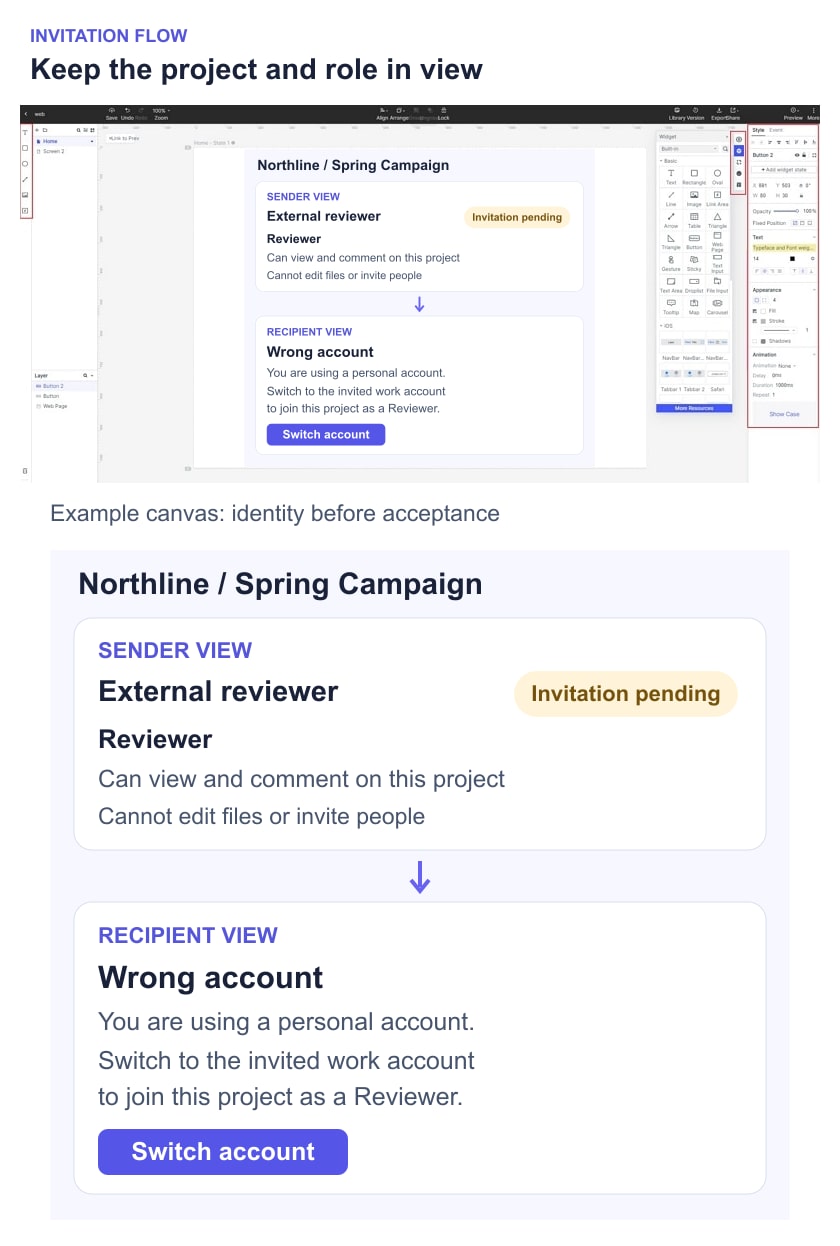
Useful example copy is: “This invitation is for your work account. Switch accounts to join Spring Campaign as a Reviewer.” If the product can safely display the invited address, include it. If not, describe how to find the invitation email or contact the sender. Do not reveal private membership information just to make an error message more detailed.
GitHub’s organization invitation guidance provides a concrete identity rule: an email invitation must match a verified address associated with the recipient’s account. Your product may use a different model. Document whether the invitation is bound to an address, an account, or another identity, and design the recovery route around that actual rule.
Do not solve every mismatch with “Use this account instead.” That choice changes who receives access and may require the sender to issue a different invitation. If reassignment is supported, explain it as a separate, authorized action rather than silently treating two accounts as interchangeable.
Distinguish expired, revoked, and already-used links
An expired invitation needs a recovery path, not a dead end. Tell the recipient that the link can no longer be used and explain how to get a replacement. If the product supports requesting another invitation, confirm that a request was sent; do not imply that access has already been restored.
A revoked invitation is different. Automatically offering to reactivate it can contradict the sender’s decision. The appropriate response may be to contact the project owner or return to an existing workspace. Coordinate the wording with the service’s disclosure policy so the error does not reveal more about the project than it should.
An already-accepted invitation should not look expired when the intended recipient already has access. Show a route to the project if the current account is authorized. If another account accepted it, return to the identity checks rather than granting access merely because the link once worked.
Choose an expiry period with the product’s security and operational owners. GitHub and Slack document different periods; there is no universal UX number to copy. When displaying expiry, make the time understandable to the recipient, especially across time zones. A countdown and a calendar date must describe the same deadline.
Make resend and revoke predictable for the sender
Resend can mean sending the same valid invitation again, extending its lifetime, or issuing a replacement link. Decide which behavior the product supports and explain it. If an older link will stop working, the recipient’s old email needs a sensible outcome rather than an unexplained error.
Slack’s pending-invitation controls distinguish actions such as resending, extending, and deleting invitations. The useful lesson is the separation of consequences, not that every product needs every control.
In Northline’s pending list, keep the recipient and project visible when confirming revocation. “Revoke invitation to Spring Campaign?” is clearer than “Delete user?” because a pending recipient is not yet a project member. Removing an existing member belongs to a different action with different effects on their work.
Before creating another invitation for the same address, check for an existing pending invitation or membership. Offer the appropriate next step instead of adding indistinguishable rows. If role changes on a pending invitation are supported, make the revised access visible to the recipient at acceptance.
Review the complete handoff between sender and recipient
In Mockitt, prepare the sender’s invitation form, pending list, recipient landing page, account-mismatch state, and project entry. Connect the relevant actions to those prepared screens. Keep the project and Reviewer role consistent throughout. This models the proposed experience; it does not send email or create real membership.
Begin a review on the sender side: “Invite an external reviewer to comment on Spring Campaign without allowing file edits.” Then start a separate recipient task with the browser assumed to be signed into the wrong account. Observe whether the person can identify the project, explain their access, and recover without accidentally creating a new workspace.
Repeat with an expired invitation and one revoked before acceptance. Use a focused prototype usability test to record where expectations differ from the designed result. Avoid explaining the correct account choice before the participant tries it.
For handoff, attach the role scope, identity-binding rule, expiry and resend behavior, permitted status messages, and destination after acceptance. Mark implementation checks separately: authorization, email delivery, link validity, and actual account switching cannot be established by clicking through prepared screens. The design is ready when both sides can understand what is pending, what access has been granted, and how to resolve an invitation that cannot be accepted.