Mockitt - Best Free Wireframe Tool
Helpful Tips About Wireframe
- How To Create A Wireframe
- Wireframe Tools You Should Know
- Wireframe Templates for Your Inspiration
- Free-to-use Wireframe Kit

Multi-Step Form UX: Progress, Back Navigation, and Review
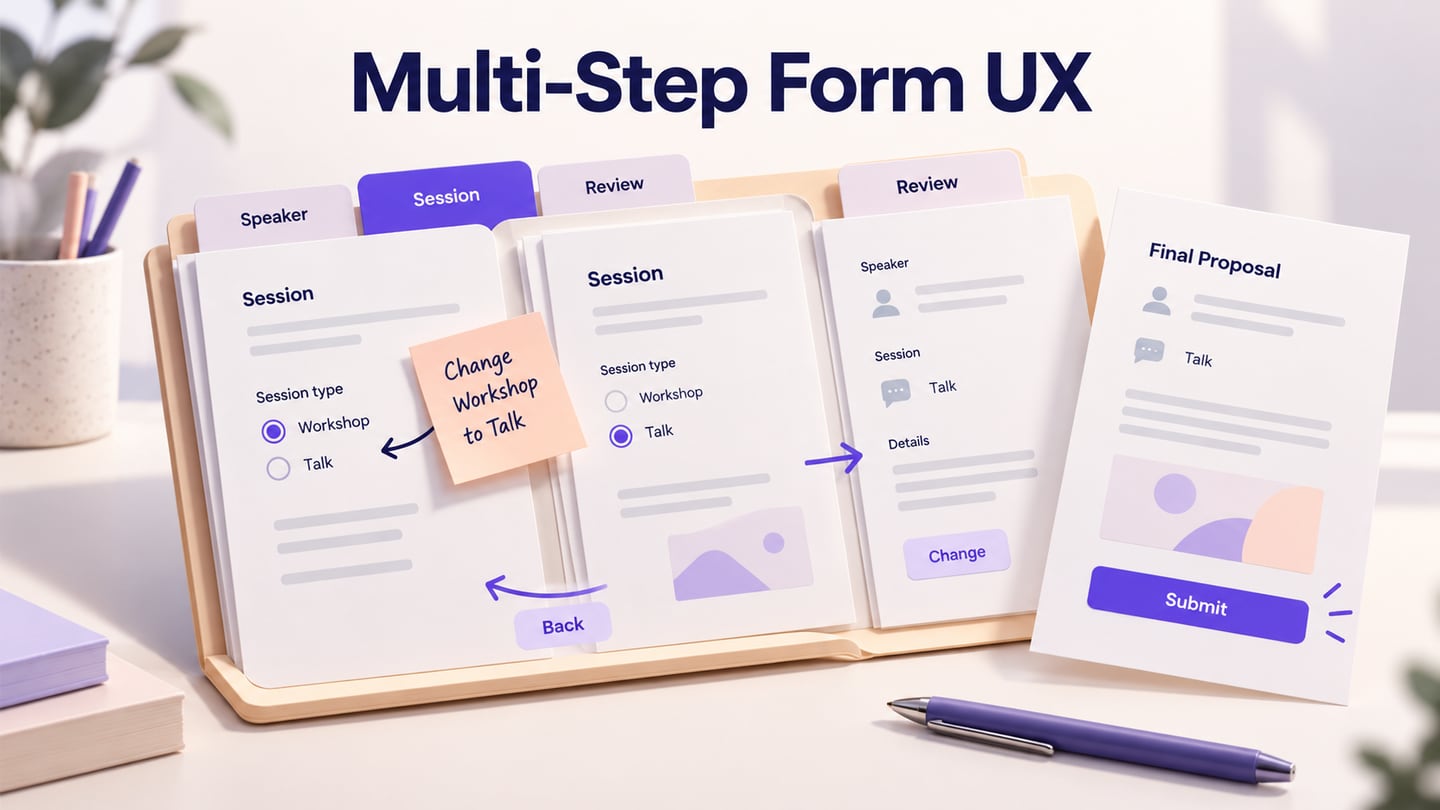
A multi-step form divides a substantial task into understandable parts. It works when people know what each step asks, can move back without losing answers, and can review the result before submitting. More screens do not automatically make a form easier: the steps need to follow the task and its dependencies.
Connect the proposed steps in a Mockitt prototype of the application flow before treating the progress indicator as finished. This guide follows a fictional conference, Open Field, where a speaker submits a talk or workshop proposal. The important design decisions appear when the speaker changes the session type, returns from review, or leaves with a draft still unfinished.
Split the task by meaning, not by a fixed field count
First decide whether multiple steps are needed. A short request with a few related answers may be easier on one page. A proposal with speaker details, session content, format-dependent requirements and final review has meaningful groups. Moving each individual field to a separate screen would add navigation without necessarily reducing the work.
For Open Field, begin with four named stages: Speaker, Session, Requirements and Review. The Session stage asks whether the proposal is a talk or a workshop. Requirements then asks the questions relevant to that format. This is a proposed structure to test, not a universal four-step template.
The W3C multi-page forms tutorial recommends logical groups, clear progress and recognizable optional stages. Apply that guidance to the actual questions. If two fields depend on each other, splitting them only to make pages equally tall can make the relationship harder to understand.
Before the first question, explain what the speaker needs to prepare: a session title, summary and intended audience. Do not require a biography attachment simply to make the form look substantial. The broader web form design guide covers labels and focused information collection; this article concentrates on what happens between steps.
Make progress useful when the path changes
Use names that explain the work rather than “Step 1,” “Step 2” and “Step 3” alone. On the Session page, show its name prominently and its position in the journey. On a phone, a compact “Session · Step 2 of 4” can preserve orientation without squeezing every stage into a narrow horizontal bar.
A completed stage should have a defined meaning. Open Field marks Speaker complete when its required answers pass the relevant checks; it does not mean the whole proposal has been submitted. The current stage, completed stages and unavailable later stages need text or recognizable shapes as well as color.
If the path branches, keep the indicator truthful. Open Field can retain four stage names while changing the questions inside Requirements. A different product might add or remove a stage. In that case, explain the revised path; do not keep a fixed percentage that jumps backward without context. A progress percentage is not a reliable estimate of time remaining when one stage contains most of the work.
Previous stages can be links when revisiting them is supported. Future stages do not need to be clickable if the next questions depend on unanswered information. Use the same rule consistently and provide a visible Back action so a stepper is not the only route to earlier answers.
Preserve answers and distinguish Back from Cancel
A speaker reaching Requirements may realize the proposed title is wrong. Back should return to Session with the existing answers available. It should not clear the biography on Speaker or reopen the entire form from the beginning. Browser navigation needs the same deliberate treatment as the form's visible controls.
Use Continue for an intermediate step and Submit proposal for the final commitment. A button labeled Next may be adequate in some contexts, but it must not silently become a submit action while retaining the same label. Cancel, Save draft and Back also have different consequences; avoid using them interchangeably.
Open Field keeps accepted answers when moving between stages. If a speaker leaves an incomplete stage, the design must explain whether the current edits are retained. Do not present “Draft saved” merely because the values remain visible in the browser. The autosave and failed-save guide owns the deeper persistence model; link to that decision instead of hiding it behind a green checkmark.
On return, open the proposal at a useful place: the first incomplete stage, or the stage explicitly selected from the draft list. Show its title and draft status. A returning speaker should not have to guess whether the saved proposal is already under review.
Handle changes that invalidate later answers
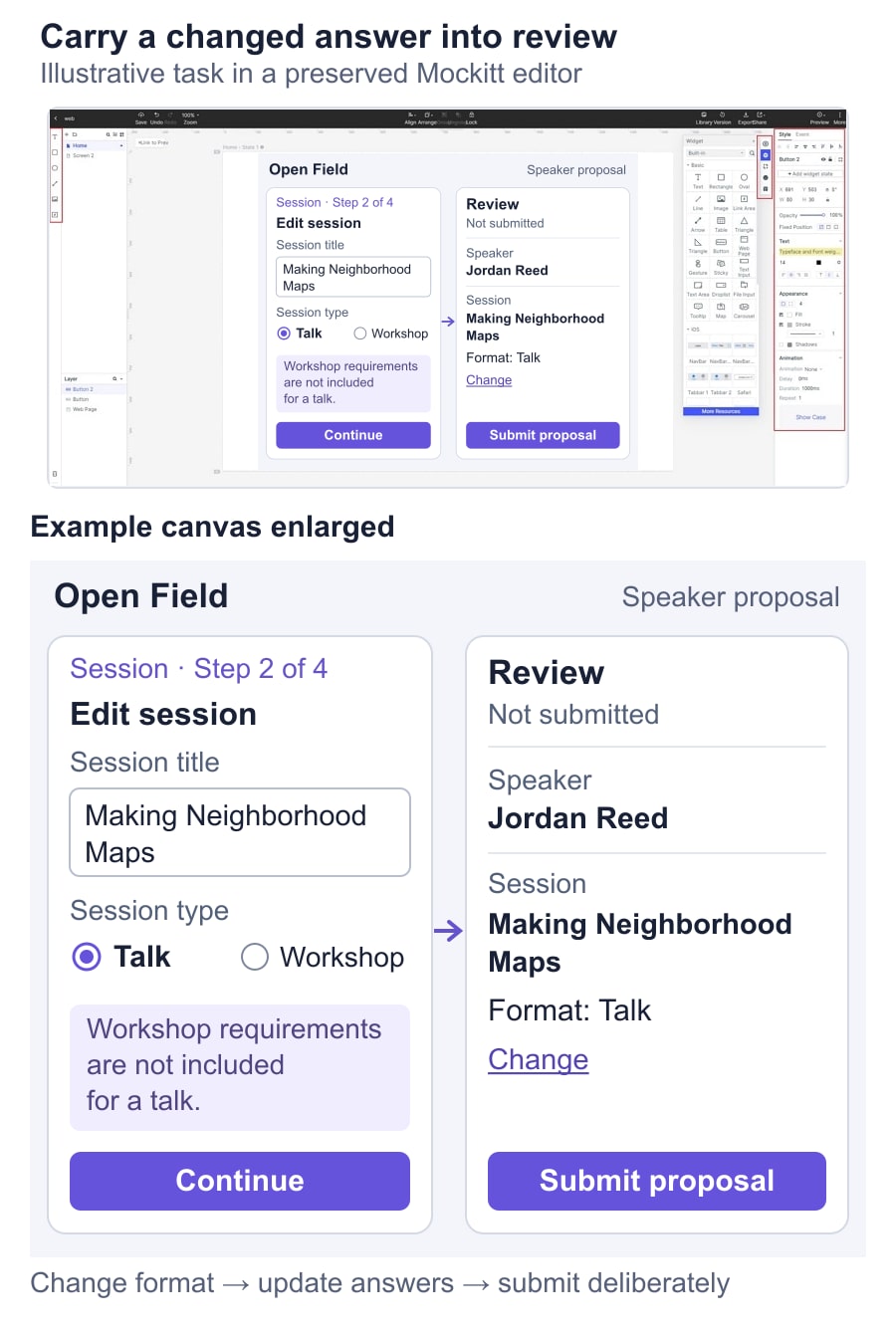
Conditional questions are where a neat sequence often breaks. In the Open Field example, a workshop asks for participant materials; a talk does not. Suppose the speaker completes those materials, reaches Review, then changes the format from Workshop to Talk. The old workshop answer must not silently remain part of the submitted talk.
Separate three decisions: what becomes irrelevant, what remains useful, and what needs to be answered again. The speaker's identity, title and summary may remain. Workshop materials become irrelevant to the current format. A new format-specific question may make Requirements incomplete again.
| Change in the proposal | Keep | Explain or request |
|---|---|---|
| Edit the session title | Speaker, format and existing requirements | Show the new title on Review. |
| Change Workshop to Talk | Speaker, title, summary and audience | Remove workshop-only answers from the submission and show any talk requirements. |
| Change Talk back to Workshop | Shared session answers | Show whether earlier workshop answers were retained as a draft or must be re-entered. |
| Change an answer that affects eligibility | Unrelated entered information | Explain the affected route before allowing final submission. |
Choose the retention rule with the product team and communicate it where it matters. A short message can say, “Workshop requirements are not included for a talk.” If changing the format permanently discards substantial work, warn before that loss. Do not add a confirmation for every harmless edit.
Review should show only answers relevant to the current path. Hidden stale answers are not merely a display problem; the implemented submission must use the same rule. Record that dependency alongside the screens so the backend and frontend do not interpret the proposal differently.
Help people fix the current problem without repeating the journey
Check the answers needed to leave a stage when the person chooses Continue. Avoid showing errors for later questions they have not encountered. Within the current stage, explain what needs correcting and retain the other answers. An incomplete summary should not erase the already selected audience.
For Open Field, “Enter a session summary” is useful when the field is empty. “Invalid proposal” does not identify the problem. Place the message beside the field and provide an error summary when it helps the person locate the failed answers. The GOV.UK error summary component demonstrates consistent summary and field messages, links to the affected inputs, and keyboard-focus handling.
A final server check can still reject a proposal after earlier steps passed. If the submission deadline has changed or a required answer is missing, identify the affected task and provide a route back while retaining the draft. Do not describe a service outage as a mistake the speaker must fix in their text.
Keyboard focus should make each result understandable: a new stage needs a recognizable starting point, while validation needs a discoverable error. Specify that behavior in handoff and test the implementation with keyboard and assistive technology. Merely linking two prototype screens does not verify those semantics.
Let people review, change and return directly
Review is the place to inspect the completed proposal, not an unexplained final step with an oversized Submit button. Group the answers under Speaker, Session and Requirements. Display the full session title and meaningful summary text so the person can notice the wrong proposal or an unfinished sentence.
Put a Change action beside each relevant group or answer. After editing the title, return directly to Review if no dependencies changed. If changing the format introduces unanswered requirements, guide the speaker through those questions before returning. Do not force them through every completed stage merely because the edit started earlier in the sequence.
The GOV.UK check answers pattern separates reviewing information from submitting it and recommends showing relevant sections. For this proposal, label the final action Submit proposal and explain that it sends the proposal to the conference team. A complete progress indicator alone does not communicate that commitment.
Prototype the change of mind before the happy path is approved
In Mockitt, prepare a workshop proposal, its completed requirements, the review page, a format change to Talk and the revised review page. Use one session title, “Making Neighborhood Maps,” throughout. Connect Back, Change, Continue and Submit to their intended prepared states. Include a retained-answer example and a submission failure, rather than only a flawless forward sequence.
Ask a reviewer to submit the session as a workshop, then introduce a change before final submission: “You now want to propose this as a talk.” Observe whether they can edit the format, understand which answers no longer apply, and recognize that nothing has been submitted yet. Do not explain the stepper before they try it.
Turn the important observations into testable prototype acceptance criteria: Back retains unrelated answers; a format change updates the relevant questions; Change returns to the appropriate review state; and only the final action requests submission. After confirmed submission, show a distinct receipt with the proposal title and its next status. The speaker should leave knowing whether they saved a draft or actually sent a proposal.