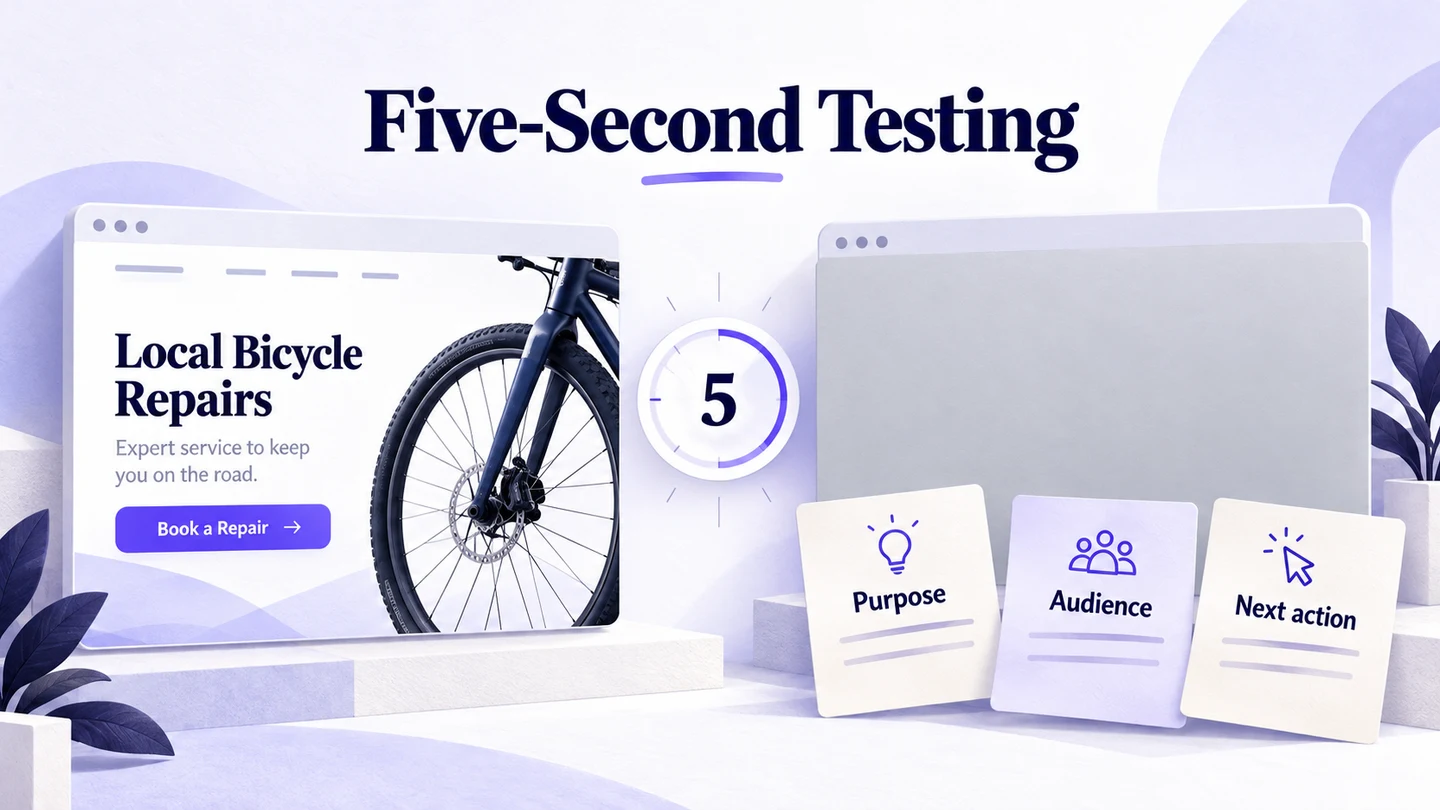
A five-second test shows someone a screen briefly, removes it, and asks what they understood or remembered. Use it to investigate an immediate impression: what the page offers, who it appears to serve, or which message stands out. Prepare one realistic screen, keep the exposure consistent, ask neutral questions, and use the answers to decide what to clarify. It does not establish that people can complete a task or that a design will increase sales.
Build the screen and its revision in Mockitt’s prototype workspace so the team can review the same content and layout before research. A researcher or a suitable study tool must manage the timed exposure and collect responses; sharing a prototype alone does not run a five-second study.
Choose a question a brief exposure can answer
Imagine a fictional bicycle-repair service called Spoke Street. Its new landing screen says “Keep your day moving,” shows a bicycle, and offers a “Find a slot” button. The team needs to know whether first-time visitors understand that a mechanic comes to their address. It is not yet investigating the whole booking journey.
Write that uncertainty before making the screen more attractive: “Does the opening view communicate mobile bicycle repair, or does it look like a shop people must visit?” This gives the study a useful outcome. Asking whether people remember every service, price, and neighborhood would demand detailed reading that the brief exposure does not allow.
The Lyssna five-second testing guide describes using short exposure and follow-up questions to investigate first impressions and message clarity. Treat the duration as part of the study setup, not a law about how long every visitor gives every website.
| Question | Is this the right starting method? |
|---|---|
| Does the opening view communicate a repair service that travels to the customer? | Yes: ask what service and setting people inferred after brief exposure. |
| Where would someone begin booking a repair? | Use a first-click task when the chosen entry point is the uncertainty. |
| Can someone book the correct repair and change the address? | Observe the complete task in an interactive prototype. |
| Will the revised page increase completed bookings? | That requires evidence from an appropriately designed live experiment. |
The distinction matters when reporting findings. “People described this as a bicycle shop” identifies a communication problem to investigate. It does not explain whether the booking flow works. Use first-click testing separately when you need to examine the starting action.
Prepare the screen people would actually encounter
For Spoke Street, include the opening heading, short service description, booking action, and relevant image. Keep the real competition for attention: navigation, secondary actions, and essential notices. Removing all competing elements could make the test material clearer than the page people will use.
Decide on a device context. A desktop page and its mobile opening view can expose different information. Do not shrink a full desktop screenshot until its text becomes unreadable on a phone. Prepare the intended viewport and record whether the stimulus includes only the first view or a longer image. A long image displayed briefly answers a different question from a stable opening screen.
In Mockitt, keep an original screen and a clearly named revision. For the example, the revision might replace the vague headline with “Bicycle repairs at your door,” while retaining the same service, image, and booking action. Open the selected screen in Mockitt Preview and inspect it at the intended display size. Remove selection handles, comments, annotations, and any study notes that reveal the message you hope people will notice.
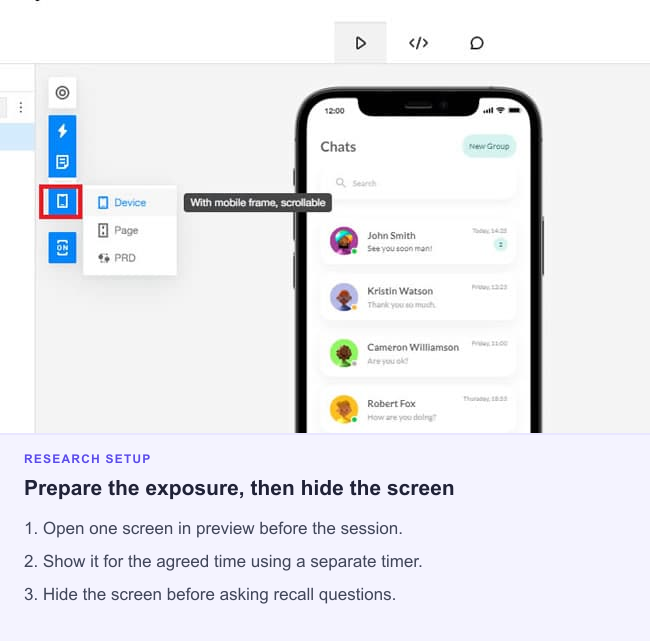
Use a clean image of the selected view if the research setup requires an image. Check the actual export or capture at the size participants will see. The design file is your source material; the research tool or moderator controls exposure. Do not assume that a loading delay or an editor preview accurately measures viewing time.
Keep the exposure neutral and the questions short
Recruit people who plausibly need the service and have not already discussed the design. For this example, that might mean bicycle owners in the intended service area. A colleague who knows the business can help pilot the setup, but their prior knowledge makes them a poor substitute for an unfamiliar visitor.
Give a neutral introduction and follow the normal consent arrangements for the study. Do not say, “See if you notice that the mechanic comes to you.” Avoid asking people to memorize the screen or showing the follow-up questions in advance. Both would direct attention toward details they might otherwise miss.
Show the stimulus, remove it at the planned point, and ask the first question before discussing the design. If exposure is moderated, rehearse the transition and prevent an accidental second viewing. If the image fails to load, record a technical problem; a blank stimulus is not evidence of weak messaging.
| Prompt | What it helps reveal |
|---|---|
| What do you think this service offers? | The service category understood, without supplying “repair” or “delivery.” |
| How do you think someone would use the service? | Whether the person imagines visiting a shop, arranging a visit, or another process. |
| What, if anything, stood out to you? | The remembered emphasis, including an unexpected detail. |
| What gave you that impression? | The cue behind a response, when the person can recall one. |
Ask only questions that serve the decision. “Did you notice our convenient at-home repairs?” supplies both the answer and a positive judgment. A long list of adjectives also adds a different memory task. Nielsen Norman Group’s visual-design testing guidance discusses matching the exposure and reaction questions to the kind of impression being studied.
Code understanding, not exact wording
Before reading responses, describe the meaning you are looking for. Spoke Street wants people to understand that the service repairs bicycles and that the mechanic travels to the customer. Someone who says “a bike mechanic who visits your house” has communicated that meaning without repeating the headline.
Keep the original answer beside your interpretation. The following invented responses demonstrate a coding approach; they are not findings from a completed study.
| Illustrative answer | Interpretation | Question for the design team |
|---|---|---|
| “Someone fixes your bike at your home.” | Service and location model understood. | Which cues supported that understanding? |
| “A bicycle repair shop.” | Service understood; travel-to-customer model unclear. | Does the heading or image imply a shop visit? |
| “It was something about cycling.” | Broad category recalled; service unclear. | Is a slogan displacing the concrete offer? |
| “I only remember the yellow bicycle.” | Visual detail recalled; no demonstrated service understanding. | Does the image attract attention without explaining the offer? |
Allow ambiguous answers rather than forcing every response into correct or incorrect. Ask a second reviewer to inspect a few coded answers, especially those where interpretation changes the conclusion. Agreement on what a response means is more useful than counting only the words the team hoped to hear.
Report the number of usable responses, the audience, the screen version, and the exposure conditions. If you calculate a proportion, retain its denominator. A small convenience sample can reveal misunderstandings worth fixing; it cannot establish how common they are across all prospective customers.
Test a revision without turning familiarity into improvement
Suppose the actual responses show that people understand repair but miss the at-home service. Revise the cue most directly connected to that problem. A clearer headline may be enough; changing the image, offer, color, and button together would make any later difference harder to interpret.
Use unfamiliar participants for the revision when possible. Showing the same person the clearer version immediately after discussing the original teaches them what the business does. Their improved explanation may reflect that conversation rather than the revised screen.
Keep the audience criteria, device context, exposure, and questions comparable. If those conditions change, record the change rather than presenting the rounds as a controlled comparison. Do not announce a winner from a tiny difference in response counts. Inspect the meanings and the evidence behind them.
Turn the result into the next design decision
A useful readout connects the uncertainty, observed answers, proposed change, and next question. For Spoke Street, it could identify a misunderstanding about where repairs happen, preserve the responses supporting that interpretation, and propose a clearer opening statement. The actual conclusion must come from the study, not from this illustrative example.
After the message is understood, investigate the next part of the journey. Can someone determine whether their bicycle is eligible, select a suitable visit, and recognize the confirmed address? Those questions need more than a quick glance. Coordinate the revised opening view with the landing page’s decision and next action, then choose the next method from the remaining uncertainty.