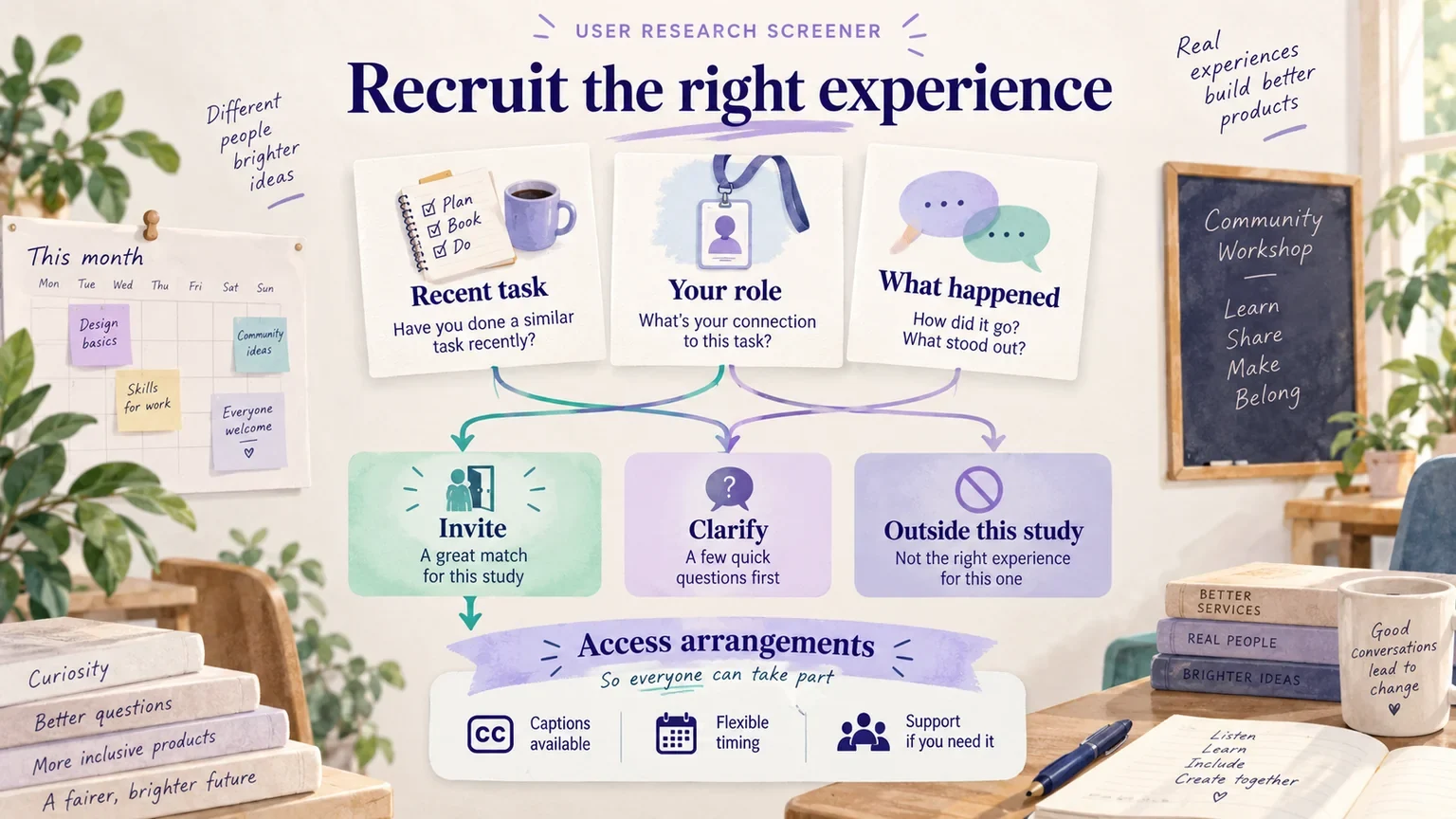
A user research screener is a short questionnaire that helps you recruit people with the experience needed for a study. Start with the research question, turn each essential criterion into a neutral question, and decide what each answer means before recruiting. Keep logistical details and access needs separate from eligibility: needing a screen reader or a different session time should not quietly become a reason to exclude someone.
In a broader UX research process, the screener connects your question to the people who can help answer it. It is not a miniature research interview. This guide builds a fictional screener for a community workshop booking study, including questions, routing rules, ambiguous answers, and the information a recruiter actually needs.
1. Define the decision before choosing participants
Suppose a community workshop wants to improve how people change a booked class. The team needs to decide whether a proposed rescheduling route makes the available options and booking consequences understandable. It does not need general opinions about education apps.
Useful participants have recently managed a class booking themselves. Some changed a booking; others tried but could not. A person whose colleague always manages their bookings may be relevant to a different research question, but cannot describe the same decision from direct experience.
Write a recruitment brief that names the task, the people involved, the study format, and practical constraints. GOV.UK recommends recruiting actual or likely users and reviewing the questions used by recruiters against the brief. Its recruitment brief guidance is a useful starting point for agreeing that handoff.
| Brief field | Workshop study example |
|---|---|
| Decision | Can people understand and complete the proposed booking-change route? |
| Relevant experience | Personally managed a paid class booking within the last six months. |
| Experience variation | Include completed changes and attempted changes that did not work. |
| Not the current question | How staff administer an entire class schedule. |
| Session | A moderated prototype session; a facilitator can arrange an accessible alternative if needed. |
| Recruiter handoff | Eligibility outcome, relevant experience category, scheduling needs, and contact details held separately. |
The six-month window is an example choice intended to support concrete recollection, not a universal research rule. A rare annual task may need a longer window. Agree why the chosen window fits the task before applying it.
2. Turn criteria into neutral questions
Do not open with “Are you an experienced workshop customer who has struggled to reschedule?” That question advertises the desired answer and combines several conditions. Ask about actions first, then use a short follow-up to establish relevance.
| Question | Answer options or follow-up | How to use the answer |
|---|---|---|
| In the last six months, which of these have you personally done? | Booked a paid class; changed a class booking; cancelled a booking; asked someone else to manage a booking; none of these; not sure. Allow multiple selections. | Identify direct experience without implying that a difficult experience is preferred. |
| Think about the most recent booking you managed. What kind of class was it? | A brief description; do not request the booking number or provider account. | Check that the example is relevant rather than testing writing ability. |
| What did you do when your plans changed? | Changed it myself; contacted the provider; asked someone else; kept the original booking; cancelled; no plans changed; another action. | Separate behavior from the eventual outcome. |
| Were you able to arrange the change you wanted? | Yes; partly; no; I did not attempt a change; not sure. | Retain unsuccessful attempts as relevant experience. |
| Who usually makes decisions about these bookings? | I do; another person does; we decide together; it varies. | Determine whose decisions the session would explore. |
Offer an “another action” or “not sure” route where the categories may not cover reality. A recruiter should not force an answer into the nearest convenient box. If several people share a task, clarify the participant's own part rather than automatically rejecting them.
Questions about age, occupation, income, or a named diagnosis need a reason tied to the research. They are not substitutes for relevant behavior. Collect the minimum information needed for recruitment and session planning; sensitive details that are not needed should stay out of the screener.
3. Write the routing rules before answers arrive
Without explicit rules, two recruiters can make different decisions from the same response. Define an eligible route, an ineligible route for this study, and a manual-review route. Manual review is especially useful when a person describes an unusual but relevant way of completing the task.
| Response pattern | Disposition | Next action |
|---|---|---|
| Personally booked a class and attempted a change | Eligible for the core study | Record whether the attempt succeeded; check scheduling and access needs. |
| Booked a class but has never attempted a change | Possible comparison participant | Use only if first-time understanding is part of the agreed study question. |
| A partner completes every booking action | Not eligible for the current task | Do not describe this as a lack of ability; it is a mismatch with the study's scope. |
| Uses a booking system at work and books personal classes too | Manual review | Clarify which experience would be discussed; do not assume that all professional experience is disqualifying. |
| Cannot remember the exact month, but describes a recent concrete event | Manual review | Resolve the timing uncertainty consistently with the brief. |
Keep the outcome separate from your confidence in it. “Eligible, timing confirmed” and “pending, timing unclear” are more useful than a single score that conceals why someone was selected. Record only the reasoning needed to apply the criteria; avoid speculative personal judgments.
4. Ask about access and logistics without turning them into hidden filters
After establishing relevant experience, ask what would help the person participate. Explain the session format before asking: a remote session, for example, may involve viewing a prototype, talking about the task, and optionally sharing a screen.
A practical prompt is: “Is there anything we can arrange to make the session work well for you?” Offer a private way to answer. Someone may need captions, a support person, extra time, a particular device, or a different communication format. Ask what arrangement is useful rather than demanding a medical explanation.
GOV.UK's participant recruitment guidance emphasizes including disabled people and people with different levels of digital experience. If your prototype or research setup creates a barrier, record that as a limitation of the setup and consider another way to explore the task. Do not silently screen out the people most affected by it.
Contact details, consent records, incentives, and screening responses serve different purposes. Give them appropriate access and retention rules within your organization's research process. A recruiting spreadsheet should not become an indefinitely shared collection of participants' personal stories.
5. Review the screener as a decision flow
Before sending the questionnaire to real candidates, walk through several fictional answer sets. Test the straightforward eligible case, an unsuccessful booking change, a shared-decision case, a missing answer, and an access request. Check both the final disposition and the questions each person would see.
You can lay out the questions, routes, and recruiter notes on a Mockitt whiteboard. Use a separate lane for participation arrangements so that they do not accidentally feed an eligibility rejection. This is a manual planning artifact: the board helps the team inspect its decisions; it does not conduct screening or validate a participant automatically.
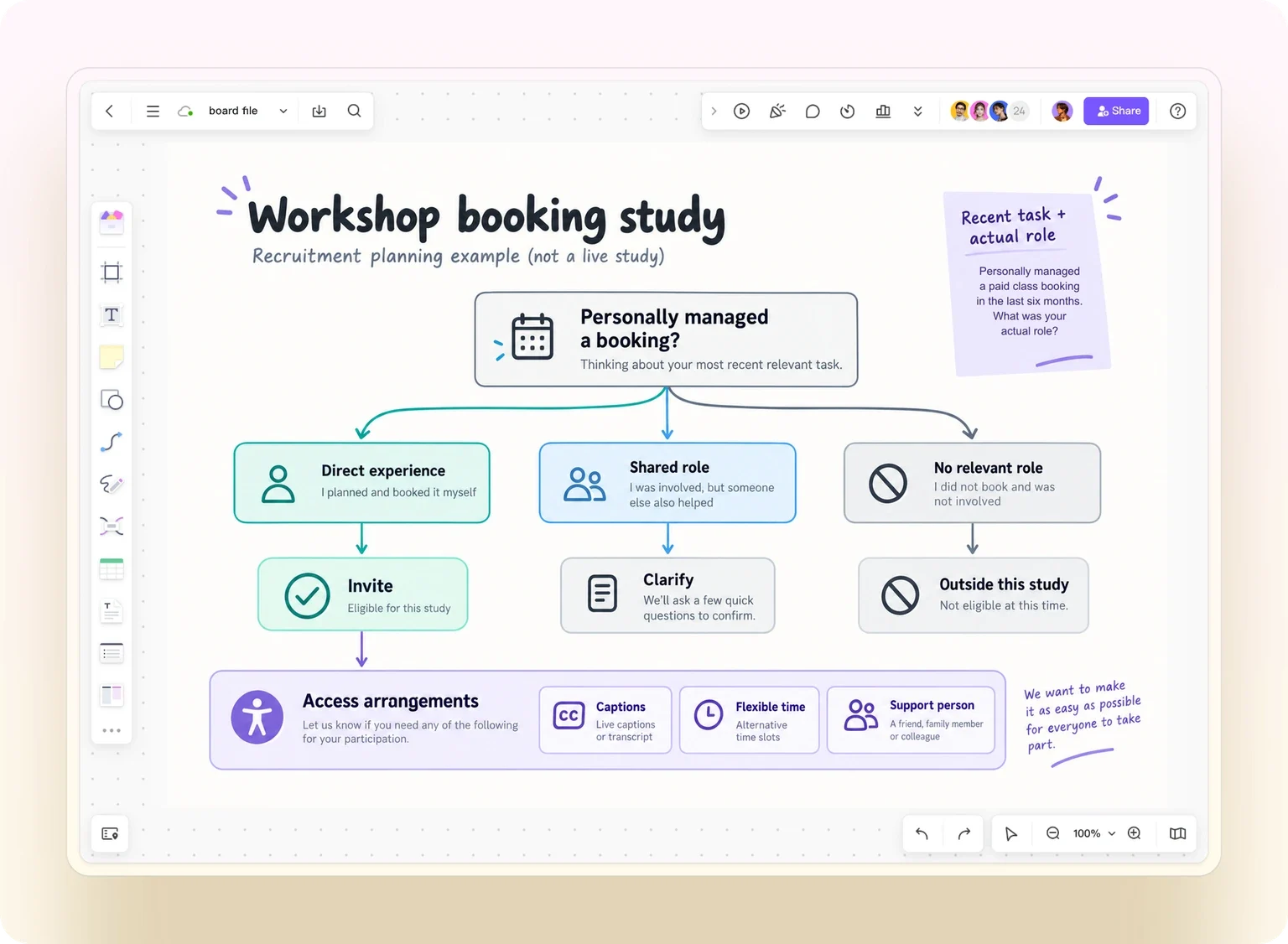
For the workshop example, the board has three outcomes: invite, clarify, and outside this study. A response such as “my partner books, but I arrange changes” goes to clarify. An access request travels alongside the invite route, not into a reject branch. A colleague should be able to explain every transition using the recruitment brief.
Then run a small wording check with someone who did not write the screener. Ask them to explain each question in their own words. Revise confusing terms and missing answer options before recruitment begins; do not keep changing eligibility rules after seeing which answers are convenient.
6. Hand off a usable recruitment record
A useful handoff contains the selected person's relevant experience, any unresolved condition, the session arrangement, and where authorized staff can find contact details. It should not contain a presumed answer to the research question. “Attempted a class change by phone” is evidence about experience; “will dislike the new route” is a prediction you have not tested.
Use the agreed categories to review who is being recruited. If every candidate comes through one enthusiastic customer channel, your eligibility rules may be fine while your recruitment source is narrow. Look for missing experiences and change the outreach approach, not the answer rules, when that is the problem.
Once recruitment is ready, connect the participant conditions to your prototype usability testing plan. The session should investigate the task used to justify recruitment. If the study question changes from rescheduling to first-time course discovery, revisit the brief and screener rather than assuming the same participants remain the right fit.
Keep the final questionnaire, routing version, and recruitment decisions together. That makes it possible to explain who the findings describe, which experiences were missing, and what a later round should investigate. A clear screener earns its place by improving that match, not by making the candidate pool look artificially uniform.