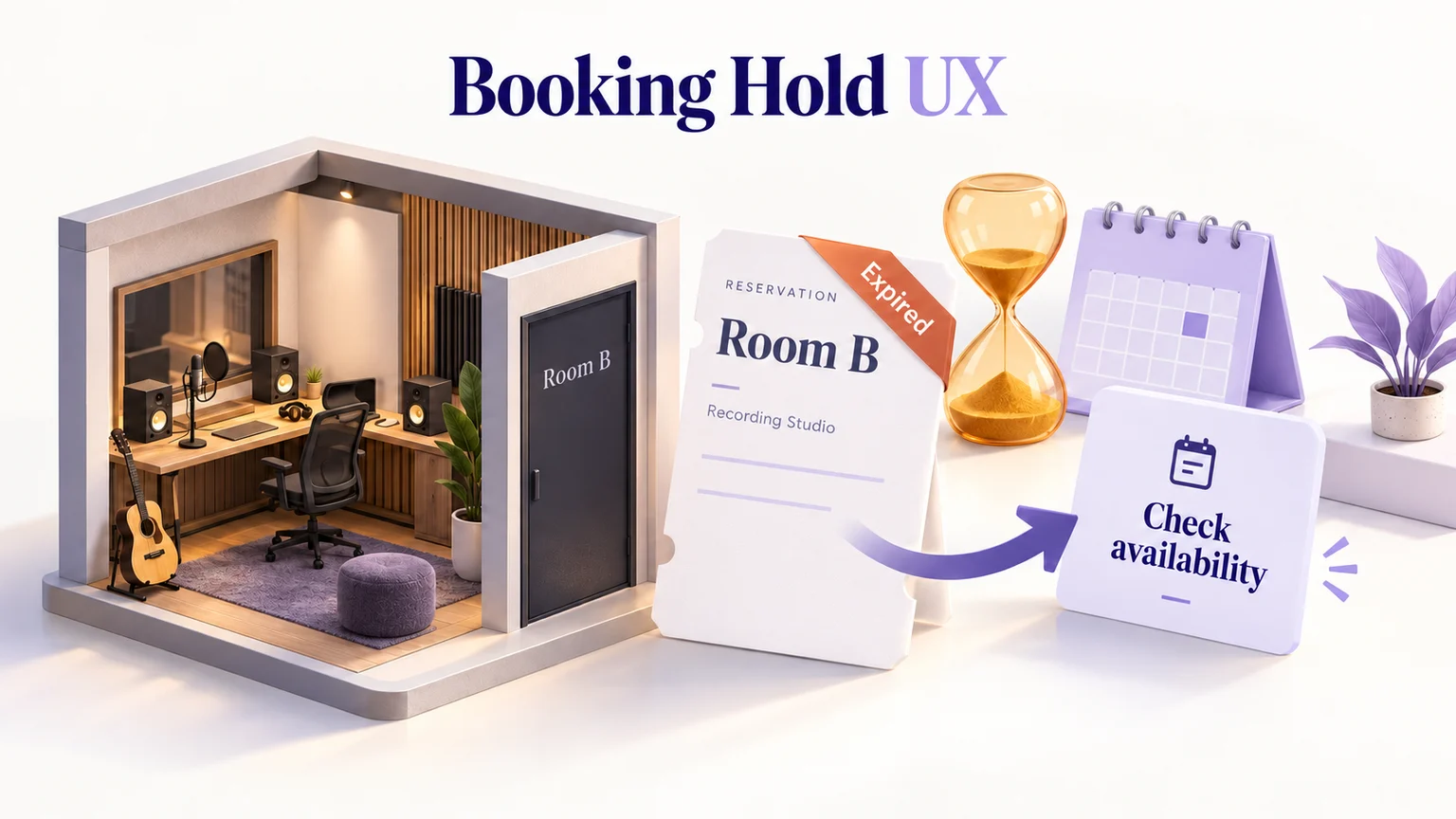
A booking hold is a temporary claim on availability, not a completed reservation. The interface should tell people what is being held, when the hold ends, and what happens if they run out of time. When a hold expires, preserve useful form entries and offer a fresh availability check; do not suggest that an expired slot is still theirs.
Before building the reservation service, use a Mockitt prototype to review held, expired, and confirmed booking states. The important question is whether a customer can recover from expiry without guessing whether a room has actually been booked.
Separate the hold from the booking
Consider a fictional studio-booking service, Studio Lane. A customer selects Room B for November 12, 3–4 p.m., then enters a project name and contact details. The service temporarily holds the room while the customer completes the request. The hold ends at 10:12 a.m. today; the appointment itself is on November 12. These are two different times and need distinct labels.
The summary can say, “Room B · November 12 · 3–4 p.m.” and, below it, “We’re holding this slot until 10:12 a.m.” An unlabeled “10:12” or “Time remaining” beside the appointment makes the customer work out what the number refers to. For bookings across regions, show the appointment’s time zone using a consistent time-zone scheduling pattern.
| State | What the customer should understand | Useful next action |
|---|---|---|
| Available | The slot can currently be requested; availability can change. | Select the slot. |
| Held | The service has temporarily reserved this slot for this request. | Complete and confirm the request. |
| Confirming | The request is being processed; a final result is not available yet. | Wait for the result or check its status. |
| Confirmed | A reservation exists and has a reference. | Review the booking details. |
| Expired | The temporary claim has ended. | Check availability again. |
A screen that merely displays a countdown does not establish these rules. Product and engineering teams must agree on when a hold starts, what ends it, and which response establishes a confirmed booking.
Start the clock after the customer has made a useful choice
Do not consume a short hold while people are still reading introductory material or deciding what they need. Where the service permits it, collect general preferences first and start the hold after a specific room and slot have been selected. Keep the remaining task short and make required fields clear.
Choose the duration from the operational constraints and the task, not a competitor’s timer. Stripe’s limited-inventory guidance illustrates one implementation approach: expiring a checkout session can release inventory. A studio booking service may use different rules; the design needs to represent the rules its own service can enforce.
If changing the room replaces the existing hold, explain that before the change. A person comparing Room B with Room C should not discover afterward that returning to B requires a new availability check. This is a different issue from choosing a clear calendar layout for available appointments.
Make expiry a recoverable state
In the Studio Lane example, expiry changes the status to “Your hold has expired.” The next sentence explains the consequence: “Room B is no longer reserved for this request.” The primary action becomes “Check availability,” not “Continue booking” or “Renew,” unless renewal is an actual supported operation.
Keep the project name and contact details on the form when that is appropriate for the service’s privacy and retention rules. Do not silently clear them because the slot expired. Explain what has been retained: “Your form entries are still here.” Keep the old slot visible as the customer’s previous choice, with its expired status.
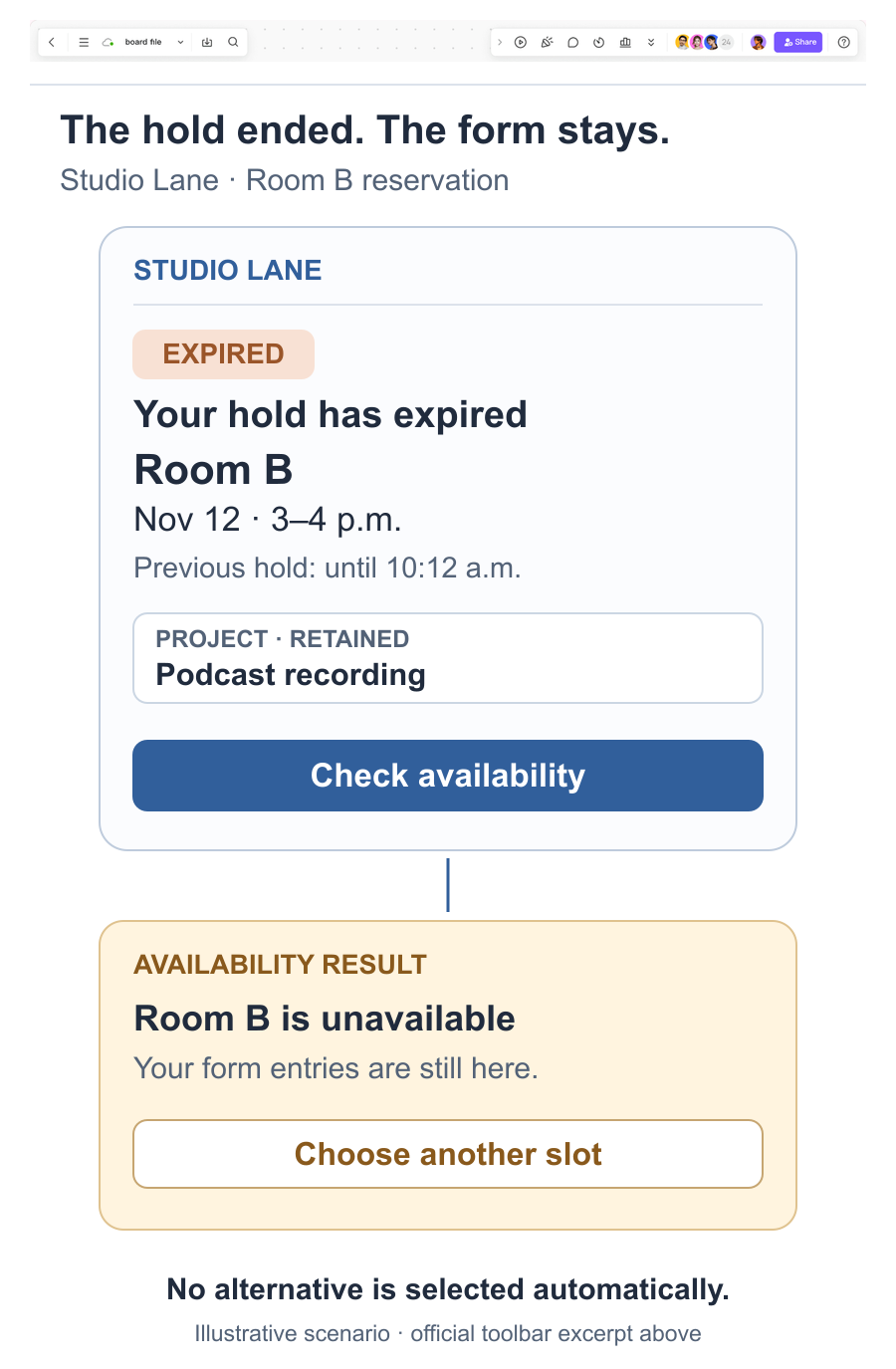
The availability check has two useful outcomes. If the slot remains available and the service creates a new hold, display the new expiry time. If another customer has taken it, say so and offer alternatives with their own dates, times, and room names. Do not replace Room B with Room C automatically: the customer has not agreed to that change.
A fresh check that fails to return a result needs its own message. “We couldn’t check availability” is different from “This room is unavailable.” Keep the previous entries, offer a retry, and avoid inventing an inventory result from a network failure.
Resolve confirmation at the time boundary
The hardest case is a customer selecting “Confirm booking” just before the hold ends. The local timer may reach zero while the service is processing the request. Do not immediately replace the screen with an expiry message if the booking outcome is still unknown.
Show “Checking your booking” until the authoritative result is available. If the request succeeded, show the confirmed slot and booking reference. If the service rejected it because the hold expired, show the expired state and the recovery action. If the response was lost, checking the original request’s status should precede asking the customer to submit another reservation.
This distinction belongs in the interaction specification: expired hold, rejected confirmation, and unknown confirmation outcome are not interchangeable. The prototype can show these alternatives; it does not implement inventory locking or prove that the live service prevents duplicate reservations.
Warn without making the timer the entire experience
Give the warning enough prominence to be noticed without obscuring the form. A stable message such as “Your hold ends soon” can accompany the remaining time. Avoid announcing every changing second to a screen reader or repeatedly moving keyboard focus away from the field being completed.
The WCAG guidance on adjustable time limits describes options for turning off, adjusting, or extending applicable limits, with defined exceptions. A limited-inventory booking is not a reason to assume every timed step is exempt. Where extension is possible, make it usable; where it is not, reduce the timed work and preserve a clear recovery route.
Write the warning, focus behavior, and outcome announcement into your accessibility annotations. A visual walkthrough can expose unclear instructions, while keyboard and assistive-technology behavior still needs verification in the implemented experience.
Review two complete booking journeys
Prepare linked screens for the selected slot, active hold, expiry, availability result, and confirmed booking. Use one consistent example throughout so reviewers can tell whether the room or appointment changed. In Mockitt, connect controls to these prepared screens and share the preview for feedback. Trigger the expiry example explicitly during the review rather than implying that a mock countdown is connected to real stock.
First, ask a participant to finish a reservation before the hold ends. Then repeat the task with an expired hold and an unavailable original slot. Observe whether they understand what was lost, what was retained, and whether accepting an alternative creates a new request.
Finally, walk through a confirmation with a delayed response. If the participant tries to book again because the screen appears to have failed, improve the pending message and status route before adding visual polish. A good booking hold gives people a dependable explanation of their current position and a sensible next step, including when time runs out.