Task analysis investigates what a person is trying to accomplish, the steps involved and the information or decisions those steps require. It helps a team understand the current task before deciding how an interface should support it. It is not mind reading, and it is not limited to advertising or a single design phase.
What is task analysis?
A task analysis connects a goal to its subtasks and conditions. It may reveal missing information, duplicated work, unnecessary handoffs or exceptions the team has overlooked. The analysis should be based on appropriate evidence about the task, with assumptions identified.
A diagram or structured list can represent the steps and their relationships. Include actions outside the interface when they matter, such as obtaining an approval or checking a reference. Reducing clicks is not always the goal: a confirmation step may be valuable if it prevents a consequential mistake.
Task analysis is useful when defining a new experience and when investigating an existing one. Update it as you learn more rather than treating an early diagram as permanent. It can inform requirements, content, navigation and the states that need to be prototyped.
Two common types of task analysis
Hierarchical and cognitive approaches emphasize different aspects. NN/g’s task-analysis guide provides a useful overview of their role in UX.
- Cognitive Task Analysis
Cognitive task analysis examines the knowledge, judgments and decisions involved in a task. Ask what information someone needs, what cues they notice and what makes a case uncertain. Avoid inferring these only from the visible clicks.
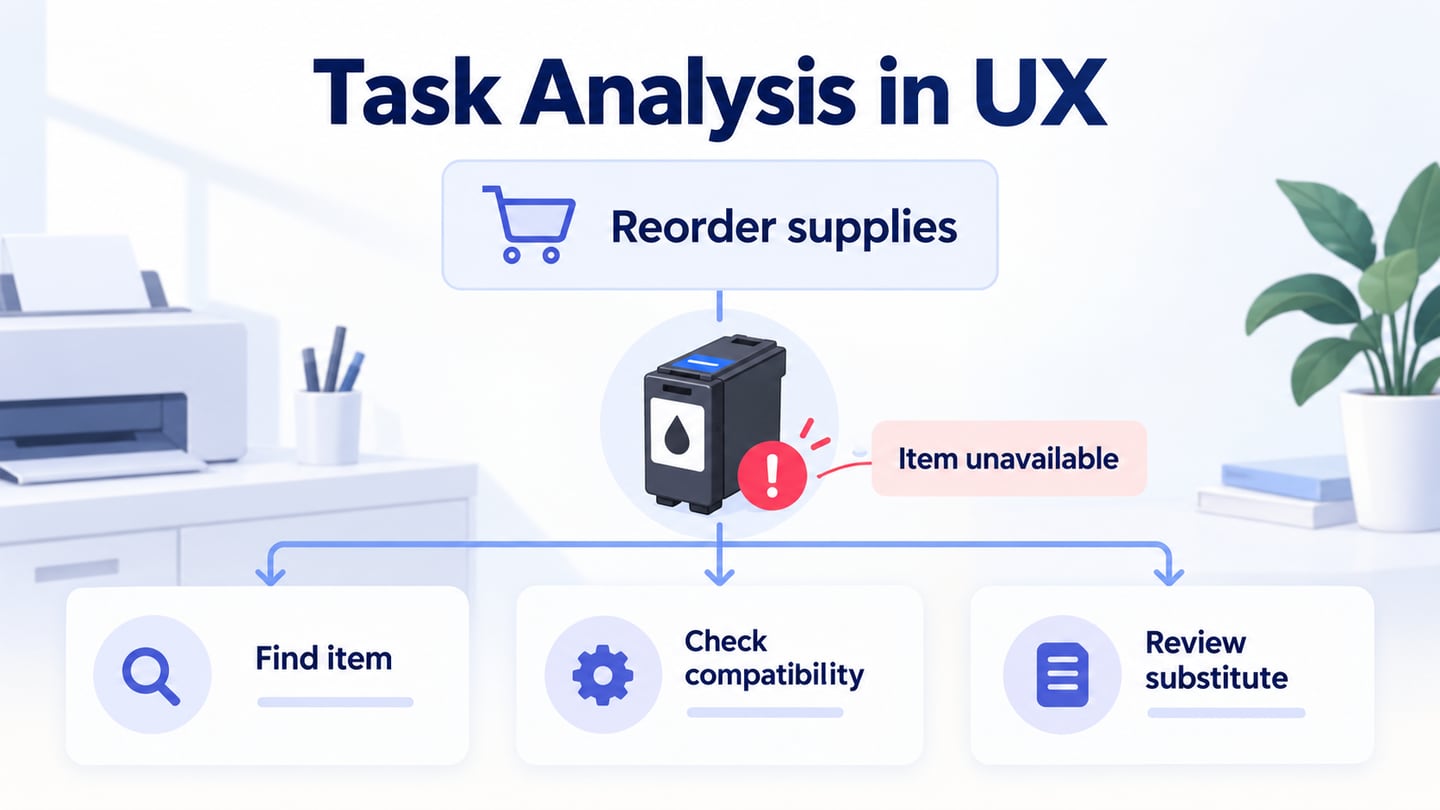
For example, an office administrator reordering printer supplies may need to identify the compatible cartridge, check remaining stock and decide whether an alternative is acceptable. An experienced person may use knowledge that is not visible in the screen. Investigate that knowledge rather than assuming a new user is simply slower.
- Hierarchical Task Analysis
Hierarchical task analysis breaks a goal into smaller tasks and describes how they are combined. For the supplies example, “reorder a compatible cartridge” includes identifying the printer, finding the previous item, checking availability, confirming quantity and reviewing delivery details.

Combine the approaches by recording decisions beside the relevant subtask. At “check availability,” note what determines whether a substitute is acceptable. Include relevant context, triggers, frequency and failure conditions where you have evidence; mark unknowns instead of inventing them.
How to use task analysis to improve UX?
Begin by gathering evidence about the task, then create and review the decomposition. Do not start by drawing the interface you already want to build.
- Collecting Data
Observe relevant work, ask about specific recent examples and review appropriate supporting material. Include the people who perform the task and those who receive its output. Avoid collecting sensitive business details that are unnecessary for the analysis.
- Analyzing tasks
Represent the goal, subtasks, decisions and exceptions in a form the team can inspect. A table can record required information and pain points; a diagram can show order and branching. Keep the level of detail consistent enough to discuss alternatives.
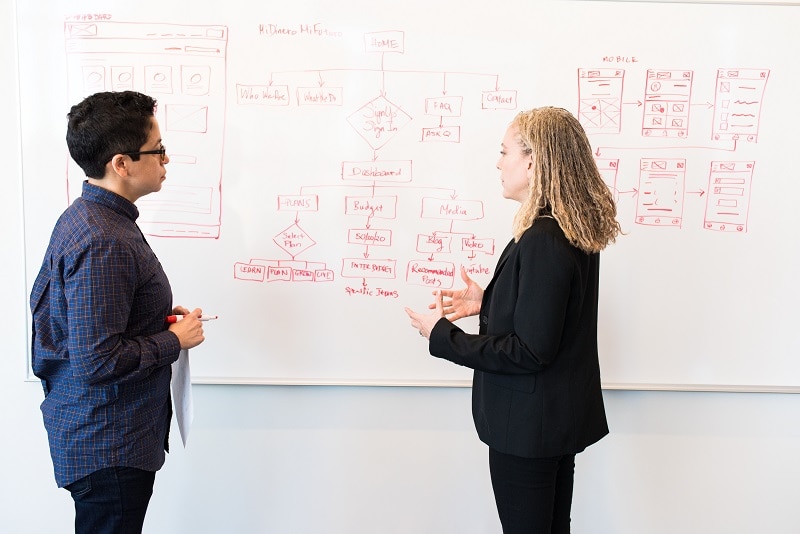
For the office-supplies example, the draft sequence is: identify the printer, locate the previous cartridge, check availability, choose quantity, confirm delivery details and review the request. This is an illustrative starting model, not a finding from observed office work.
Add the exception before refining the main route. If the previous item is unavailable, the person may need to check compatibility or ask someone to approve a substitute. If account access fails, recovery is a separate branch. Do not silently treat either case as another normal click.
Use the format that supports updates and discussion. Keep a version, evidence references and unresolved questions so the analysis can change when real work differs from the initial model.
Turn the Analysis Into a Prototype Question
Use Mockitt to examine the interface portions of the task. Create Previous order, Item unavailable and Review substitute states, using fictional printer and cartridge names. The prototype does not verify physical compatibility or place a real order.
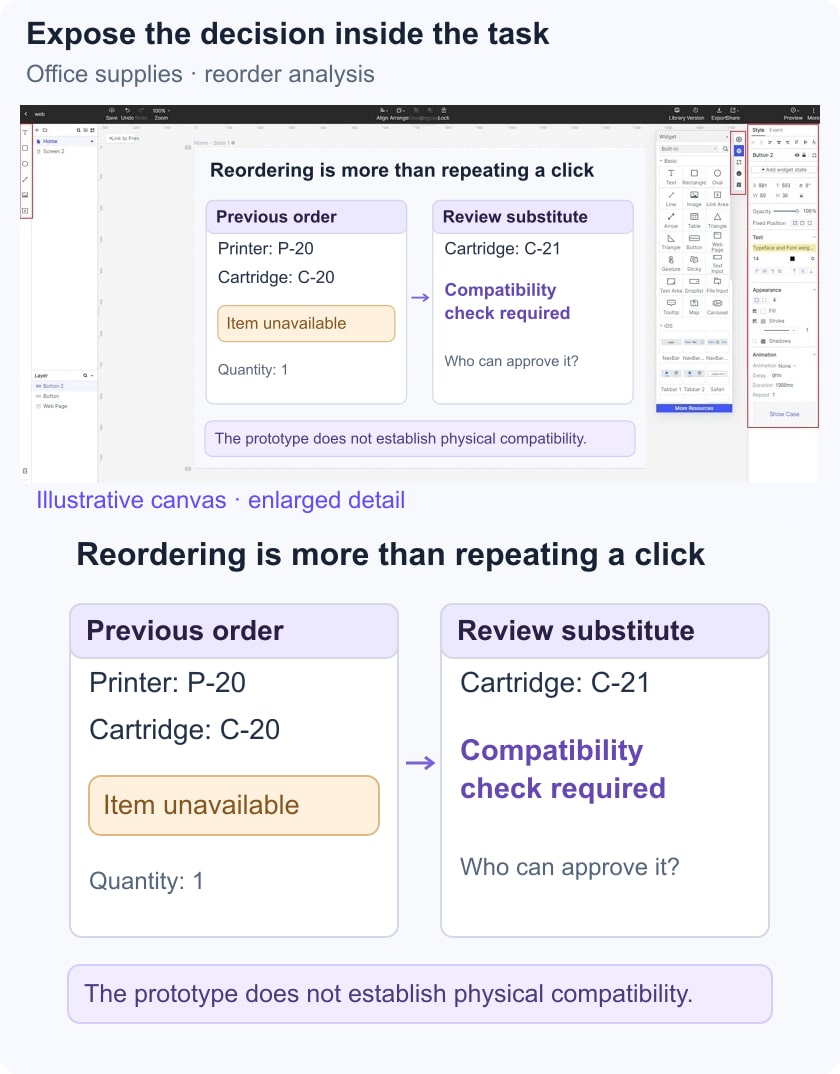
Focus the review on the uncertainty the analysis exposed: can the administrator recognize that a substitute needs a compatibility check before continuing?
- Prototype: show the previous item, its unavailable state and the information needed to assess a proposed substitute. Keep the compatibility decision explicit rather than hiding it behind a generic Continue action.
- Review: ask a reviewer to explain what they would check and when they would seek approval. Record missing information and assumptions separately from visual comments.
- Handoff: document the source of compatibility data, who approves substitutes and what the system should do if no alternative is acceptable. Those dependencies require implementation or policy decisions beyond the screen model.
Check the Analysis Before Using It as a Specification
Confirm that the goal describes an outcome, each subtask has a clear purpose, decision points name the required information and exceptions have a plausible next step. Ask someone familiar with the work to identify missing off-screen actions. Keep proposed improvements separate from the record of the current task.