Mockitt - Best Free Wireframe Tool
Helpful Tips About Wireframe
- How To Create A Wireframe
- Wireframe Tools You Should Know
- Wireframe Templates for Your Inspiration
- Free-to-use Wireframe Kit

Destructive Action UX: Archive, Delete, and Restore Without Surprises
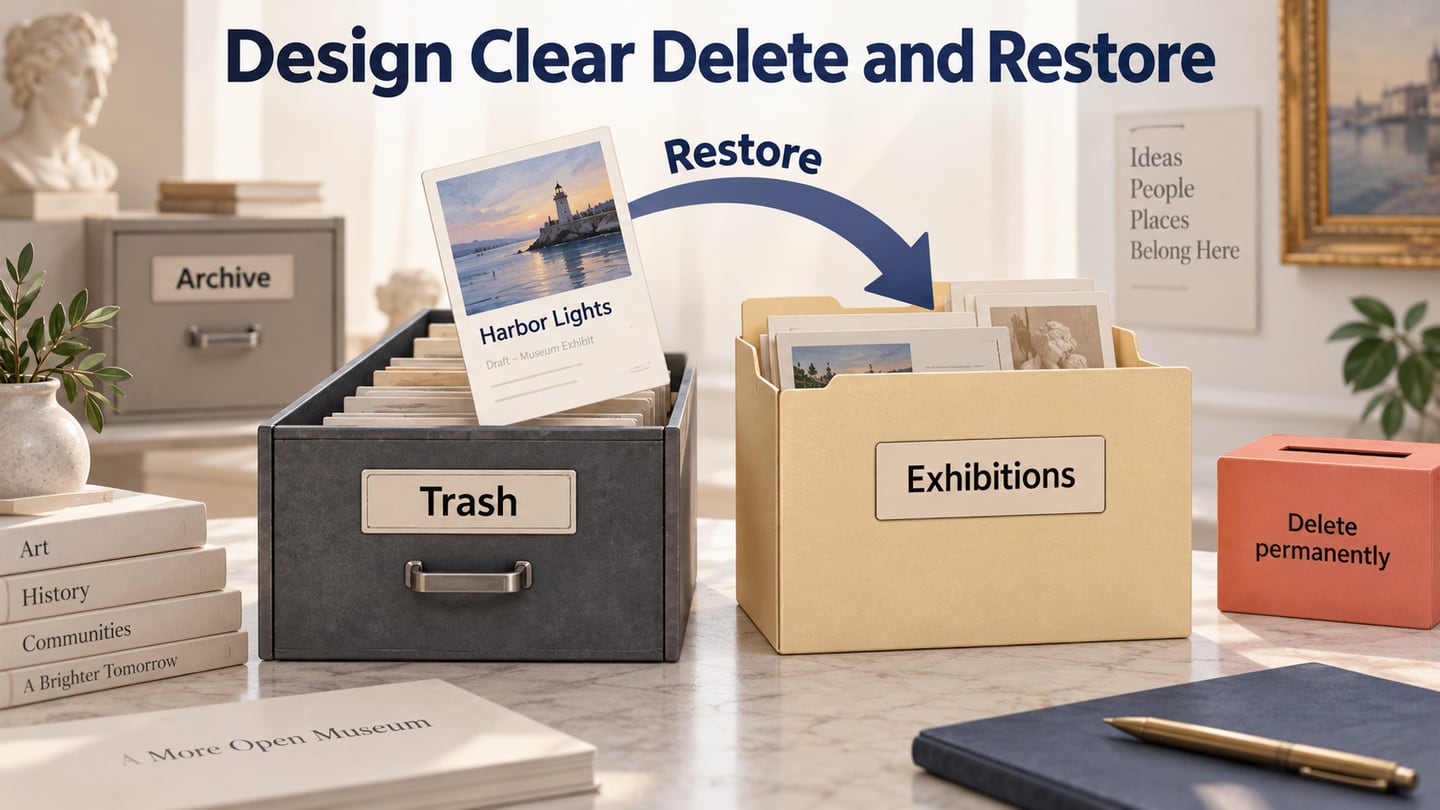
A red Delete button is only one moment in a longer experience. The harder questions arrive afterward: Was the item removed from my view or for everyone? Can I get it back? Where will it return? What happens if the original folder no longer exists?
Destructive action UX connects the action, its consequences and the recovery path. Before polishing a confirmation dialog, use an online prototype to review the full deletion and recovery flow. A convincing warning cannot compensate for an undefined restore policy.
Consider a fictional museum content workspace and one unpublished exhibit draft, Harbor Lights. The editor can archive the draft, move it to Trash, or restore it. Permanent deletion is a separate action available to an authorized owner. This example concerns a draft, not a published exhibit, a whole account or a batch of selected records.
Define what archive, trash and permanent deletion actually mean
Start with the object and its states. In this museum example, archiving hides Harbor Lights from active work while keeping it readable in Archive. Moving it to Trash removes it from normal draft browsing and editing. An authorized editor can restore it from Trash until an owner permanently deletes it. The example has no automatic expiry; that is a fictional policy choice, not a recommendation for every application.
| Action | Immediate consequence in this example | Recovery |
|---|---|---|
| Archive draft | Harbor Lights leaves the active list and appears read-only in Archive. | Return it to active drafts. |
| Move to Trash | The draft leaves ordinary browsing and cannot be edited there. | Restore it to an available destination. |
| Restore draft | The same draft becomes available for editing in the chosen folder. | No publication occurs. |
| Delete permanently | The draft is removed and the application no longer offers recovery. | No Undo or Restore action is promised. |
Other products may define these words differently. Google Drive's deletion guidance, for example, distinguishes removing a shared item from your own view from moving an owned item to Trash. Its sharing consequences and retention period belong to that product. Borrow the lesson that scope matters, not a policy number detached from its context.
If your item can also be published, shared or referenced elsewhere, add those consequences to the contract before exposing the action. Does archive leave a public page available? Does Trash break existing links? Which related records remain? The museum example intentionally starts with an unpublished draft so those questions cannot be hidden behind an ambiguous “Delete.”
Confirm consequences at the point where they matter
Do not turn every reversible change into the same interruption. An archive action that can be easily reversed may need clear feedback and a discoverable Archive destination rather than a modal. A separate permanent deletion needs a more deliberate decision because the recovery route ends there.
Carbon's modal guidance recommends sparing use of interruptive dialogs, clear consequences and specific action labels. Apply that reasoning to the operation the user is about to perform. A danger-colored primary button should not be the only clue that the outcome is irreversible.
For Harbor Lights, the Trash confirmation could read:
Move Harbor Lights to Trash?
The draft will leave your draft folders. You can restore it from Trash unless it is permanently deleted.
Actions: Keep draft · Move to Trash
The permanent-deletion dialog needs different language:
Permanently delete Harbor Lights?
You will not be able to restore this draft in the application.
Actions: Keep in Trash · Delete permanently
These messages name the object and explain the consequence. They avoid “Are you sure?” as the entire explanation. They also avoid stronger promises about backups, retention or regulatory erasure that a product team has not established. Application recovery and removal from every backup are different claims.
Requiring people to type an item's name is not automatically the best design. Use additional friction only when it helps them verify a meaningful, unusually consequential decision. If the confirmation contains information they cannot realistically evaluate, adding another field will not make the policy clearer.
Make recovery discoverable after the notification disappears
When Harbor Lights moves to Trash, the result should say where it went. “Draft moved to Trash” with a View Trash action gives the editor a durable recovery route. A brief Undo notification can be useful, but it should not be the only way someone can recover an item that the product still stores.
Three mechanisms are easy to confuse. Undo reverses a recent action under a defined contract. Restore brings a removed object back from a recovery area. Version history restores earlier file content and may apply to an object that was never deleted. Name the mechanism the user actually needs.
In Trash, show enough context to identify Harbor Lights: its title, object type, and relevant removal details when available. Do not rely on the thumbnail alone. If access rights differ in Trash, make the available actions match the user's role. Displaying Restore to someone who cannot restore the item creates another avoidable dead end.
If your product has automatic expiry, show an accurate recovery deadline where people make the decision and where they later look for the item. Do not manufacture a countdown from an unreliable browser clock. The fictional museum policy has no automatic expiry, so its interface should not display a borrowed “30 days remaining” label.
Restore to a clear destination without overwriting another item
The editor returns later, but Harbor Lights originally belonged to a Drafts folder that is no longer available. Silently putting it in the workspace root would leave the person wondering where it went. Silently recreating a folder would introduce another consequence they did not request.
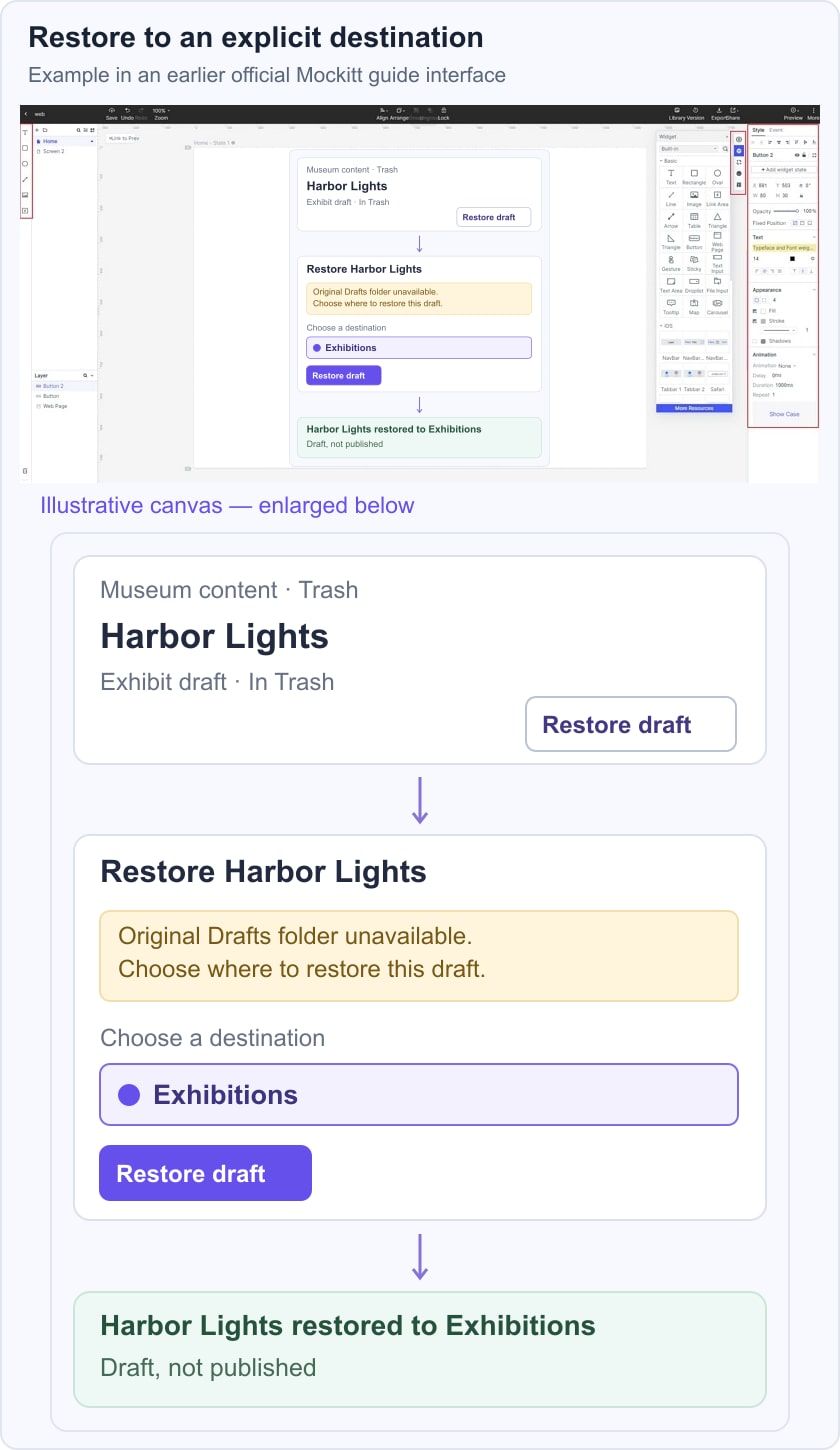
Instead, Restore opens a destination choice. The message says, “The original Drafts folder is no longer available. Choose where to restore this draft.” The editor selects Exhibitions and activates Restore draft. The resulting message names both the item and its destination: “Harbor Lights restored to Exhibitions.”
The recovery example shows Harbor Lights in Trash, an unavailable original folder, and Exhibitions selected as its explicit restore destination.
This is still the same draft; it has not become a published exhibit or a duplicate created by an unrelated copy operation. That distinction matters when other records refer to its identity. The implementation contract should explain which relationships survive restoration, and the interface should not imply recovery of anything the service cannot preserve.
If the target folder already contains a different draft with the same name, stop short of overwriting it. Depending on the product's naming rules, the interface can allow both names, ask the editor to choose another name, or offer another destination. For this example, the folder requires unique names, so the editor must resolve the conflict before restoring. Keep their chosen destination visible while they do so.
Do not call an unknown result a failed deletion
The request to move a draft to Trash can reach the service even if its response never reaches the browser. In that situation, “Deletion failed—try again” states more than the interface knows. A second command may produce a confusing missing-item error or repeat a more consequential action.
Where the service supports it, check the item's current state before offering the next mutation. While that check is unresolved, keep a restrained message such as “We could not confirm whether Harbor Lights was moved. Check its status before trying again.” Disable only the action whose outcome is uncertain, rather than trapping the person in an unusable workspace.
Once the latest state is known, show the appropriate result: the draft remains active, it is in Trash, or it no longer exists. A permission change may also prevent the current user from inspecting it. That is a separate boundary, not evidence that the original operation failed.
This article follows one object. For operations across many records, the bulk-actions UX guide covers selection scope, per-item eligibility and partial outcomes. Do not replace that more detailed batch contract with a single vague success notification.
Keep focus and feedback coherent when the item disappears
Review the dialog as an interaction, not just a warning graphic. The W3C modal-dialog pattern describes keyboard movement, closing behavior and context-dependent initial focus. For a difficult-to-reverse decision, focusing the least destructive action can be appropriate. When deletion removes the original trigger, focus needs a logical destination rather than a control that no longer exists.
In the museum draft list, completing Move to Trash might return focus to the next available draft or the list heading, depending on the layout and task. Returning to an unrelated navigation item would interrupt continued editing. Closing the dialog before confirmation means keeping the draft; closing a progress display after the service accepts a command must not be mislabeled as cancellation of that command.
State changes also need readable feedback. Do not communicate permanent deletion only by turning a button red or removing a row. Accessible status messages can expose in-place results without unnecessarily moving focus. Their implementation and assistive-technology behavior need to be checked in working code.
Review restoration as seriously as deletion
Build the Harbor Lights sequence in Mockitt using prepared draft-list, Archive, Trash, confirmation and restore-destination screens. Keep the item name consistent, show the missing-folder case, and make the selected destination visible in the result. Annotate the fictional recovery policy so reviewers do not mistake the prototype for a demonstration of current Mockitt deletion behavior.
Give a reviewer a concrete task: remove the exhibit draft from active work, then recover it into Exhibitions after its original folder has gone. Ask where they expect the draft to be at each point and whether they believe it is published. If they cannot find Trash, mistake Archive for deletion, or expect Restore to recreate the old folder, the problem is in the lifecycle explanation—not merely the button styling.
Finally, have the implementation team verify the behavior the prototype cannot prove: permissions, object identity, name conflicts, current server state and any real retention rules. The design is ready for development when both removal and recovery have understandable, testable outcomes.