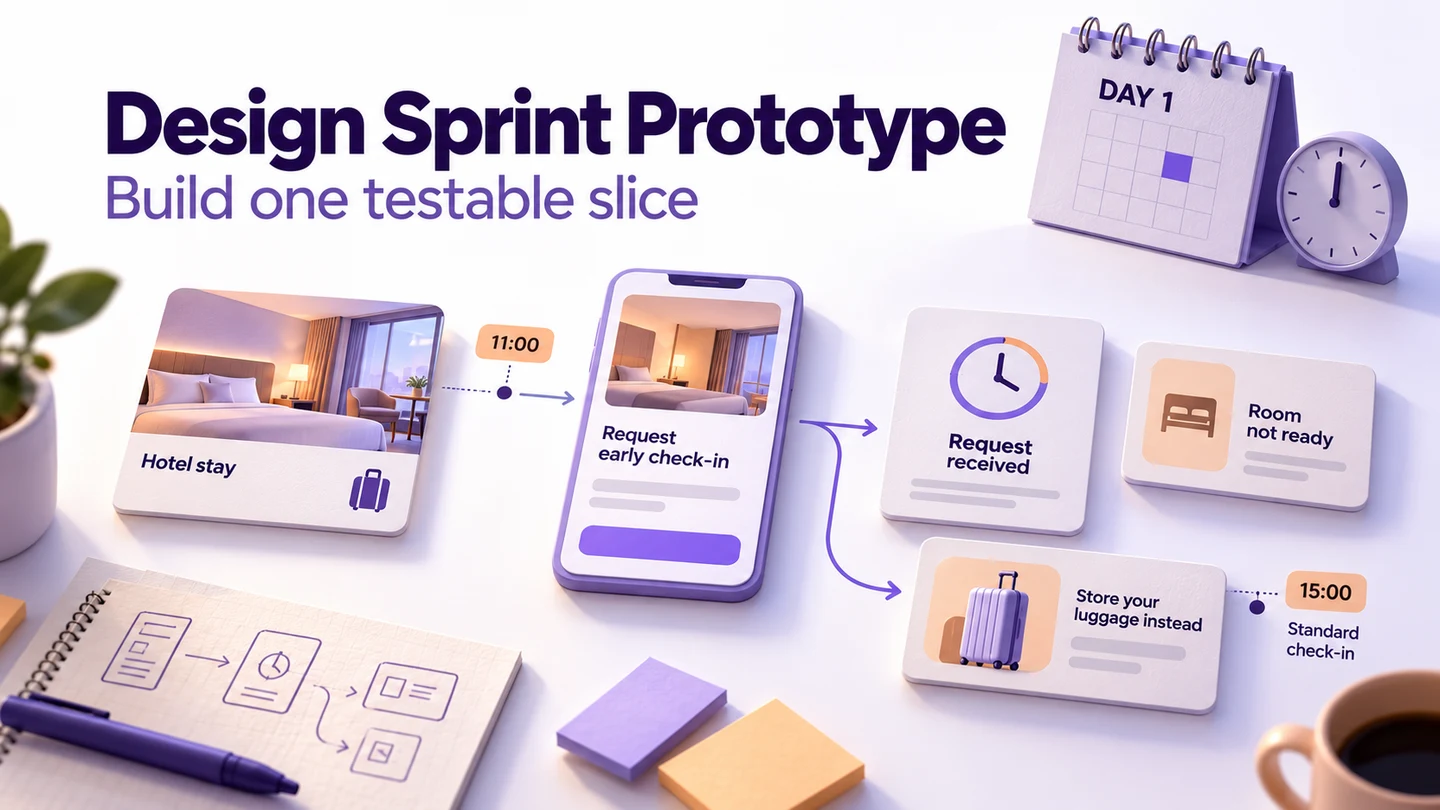
A design sprint prototype should make one important idea realistic enough for someone to try. To build it in a day, choose the question, freeze a short storyboard, divide the screens and copy, connect the essential actions, and rehearse the complete route. Finish with a dependable starting point and a clear outcome, including the one exception most likely to change your decision.
For a screen-based service, you can build that interactive slice in Mockitt using reusable components, linked screens, preview, and a shared review link. The example below is a fictional hotel early-check-in request. It shows how to turn an agreed concept into a prototype without building a reservation system.
What must be ready before prototype day?
In the Design Sprint guide by Jake Knapp and John Zeratsky, the team decides and storyboards before building a realistic prototype on Thursday, then tests it on Friday. The one-day plan here covers the build day, not an entire design sprint compressed into eight hours.
Start with an agreed scenario, the question you need to answer, and a storyboard someone can follow. Have the interview arrangements underway already. If the team is still choosing its audience or debating incompatible concepts, resolve that decision before assigning screens; otherwise, several people may spend the day building different answers.
For this example, the hotel team wants to know whether guests understand the difference between requesting early access and receiving confirmation. The proposed service cannot guarantee a ready room. That uncertainty must remain visible in the prototype, even when a cleaner-looking success screen would be easier to build.
1. Freeze the question and the slice
Write the question in terms you can observe: “After sending an early-check-in request, can a guest explain whether their room is ready and what they should do next?” Avoid combining it with separate questions about finding a hotel, payment, loyalty points, or choosing a room.
Use invented booking details consistently: Jordan Lee, one night at Harbor House, arrival at 11:00, standard check-in at 15:00. These are scenario details, not a real hotel's policy. Make the booking summary the starting screen so participants have enough context without completing an unrelated reservation flow.
| Screen or state | What the guest sees | Why it belongs |
|---|---|---|
| Booking summary | Arrival date, guest name, and 15:00 check-in | Establishes the existing arrangement |
| Early-arrival information | A request is possible; availability is not guaranteed | Sets the expectation before submission |
| Arrival-time choice | 11:00 selected, with an option to change it | Makes the request concrete |
| Request review | The requested time and the hotel's next step | Lets the guest check the commitment |
| Request received | “We have your request. Your room is not confirmed ready.” | Tests the central distinction |
| Room not ready | The original check-in time and a luggage-storage option | Shows a useful alternative without promising access |
The final row is a separate scenario state. Do not imply that a connected screen has checked live room availability. Keep room allocation, staff dashboards, notifications, and actual booking changes outside this prototype.
2. Give the day a realistic build plan
The following is a suggested schedule for this six-state example. Adjust the allocation for your team's experience and available assets; it is not a measured completion-time promise. Put the rehearsal on the calendar first so visual polish cannot consume it.
| Time | Work | Output |
|---|---|---|
| 09:00–09:30 | Confirm the question, storyboard, and ownership | One agreed state list and copy sheet |
| 09:30–11:30 | Build the screens and write realistic content | A readable first pass of the whole slice |
| 11:30–12:30 | Connect actions and return paths | A complete route through the request |
| 13:30–15:00 | Assemble, inspect, and rehearse on the intended device | A list of specific failures to fix |
| 15:00–16:30 | Fix blockers and prepare the interview handoff | A stable prototype link and moderator notes |
Assign one person to assemble the final flow. Another can own the wording, while builders work on separate states. One person may hold several roles on a small team. Agree on shared button labels, screen dimensions, and sample data before splitting the work, and avoid simultaneous edits to the same screen.
3. Spend detail where it affects the answer
The guest needs to read and interpret a request status. Use realistic wording, a legible information hierarchy, and believable booking details. A decorative hotel illustration matters less than the distinction between “Request received” and “Room ready.” Write the final test copy now rather than leaving placeholder text for someone to resolve during the interview.
Decide your prototype's level of fidelity by the uncertainty. This example needs credible content and working navigation, but not a complete visual design system. If a sketch makes people comment only on its unfinished appearance, add enough visual detail to support the service scenario.
Use the same requested arrival time in the selection, review, and confirmation states. Keep the 15:00 standard check-in time visible where it explains the fallback. A mismatched time can create confusion that has nothing to do with the idea you meant to test.
4. Connect the essential route in Mockitt
Arrange the six states in a clear order in the prototype editor. Use a shared layout for the booking information and reuse the relevant buttons and text components. Name the screens by their purpose, such as “Request review” and “Request received,” so teammates can identify the correct destination while connecting actions.
Link the booking summary's early-arrival action to the information screen, continue to the time choice, and then open the request review. From review, “Send request” should lead to “Request received.” Provide a way to return to the time choice. For a fixed-data prototype, show the same sample selection when the guest returns; do not rely on an untested persistence behavior.
Keep the “Room not ready” state available as a separately prepared starting point for a follow-up scenario. Show the luggage-storage instructions on that state and provide a return to the booking. Do not connect it to a false “Room ready” result just to give every path a cheerful ending.
Open the flow using the prototype preview. Check it as the reviewer will encounter it, rather than judging only the editor canvas. The public Mockitt preview guide illustrates preview controls; the hotel states described here are a proposed exercise, not a tested hotel integration.
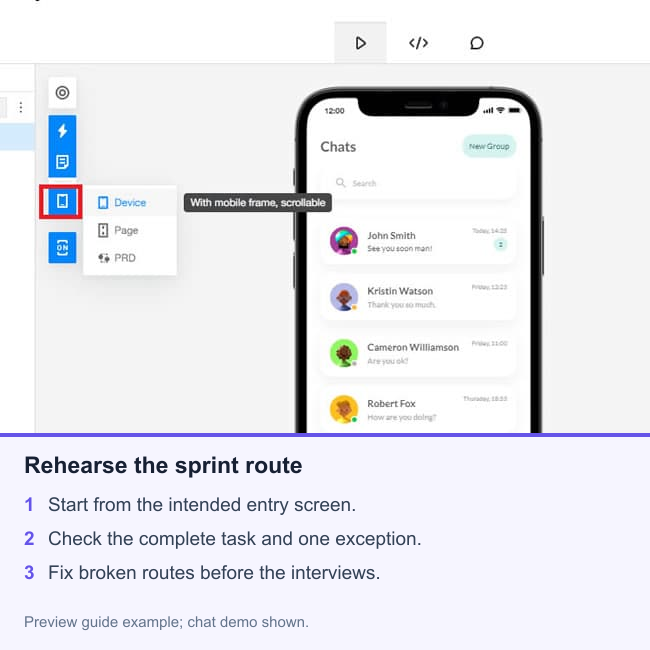
5. Rehearse without narrating the interface
Ask a teammate who did not build the screens to begin at the booking summary. Give them the situation: “Your train arrives at 11:00 and you would like to leave your room booking as it is while asking about arriving early. Show what you would do.” Let them choose the route without naming the intended button.
At the end, ask, “What do you expect to happen when you arrive?” If they say the room is guaranteed ready, record the wording and state that led to that interpretation. Do not solve the problem by telling them that the request is pending; the next participant will not have that explanation.
Then rehearse the separate unavailable-room scenario. Can the reviewer identify the standard check-in time and the alternative action? Confirm that navigating back does not silently change the guest, date, or arrival time.
Fix mechanical failures before debating styling: a missing link, an obscured status, an unreadable label, or a return path that loses context. Distinguish a prototype defect from a possible problem with the concept. This internal rehearsal prepares the session; it does not replace research with the intended guests.
6. Hand over a usable prototype, not just a link
Give the interviewer the starting link, the intended device, both scenario entry points, and the reset instructions. Identify simulated details and any intentionally inactive controls in moderator notes. Keep those notes separate from the task wording so they do not give participants the answer.
Pair the prototype with a usability test plan that connects tasks to decisions. For this scenario, the useful evidence is how guests interpret the status and choose their next action, not whether they generally like the design. Record behavior and explanations before the team draws conclusions.
Freeze the version used for the session and record any change made between interviews. If a guest's misunderstanding exposes a wording problem, preserve the original observation rather than treating a later revision as if everyone saw it.
What can stay unfinished?
You can leave account creation, the hotel search catalog, real availability, and payment processing unbuilt because this question does not depend on them. You cannot leave the request status ambiguous, hide the standard check-in time, or make the alternative action a dead end: those details determine whether the example answers its question.
Stop adding screens once a reviewer can attempt the intended request and encounter the important limitation. The deliverable is a coherent experience the team can learn from tomorrow, together with a clear record of what it simulates.