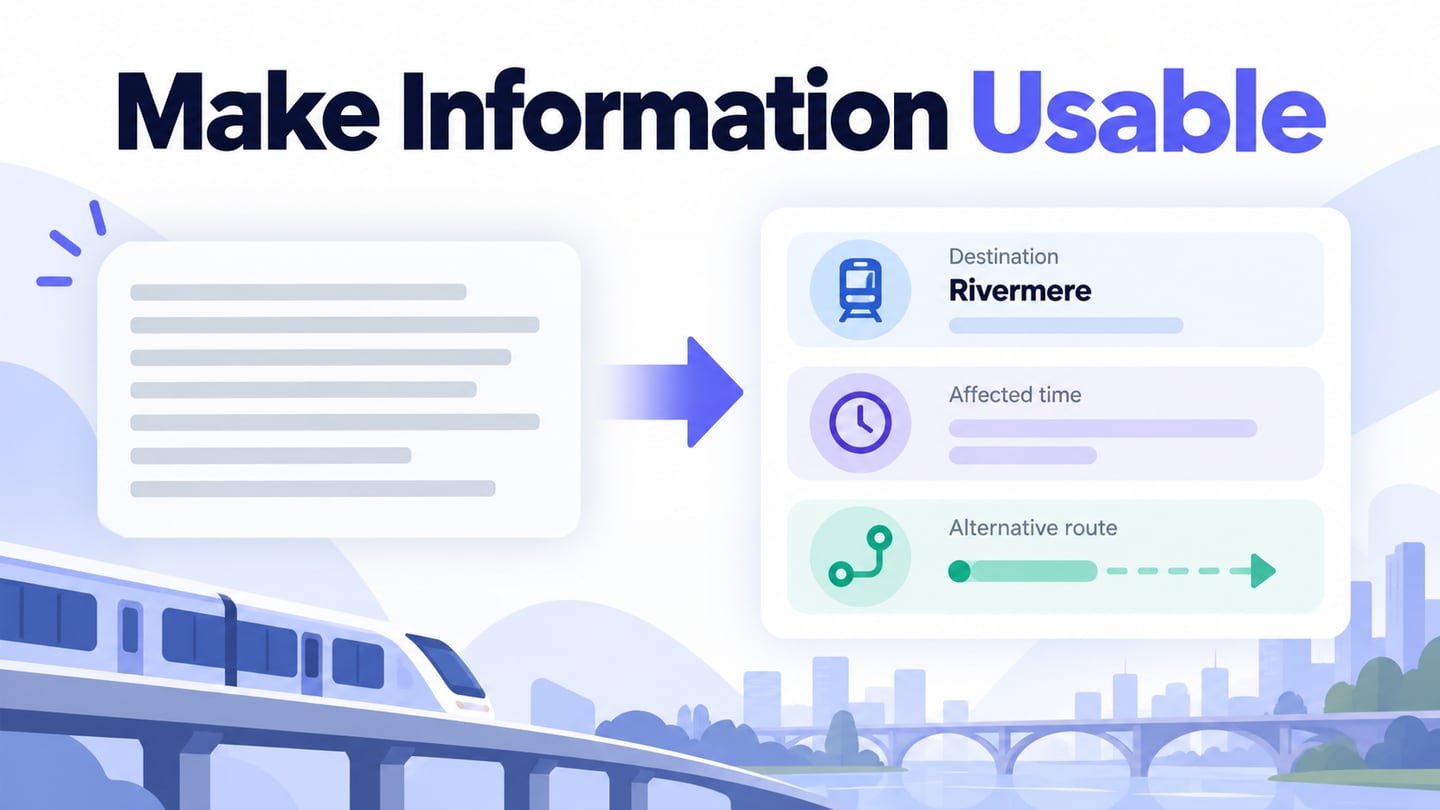
Communication design uses words, images and their arrangement to help a particular audience understand a message. The work starts with what someone needs to know or do, then chooses a suitable form and channel. Visual design contributes the composition and visual language, while communication design also asks whether the message itself is clear, relevant and appropriate to its setting.
What Is Communication Design?
A communication designer connects a message with its intended audience through deliberate design choices. That may involve an identity, a publication, a campaign, a service notice or an interface. An attractive result is not enough if viewers misunderstand the information. Begin by identifying the audience, the essential fact, the intended response and the conditions in which the message will be encountered.
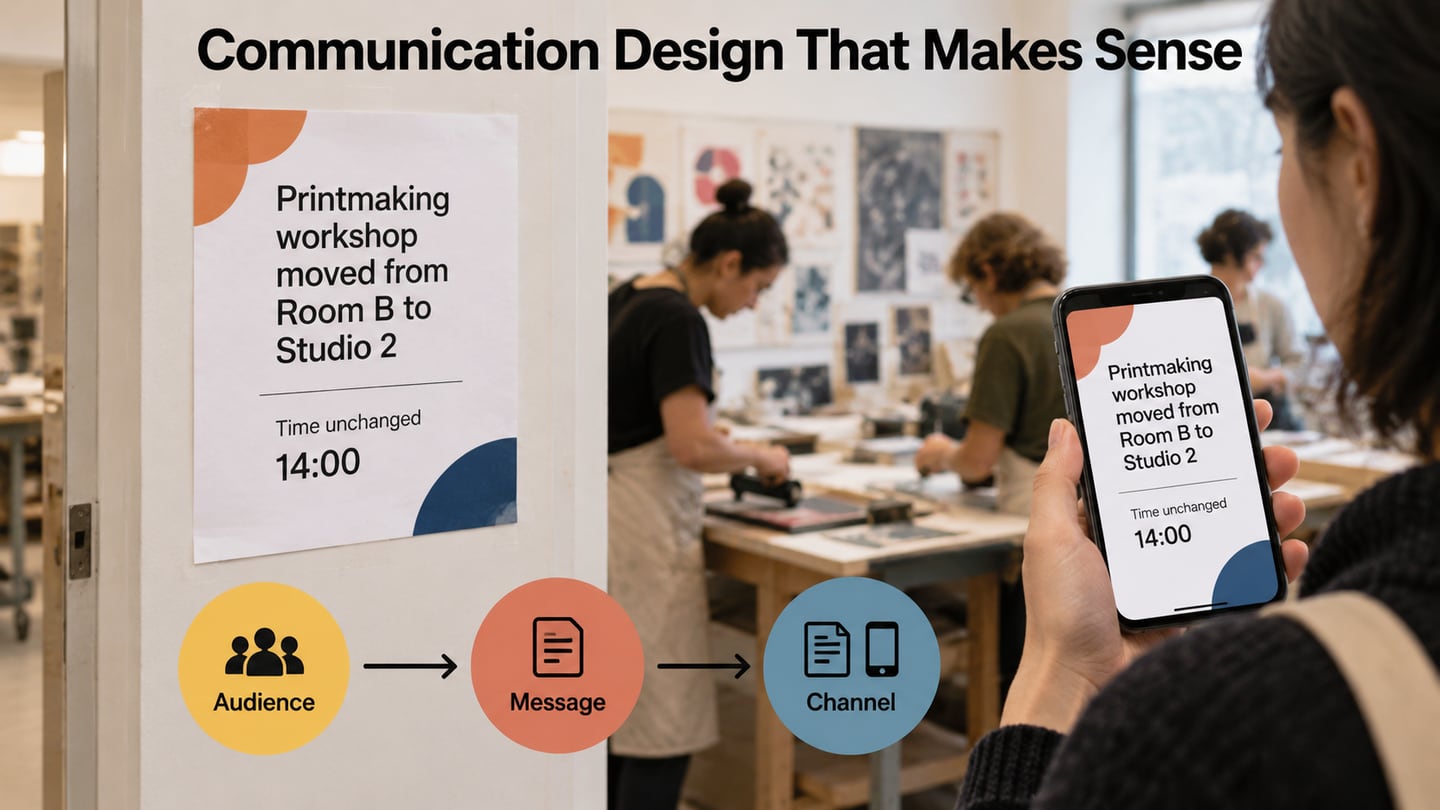
For example, a museum visitor reading a workshop update needs to recognize the session, understand its new location and find the next action. A decorative illustration cannot compensate for a missing room name. Communication design does not require every idea to be conveyed faster than words; clear wording may be the most effective part of the solution. Images, type and layout should support it.
What Is Visual Communication Design?
Visual communication emphasizes the use of visible forms to convey information: type, images, symbols, color, diagrams, movement and arrangement. The terms communication design and visual communication often overlap in education and job titles. A website, presentation, exhibition or social post can use the same underlying message differently because the audience’s attention, viewing distance and opportunity to act differ. Choose visual elements for the communication task, not merely to attract attention.
What Is Graphic Communication Design?
The U.S. Bureau of Labor Statistics also uses communication designer as an overlapping title for graphic designers. Graphic communication commonly involves the layout of words and images across print and digital media; it is not limited to operating graphics software. Organizations use the terms differently, so read a role’s responsibilities rather than rely on a rigid hierarchy between titles. The following formats answer different kinds of communication questions.
- Infographics: Combine explanatory text and visuals around a focused subject. Keep the central conclusion clear and cite the underlying information.
- Mind maps: Show associations around a topic. They are useful for exploring or explaining relationships, but not necessarily the clearest form for a timed sequence.
- Charts and graphs: Show quantities, comparisons or change. Choose a form that fits the question, preserve meaningful scales and label the data.
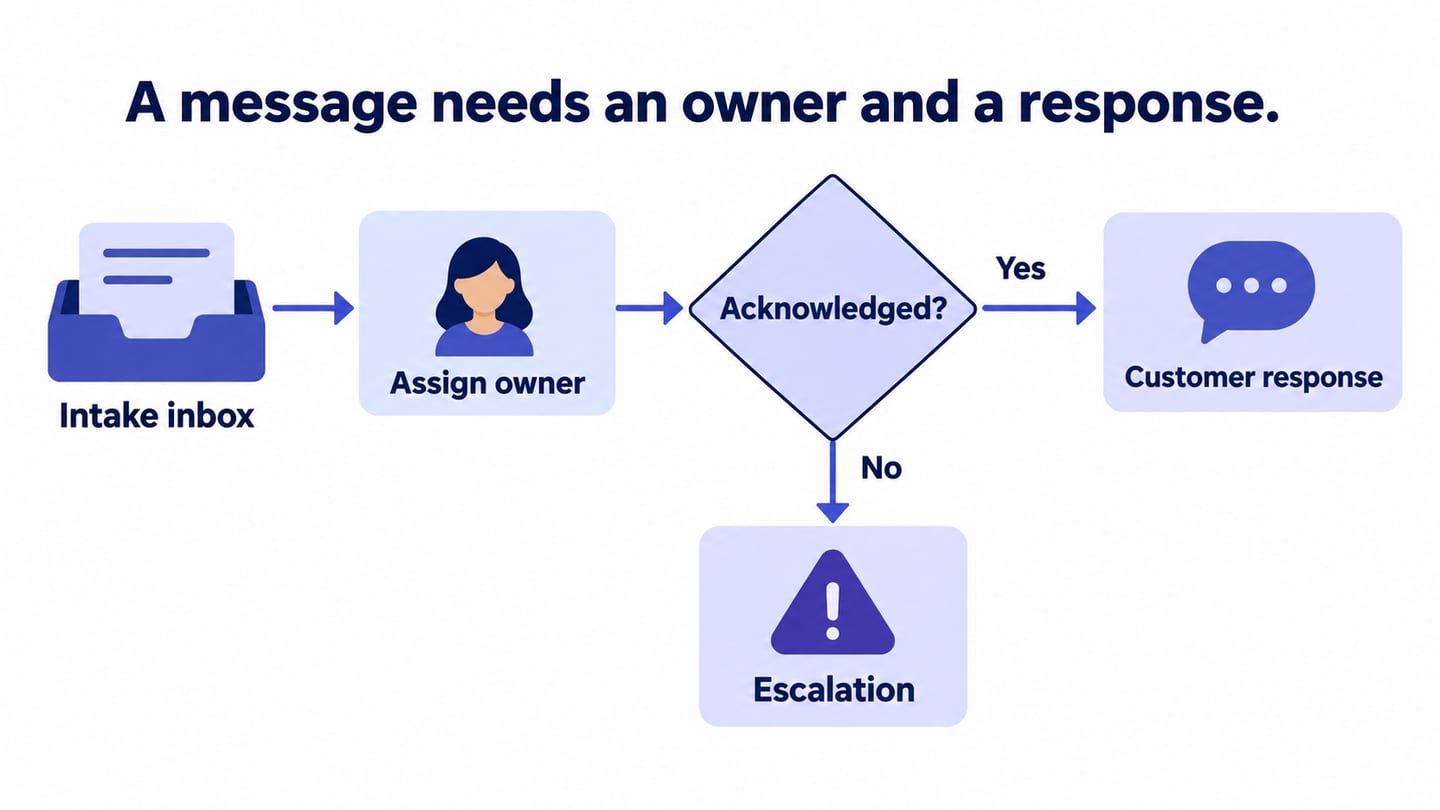
- Flowcharts: Make a sequence or decision route visible. Explain what each branch means instead of relying on arrows alone.
- Process diagrams: Summarize stages, responsibilities or handoffs. Use them when the reader needs an overview rather than every detailed interaction.
How to Become a Communication Designer
Developing as a communication designer involves learning the fundamentals, practicing with real constraints and showing how your choices help an audience. Education and job requirements vary by country, organization and specialty. The three routes below can complement one another; completing a course or degree alone does not demonstrate that a message works.
- Build a Foundation Through Education
A design program or structured course can develop typography, composition, image-making and communication skills. Compare its curriculum, feedback opportunities and portfolio work with the kind of role you want. A degree is a common route for many graphic-design jobs, but it is not the only way to keep learning; avoid assuming that one qualification meets every employer’s requirements.
- Gain Experience
An internship, junior role or carefully scoped project can provide experience with briefs, revisions and deadlines. Build a portfolio that shows the problem, audience, constraints and reasoning, as well as the final image. Explain your own contribution and use work you have permission to show. Feedback becomes more useful when you can connect a revision to a communication need.
- Choose Further Study for a Specific Goal
Advanced study can support a specialism, research interest or career direction, but a master’s degree is not a universal requirement for practice. Identify what you need to learn and compare formal study with focused courses, mentoring and project experience. A clear learning goal is more useful than collecting qualifications without knowing how they relate to the work.
Skills to Develop as a Communication Designer
- Creativity: Explore different ways to express the same message, then choose using the audience and brief rather than novelty alone.
- Communication: Ask useful questions, explain decisions and write clear labels. Listen for misunderstandings in feedback.
- Time management: Plan research, production, review and delivery, including the time needed to respond to corrections.
- Technical literacy: Understand the constraints of the medium. Coding can help in digital roles, but the level required depends on the job.
- Tool knowledge: Use suitable tools to produce, organize and deliver the work. Tool fluency supports judgment; it does not replace it.
- Typographic skills: Make words legible, establish hierarchy and control spacing for the actual viewing context.
Prototype a Communication Design
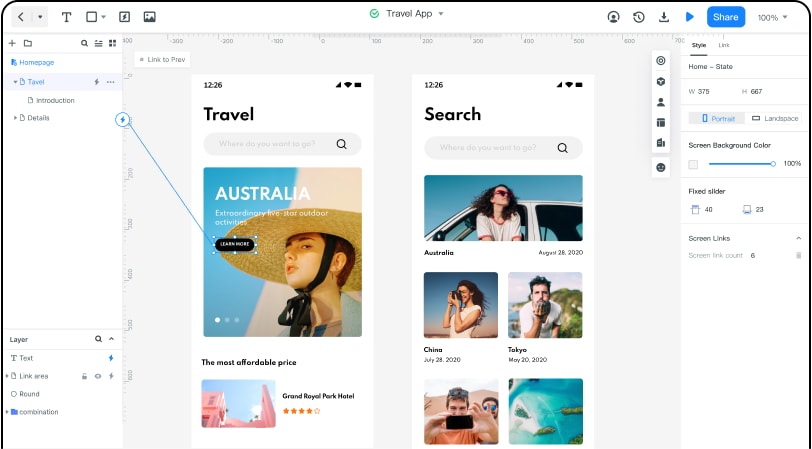
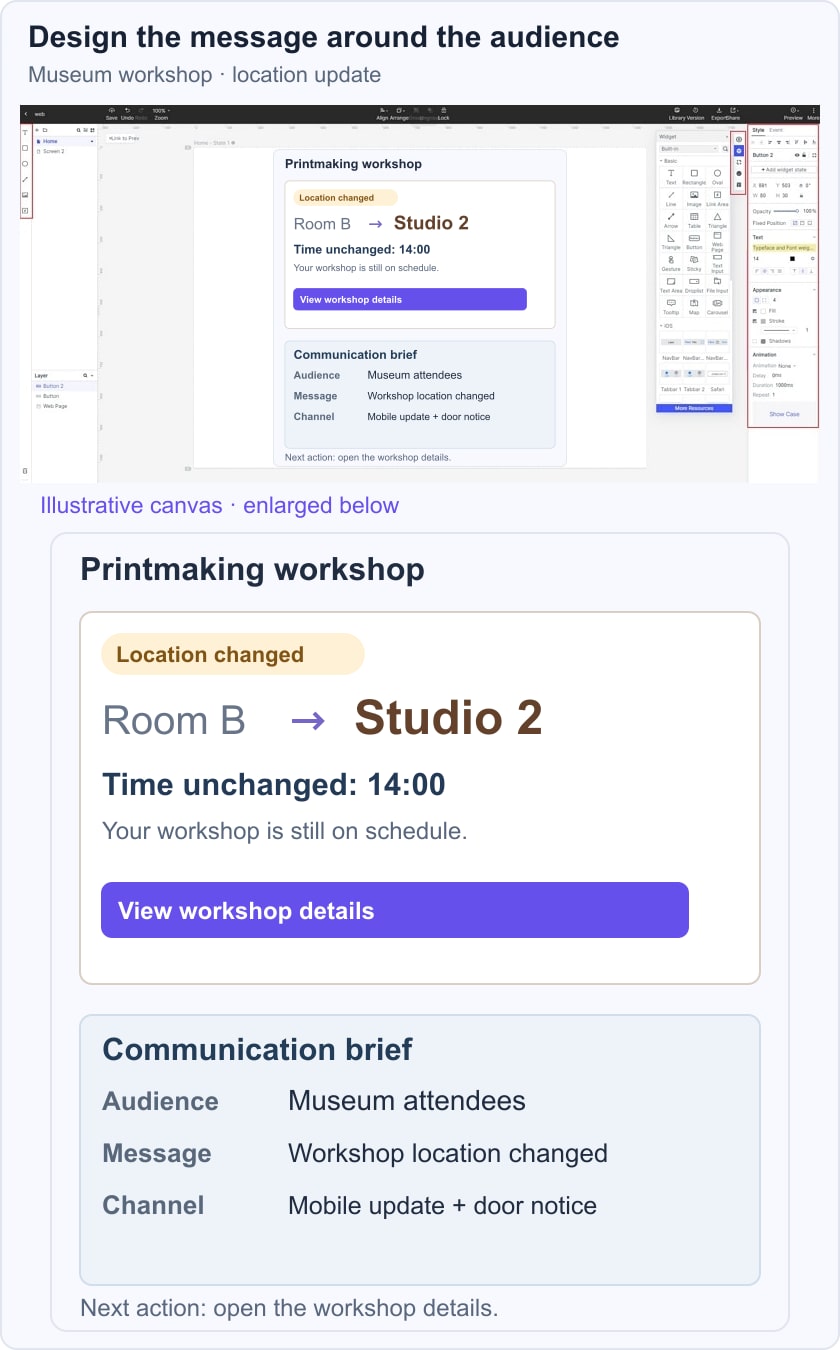
Mockitt can help you place a communication idea inside a screen and make its next action reviewable. For a service notice, the useful question is whether someone understands what changed and what to do next. The historical editor image below demonstrates visual screen composition; it is not evidence of a particular current asset count or account entitlement.
Consider a fictional museum workshop update: “Printmaking workshop: moved from Room B to Studio 2. Time unchanged: 14:00.” Add an action labeled “View workshop details.” The changed location and unchanged time must be easy to distinguish; interface wording is part of the design. Compare the notice at the size and context in which someone would encounter it, then ask a reviewer to explain the change without coaching.
Useful Prototype Tasks
- Share a reviewable screen with colleagues and collect comments about missing information or confusing emphasis.
- Adapt available visual elements and templates to the audience, keeping sample content out of the final message.
- Check the access settings offered by the current workspace before sharing the project with a client or stakeholder.
- Use a transition only when it helps explain a change, such as moving from the notice to available alternatives.
- Keep the main message and action visible; extra widgets should not compete with urgent information.
- Review the design in the intended browser and device context. A cloud workspace does not establish identical behavior on every device.
Use Mockitt for a Focused Communication Review
- Start with a concise brief: audience, essential information, intended action and channel. Arrange the notice around those decisions.
- Use a template only if its structure suits the message. Replace decorative or irrelevant sections with the content the reader needs.
- Keep a record of the version reviewed and the changes agreed. Confirm the current history options instead of relying on a fixed number of recoverable versions.
- Review the notice with a teammate and ask what they would do next. The illustrative museum example distinguishes a location change from an unchanged workshop time inside a design workspace; it is not a live event notice or a completed audience study. Carry unresolved content and implementation questions into the handoff.