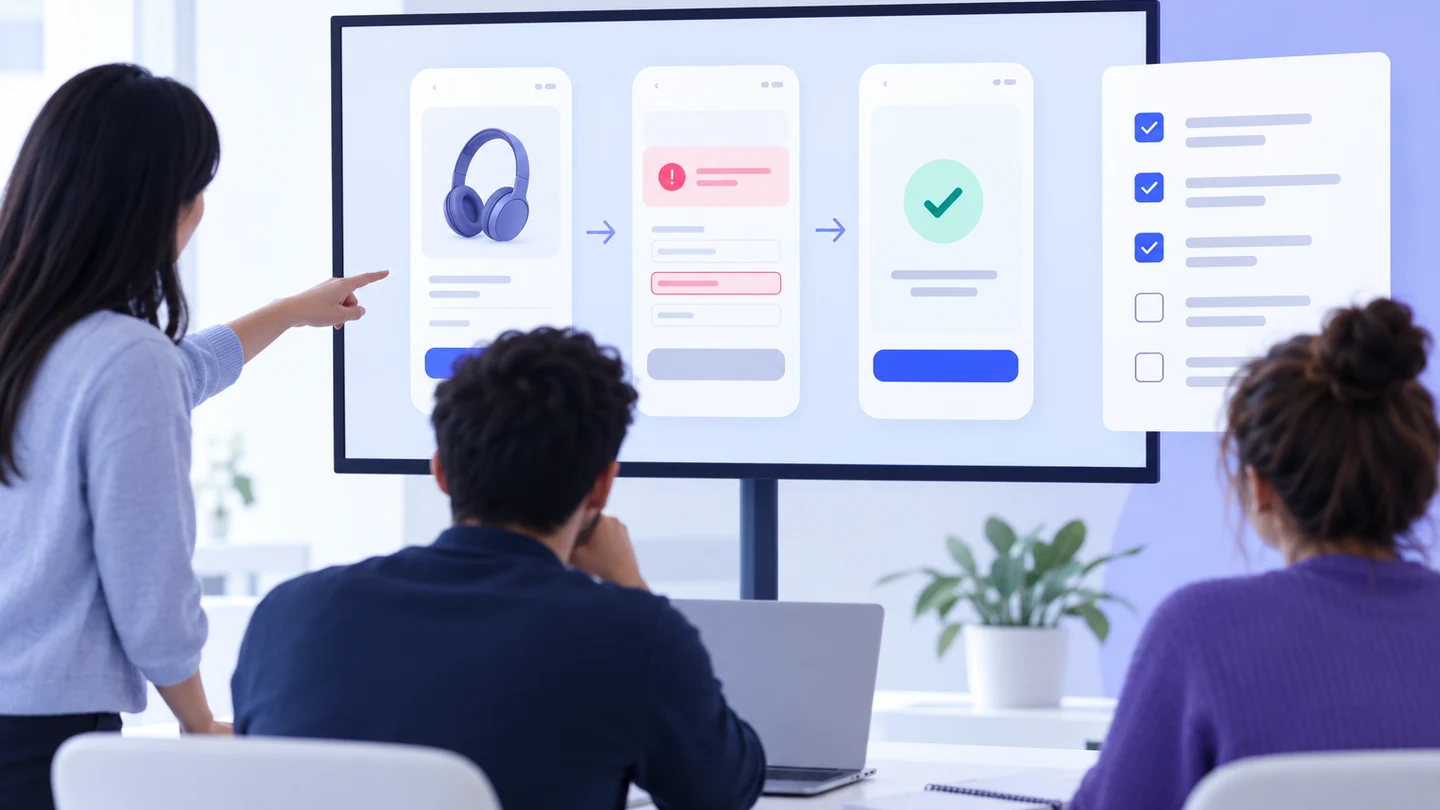
Short answer: a prototype sign-off meeting should decide whether a defined scenario is ready for the next step, not whether every pixel is perfect. Use a timed agenda that confirms scope, walks the primary and recovery paths, records unresolved decisions, and names owners. Share one version of the prototype in an interactive prototyping workspace before the meeting so reviewers can inspect the same evidence.
“Approved” is too vague to guide a team. A prototype can be ready for another usability test but not ready for engineering estimation. It can be visually aligned while still missing a permission state. A sign-off meeting creates a shared decision record: what was reviewed, what is accepted for the next stage, and what remains an explicit follow-up.
Choose the decision before inviting people
Write the decision in the calendar invitation and at the top of the review record. Common decisions include:
- ready for a usability test with a defined participant task;
- ready for engineering estimation with known assumptions;
- ready for a visual or content review, while behavior remains open;
- not ready because a blocking requirement or branch is unresolved.
Do not combine these decisions into one score. The evidence and participants differ. A research review may focus on task clarity; an engineering review needs states, dependencies, and implementation constraints.
A 45-minute prototype sign-off agenda
| Time | Segment | Output |
|---|---|---|
| 0–5 min | Decision, scope, and exclusions | Everyone agrees what this meeting can approve. |
| 5–12 min | Context and success criteria | Reviewer knows the user, task, entry point, and desired outcome. |
| 12–25 min | Primary path walkthrough | Comments are tied to actions, screens, and visible results. |
| 25–34 min | Recovery and edge states | Missing, invalid, loading, permission, and failure behavior is named. |
| 34–40 min | Open decisions and dependencies | Each unresolved item has an owner and next action. |
| 40–45 min | Decision and record | Readiness status, version, and follow-ups are documented. |
Before the meeting: prepare one review package
Send a short package at least a day before the meeting when the team is distributed. It should include the decision, scenario, link to the reviewed version, starting state, expected outcome, known exclusions, and questions requiring a decision. Include a simple change note if the prototype has been revised since the last review.
Use a stable version reference. An editable file is useful for comments, but a link that changes during the meeting can make the final decision impossible to reproduce. Capture the version label in the record and identify the person responsible for freezing or updating it after the meeting.
Keep the package honest about evidence. A prepared state can show the intended error message; it does not prove that a production API returns that error. A visual annotation can show a touch target; it does not certify assistive-technology behavior. Label simulations and implementation checks instead of filling the gap with confidence.
0–5 minutes: confirm the boundary
Start by reading the decision aloud. Then state the actor, situation, entry point, primary task, and completion condition. Name what is out of scope. For an invitation flow, the scope might include inviting one teammate and handling an invalid email, while bulk invitations and permission administration remain outside the review.
Ask one boundary question: “If we approve this today, what exactly can the next team do?” If different participants answer differently, pause the walkthrough and record the mismatch. A sign-off meeting should make a boundary clearer, not hide it under a polished demo.
5–12 minutes: align on success criteria
Translate the desired outcome into observable checks. “The flow feels simple” is a discussion prompt, not a criterion. “A first-time owner can invite one teammate, understand the selected role, and tell whether the request was sent” is testable in a walkthrough. Keep each criterion focused on one decision.
Separate four kinds of evidence:
- Flow: the user can enter, complete, reverse, or cancel the scenario.
- Screen: each surface explains its purpose and action hierarchy.
- State: relevant loading, empty, invalid, success, error, and permission conditions are covered.
- Dependency: data, service, access, or implementation assumptions are visible.
12–25 minutes: walk the primary path
Nominate one person to drive and another to capture decisions. Follow the scenario in the order a new user would experience it. At each action, ask: what did the user intend, what should appear, and what evidence do we have that the next step is understandable?
Keep comments close to the moment they arise. “The confirmation should preserve the selected role” is more useful when attached to the transition that loses it than when written as a general note at the end. Resolve straightforward wording issues quickly; move larger product or technical decisions to the open-items log so they do not consume the walkthrough.
25–34 minutes: visit recovery and edge states
Do not end on the happy path. Visit at least one branch that could change the approval decision. The choice depends on the flow, but common cases are invalid input, no results, a delayed response, a permission change, an unavailable item, and a user returning after cancellation.
For each state, check the trigger, visible explanation, retained information, available action, and safe next destination. If a retry may duplicate a request, do not assume it is harmless. Record the production rule that still needs engineering confirmation.
34–40 minutes: record open decisions
Use a small log with five columns: question, options, owner, decision point, and evidence required. Mark each item as blocking, nonblocking with a tracked follow-up, or deferred by scope. A comment without an owner is not a resolved action.
Examples of legitimate open items include whether a permission error should return to the form, which service owns duplicate detection, whether a long label wraps on mobile, and which analytics event identifies completion. The prototype can illustrate the desired interaction; it cannot silently answer those implementation questions.
40–45 minutes: state the decision precisely
Close by reading the decision, reviewed version, and follow-ups. Use one of three readiness statements:
- Ready: the agreed scope can move to the named next stage.
- Ready with tracked follow-up: open items do not change the approved behavior and have owners and dates.
- Not ready: an unresolved item changes behavior, architecture, access, or verification.
Never convert “not ready” into “approved with comments” when the unresolved item changes the task. That wording makes the record look complete while leaving the team to infer a decision.
After the meeting: freeze the record
Within the same working day, publish the decision record with the version, attendees, reviewed paths, accepted criteria, open-item owners, and next checkpoint. If the prototype changes, add a change note and decide whether the change requires another sign-off. Keep the record linked to the implementation ticket or research plan so the handoff does not disappear into a comment thread.
For recurring reviews, reuse the agenda but vary the evidence. One meeting may inspect behavior; another may inspect content, responsive layout, or accessibility assumptions. A repeatable structure should make the conversation faster, not force every project into identical criteria.
Sign-off checklist
- The decision and next stage are named.
- The scenario, entry point, outcome, and exclusions are written.
- The reviewed prototype version is stable and identifiable.
- The primary path and at least one material recovery path were walked.
- Simulated behavior and unproven dependencies are labelled.
- Every open item has an owner, status, and next action.
- The final readiness statement is recorded in plain language.
A good sign-off meeting does not eliminate uncertainty. It makes uncertainty visible, assigns it, and gives the team a decision it can act on. When the agenda starts with a bounded task and ends with a versioned record, a prototype becomes a reliable conversation between product, design, research, development, and QA.